How to Hide Your Instagram Story From Selected People Without Blocking Them
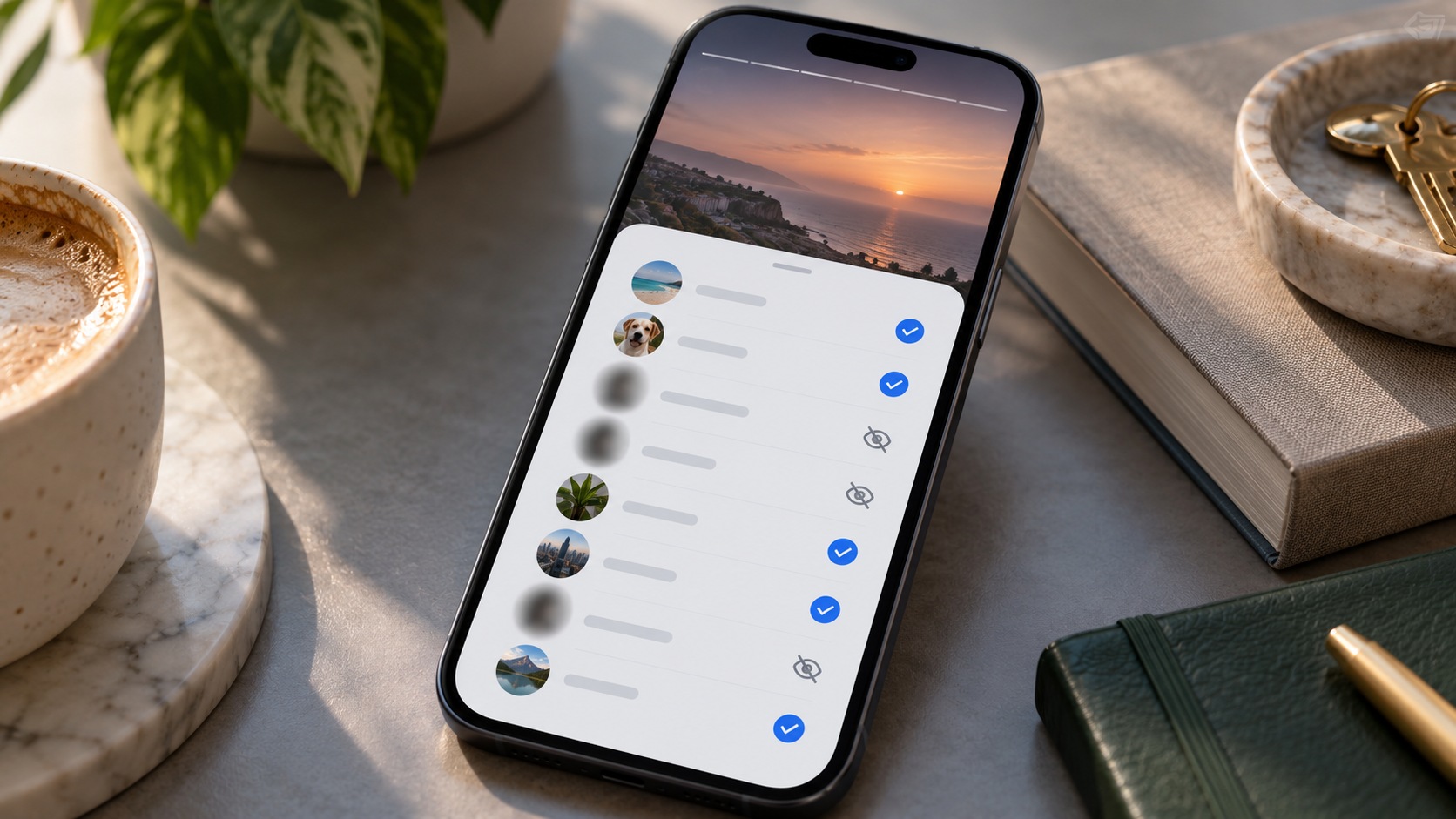
TL;DR
Yes. Instagram lets you hide your Story from selected accounts without blocking or unfollowing them. On current versions of the Instagram app, the usual route is:
-
Open your profile.
-
Tap the three-line menu.
-
Find the section for who can see your content.
-
Open Story, live and location or the similarly named Story privacy section.
-
Tap Hide story and live from.
-
Search for and select the accounts you want to exclude.
-
Go back when finished; Instagram saves the selection.
The selected people are not sent a notification.
They can generally still see your profile, regular posts, Reels, bio, and other content your account makes available to them. You are changing the audience for your Stories and related Story/Live visibility—not blocking the account.
If you want to share a Story with a small group instead of excluding a few people, Close Friends is usually the cleaner option.
The distinction is simple:
|
What you want |
Best control |
|---|
|
Hide Stories from a few people |
Hide story and live from |
|
Show a Story only to selected people |
Close Friends |
|
Stop seeing someone else’s Stories |
Mute |
|
Limit their comments and DMs |
Restrict |
|
Prevent normal account access and interaction |
Block |
For most users, Hide story from is the precise tool: narrow, reversible, and considerably less disruptive than blocking.
What “Hide Story From” Actually Does
Instagram’s Story privacy controls let you exclude particular accounts from seeing Stories you publish while the setting is active.
Imagine you have 800 followers but do not want three colleagues to see personal weekend Stories.
You do not need to:
-
remove 797 followers;
-
make a second account;
-
block the three colleagues;
-
unfollow them;
-
restrict them;
-
stop posting Stories.
Add those three accounts to the hidden audience list.
Your broader Instagram relationship can remain intact.
That is the point of the feature.
How to Hide Your Instagram Story From One Person
The exact menu wording can move slightly between app releases, but the current path is generally:
-
Open Instagram on iPhone or Android.
-
Tap your profile picture.
-
Tap the three-line menu.
-
Scroll to the section controlling who can see your content.
-
Open Story, live and location or the available Story privacy menu.
-
Tap Hide story and live from.
-
Search for the person’s username.
-
Select the account.
You can select one person or several.
There is no need to open each person’s profile separately.
Once selected, that account is excluded from your Story audience until you remove it from the list.
Can You Hide a Story From Several People?
Yes.
The setting is not limited to one username.
You can search for and select multiple accounts from the same screen, which is useful when you have a recognisable group you regularly want to exclude—for example:
-
coworkers;
-
clients;
-
relatives;
-
acquaintances;
-
professional contacts.
Still, if your exclusion list starts becoming enormous, consider whether Close Friends would be simpler.
Hiding from 150 people so that 12 can see the Story is backwards.
Choose the audience directly instead.
Does Instagram Notify Someone When You Hide Your Story From Them?
No standard notification is sent.
Instagram does not display:
@username hid their Story from you.
The person also does not receive a message when you later unhide them.
They may, however, work it out indirectly.
Perhaps they usually see your Stories every day and suddenly stop seeing them while another friend talks about something you posted. That can create suspicion.
Instagram does not announce the setting.
It cannot prevent human deduction.
What Can the Hidden Person Still See?
Hiding Stories is far narrower than blocking.
Depending on your account privacy and their existing access, the person may still be able to see:
-
your profile;
-
profile picture;
-
bio;
-
feed posts;
-
carousels;
-
Reels;
-
follower and Following information;
-
comments;
-
other publicly or legitimately available content.
They may also still be able to message you or interact with posts according to your normal settings.
This is why Hide Story is useful.
You are changing one audience boundary, not dismantling the entire Instagram relationship.
Does Hiding Your Story Also Hide Instagram Live?
Instagram groups Story and Live audience controls together in its current privacy settings.
The option is commonly labelled Hide story and live from.
So if you exclude an account there, do not assume you are hiding only the sequence of photo and video Stories at the top of the app. Live visibility is part of the same audience-control area.
If you intend to host a Live for a particular audience, review this list beforehand.
That takes thirty seconds.
Discovering the wrong audience setting after going live is less elegant.
What About Instagram Highlights?
Highlights are built from Stories.
Instagram’s Story audience restrictions therefore matter to Highlight visibility as well. If an account is excluded from your Stories through the relevant privacy setting, do not assume that saving those Stories as Highlights creates a loophole for that person.
This is different from ordinary feed posts and Reels, which have their own visibility rules.
If you want to understand how old Stories, Story Archive, and Highlights differ, see our guide to older Instagram Stories, Archives, and Highlights.
Can You Hide a Story After You Already Posted It?
Yes, you can change Story audience settings while a Story is active.
However, there is one obvious limitation.
If the person already viewed the Story, changing the setting cannot travel backwards in time and make that previous view unhappen.
Hiding them afterward can stop continued access under the new setting, but it does not erase what they have already seen.
So, for anything particularly sensitive, set the audience first.
Publish second.
Old-fashioned sequence. Still works.
How to Hide a Story From Someone Who Already Viewed It
If the Story is active:
-
Open your Story.
-
View the available viewer information.
-
Find the relevant account.
-
Open the options beside that username where available.
-
Choose the option to hide your Story from that person.
-
Confirm.
Alternatively, use the main Hide story and live from settings described earlier.
Remember: this prevents future access under the setting.
It does not delete the person’s historical knowledge of the Story.
How to Unhide Your Story From Someone
Go back to the same privacy menu:
Profile → Menu → Story privacy → Hide story and live from
Find the selected username and deselect it.
That person can then see future Stories if your broader account and Story settings allow them to.
Unhiding does not send a notification.
It also does not necessarily make an expired Story suddenly appear again. The normal Story lifespan still applies.
Hide Story vs. Close Friends
These controls approach the same audience problem from opposite directions.
Hide Story is an exclusion list:
Everyone who would normally qualify can see this, except these accounts.
Close Friends is an inclusion list:
Only these selected accounts should see this Story.
That makes each useful in different situations.
|
Situation |
Better choice |
|---|
|
Hide from 2 coworkers |
Hide Story |
|
Share with 8 close friends |
Close Friends |
|
Exclude one relative |
Hide Story |
|
Post personal travel updates to a small circle |
Close Friends |
|
Normal audience except several accounts |
Hide Story |
|
Highly limited audience |
Close Friends |
Close Friends Stories also have visible green styling for recipients.
People are not told who else is on your Close Friends list, but they can tell that the Story they received was shared to Close Friends.
Hide Story is less visible from the allowed audience’s perspective because everyone else receives the Story normally.
Does Instagram Notify People When You Add Them to Close Friends?
Instagram does not send a conventional “you were added” notification merely because you edit your list.
But once you publish a Close Friends Story, included users can recognize it through Instagram’s Close Friends presentation, including the familiar green Story ring.
This makes Close Friends different from simply excluding two people.
If you want an otherwise normal Story that only a few named accounts cannot access, Hide Story is generally the more natural mechanism.
Hide Story vs. Restrict
Restrict is frequently misunderstood here.
Restrict primarily changes how another person’s interactions reach you.
It can affect:
-
comments;
-
Direct Messages;
-
read information;
-
activity visibility.
It is not principally a Story audience selector.
If your only goal is:
I do not want Chris to see my Stories.
Use the Story audience setting.
Do not turn on Restrict and assume the Story is hidden.
For a broader comparison of these account-level controls, read Instagram Restrict vs. Block vs. Mute vs. Unfollow.
Hide Story vs. Mute
These two controls point in opposite directions.
If you mute their Story, you stop seeing what they publish.
If you hide your Story from them, they stop seeing what you publish through that Story audience.
Easy to mix up.
Very different result.
Muting someone does not automatically stop them from watching your Stories.
If audience privacy is the objective, change your Story audience.
Hide Story vs. Unfollow
Unfollowing someone means you stop following their account.
It does not automatically remove them from your followers.
Suppose:
-
you follow Jordan;
-
Jordan follows you;
-
you unfollow Jordan.
Jordan may still remain your follower and may still see your Stories if your audience settings permit it.
So unfollowing somebody is not a dependable substitute for hiding your Story from them.
The direction of the relationship matters.
Hide Story vs. Block
Block is much broader.
Blocking can sever ordinary profile access, follow relationships, messaging, and interactions.
Hiding a Story leaves most of that relationship alone.
Use Hide Story when the issue really is Story visibility.
Use Block when the issue is account access or unwanted interaction more broadly.
No need to demolish the house because one window needs a curtain.
What if Your Instagram Account Is Private?
A private account already limits content to approved followers.
Story hiding gives you another layer.
Suppose you have 300 approved followers but want 295 of them to see a Story.
You can keep the account private and hide the Story from the remaining five.
Private account + Hide Story therefore means:
-
outsiders do not gain normal follower-only access;
-
selected approved followers can also be excluded from the Story.
These controls complement each other.
They are not alternatives.
What if Your Instagram Account Is Public?
This deserves more attention.
If your account is public, hiding your Story from a particular Instagram account restricts that account’s access under the Story setting.
It does not make your entire account private.
Other eligible accounts can still see material you leave public.
That matters if the information is genuinely sensitive.
If the goal is strict audience control rather than simply excluding a few familiar usernames, consider:
-
Close Friends;
-
making the account private;
-
not publishing the sensitive material.
Story audience tools are useful privacy controls.
They are not a confidentiality contract.
Can Someone Use Another Account to See a Story You Hid?
Your hidden list applies to the accounts you selected.
It should not be interpreted as universal identity recognition across every Instagram account or every possible way information could be reshared.
If your account is public and somebody uses another account that you have not excluded, that account’s access is governed by the settings applying to it.
Likewise, Instagram cannot stop an authorized viewer from describing your Story, taking a screenshot where allowed, or showing their own device to someone else.
For sensitive content, choose the audience conservatively.
This is also why Dumpor’s public Instagram viewer is limited to supported publicly available material: restricted, private, and audience-limited content should not be treated as open content.
Can Anonymous Instagram Viewers See a Story You Hid?
Do not assume that an anonymous viewer somehow cancels Instagram’s audience restrictions.
A legitimate public-content service works with material that is publicly accessible to it.
It cannot turn:
-
Close Friends content;
-
private-account Stories;
-
otherwise inaccessible material
into public content merely because somebody knows the username.
That distinction is important whether you are protecting your own Story or viewing someone else’s public material.
Does Hiding Your Story Remove Someone From the Viewer List?
Not retroactively.
If an account watched the Story before you excluded it, hiding the Story afterward does not erase the fact that the view occurred.
The more useful interpretation of Hide Story is prospective:
This account should no longer receive access under this Story setting.
Do not use audience changes as a method for rewriting earlier viewer history.
Can You Hide Only One Story From Someone?
Instagram’s Hide story and live from list is better thought of as an audience setting than as a one-time switch attached exclusively to a single Story.
If an account remains selected, the restriction can continue across future Story publishing until you remove it.
If you need a different audience for only one particular Story, consider Close Friends or remember to reverse your hidden-list change afterward.
This matters because people sometimes hide five accounts for one weekend Story and forget that the setting is still active a month later.
Review the list periodically.
A Simple Audience Strategy
You do not need a complicated privacy system.
Use three levels:
Normal Story
For the audience you ordinarily allow to see Stories.
Hidden Accounts
Use Hide story and live from for specific people who should remain outside your Story audience consistently.
Close Friends
Use Close Friends when a particular Story belongs to a deliberately smaller circle.
That is usually enough.
Anything requiring elaborate combinations of dozens of temporary exceptions may be better handled by reconsidering the content before publishing.
Why Someone May Still Appear to Know About Your Hidden Story
Do not immediately assume the setting failed.
Several explanations are possible:
-
they saw it before you hid it;
-
another viewer told them;
-
someone showed them a screenshot;
-
they use another account;
-
the same information appeared in a Reel or post;
-
you later published related content publicly.
Story privacy controls govern Instagram access.
They cannot govern conversations outside the Story itself.
Quick Troubleshooting
|
Problem |
What to check |
|---|
|
Person can still see feed posts |
Expected; Story hiding does not hide posts |
|
Person can still DM you |
Expected unless other settings limit messages |
|
Person already saw the Story |
Hiding cannot undo a past view |
|
You cannot find Hide Story |
Update Instagram and check Story/Live privacy settings |
|
Close Friends Story reaches too many people |
Review the Close Friends list |
|
Hidden person can see content from another account |
Hide setting is account-specific |
|
You want to hide their Stories from yourself |
Use Mute instead |
|
You want to stop all normal interaction |
Consider Block rather than Story hiding |
Most problems come from asking one privacy tool to do another tool’s job.
The 30-Second Privacy Check Before Posting
Before publishing a personal Story:
-
Ask who should see it.
-
If almost everyone except a few accounts can see it, use Hide Story.
-
If only a small group should see it, use Close Friends.
-
Review the selected usernames.
-
Remember that Story/Live visibility may be linked under the same privacy control.
-
If the information is genuinely sensitive, reconsider whether Instagram Stories is the right place for it.
Audience selection is much easier before publication.
Afterward, you are managing exposure that may already have happened.
FAQ
Frequently Asked Questions
Can I hide my Instagram Story from one person without blocking them?+
Yes. Open your Story privacy settings, choose Hide story and live from, and select that account. They can usually continue seeing the rest of your profile according to your normal privacy settings.
Does Instagram notify someone when I hide my Story from them?+
No. Instagram does not send a standard notification saying that you hid your Stories from a person. They may nevertheless infer it from context.
Can someone still see my posts if I hide my Story from them?+
Yes. Hiding a Story is not the same as blocking the account. Regular posts, Reels, your profile, and other accessible content can remain visible.
Does hiding my Story also hide my Instagram Live?+
Instagram currently groups Story and Live exclusions under the Hide story and live from control. Review that audience list before broadcasting if Live visibility matters.
Does hiding my Story affect Highlights?+
Story visibility restrictions also matter to Highlights created from your Stories. Hiding Stories from an account should not be treated as permission for that account to see the same restricted material merely because it was saved as a Highlight.
Can I hide an Instagram Story after posting it?+
Yes. You can change your audience settings while a Story is active. If somebody already watched it, however, changing the setting does not undo that earlier view.
Can I hide my Story from multiple people?+
Yes. Select several accounts in the Hide story and live from list. If you are excluding a very large number of people, Close Friends may be simpler.
Is Hide Story the same as Close Friends?+
No. Hide Story is primarily an exclusion system: normal viewers except selected accounts. Close Friends is an inclusion system: only the accounts on your chosen list receive that Close Friends Story.
Will someone know they are on my Close Friends list?+
Instagram does not send a standard notification when you add them, but a Close Friends Story is visually identifiable to included viewers through the Close Friends presentation and green ring.
Does restricting someone hide my Stories from them?+
Do not rely on Restrict as a Story audience control. Restrict primarily changes comments, messages, activity status, and related interactions. Use Hide story and live from when Story visibility is the issue.
Does muting someone stop them from seeing my Story?+
No. Muting generally changes what you see from them. Hiding your Story changes what they can see from you. They are opposite-direction controls.
Does unfollowing someone hide my Story from them?+
Not necessarily. If that person still follows you or your account is public, they may continue to have access. Unfollow controls whom you follow, not your Story audience.
If my account is private, can I still hide Stories from followers?+
Yes. A private account limits access to approved followers, and Story hiding can exclude selected approved followers from Stories as an additional layer.
Can someone use another account to view a Story I hid from them?+
The hidden setting applies to the account or accounts you selected. If your profile is public, another eligible account is governed by the settings applying to that account. For tighter control, consider Close Friends or a private account.
How do I let someone see my Stories again?+
Return to Hide story and live from, find the account, and deselect it. They can then see future Stories if your other privacy settings allow access.
Can a hidden person tell from my profile that I posted a Story?+
Instagram does not give the excluded account a notification explaining that a Story has been hidden from it. What the person can infer from other people or other accounts is outside the control of the Story setting.
You do not need to block someone simply because one part of your Instagram life is not meant for them.
Use Hide story and live from when almost everyone can see your Stories except a few selected accounts. Use Close Friends when the intended audience is deliberately small.
And remember the boundary: hiding a Story does not hide your whole profile.
For ordinary Story privacy, that narrowness is exactly what makes the feature useful.

 Telegram bot
|
TikTok Viewer
Telegram bot
|
TikTok Viewer