Instagram Restrict vs. Block vs. Mute vs. Unfollow: What Changes for Each Person?
TL;DR
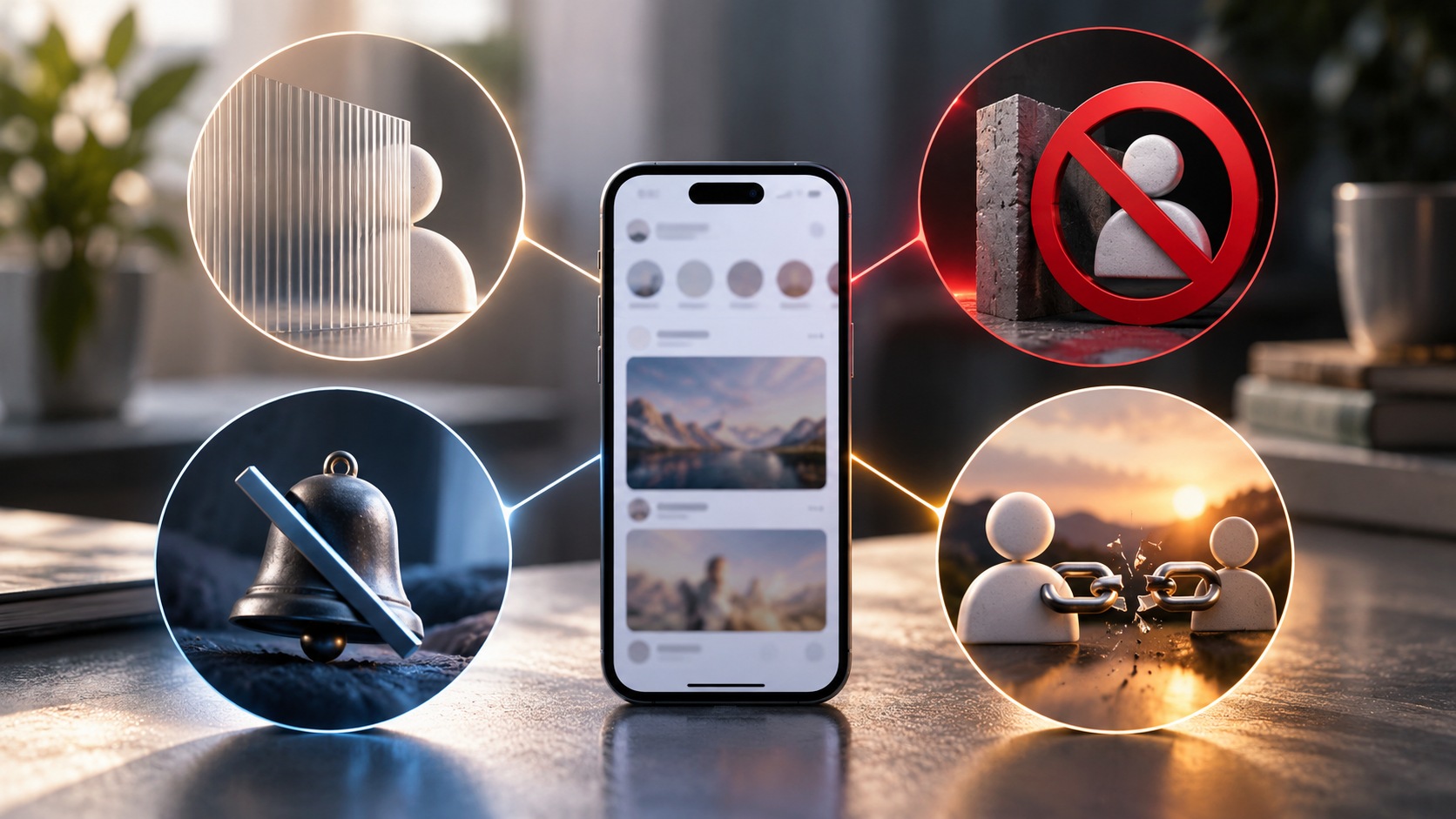
Restrict, Block, Mute, and Unfollow solve four different Instagram problems.
- Mute changes what you see. You can hide someone’s posts or Stories without unfollowing them. Their access to your account does not disappear, and Instagram does not notify them.
- Restrict changes how their interactions with you are handled. Their new comments on your posts are normally visible only to them unless you approve them, their messages move to Message Requests, and they cannot see when you are active or whether you read their messages.
- Unfollow removes the account from your Following list. It does not automatically remove that person from your followers, block them, or prevent them from seeing a public profile.
- Block creates the strongest boundary. It stops the blocked account from viewing and interacting with your Instagram profile in the ordinary way, ends the follow relationship, prevents direct contact, and can also cover other accounts the person has or creates.
The quickest comparison:
|
Action |
You keep following them? |
They can normally see your account? |
Their DMs reach you normally? |
Their comments work normally? |
Instagram notifies them? |
|---|
|
Mute |
Yes |
Yes |
Yes |
Yes |
No |
|
Restrict |
Usually unchanged |
Yes, subject to your privacy settings |
No, moved to Requests |
Limited until approved |
No |
|
Unfollow |
No |
Yes if your content is otherwise available to them |
Generally unchanged |
Generally unchanged |
No standard alert |
|
Block |
No |
No through the blocked account |
No |
No |
No standard alert |
If you remember only one sentence, make it this:
Mute controls your feed, Restrict controls someone’s access to your attention, Unfollow changes your subscription, and Block creates a much harder wall.
They are not four levels on one volume slider.
Why Instagram Has Four Similar-Looking Controls
Someone posts twelve Stories before breakfast.
Someone else leaves comments you would rather not display publicly.
A brand you followed two years ago simply no longer interests you.
And, occasionally, an account crosses a line where you do not want contact at all.
Those are four different situations.
Instagram therefore gives you controls that act on different parts of the relationship rather than one giant “show me less of this person” button.
The mistake is choosing the control by how severe its name sounds.
Instead, ask what you want to change:
- What I see? Mute.
- How their comments and messages reach me? Restrict.
- Whether I follow them? Unfollow.
- Whether this account can interact with or access me normally? Block.
That framework is considerably more useful than trying to rank the buttons from polite to rude.
Mute: Change Your View Without Changing the Relationship
Mute is the quietest option because it primarily affects your side of Instagram.
You can remain a follower while reducing content from that account in your everyday browsing.
Depending on Instagram’s current controls, you may be able to mute:
-
posts;
-
Stories;
-
Notes;
-
message notifications;
-
call notifications.
These are not necessarily one master setting. Muting someone’s Stories does not automatically mean their posts vanish, and silencing a DM conversation does not necessarily mute their feed content.
Small switches. Different jobs.
What Changes for You When You Mute Someone?
If you mute their feed posts, those posts stop appearing in your normal feed in the usual way.
If you mute their Stories, their Stories no longer occupy their normal place in your Story experience.
You can still visit the person’s profile whenever you choose and view content you are permitted to see.
That distinction makes Mute useful when the problem is frequency rather than access.
You are saying:
I do not need this delivered to me.
You are not saying:
I no longer want any relationship with this account.
What Changes for the Muted Person?
Very little.
They can generally continue to:
-
follow you;
-
see content available to them;
-
like your posts;
-
comment;
-
message you;
-
mention or tag you according to your settings;
-
view your Stories if they otherwise have access.
Instagram does not send them a standard notification saying that you muted them.
They may eventually notice that you interact less often, of course. That is inference, not an Instagram disclosure.
Restrict: Quietly Filter One Person’s Interactions
Restrict points in the opposite direction.
Mute controls content coming from them to your feed.
Restrict controls certain interactions coming from them into your space.
Instagram originally introduced Restrict as a quieter alternative for situations where somebody wanted protection from unwanted interactions without making the visible break that comes with blocking.
A restricted account can still encounter your profile and content when your privacy settings allow it.
What changes is how its comments and messages reach you.
What Happens to Comments When You Restrict Someone?
This is one of Restrict’s most important effects.
A new comment from a restricted person on your post is not treated like an ordinary public comment. It can remain visible to that person while being hidden from everyone else unless you choose to approve it.
You can review the comment and decide what happens next.
Depending on the interface, you may be able to:
-
view it;
-
approve it;
-
delete it;
-
leave it unapproved.
You also do not receive the usual notifications for new comments from the restricted account.
From the restricted person’s perspective, their comment can appear as though it was posted normally.
That is deliberate.
Restrict reduces confrontation by limiting the reach of an interaction without displaying a bright banner that says, “You have been restricted.”
What Happens to DMs When You Restrict Someone?
Messages from a restricted account are routed away from your normal inbox experience and into Message Requests.
You can inspect them without providing the same read-status information.
The restricted person cannot see whether you have read those messages, and they also lose access to your Instagram activity status.
That means Restrict affects three particularly useful signals at once:
-
comment visibility;
-
message delivery;
-
activity/read information.
It does not, however, mean the person has been blocked from sending anything at all.
They can still attempt to communicate.
Instagram simply changes how those attempts arrive.
Can a Restricted Person Still See Your Posts and Stories?
Yes, if they would otherwise be allowed to see them.
Restrict is not a substitute for account privacy or blocking.
If your account is public, restricting somebody does not suddenly make your public profile invisible to that account.
If the restricted person is an approved follower of your private account, restriction by itself does not automatically remove that follower relationship.
Likewise, Restrict is not primarily a Story-hiding feature.
If your goal is specifically to stop one person from seeing your Stories or Live content, use the relevant Story audience controls.
This is precisely why understanding each switch matters.
Can a Restricted Person Tell?
Instagram does not send them a notification.
And there is no obvious “Restricted” badge on your profile for them to inspect.
They may suspect something if comments receive no responses, messages never appear read, or your activity status disappears. None of those clues proves Restrict by itself.
Read receipts can be absent for other reasons. Activity status can be disabled more broadly. A comment can simply be ignored.
Restrict is designed to be comparatively discreet.
Not supernatural.
A determined person comparing what different accounts can see may infer that something has changed.
Unfollow: End the Subscription, Not the Other Person’s Access
Unfollow is simpler.
When you unfollow somebody, you stop subscribing to that account’s posts through your Following relationship.
Their account disappears from your Following list.
That is the central effect.
It does not automatically:
-
block the account;
-
restrict its comments;
-
remove it from your followers;
-
prevent it from messaging you;
-
hide your public profile from it.
If your account is public, somebody you unfollow can generally continue viewing the public content you make available.
Unfollow changes your following relationship.
Nothing more should be assumed.
Does Instagram Notify Someone When You Unfollow?
Instagram does not normally send a dedicated notification saying:
@username unfollowed you.
Still, the change is discoverable.
The person may notice that their follower total changed or check their follower list and see that you are no longer following them.
Third-party services also make all sorts of claims about tracking follower changes, so “no notification” should not be translated into “there is absolutely no way they could ever notice.”
No push alert.
Observable relationship change.
Different things.
What If They Still Follow You After You Unfollow Them?
That can happen.
Unfollowing someone does not necessarily remove them from your own followers list.
Imagine this relationship:
-
You follow Alex.
-
Alex follows you.
You tap Unfollow.
Now:
-
You no longer follow Alex.
-
Alex may still follow you.
If your purpose was to stop Alex from seeing content on a private account, merely unfollowing Alex does not achieve that.
You would need to manage Alex’s access separately.
This is one of the most commonly missed distinctions in Instagram privacy discussions.
Block: The Strongest Account-Level Boundary
Block goes much further.
When you block an account, ordinary profile access and interaction between the two accounts are cut off.
The blocked account cannot use its normal logged-in Instagram identity to browse your profile and interact with you in the way an ordinary follower or public viewer can.
Instagram can also give you the option to block other existing accounts the person may have, along with accounts they may create later.
That feature is especially important when repeated unwanted contact moves from one account to another.
If you are dealing with serious harassment, threats, impersonation, or repeated unwanted contact, Restrict should not be treated as a mandatory intermediate step. Use the stronger safety and reporting controls appropriate to the situation.
What Does Blocking Do to the Follow Relationship?
Blocking severs the Instagram follow connection.
If either account followed the other, that relationship does not simply sit frozen in the background waiting for an unblock.
After you unblock somebody, previous follows are not automatically restored.
If either person wants to follow again, they must do so through the normal process. A private account may require a fresh follow request and approval.
This makes Block fundamentally different from Mute and Restrict.
Those options can leave the follower relationship untouched.
Block does not.
What Happens to Old Likes and Comments After Blocking?
Instagram’s current documented behavior is that blocking someone removes that person’s previous likes and comments from your photos and videos.
Unblocking them does not automatically restore those old interactions.
This is a meaningful practical difference from Restrict.
Restrict is primarily about new interactions and how they reach you.
Block can alter the existing visible interaction history on your own posts as well.
Also note a peculiar boundary: someone you block can still encounter your likes or comments on posts belonging to public accounts or accounts they themselves follow.
Blocking one person does not make your entire Instagram activity invisible everywhere else on the platform.
What Happens to Existing DMs After Blocking?
Blocking does not necessarily erase the historical chat thread from existence.
Existing Direct conversations can remain visible in your inbox history.
What changes is the ability to continue ordinary one-to-one messaging while the block is active.
Messages sent by the blocked account during that period are not simply queued for delivery if you later unblock them.
Group chats are another special case. If you remain in a shared group conversation with someone you blocked, Instagram can allow the group context to continue, which means you may still encounter each other’s messages there.
So “Block means they vanish from every pixel of Instagram” is too simplistic.
It creates a strong account boundary, but shared spaces and activity on third-party profiles can still create limited points of visibility.
Restrict vs. Block: The Difference Most People Actually Need
Put the two controls side by side.
|
Question |
Restrict |
Block |
|---|
|
Can they normally find your account? |
Yes |
No through the blocked account |
|
Can they see accessible posts? |
Yes |
No |
|
Can they comment? |
Yes, but new comments are limited |
No ordinary interaction |
|
Do DMs reach your normal inbox? |
No, they move to Requests |
No |
|
Can they see your activity status? |
No |
No ordinary account access |
|
Can they see read receipts? |
No |
No ordinary one-to-one messaging |
|
Follow relationship remains? |
Usually yes |
No |
|
Old likes/comments stay on your posts? |
Yes |
Removed under current documented behavior |
|
Are they notified? |
No |
No |
|
Can they probably discover the change? |
Difficult |
Much easier |
Restrict is a filter.
Block is a boundary.
That is the cleaner way to think about it.
Mute vs. Restrict: They Work in Opposite Directions
This pair causes almost as much confusion.
Suppose Taylor posts constantly.
You want fewer Taylor posts.
Mute Taylor.
Now suppose Taylor keeps leaving comments you do not want everyone else to see and sending messages that demand your attention.
Restrict Taylor.
Mute says:
Change what reaches my eyes.
Restrict says:
Change how this person’s interactions reach me and my audience.
You can, in principle, use both when both problems exist.
Neither is inherently a “stronger” version of the other because they act on different parts of Instagram.
For a feed-focused comparison, see our guide to Instagram Not Interested vs. Mute vs. Unfollow.
Mute vs. Unfollow: Similar Feed Result, Different Relationship
Both can reduce how often someone’s ordinary posts appear because of your existing follow.
But the relationship is different.
Mute keeps the follow.
Unfollow removes it.
Choose Mute when the relationship itself matters but the posting volume does not.
Choose Unfollow when you genuinely no longer want the account in your Following list.
A former colleague you still want to stay connected with? Mute may be enough.
A brand you followed for a giveaway in 2022 and have never cared about since? Unfollow is considerably cleaner.
Unfollow vs. Block: One-Sided Choice vs. Two-Sided Boundary
Unfollow changes what you subscribe to.
Block changes how the two accounts can interact and access each other.
If you unfollow a public creator today, you can still visit the creator tomorrow.
The creator can still visit your public profile too.
If you block the creator, that ordinary access relationship is severed.
Therefore, Unfollow should not be used as a privacy substitute when you actually need to prevent a particular account from reaching your profile.
Conversely, blocking someone merely because you no longer care about their restaurant photos is usually unnecessary.
Instagram gave you an Unfollow button for a reason.
What Each Person Sees: Side-by-Side
|
Situation |
You |
Other account |
|---|
|
You mute them |
Their selected content stops appearing normally |
Their Instagram experience with you is largely unchanged |
|
You restrict them |
Their comments/DMs are filtered; activity/read status is hidden from them |
Your accessible profile still looks largely normal |
|
You unfollow them |
Their posts no longer come through your follow relationship |
They may still see your content and may notice you stopped following |
|
You block them |
Their ordinary profile/content/contact disappears from your account relationship |
Your account becomes inaccessible through that blocked identity |
This table is more useful than asking which control is “the harshest.”
The real question is which side of the relationship you need to change.
What Happens With Private Accounts?
Private accounts add an important wrinkle.
If you mute a private account you already follow, your approved access remains unless something else changes.
If you restrict an approved follower of your private account, Restrict itself does not function as Remove Follower.
If you unfollow a private account, you lose your follower relationship with that account. Following again may require approval.
If you block someone, the follow relationship is severed.
And if your account is private, unfollowing another person does not necessarily remove that person from your own approved followers.
Manage that follower separately when access is the real concern.
Public and private viewing rules matter throughout these choices. Our Instagram viewer privacy guide explains the broader distinction between publicly available material and content that requires approved access.
Does Any of This Hide Your Profile From Logged-Out Viewers?
Only account visibility rules determine what is publicly available in the wider sense.
Muting another person certainly does not make your profile private.
Restricting them does not convert a public profile into a private one either.
Unfollowing them changes no global privacy setting.
Blocking is tied to the blocked account relationship; it should not be described as a mechanism that erases public content from the open web for every possible viewer.
If your objective is broader privacy, review your account’s privacy settings rather than relying on relationship controls to do a different job.
For supported public-account research, Dumpor works with publicly available Instagram content and does not provide access to private accounts or bypass relationship restrictions.
What Happens When You Undo Each Action?
Unmute
Turn the relevant mute setting off.
Their eligible posts or Stories can return to your normal Instagram experience. Home remains algorithmically ranked, so unmuting does not guarantee that their next post occupies the first position in your feed.
Unrestrict
Remove the account from Restrict.
Future comments and messaging behavior return to ordinary rules, subject to your other privacy and message settings.
Follow Again
If you previously unfollowed somebody, tap Follow.
A public account can normally be followed directly. A private account may need to approve you.
Unblock
Unblocking restores the possibility of normal account access.
It does not automatically rebuild the previous relationship. Old follow connections are not magically restored, and likes or comments removed by the block do not simply return.
Block, then unblock, is not an invisible pause button.
Which Control Should You Use?
Consider six ordinary scenarios.
“I like this person, but they post far too much.”
Use Mute.
You preserve the relationship and reduce what is delivered to your feed.
“Their comments and DMs are making me uncomfortable, but I do not want an obvious block.”
Use Restrict.
It quietly filters those interactions without making the account disappear.
“I simply do not care about this account anymore.”
Use Unfollow.
No need to turn a routine feed-cleanup decision into an account boundary.
“I do not want this account contacting or accessing me normally.”
Use Block.
For repeated harassment, threats, impersonation, or safety concerns, also consider reporting the relevant account or content.
“I want them to stop seeing my private posts, but I still follow them.”
None of the four should be chosen blindly.
If they are your approved follower, manage their follower access. Unfollowing them does not automatically remove them from you.
“I only want to hide my Stories from this person.”
Use Instagram’s Story audience controls rather than assuming Restrict or Mute solves that exact problem.
Again: smallest correct tool.
A 20-Second Decision Tree
Ask these questions in order:
Is the problem what I see from them?
Mute.
Is the problem their comments or DMs to me?
Restrict.
Do I simply no longer want to follow them?
Unfollow.
Do I need an account-level boundary?
Block.
Do I need to remove them from my private audience?
Remove the follower or adjust audience settings.
Is there harassment, a threat, impersonation, or another safety issue?
Consider Block plus Instagram’s reporting and safety controls.
That covers most situations without turning Instagram settings into a small constitutional crisis.
FAQ
Frequently Asked Questions
What is the difference between Restrict, Block, Mute, and Unfollow on Instagram?+
Mute changes what content you see from another account. Restrict quietly filters that account’s comments and DMs and hides your activity/read status from it. Unfollow removes the account from your Following list. Block creates a stronger account-level boundary and severs the follow relationship.
Can a restricted person still see my Instagram posts?+
Yes, if your privacy settings otherwise allow them to see those posts. Restrict does not make a public account private and does not automatically remove an approved follower from a private account.
Can a restricted person see my Stories?+
Restrict is not primarily a Story-visibility control. If the person otherwise has access to your Stories, use Instagram’s specific Story audience settings when you want to hide Stories or Live content from them.
What happens when a restricted person comments?+
Their new comment on your post is generally visible to them but not to other people unless you approve it. You can review, approve, delete, or ignore the comment, and you do not receive the normal comment notification from that restricted account.
Can a restricted person still DM me?+
Yes. Their messages are routed to Message Requests rather than arriving normally in your inbox. They cannot see whether you have read those messages, and they cannot see your activity status.
Does Instagram tell someone when you restrict them?+
No. Instagram does not send the person a standard notification that you restricted their account. They may infer that something changed, but there is no direct Restrict alert.
Does Instagram notify someone when you mute them?+
No. Muting is a personal viewing preference. The other account is not sent a standard notification, and it can generally continue interacting with you according to your existing settings.
Does muting someone stop them from seeing my posts?+
No. Mute primarily changes what you see from them. It does not hide your profile, posts, or Stories from that person.
Does unfollowing someone remove them from my followers?+
No. Unfollowing controls whether you follow them. If they already follow you, that relationship may remain. Manage your own follower list separately if you want to remove their access to a private account.
Does Instagram tell someone when I unfollow them?+
Instagram does not normally send a dedicated unfollow notification. The person can nevertheless notice the change by checking follower information or your relationship with their account.
Can someone still see my profile after I unfollow them?+
Yes, subject to your account privacy. Unfollowing does not block them. If your account is public, they can normally continue viewing publicly available content.
What happens when I block someone on Instagram?+
Blocking prevents the blocked account from normally viewing and interacting with your Instagram account, ends follow relationships, stops ordinary direct contact, and can also give you the option to block other accounts the person has or may create.
Does Instagram notify someone when I block them?+
No standard notification is sent. Blocking is nevertheless much easier to discover than Mute or Restrict because the blocked account can no longer access your profile normally.
Do old likes and comments disappear when I block someone?+
Instagram’s current documented behavior is that the blocked person’s previous likes and comments are removed from your photos and videos. Unblocking the account does not automatically restore those previous interactions.
Do old DMs disappear when I block someone?+
Existing chat history can remain visible. Blocking stops ordinary new one-to-one communication rather than necessarily erasing the historical thread. Shared group chats can also behave differently from direct conversations.
If I unblock someone, will we automatically follow each other again?+
No. Unblocking does not restore previous follow relationships. Either account must follow again through the normal process, and private accounts may require approval.
Is Restrict safer than Block for harassment?+
They serve different levels of boundary. Restrict can quietly filter unwanted comments and messages. If you need to prevent an account from contacting or accessing you normally—particularly in cases of persistent harassment or threats—Block and Instagram’s reporting tools provide stronger controls.
Which is more private: Mute or Restrict?+
They protect different things. Mute controls what you see and does little to the other person’s access. Restrict limits how their comments and messages reach you. Neither is a replacement for Block or private-account audience controls when you need to prevent access.
Instagram’s four controls make considerably more sense once you stop arranging them on a single scale from “nice” to “severe.”
Mute is about your attention. Restrict is about their interactions. Unfollow is about your subscription. Block is about access and contact.
Choose the setting that changes the relationship you actually want to change.
If the problem is a noisy feed, you probably do not need a block. If the problem is repeated unwanted contact, merely unfollowing may accomplish almost nothing. And if somebody should no longer have access to your private audience, changing who you follow is the wrong direction entirely.
Four buttons.
Four different boundaries.
That distinction is what keeps a small Instagram setting from becoming a much larger misunderstanding.

 Telegram bot
|
TikTok Viewer
Telegram bot
|
TikTok Viewer