Instagram Read Receipts: How to Hide Seen in All Chats or One Conversation
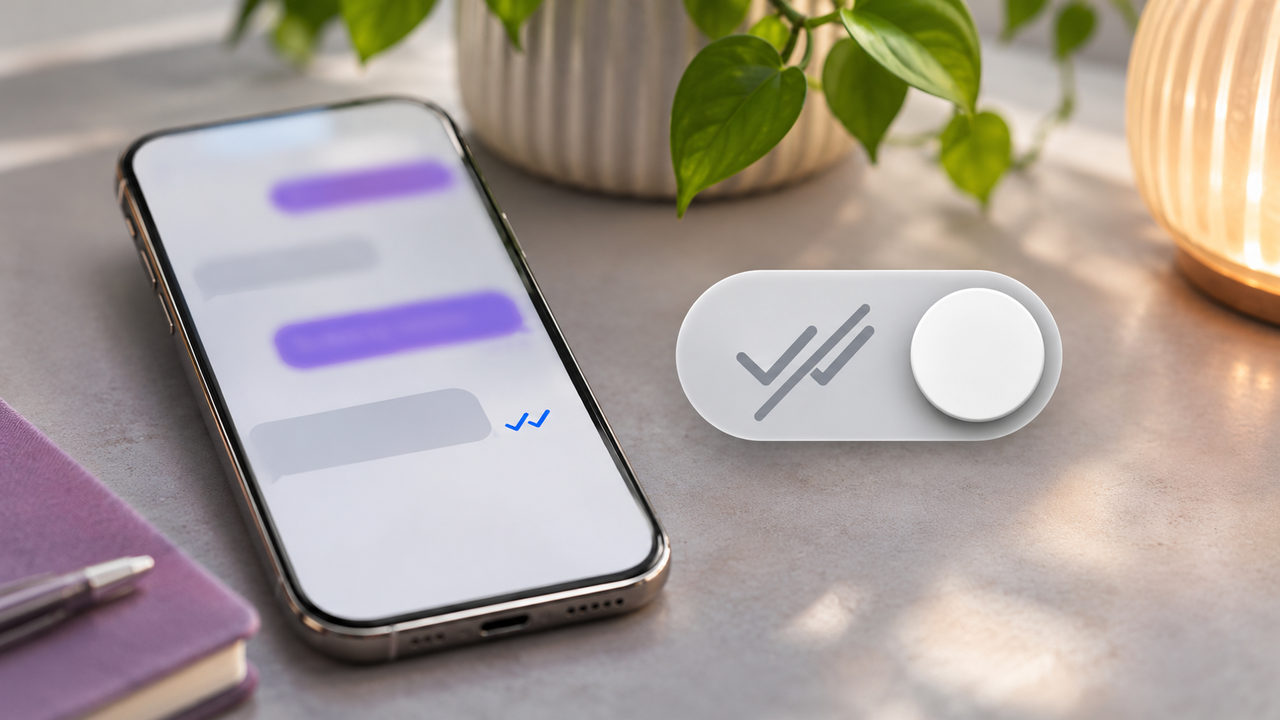
TL;DR: In the Instagram app, go to Profile → Menu → Messages and story replies → Show read receipts, then switch Read receipts off. For one conversation, open the chat, tap its name, choose Privacy & safety, and turn Read receipts off. Individual chat settings can override the general preference. Activity Status is separate, and changing receipts does not undo a Seen indicator someone has already received.
A message can take ten seconds to read and considerably longer to answer. Perhaps you need an order number, a colleague’s confirmation, or simply a quieter moment. The Seen label does not explain any of that.
Instagram lets you control whether ordinary chats show that you have viewed incoming messages. At Dumpor, we recommend choosing the scope first: use the account-wide preference for a consistent default, or adjust one conversation when you want a specific exception.
What are Instagram read receipts?
Read receipts tell participants when their messages have been viewed. In an ordinary direct-message conversation, this may appear as Seen beneath a message or as another read indicator, depending on the interface.
When you disable receipts, you limit the read confirmation that other people receive from your account in the affected conversations. You can still open messages and reply normally.
Seen, sent, and active are different signals
A message status and a person’s online status answer different questions. Keep them separate when deciding which setting to change.
|
Signal or control |
What it concerns |
What it does not prove |
|---|
|
Sent or delivery information |
A message’s progress through the service |
That the recipient has read it |
|
Seen or a read indicator |
A message being viewed |
That a reply is being prepared |
|
Active now or recent activity |
The account’s activity status |
That a particular conversation was opened |
|
Typing indicator |
Activity in the message composer |
That the message will actually be sent |
|
Unread marker in your inbox |
Your own conversation organization |
That a previously issued receipt was withdrawn |
A missing Seen label is not evidence that someone has blocked you or ignored a message. They may have disabled receipts, not opened the conversation, or encountered a connection issue.
How to turn off read receipts for all Instagram chats
Use the global preference if you generally want to read messages without sending the ordinary read confirmation.
-
Open Instagram and go to your profile.
-
Confirm that the username belongs to the account you want to change.
-
Tap the menu in the upper-right corner.
-
Open Messages and story replies.
-
Select Show read receipts.
-
Switch Read receipts off.
-
Reopen the setting to confirm its saved state.
This is an Instagram messaging setting. You do not need to disconnect Facebook, change your password, or remove a profile from Accounts Center.
If you are unsure which controls belong in which area, our guide to Instagram Accounts Center and shared settings explains the distinction between central account controls and app-specific preferences.
Check conversations you customized earlier
The general switch is not a reliable way to erase every individual preference. A conversation whose receipts you changed separately can retain its own setting.
For a consistent setup, change the global preference first, then inspect any chats you previously customized. This is particularly useful if one contact still receives read confirmations while others do not.
How to turn off read receipts for one conversation
Use the conversation-level setting when you want receipts to behave differently in a particular chat.
-
Open Instagram’s messages inbox.
-
Select the conversation.
-
Tap the person’s name or the chat title at the top.
-
Open Privacy & safety.
-
Find Read receipts and switch it off.
-
Return to the chat when finished.
This changes the receipt preference for that conversation. It does not block the person or prevent messages from arriving.
For an eligible group conversation, inspect the same chat-details area for the available control. Your preference concerns your own read information; it does not give you control over every participant’s settings.
Set the preference before opening sensitive unread messages
There is a practical catch: reaching a conversation’s settings may involve opening the conversation itself. If unread messages are already waiting, they may be marked as seen before you reach the toggle.
If you want to change your default before opening any chats, start from the profile-level settings. Remember that an existing individual exception may still apply.
Treat this as a setting for subsequent use, not an undo button for something already displayed. If someone has already received a read confirmation, you cannot make them forget it by changing a preference afterwards.
Which setting wins: all chats or an individual chat?
Think of the account-wide switch as the general preference and an individually configured conversation as an exception. A later global change does not necessarily overwrite that exception.
|
Your intended setup |
What to do |
|---|
|
Receipts off throughout ordinary chats |
Turn the general preference off and review existing exceptions |
|
Receipts off for one person |
Turn them off inside that conversation |
|
Receipts off generally, on for a trusted contact |
Disable them globally, then enable them in that chat |
|
Receipts on again in one conversation |
Return to its Privacy & safety settings and enable them |
|
Results differ between two conversations |
Compare the individual settings before changing the general switch again |
What changes for the other person?
With receipts disabled in an ordinary chat, the sender should no longer receive your usual read confirmation for messages you view under that setting. Your messages still arrive, and you can continue the conversation.
The preference is not a promise of complete invisibility. A reply, reaction, or other visible action can make it apparent that you have engaged with the conversation.
Receipt visibility also works both ways: turning receipts off can remove your ability to see the other person’s read confirmations in the affected chat. Do not choose this setting expecting a one-sided monitoring tool.
Does Instagram announce the change?
Changing the setting does not ordinarily send a separate notification announcing that you have disabled receipts. Nevertheless, the other person may notice that the usual read indicators no longer appear.
Avoid describing this as an undetectable action. The control changes a particular signal, and people can draw conclusions from the conversation around it.
Read receipts and Activity Status need separate attention
Switching off read receipts does not automatically hide Active now, your recent activity, or other status information controlled by Activity Status.
To review that setting:
-
Go to your profile and open the menu.
-
Select Messages and story replies.
-
Open Show activity status.
-
Turn the available activity-status control off if that matches your preference.
Disabling Activity Status also limits your ability to see other people’s activity status. It does not replace the read-receipt setting.
Neither control should be treated as a way to hide every action you take on Instagram. Story views, comments, likes, and direct replies have their own visibility rules.
Exceptions: disappearing messages and special formats
Ordinary chat controls do not necessarily govern every messaging format in the same way. In interfaces that offer vanish mode, read receipts are an exception and remain enabled for that mode.
If your version uses a different disappearing-message interface, read its explanation before assuming that the ordinary receipt switch covers it. Expiring photos, videos, and disappearing conversations may have their own opened, replay, or capture indicators.
A useful rule is to check the message format as well as the conversation setting. A privacy preference for ordinary text messages should not be advertised as a guarantee that every form of media can be opened without a visible signal.
For the same reason, distinguish a read receipt from a screenshot notification. Turning off one does not establish what happens to the other.
Muting, restricting, and marking unread are different tools
Several Instagram controls can make messaging feel quieter, but they solve different problems.
Mute reduces notifications from a conversation. It does not, by itself, switch off read confirmations when you open the chat.
Mark as unread, where available, helps you remember to return to a conversation. It changes your inbox organization rather than retracting a Seen indicator already delivered to the sender.
Restrict affects a broader set of interactions with a particular account. Meta explains that restricted messages move to requests and the restricted person cannot see when you read their messages or when you are active.
Choose Restrict when those wider boundaries are useful. For an otherwise welcome conversation, the dedicated receipt toggle is a more focused change.
|
Your goal |
Relevant control |
|---|
|
Read ordinary DMs without showing the usual confirmation |
Read receipts |
|
Reduce interruptions from one conversation |
Mute |
|
Hide online or recent activity information |
Activity Status |
|
Flag a conversation for later attention |
Mark as unread |
|
Limit unwanted interactions with a particular account |
Restrict |
|
Stop contact more decisively |
Review blocking options |
Why airplane mode and notification tricks are unreliable
An old workaround suggests disconnecting from the internet, reading a message, and reconnecting later. That does not provide a dependable privacy setting. An app may synchronize activity after the connection returns.
Notification previews have their own limitations. They can show only part of a message, expose its contents on the lock screen, or open the chat when tapped. Their behavior depends on the phone and notification configuration.
Use Instagram’s supported controls when you want a lasting preference. Avoid giving third-party “invisible reader” tools your password or account session.
Dumpor’s public-content tools do not access private inboxes. A service that lets you browse public Instagram material should not be confused with a tool for reading private DMs.
Check the result with a simple test
We suggest this sequence:
-
Choose a trusted person who agrees to help.
-
Check the general receipt preference.
-
Inspect that test conversation for an individual exception.
-
Confirm that you are testing ordinary messages.
-
Have the other person send a new test message.
-
Open it and ask what appears on their side.
Use a fresh message after the setting change. An old read indicator can reflect an earlier action, and switching settings repeatedly makes the result harder to interpret.
If you use multiple Instagram profiles, repeat the check in the intended account. Our guide to managing multiple Instagram accounts on one phone covers switching and recognizing the active profile.
If the read-receipt setting is missing or seems ineffective
Start in the current Instagram mobile app. The setting is not generally offered through the desktop website, so a missing browser control does not mean your account requires an upgrade.
Update the app, restart it, and check both the account-level message settings and the conversation’s Privacy & safety menu.
|
What you notice |
What to check next |
|---|
|
No Show read receipts menu |
App version, device, and current message-settings layout |
|
One conversation behaves differently |
Its individual receipt preference |
|
A previous Seen label remains |
Whether it was issued before the change |
|
Someone still sees you online |
Activity Status |
|
A disappearing message shows viewing information |
The rules for that message format |
|
Marking unread did not remove Seen |
The difference between inbox organization and receipts |
|
Changes affect the wrong profile |
The username of the account currently open |
|
A business conversation behaves unexpectedly |
Other authorized users and connected messaging tools |
For creators and businesses: set expectations as well as settings
Disabling receipts can reduce pressure, but it does not replace a clear response process. Customers still need to know whether their enquiry reached the right place.
We recommend defining who handles messages, when the inbox is reviewed, and which channel customers should use for urgent matters. A short acknowledgement can explain a realistic response window without implying that every incoming message receives immediate attention.
If a shared inbox, automation service, or another authorized person handles conversations, test the full setup. Your phone’s setting should not be treated as proof of how every connected tool behaves.
FAQ
Can I turn off Instagram read receipts for one person only?
Can I still read messages after turning receipts off?+
Yes. The control changes read confirmation rather than removing access to the conversation. You can read and reply normally. Keep in mind that sending a response or reaction reveals engagement, and special disappearing-message formats may have separate viewing indicators.
Will switching receipts off remove a Seen label already sent?+
Do not rely on that. A setting change is not a dependable way to withdraw an earlier confirmation, and the sender may already have noticed it. Configure the preference before viewing future messages and use a new message if you want to test the result.
Can I see someone else’s receipts while hiding mine?+
Turning receipts off can also prevent you from seeing the other person’s read confirmations in that conversation. Their own preferences matter as well. If you need confirmation that something important was received, ask them to acknowledge it directly rather than trying to infer it from message status.
Does turning off read receipts hide Story views?+
No. Direct-message receipts and Story viewer information are different features. Changing the message setting does not make your Story viewing anonymous. Likewise, it does not hide your public likes, comments, or replies elsewhere on Instagram.
Why does someone still know I am online?+
Activity Status is managed separately. Review Show activity status under Messages and story replies if you also want to hide online or recent activity information. A reply or another visible interaction may still show that you are using the account.
Can I change Instagram read receipts on a computer?+
Use the Instagram mobile app to manage this preference; the desktop website generally does not provide the same control. Change the setting in the correct account, inspect any conversation-specific exceptions, and test the behavior if you regularly use several devices or messaging tools.
Does marking a message unread stop the sender seeing that I read it?+
No. Mark as unread is an organizational tool for your inbox, where available. It can remind you to respond later, but it does not reverse the sender’s existing read confirmation. Use the dedicated Read receipts setting for future message viewing.
Can Dumpor switch these settings off for me?+
No. Read receipts must be managed within your Instagram account, and Dumpor does not access private messages. For a question about our public-content tools or a suggestion for a future guide, contact the Dumpor team. Do not include passwords, verification codes, or private message contents.

 Telegram bot
|
TikTok Viewer