Translate Instagram Direct Messages Inside the Chat: A Practical Guide
TL;DR
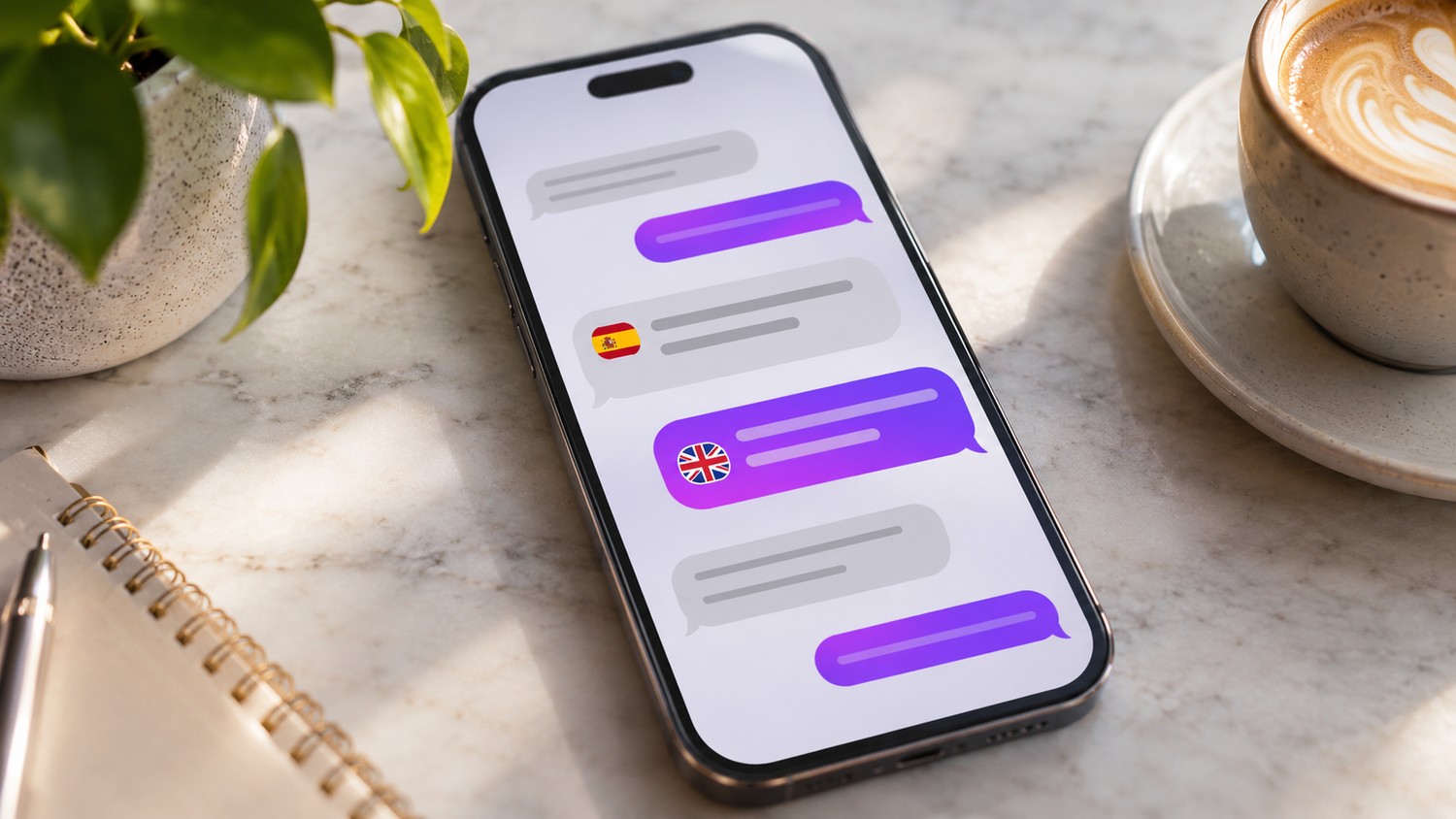
Instagram has a built-in translation feature for text messages in Direct Messages.
To translate an Instagram DM:
-
Open the Instagram mobile app.
-
Go to Messages.
-
Open the conversation.
-
Press and hold the text message you want to understand.
-
Tap Translate.
-
Read the translated version displayed beneath the original message.
You can use the action on supported messages you receive and messages you have sent.
The original text remains visible. Instagram does not replace or edit the message.
A few important limits:
-
translation is normally applied one message at a time;
-
it is designed for text, not every image, voice note, Reel, or screenshot shared in a chat;
-
translating an incoming message does not automatically translate the reply you are about to send;
-
automatic translation can mishandle slang, product names, jokes, addresses, or specialist terminology;
-
if Translate is missing, check the mobile app, update Instagram, and make sure the item is actually a supported text message.
For ordinary cross-language conversation, the feature is wonderfully simple.
Hold.
Translate.
Keep talking.
Instagram DMs No Longer Require the Copy-and-Paste Routine
The old workflow was clumsy.
A customer writes in Italian.
You press Copy.
Leave Instagram.
Open a translation service.
Paste the text.
Read the translation.
Return to Instagram.
Write a reply.
Perhaps copy that reply into the translator as well.
Then spend fifteen seconds trying to remember which app contains which version of the sentence.
Instagram removed much of that friction when it introduced message translation directly inside DMs.
The important word is inside.
The conversation stays visible, the original wording stays visible, and the translated version appears alongside it.
That makes a surprising difference when the message contains several details you need to check against the surrounding conversation.
How to Translate an Instagram DM Step by Step
Open Instagram on your iPhone or Android device.
Go to your inbox and open the relevant conversation.
Then:
-
Find the text message written in the language you want to translate.
-
Press and hold that message bubble.
-
Wait for Instagram’s message-action menu to appear.
-
Tap Translate.
-
Instagram displays the translation beneath the original message.
You do not have to copy the message.
You do not have to leave the conversation.
You do not have to change the language of the whole Instagram app just to understand one sentence.
The translation sits next to its source, which is exactly where it is most useful.
What Does the Translation Look Like?
Instagram preserves the original message.
Underneath it, you see the translated wording.
Conceptually:
¿Tienen esta chaqueta en una talla más grande?
Translated:
Do you have this jacket in a larger size?
That side-by-side structure is important.
Machine translation is useful, but it is not an editor with perfect knowledge of context. Being able to see the source message helps bilingual users spot obvious oddities and lets businesses keep the original customer wording available.
Instagram is translating the message for reading.
It is not rewriting the conversation history.
Can You Translate Messages You Sent Yourself?
Yes. Instagram’s translation feature was introduced for a message sent or received in another language.
That can be useful when you have already sent text in a second language and want to inspect how Instagram interprets it.
Still, do not confuse this with a proper outgoing translation workflow.
Selecting Translate on a message that already exists helps you understand that message.
It does not mean Instagram will automatically compose your next reply in the customer’s language.
That second task still requires judgment.
Does Instagram Automatically Translate the Whole DM Conversation?
The standard built-in workflow is message-specific.
You hold a message.
You choose Translate.
Instagram translates that selected text.
It is not the same thing as switching on a magical universal mode that converts every old and future line in every DM thread into your preferred language.
That is actually useful from a control perspective.
You may have a bilingual conversation where only two messages need translation. There is little reason to process the remaining 40.
Translate what you need.
Leave the rest alone.
Does the Other Person Know You Translated Their Message?
Instagram treats translation as a reading action inside your version of the conversation.
Its documented translation workflow does not describe sending the author a special notification such as:
Your message was translated.
So translating a DM should not be confused with:
-
reacting to it;
-
replying;
-
forwarding it;
-
sending another message.
The translated version is there to help you understand the text.
Do remember that opening a conversation can interact with normal read-receipt behavior. Translation and read receipts are separate features.
If that distinction matters, our guide to turning off Instagram read receipts explains those controls separately.
Translation Does Not Hide “Seen”
This deserves its own example.
Suppose somebody sends you a Spanish DM.
You open the conversation.
You translate the message.
If read receipts are enabled for that conversation, the sender may still see the normal Seen status according to Instagram’s messaging rules.
Turning a Spanish sentence into English does not create a private reading mode.
Translation answers:
What does this message mean?
Read receipts answer:
Can the sender see that I read the conversation?
Different systems.
Instagram has quite a few of those neighboring-but-not-identical controls.
What Language Does Instagram Translate Into?
Instagram generally uses the language context associated with your app and preferred language settings when presenting translations.
If the result appears in a language you do not want, inspect Instagram’s language preference.
The route can move slightly as Instagram reorganizes Settings, but look for Language or language-related controls in Settings and activity.
Do not change your entire phone language just because one DM translated oddly.
Check Instagram first.
What Kind of DM Can Instagram Translate?
The native tool is principally a text-message translation feature.
That means ordinary written DM bubbles are the clearest use case.
|
DM content |
Native Translate action |
|---|
|
Ordinary text message |
Yes, where supported |
|
Your own sent text |
Yes, where supported |
|
Emoji-only message |
Usually nothing meaningful to translate |
|
Photo with words baked into image |
Not the same text-message translation workflow |
|
Screenshot containing text |
Not a normal DM text bubble |
|
Voice message |
Translation action is not the same as text-message translation |
|
Shared Reel |
Reel language features are separate |
|
Shared Post |
Caption translation is separate |
|
Sticker/GIF |
No ordinary text-message translation |
This is where many “Instagram translator” tutorials become muddled.
Instagram contains several translation systems.
DM text translation is one of them.
A Screenshot Is Not a Text Message
Imagine a supplier sends you a photograph of a printed delivery note in German.
The words are visible on screen.
But to Instagram Direct, the item you received is an image, not an ordinary text message containing those words.
Long-pressing it should not be expected to behave exactly like long-pressing:
Die Bestellung wird morgen versendet.
If important information arrives inside a photograph, ask the sender to type the relevant text into the chat when practical.
That is often faster and much safer than guessing at a blurred screenshot.
What About Voice Messages?
Do not assume the ordinary Translate action for text automatically translates spoken audio.
Voice-message handling and text-message translation are separate features.
If somebody sends a crucial voice note in a language you do not understand, the cleanest customer-service response may simply be:
Could you send the key details as a text message so we can make sure we understand correctly?
Not glamorous.
Very reliable.
For dates, order numbers, addresses, booking times, and product specifications, written information is useful anyway.
Can You Translate Instagram DMs on a Computer?
Instagram’s native DM translation documentation focuses on the mobile-app workflow.
If you open Instagram in a desktop browser and cannot find Translate when working with a message, do not assume something is wrong with the account.
Open the same conversation in the current Instagram app on iPhone or Android and test it there.
This is an important troubleshooting step because many guides casually treat Instagram Web and the mobile app as feature-for-feature twins.
They are not always.
Why Is the Translate Option Missing?
Start with the boring explanations.
Boring explanations solve a great many Instagram problems.
1. Update Instagram
Open the App Store or Google Play and install the latest available Instagram version.
The DM translation feature has existed since 2025, but an old app build can still produce a different action menu.
2. Use the Main Instagram Mobile App
If you are testing on desktop or a limited app experience, switch to the normal iPhone or Android Instagram application.
3. Check That It Is a Text Message
A photograph, voice note, GIF, Reel, or screenshot is not the same thing as a normal written DM.
4. Try a Longer, Clearly Foreign-Language Message
Language detection can be awkward with tiny fragments.
Consider:
OK
Taxi
Roma
😂
There may be nothing for Instagram to identify confidently as another language.
A full sentence provides better context.
5. Check Your Instagram Language
If Instagram thinks the message is already in your preferred language, the usefulness or availability of a translation action can differ.
6. Restart the App
Close Instagram fully and reopen it after updating.
Not sophisticated.
Still worth doing.
Why Short Messages Translate Badly
Machine translation loves context.
Humans do too, to be fair.
Consider:
Fine.
Depending on the conversation, that might mean:
-
satisfactory;
-
a monetary penalty;
-
very thin;
-
reluctant agreement;
-
slightly irritated “yes, whatever.”
A machine sees one word.
The customer remembers the previous twelve messages.
So when a translation looks strangely sharp, vague, or nonsensical, read the surrounding exchange before acting on it.
Context is part of the sentence even when it is not technically inside the sentence.
Slang Is Another Trap
A casual DM may contain:
-
regional slang;
-
abbreviations;
-
deliberate misspellings;
-
phonetic spelling;
-
memes;
-
mixed languages;
-
emojis used as meaning rather than decoration.
Automatic translation can handle plenty of ordinary conversation.
It can also produce spectacular nonsense from three slang words and a laughing emoji.
When the consequence is trivial, carry on.
When the customer is discussing money, cancellation, delivery, consent, or a complaint, verify anything ambiguous.
Product Names Should Stay Product Names
Translation systems sometimes encounter words that could be both a product name and an ordinary noun.
Imagine your product is called:
Cloud
The customer writes about Cloud.
A machine may treat it as the English noun rather than the brand name.
The same problem happens with:
-
collection names;
-
model numbers;
-
hotel names;
-
restaurant dishes;
-
locations;
-
surnames;
-
technical terminology.
For businesses, maintain a small glossary of terms that should not be translated.
It sounds fussy.
It stops surprisingly expensive misunderstandings.
Dates Can Be More Dangerous Than Difficult Words
A mediocre translation of an adjective is annoying.
A misunderstood booking date costs money.
Pay special attention to:
-
dates;
-
times;
-
quantities;
-
currencies;
-
addresses;
-
order numbers;
-
model numbers;
-
measurements.
Also remember that date formats differ.
05/06
can mean different calendar dates depending on the country.
If a customer writes something important like:
I need the booking moved to 05/06 at 7
do not rely on context you do not have.
Ask.
Just to confirm: do you mean 5 June at 7:00 p.m.?
One extra sentence beats a ruined reservation.
Built-In Translation Is Excellent for Customer-Service Triage
For a business account, the feature is particularly good at answering one quick question:
What kind of enquiry is this?
A translated message may tell you immediately that the sender is asking about:
-
shipping;
-
stock;
-
opening hours;
-
booking;
-
wholesale;
-
returns;
-
collaboration;
-
a complaint.
Now you can route the conversation to the right person.
If the message arrived outside your ordinary inbox, our guide to managing Instagram Message Requests without missing customer enquiries covers that intake problem separately.
Translation helps you understand the message.
Inbox management helps you avoid losing it.
Both matter.
Do Not Send a Machine-Translated Reply You Have Not Read
Incoming translation is low risk when all you need is general understanding.
Outgoing language represents your business.
Different stakes.
Suppose a customer writes:
Can you guarantee this product is safe for my medical condition?
You understand the translated question.
Excellent.
That does not mean you should machine-generate a confident reply in their language and send it without review.
The same caution applies to:
-
legal terms;
-
refunds;
-
warranties;
-
medical information;
-
financial information;
-
safety instructions;
-
contractual commitments.
Translation improves access.
It does not transfer professional judgment to the software.
Instagram Does Not Automatically Write the Reply in Their Language
This distinction is central.
The built-in action translates the selected DM for you to read.
It does not necessarily mean:
-
you type English;
-
Instagram detects the recipient speaks Portuguese;
-
Instagram silently converts your reply;
-
they receive polished Portuguese.
Do not plan customer service around a feature Instagram does not promise.
If you serve a market deliberately, use reviewed translations or staff who can communicate appropriately in that language.
For public-facing copy, our guide to writing readable multilingual Instagram captions explains why deliberate localization is still better than blindly trusting automatic translation.
A customer who happens to speak French is one thing.
A company actively selling in France is another.
Translation and Localization Are Not the Same Job
Translation asks:
What does this sentence say?
Localization asks:
How should we say this naturally to this audience?
A direct translation of:
Drop us a line and we'll sort you out
may be grammatically acceptable while sounding bizarrely casual—or bizarre full stop—in another language.
For personal conversations, that may not matter.
For sales or customer support, tone matters.
Use Instagram translation to understand the incoming message quickly.
Use proper localization when your outgoing wording represents the brand.
Privacy: What Happens to Text You Translate?
There is one detail worth knowing before translating sensitive information.
When you choose Instagram’s translation function, the selected text is processed by Meta to provide the translation. Meta has explained that translation requires sending the selected text to its translation systems and that privacy protections are applied to reduce identifying information in the processing.
The practical lesson is straightforward:
Do not treat Translate as an entirely offline operation taking place only on your phone.
For ordinary phrases such as:
Do you ship to Belgium?
this may not concern you.
For sensitive information, pause before translating.
Avoid Translating Secrets Just Because the Button Exists
Customers occasionally send information through social DMs that should never have been sent there in the first place.
Be especially cautious with:
-
passwords;
-
two-factor authentication codes;
-
backup codes;
-
full payment-card details;
-
government identification numbers;
-
private health information;
-
highly sensitive legal documents.
Do not request such information through Instagram.
And do not decide that putting it through another processing step is automatically harmless because Instagram supplied a convenient button.
Convenience is not a security classification.
Does Translation Change the Original DM?
No.
The feature shows a translated version for understanding while preserving the original message.
That is useful when you need to compare wording.
It is also important for business records: the customer’s actual sentence remains the actual sentence.
Do not copy the machine translation into your customer-service notes and then quietly forget which version was original.
For a dispute or complicated request, preserve the source language.
Does Translate Work in Group Chats?
The translation action is tied to messages in Instagram chats rather than being conceptually limited to a one-to-one conversation.
Where the feature is available for a supported text message, the same basic press-and-hold workflow can be used within chat contexts.
Still, translate only what you need.
A multilingual group chat can become visually cluttered if you try to turn every line into a personal language lesson.
Sometimes the fastest option is to ask the group to use one shared language for important logistics.
No algorithm required.
What About Captions and Comments?
Instagram already had translation features for public text before DM translation arrived.
The controls differ.
A caption or comment may display See translation.
A DM normally uses the press-and-hold Translate action.
A Reel can involve still other language features, including captions, subtitles, or translated audio where supported.
Do not search for a See translation link beneath every DM and conclude that the feature vanished.
Different Instagram surfaces use different interfaces.
Same broad idea.
Different plumbing.
A Practical Workflow for International Customer DMs
For a small business receiving messages in several languages, we recommend this routine:
-
Translate the customer’s first text message inside Instagram.
-
Identify the intent.
-
Read the surrounding conversation.
-
Verify critical dates, prices, quantities, names, and locations.
-
Decide whether your team can answer accurately in that language.
-
Use reviewed wording for anything commercially important.
-
Ask a clarifying question when the translation is ambiguous.
-
Escalate high-risk issues to a person rather than improvising.
That workflow is not as flashy as “AI handles the entire multilingual inbox.”
It works rather better.
Build a Mini Glossary for Repeated Questions
If international DMs are routine, record common terms.
For example:
|
English concept |
Terms customers may use |
Keep untranslated? |
|---|
|
Shipping |
delivery, postage, envío, Versand |
No |
|
Returns |
refund, exchange, devolución |
No |
|
Product model |
Aurora X2 |
Yes |
|
Discount code |
WINTER20 |
Yes |
|
Business name |
North & Pine |
Yes |
|
Booking reference |
BK-4512 |
Yes |
You do not need to become a translator.
You need enough consistency to notice when an automatic translation has mangled something important.
Do Not Pretend Fluency
Built-in translation can make a person feel much more fluent than they are.
Dangerous little illusion.
You translate an incoming Japanese message.
You understand it.
You paste your English reply into another tool.
The Japanese output looks impressively Japanese.
You send it.
You have no idea whether the tone is natural, whether a polite form is wrong, or whether one technical noun changed meaning.
For low-stakes conversation, this can be fine.
For a major customer, legal complaint, partnership negotiation, or expensive booking, get a competent human review.
Fluency is more than successful copy and paste.
If Translate Still Does Not Work
Use this order:
-
Confirm it is an ordinary text DM.
-
Test in the mobile app.
-
Update Instagram.
-
Restart Instagram.
-
Check your language settings.
-
Try another clearly foreign-language sentence.
-
Test another conversation.
-
If the feature is still absent, use an external translation workflow for non-sensitive text until Instagram exposes the control on your account.
Do not uninstall Instagram as your first move.
Translation is not important enough to risk losing local drafts because one menu item refused to appear.
What Dumpor Can—and Cannot—Do With Instagram DMs
Instagram Direct Messages are private account data.
Dumpor does not read your private inbox, translate private DMs, expose somebody else’s conversations, or access Message Requests.
Dumpor works with supported publicly available Instagram content.
That separation matters.
You can use Instagram itself for private-message translation while using public research tools for public Instagram material.
No overlap required.
Quick Reference Table
|
Question |
Answer |
|---|
|
Can Instagram translate a DM? |
Yes, supported text messages |
|
How? |
Hold message → Translate |
|
Does it leave the chat? |
No |
|
Does original text disappear? |
No |
|
Can it translate received text? |
Yes |
|
Can it translate sent text? |
Yes, where supported |
|
Does it translate every message automatically? |
Not in the standard per-message workflow |
|
Does it automatically write your reply? |
No |
|
Does it translate screenshots? |
Not as an ordinary text DM |
|
Does it translate voice notes with the same action? |
Do not assume so |
|
Is sender given a translation notification? |
No separate notification is described |
|
Is translated text processed by Meta? |
Yes, to provide the translation |
|
Is mobile the safest place to find the feature? |
Yes |
|
Can Dumpor read or translate private DMs? |
No |
FAQ
Frequently Asked Questions
How do I translate an Instagram DM?+
Open the Instagram mobile app, open the conversation, press and hold the text message, and tap Translate. Instagram will display the translated text below the original message.
Do I need Google Translate to translate Instagram messages?+
Not for supported ordinary text DMs. Instagram has a native message translation feature that works inside the conversation.
When did Instagram add DM translation?+
Instagram announced its current in-chat message translation feature in 2025 as part of a broader set of Direct Message improvements.
Can Instagram translate a whole DM conversation automatically?+
The standard documented workflow translates a selected message when you press and hold it and choose Translate. Do not assume that turning it on translates every old and future message in every chat automatically.
Can Instagram translate messages I sent as well as messages I received?+
Yes. Instagram describes the Translate action as available for supported messages sent or received in another language.
Where does the Instagram DM translation appear?+
The translated text appears below the original message inside the conversation, allowing you to compare both versions without leaving the chat.
Does translating a message change the original?+
No. The original message remains visible. Instagram displays the translation with it rather than replacing the sender’s text.
Does someone know when I translate their Instagram DM?+
Instagram’s documented workflow does not describe a special notification being sent to the other person when you use Translate. The translation is provided as a reading aid in the conversation.
Does translating a DM mark it as Seen?+
Translation and read receipts are separate features. Opening and reading the conversation can still trigger normal read-receipt behavior if receipts are enabled.
Why don’t I see Translate on an Instagram message?+
Make sure you are using the current mobile app and that the item is an ordinary text message. Update Instagram, restart the app, check your language setting, and test a clearly foreign-language sentence.
Can I translate Instagram DMs on a PC?+
Instagram’s native message-translation workflow is documented around the mobile apps. If Translate is absent in your web browser, open the conversation in the current iPhone or Android app.
Can Instagram translate a screenshot sent in a DM?+
The ordinary DM Translate feature works with message text. Words baked into a screenshot are part of an image and should not be treated as a normal text bubble.
Can Instagram translate voice messages?+
Do not assume the text-message Translate action translates audio. If a voice note contains important information you cannot understand, ask the sender for the key details in writing or use an appropriate verified audio-translation workflow.
Can Instagram translate slang correctly?+
Sometimes, but slang, abbreviations, dialect, jokes, and mixed-language messages are more likely to produce awkward translations. Use the surrounding conversation for context.
Does Instagram automatically translate my reply into the sender’s language?+
The built-in Translate action translates the selected existing message. It should not be treated as an automatic outgoing translator that guarantees your next reply is converted into the recipient’s language.
Is Instagram DM translation accurate?+
It is useful for ordinary communication, but no automatic translator is perfectly reliable. Verify important details such as dates, prices, addresses, quantities, legal wording, and technical terminology.
What language does Instagram translate messages into?+
Instagram uses your language preferences and app context to determine the translation language. If the result appears in an unexpected language, review the language setting in Instagram.
Is Instagram DM translation private?+
The conversation remains private in the sense that it is not turned into public Instagram content, but the text you select for translation is processed by Meta to provide the translation. Do not describe the feature as purely offline processing on your device.
Should a business use Instagram translation for customer support?+
Yes, it can be very useful for understanding routine enquiries and routing messages. For sensitive, legal, financial, medical, or high-value communication, verify the translation and use competent human review where appropriate.
Can Dumpor translate my private Instagram messages?+
No. Instagram DMs are private account information. Dumpor does not access or translate private Direct Messages; the built-in translation feature is used inside Instagram itself.
Instagram’s DM translator solves a remarkably ordinary problem well.
Someone writes in a language you do not understand.
You hold the message.
Tap Translate.
The answer appears beneath the original.
No hopping between apps. No lost clipboard. No trying to remember whether the number in the translator was the booking date or the room number.
That convenience has limits.
A translated sentence is still a machine interpretation of somebody’s words. Treat everyday conversation casually enough. Treat prices, dates, addresses, complaints, legal wording, and sensitive information with more care.
And for businesses, keep the division of labor clear:
Use Instagram translation to understand quickly.
Use human judgment to answer well.

 Telegram bot
|
TikTok Viewer