How to Send a 30-Second Song Preview in an Instagram Chat
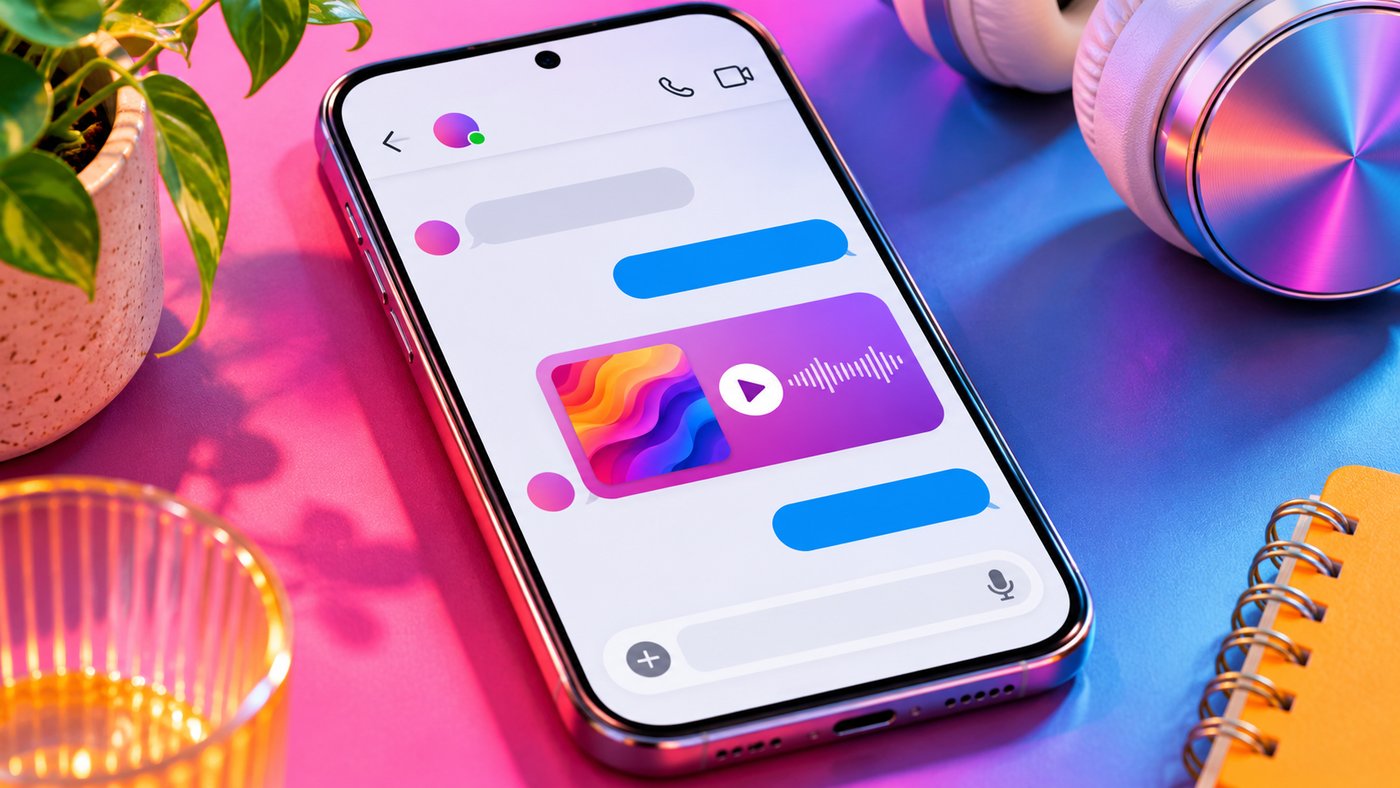
TL;DR: Open an Instagram DM or group chat, tap the sticker icon beside the message box, and choose Music. Search for a song or artist. Use the small play button to listen first. In the standard picker, tapping the title sends a 30-second preview as a record-shaped sticker. Your friend can play or pause it with a tap. For the whole recording, share a link to that version in a music app.
Three results have the same title. Two even have the same cover. You want the live recording where you can hear the crowd sing the opening line, and this is a surprisingly easy moment to send the studio version by mistake. Tap the small play button and you can tell the recordings apart. Tap the song title beside it and your friend may get the studio take before you’ve heard a note.
How to send music in Instagram DMs on iPhone or Android
Start in the conversation where you want the song to land. A one-to-one DM works for a personal recommendation. A group chat makes sense when everyone in it should hear the same suggestion. Once you are in the right thread, the steps are the same.
-
Open Messages in the Instagram app. Select an existing conversation, or start a chat with the intended recipient.
-
Find the sticker icon beside the field where you type a message. Tap it to open the chat’s sticker tray.
-
Choose Music, usually marked with a musical note. Browse the suggestions or search Instagram’s audio library by song title or artist.
-
In the results, tap the play triangle beside a track to hear a sample. Check the artist and version while it plays. You can try another result before making your choice.
-
Tap the track itself when you’re ready to share it. In the standard picker, that tap sends the preview immediately. If your app opens a clip selector, choose the passage and confirm with the send control on that screen.
-
Look for the record with the album artwork in the conversation. That’s the message your friend can play. Type any introduction or listening cue as a separate message.
If a few words need to come first, send them before opening the picker. “Is this the singer we heard on Friday?” lands rather differently when the next item in the thread is the record itself. Waiting for a caption box after tapping the title can leave the song sitting there on its own.
One wrinkle with a brand-new conversation is the message request. Instagram limits an initial request to text when the recipient doesn’t follow you and you aren’t already connected. If you see an invitation to chat, introduce yourself in that message. You can share the music once the other person accepts and the chat allows media.
What the recipient hears and where the playback controls are
The message looks like a small vinyl record with the release artwork in the middle. Tap it once to hear the excerpt and again to pause. You can play it again in the conversation, and the sender can listen there as well. A friend can do all of that without signing in to a separate streaming service.
For a closer listen, press and hold the music message and look for See info. Where available, this opens controls to move forward or back within the excerpt. It’s handy when two people are trying to identify the instrument that comes in just before the singing starts. A quick tap on the record controls playback. Holding it down opens the message options.
Keep the two clocks straight. “Ten seconds in” might describe the tenth second of Instagram’s preview or the tenth second of a four-minute album track. They can be entirely different moments. If your comment refers to the sticker, write “Ten seconds into this clip.” If you mean the album, give the time in the full recording and identify the version you played.
If you want to ask about the song, press and hold the music message and use Reply if it appears. The quoted message above your reply tells the group which recording you mean, even if someone sends three other recommendations while you’re typing. A heart reaction works for a quick thank-you. A question about the guitar solo is easier to follow in a reply.
You can also pass the recommendation on. Press and hold the record and choose Forward if your menu offers it, then select the next person or group and confirm. If that option is missing, note the title, artist and version. Open the second chat and find the same release through its Music picker. That way your friend gets something they can play, and the conversation that led you to the song stays between the original participants.
Choosing the right recording from Instagram’s music library
Search can find the right song and still leave you with the wrong recording. A clean edit, a remix and a live performance may all turn up under the same artist. Start with the most distinctive words in the title. If that brings up dozens of covers, try the performer’s name and check the credits on the results.
- For a live performance, listen for something you remember from the recording, such as applause under the first chord. The cover can look almost identical to the studio release.
- For a remix or a duet, check the additional performer’s name. A familiar chorus can sound much the same in the sample even when the rest of the arrangement is quite different.
- For a clean version, look for that label on the release. A radio edit may simply be shorter. Hearing thirty seconds without explicit lyrics tells you very little about the rest of the recording.
- For a particular passage, preview the available excerpt before promising someone the bridge or the final verse. If it falls outside the clip you can send, include a link to that recording and the time to start listening.
A different problem crops up when you know the sound from a Reel. The bit you remember may be a creator singing over the music, a joke cut into the chorus, or the room singing along. An official release can match the melody perfectly and still leave out the very thing you wanted your friend to hear. In that case, send the Reel itself. To trace other public videos attached to its audio page, see our guide to finding Instagram Reels that use the same sound.
Music sticker, streaming link or Reel share?
Think about what the other person wants to do when they open the message. Hearing a hook on the bus takes one tap. Adding the exact live take to a road-trip playlist requires enough information to find that release again on a different day.
|
What you want to share |
What to send in the DM |
What the recipient can do |
|---|
|
A quick listen to a song |
The Music sticker from the chat |
Play, pause and revisit a 30-second excerpt inside Instagram |
|
One particular recording from start to finish |
A share link from the track page in a music service |
Open the release and listen under that service’s playback and account rules |
|
A performance, dance or joke whose timing matters |
The original Reel, using its share button |
Watch the picture and hear the sound together if they can access the Reel |
|
A running order for a party or a set |
A link to the playlist in the app where you made it |
Open the sequence and, if you gave them editing access there, help choose the order |
A pasted URL may also turn into a card with cover art. The difference shows up when your friend taps it. A link can open a service or a web player, and any playable sample depends on that integration. If someone says, “It keeps opening my browser,” ask whether they received a link or a spinning record. To give them the in-chat player, send your selection from the Music tray.
You can send a sticker and a link in the same conversation. For a friend on a lunch break, the record gives them a taste right away. The link gives them somewhere to go that evening for the rest. We recommend copying it from the individual track. An artist page with twelve albums leaves the listener to figure out which of four recordings of the same song you meant.
If the recipient prefers a different music service, the artist, full title and version are often a better handoff than an album-cover screenshot. A search for those details will work even if the two of you organize your music in different apps. Include the featured artist or the year of the live show when that’s what distinguishes one result from another.
How to keep shared songs useful in a group chat
In a group, everyone with access to the conversation can see the recommendation and choose when to play it. One person might listen on headphones now, another on the train home. Planning a first dance? Ask the group, “Which version should we use?” A row of record sleeves by itself doesn’t tell your friends what decision you need.
Suppose three people are choosing an entrance song and the studio edit and the acoustic take both make the shortlist. Send both records. Reply to the first with “studio” and the second with “acoustic,” then ask people to vote by replying to their favorite. Someone who listens the next day can tell which recording got the votes, even after a dozen unrelated messages.
Once a choice is final, a pinned text message with the artist, version and full-track link is easier to find at rehearsal. Press and hold the text and tap Pin. Instagram allows up to three pinned items per conversation. A separate playlist also makes sense if the group needs to hear several tracks in order. With individual stickers, each person has to tap the next record themselves.
What to check when the Music sticker is missing or silent
The Music tile is missing. Open an established conversation on the mobile app and look in the sticker tray beside the message field. It’s easy to end up in the GIF search or the Story editor, both of which look plausible when you’re hunting for a song. Update Instagram if an update is available, then reopen the same chat. If you use two accounts on that phone, checking the same menu on each can tell you whether the problem follows one account.
Music opens, but the track is missing. Try the artist alone, then a distinctive part of the title. Check that another familiar song turns up and plays. If other releases load normally, the search tool is working for at least some of the catalog. Availability can differ by country and account type, and some business accounts have limited access to licensed music. A friend finding a release on their account is useful information, especially if you’re in different countries.
The artwork is visible, but you hear nothing. Tap the record, then adjust the phone’s media volume while it is playing. Check which device is handling the audio. Earbuds in another room or a nearby car can have the Bluetooth connection. Try another music sticker on the same phone, then a familiar track in a different app. Hearing other clips narrows the trouble down considerably.
The song plays for the sender only. Ask the listener what happens when they tap it. Silence with the record still on screen calls for an audio-output check. An “unavailable” message on just one track points you toward that recording or its availability for the recipient. Share the artist and version in plain text so they can look for a local release. Resending the same sticker three times is unlikely to give them any new information.
If you can reproduce a problem across several songs, report it in Instagram under your profile menu’s Help section. Include whether the Music tile is absent, a search is empty, or a result sends but won’t play. If a button in your app has a different name from the one in this guide, we’d welcome the wording and your device type. Send a question or correction to the Dumpor editors.
FAQ
Can I send a song on Instagram without a Spotify or Apple Music account?
Can I choose exactly which 30 seconds my friend hears?+
Use the clip selector if your DM picker offers one. On accounts where selecting the title sends the sticker straight away, the play triangle lets you check which excerpt is available before you commit. For a precise cue, send the link to the full release and a note such as “Start at 2:14, just before the drums drop out.” Check the timestamp against that particular recording. A live version may have a minute of applause at the beginning.
How can I save a song someone sent me for later?+
Open the release in your usual music app and add it to your library or a playlist. If the same track is credited on an Instagram Reel, tap the audio title to open its page. Where Spotify’s Add button appears, tap it and link your account the first time. The recording goes into Liked Songs on Spotify. If the record in your DM simply plays when you tap it, use the title and artist to find the recording you want to keep.
Can the sender tell whether I actually listened to their song?+
If read receipts are on, Seen tells the sender that you viewed the message. It doesn’t tell them whether you pressed Play or how much of the song you heard. Someone can open a group chat at work, read the question above the record and leave the audio for later. A reply about the horn section, or a simple “I’ll listen after work,” gives the sender a much clearer answer. Our guide explains how Instagram read receipts work in individual chats.
How do I take back a song I sent to the wrong chat?+
Press and hold the music message you sent, choose Unsend if it appears, and confirm if Instagram asks. Unsending removes that message from the conversation for its participants. Someone may already have opened it. If people are discussing the mistaken choice, a quick correction beside the replacement helps them follow the conversation, particularly when the two versions have similar covers.
Can I send my own demo or a recording from my phone as a Music sticker?+
The picker searches the releases available in Instagram’s library. An artist whose recording appears there can share it by searching for the release just like any other user. For an unreleased demo that exists only on your phone, share a listening link with access for the recipient. Check the link’s permissions before you send it. A bandmate can’t review last night’s mix if the file opens only for its owner.
Can I schedule a music sticker to arrive on someone’s birthday?+
Instagram’s native DM scheduling works with text messages. To send a birthday track while your friend is asleep in another time zone, you can schedule a written greeting that includes the song’s share link. If you want the spinning record itself to appear in the conversation, open the sticker tray and send it at the chosen time. Keep the track title handy so you can find the right version quickly.
Will sharing music in a DM put it on my Story, profile or Notes?+
A song sent from a conversation goes to the people in that conversation. To feature the same music on a Story or in a Note, you’d need to make a separate choice in that editor. Double-check the chat header if you’re sending a personal dedication. Your friend’s name or photo can appear in a group header too, and everyone there can see what you send.

 Telegram bot
|
TikTok Viewer