Why Instagram Suggests Your Account to Other People — and How to Be Harder to Find
TL;DR
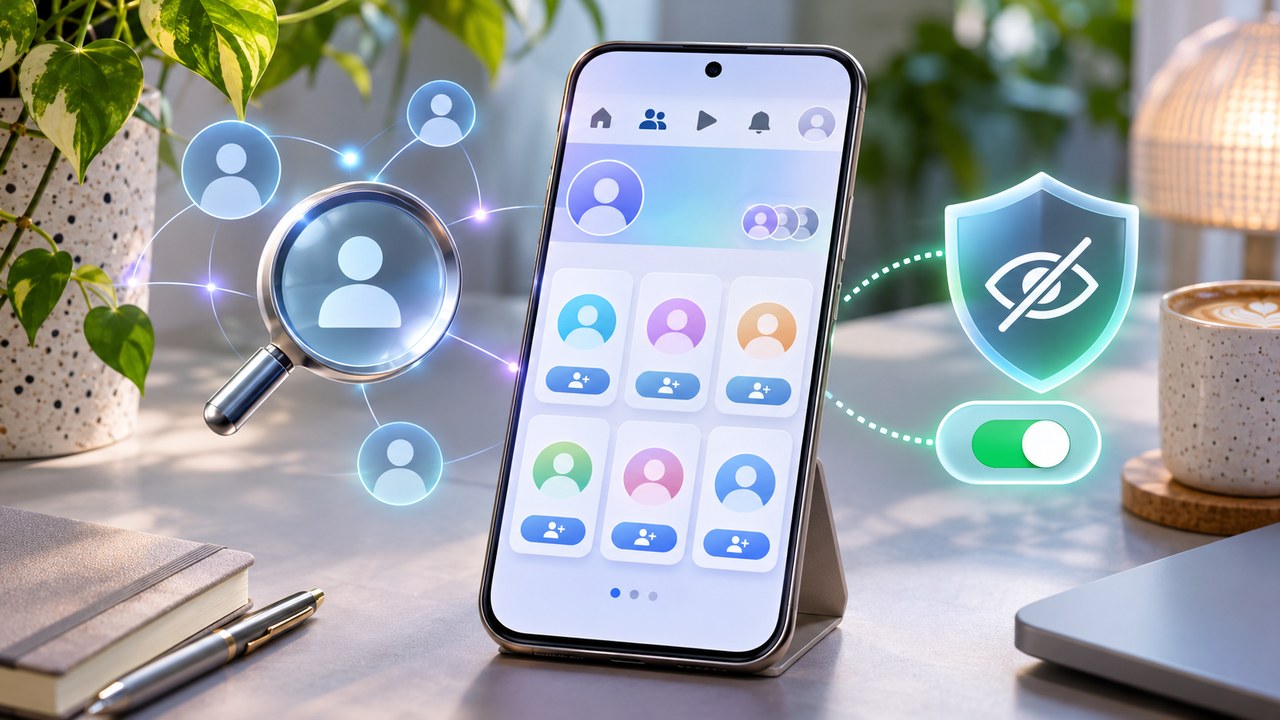
Instagram account suggestions are personalized recommendations designed to help people discover profiles they might know or want to follow. They can be influenced by signals such as mutual connections, follow relationships, uploaded contacts, related interests, regional popularity, and other relationship or recommendation signals.
Appearing in someone’s Suggested for You list does not prove that person searched for you or visited your profile.
If you want to reduce discoverability, use several controls together:
-
On Instagram’s website, turn off Show account suggestions on profiles or Similar Account Suggestions.
-
In Accounts Center, turn off contact uploading/syncing for your Instagram account.
-
Delete contacts that Instagram previously uploaded; switching syncing off does not necessarily remove the existing uploaded set.
-
Revoke Instagram’s Contacts permission on your phone if you do not want the app accessing your address book.
-
Review Facebook and Instagram profiles grouped in Accounts Center if you deliberately want those identities kept more separate.
-
Consider a private account if you also want to restrict access to Posts, Reels, and Stories.
-
Block a specific account if your goal is preventing one particular person from normally finding or interacting with you.
No single Instagram switch guarantees that nobody will ever discover your profile. Search, mutual connections, mentions, shared links, existing followers, and other routes still exist.
Think reduce, not disappear.
Why Did Instagram Suggest This Person to Me?
Sometimes the suggestion is obvious.
You follow five people from the same football club. Instagram recommends another club member.
Fine.
Then comes the unsettling version.
Someone you have not spoken to for years suddenly appears under Suggested for You. Maybe an old colleague. A former neighbor. Someone whose number is buried in your phone.
It feels extraordinarily specific.
And specificity invites a dramatic explanation:
They must have searched for me.
Not necessarily.
Instagram operates a dedicated Suggested Accounts recommendation system. Its job is to predict which accounts a user may want to follow, using multiple signals rather than one secret “who looked at whom” list.
The recommendation is a prediction.
Not an admission.
Where Instagram Account Suggestions Appear
Suggested profiles can surface in several places.
You may encounter them:
-
in Suggested for You;
-
in Discover people;
-
around Explore and other recommendation surfaces;
-
after following another profile;
-
in recommendation notifications.
The exact layout shifts because Instagram frequently moves discovery features around.
More important is the distinction between them.
The row of similar profiles that appears after somebody follows an account is not necessarily generated in exactly the same way as every recommendation elsewhere in Instagram.
Likewise, suggested accounts and suggested Posts/Reels are related recommendation concepts, but they are not one setting with one universal off switch.
What Signals Can Instagram Use?
Instagram does not publish every internal ranking calculation, and those systems evolve.
It does, however, describe the Suggested Accounts system and the broader principle behind recommendations: Instagram predicts what may be relevant to an individual user from information about accounts, relationships, activity, and other signals.
Practical signals can include:
Mutual Connections
If several people you follow also connect with another account, that profile becomes a plausible recommendation.
This is why suggestions often produce the strange sensation that Instagram has discovered an obscure corner of your social life.
Usually, the social graph did most of the work.
Follow Relationships
Who follows whom matters.
An account that already follows you can be a more plausible suggestion than a completely unrelated profile. The surrounding network provides Instagram with evidence that two accounts may belong in the same social neighborhood.
Contacts
This one matters enormously for privacy.
If contact uploading is enabled, Instagram can use information from your device’s address book to help connect people.
A phone number sitting quietly in Contacts is therefore not quite as quiet once an app is permitted to upload the address book.
Interests and Activity
Recommendation systems also learn from what people interact with.
Accounts associated with subjects, creators, businesses, or communities that somebody regularly engages with can become more plausible recommendations.
Regional and Popularity Signals
Instagram’s suggested-account systems can also consider factors related to account popularity and geographical relevance.
This does not mean Instagram is simply showing everyone “people physically near you.”
Recommendation systems mix signals.
One convenient explanation rarely explains the whole list.
Does Someone Appear in Suggestions Because They Searched for You?
Do not treat it as proof.
Instagram does not provide users with a named list of who searched for their account or simply opened their profile.
Our guide on whether someone can tell you searched for them on Instagram covers that distinction in detail.
A sequence like this can happen:
-
You think about Anna.
-
Anna appears in suggestions.
-
You conclude Anna searched for you yesterday.
Step three is speculation.
You and Anna may share contacts, mutual followers, old social connections, common interests, or several other signals.
Suggested accounts are recommendation output.
They are not visitor analytics.
Can Profile Visits Cause Suggestions?
Be cautious with claims that Instagram has exposed a secret profile-view tracker through Suggestions.
Instagram does not show ordinary users a named list of profile visitors.
A suggested profile therefore cannot reliably be reverse-engineered into:
This person visited me at 9:42 p.m.
The recommendation may feel uncanny.
Uncanny is not the same as evidentiary.
This becomes particularly important after relationship changes, job changes, or other situations where people naturally become hyper-aware of familiar names appearing unexpectedly.
Do not assign a motive to a recommendation card.
Instagram certainly did not.
How to Turn Off Account Suggestions on Your Profile
Instagram provides one particularly relevant setting, but it is easy to miss because it has historically been available through the web version rather than reliably appearing in the mobile app.
Open Instagram in a desktop or mobile browser and sign in.
Then:
-
Open your profile.
-
Choose Edit profile.
-
Find Show account suggestions on profiles or Similar Account Suggestions.
-
Turn the setting off.
-
Save or submit the change.
Instagram explains this control in the context of the recommendations that appear when somebody follows a profile.
Turning it off has two effects: similar-profile suggestions stop appearing in that profile context, and your account will not appear as a suggestion in the equivalent profile-suggestion placement for somebody else.
Useful.
But narrower than the wording can make it sound.
What That Setting Does Not Do
Turning off account suggestions does not mean:
-
your username disappears from Instagram Search;
-
existing followers lose access;
-
people cannot open a direct profile link;
-
your mentions vanish;
-
all contact-based associations disappear;
-
a public profile becomes private;
-
every recommendation surface is permanently disabled.
It removes a particular suggestion route.
Not Instagram’s entire discovery system.
If your account can be opened normally but is behaving strangely in Search, our guide to an Instagram profile not showing in search covers that separate issue.
Suggestions and Search overlap in the broad concept of discovery.
Operationally, they should not be treated as the same thing.
Turn Off Contact Syncing
If reducing connections to people in your address book is the priority, contact uploading deserves immediate attention.
Open Instagram and look in:
Profile → Menu → Accounts Center → Your information and permissions → Upload contacts
Depending on the interface, the labels may be Contact uploading, Connect contacts, or something very similar.
Select the relevant Instagram account if necessary.
Turn contact syncing off.
If your account is signed into Instagram on multiple phones or tablets, inspect those devices too.
Leaving syncing active on another device rather defeats the cleanup.
Turning Sync Off Is Only Half the Job
This is the setting people miss.
Disconnecting contact syncing prevents future use of that device’s address book through the syncing feature.
It does not necessarily mean:
Instagram has deleted every contact I uploaded before today.
If you previously synced contacts, open the contact-management area in Accounts Center or Instagram’s web settings and use the available control to delete the uploaded contacts.
Keep syncing disabled while doing this.
Otherwise you are emptying the bucket while another device quietly fills it again.
Not ideal.
Remove Instagram’s Contacts Permission Too
If you want a cleaner boundary, revoke the operating-system permission as well.
On iPhone
Open the phone’s Settings, find Instagram’s permissions, and turn Contacts access off.
On Android
Open:
Settings → Apps → Instagram → Permissions → Contacts
and choose Don’t allow or the equivalent option.
This device permission and Instagram’s own contact-upload setting solve related but separate problems.
One controls whether the app can access the address book.
The other controls Instagram’s contact-upload behavior.
For a privacy-focused setup, review both.
What If Someone Else Has Your Number?
Here is the annoying part.
Turning off your contact syncing controls your account and devices.
It does not reach into somebody else’s phone and delete your number from their address book.
Nor does it give you complete control over every recommendation signal Instagram may have involving another user.
That is why contact cleanup should be described as reducing discoverability rather than guaranteeing anonymity.
Social graphs are built from relationships.
You control your side.
Not every other side simultaneously.
Review Linked Meta Accounts
If you use both Facebook and Instagram, open Accounts Center and review which profiles are connected.
Linking accounts can be useful for:
-
sign-in;
-
cross-posting;
-
account management;
-
Meta business features;
-
connected experiences.
But if you intentionally maintain separate identities, a tightly connected Meta setup may be the opposite of what you want.
Do not randomly disconnect important accounts, especially if a business depends on Meta advertising, Page management, or recovery workflows.
Instead, review the setup deliberately.
Ask:
Do I actually want these profiles treated as part of one connected Meta experience?
If yes, leave them.
If no, investigate the consequences before separating them.
Privacy settings should not become an account-recovery accident.
Does Making Instagram Private Stop Suggestions?
No.
A private Instagram account is not an invisible Instagram account.
Private mode controls who can access the content reserved for approved followers.
People can still encounter basic profile information and, depending on Instagram’s systems and relationships, may still discover the account.
A private profile can therefore still be searchable or suggested.
What changes is what an unapproved visitor can see after arriving.
For a clear explanation of that boundary, see our guide to telling whether an Instagram account is public or private.
Privacy and discoverability are related.
They are not interchangeable.
Public vs. Private: What Changes?
|
Control |
Reduces one discovery route? |
Hides Posts from non-followers? |
Removes profile from Search? |
|---|
|
Turn off profile account suggestions |
Yes |
No |
No |
|
Disable contact syncing |
Reduces contact-based suggestions |
No |
No |
|
Delete uploaded contacts |
Reduces retained contact signal from your upload |
No |
No |
|
Make account private |
May reduce broad exposure, but does not guarantee no suggestions |
Yes |
No |
|
Remove a follower |
Removes that following relationship |
Yes, if private |
No |
|
Block an account |
Strong control for that specific account |
Yes for that relationship |
Normally prevents ordinary access from that account |
The last column is worth staring at for a moment.
Most privacy controls do not make the username cease to exist.
If You Need to Hide From One Particular Person
Global discoverability settings are clumsy when the problem is one account.
If somebody should not be able to access or interact with your profile through their normal account relationship, Block is the relevant stronger control.
Removing them as a follower can be enough when your account is private and you simply no longer want them seeing protected content.
Restrict is weaker and is mainly designed to limit interactions without the stronger separation created by blocking.
Choose the control based on the actual goal.
Do not rebuild your entire Instagram identity because one former coworker is annoying.
Removing a Phone Number Is Not the Same as Disabling Contact Sync
Some guides tell users to immediately delete their phone number or email address from Instagram.
Be careful.
Your contact information can also be involved in:
-
account recovery;
-
login verification;
-
security;
-
two-factor authentication.
Contact syncing can be disabled without casually dismantling your recovery setup.
If you plan to remove or replace important security information, first make sure another reliable recovery method is configured.
Privacy gained at the price of locking yourself out is poor arithmetic.
What About Your Display Name and Username?
Search is another discovery route entirely.
A profile whose username is:
@elena.petrova
and whose display name is:
Elena Petrova
is naturally easier to locate by name than an account whose public identity contains no recognizable personal name.
That does not mean everybody should rename themselves.
For a creator, professional, company, or public-facing account, being easy to find is often the entire point.
For a low-discoverability personal account, however, understand that public identity fields work as public identity fields.
A privacy setting cannot make a highly recognizable public profile simultaneously easy for friends to find and impossible for everyone else to recognize.
There is a trade-off.
Recommendation Eligibility Is a Different Concept
Public professional accounts may see recommendation eligibility information in Account Status.
This concerns whether Instagram considers the account or content eligible to be recommended to people who do not follow it across recommendation surfaces.
It is primarily a creator/business visibility tool.
Do not intentionally violate Instagram’s Recommendation Guidelines in an effort to become less discoverable.
That would be an absurd privacy strategy and can create account problems far beyond suggestions.
Use privacy and discovery controls for privacy.
Use Account Status to diagnose platform restrictions.
Different tools.
Turning Off Suggestion Notifications Does Not Hide You
Another easy mix-up.
Instagram can notify you about suggested accounts.
Turning those notifications off means:
Stop alerting me about people I might want to follow.
It does not mean:
Stop recommending me to other people.
Notification preferences control your notifications.
Profile suggestion settings control a recommendation placement.
If the label sounds similar, read what the switch actually promises.
Reset Suggested Content Does Not Hide Your Account Either
Instagram also provides tools for resetting the suggested content you receive in Feed, Explore, and Reels.
Again, that affects your experience.
It does not act as a global invisibility request for your profile.
There are two opposite questions:
How do I see fewer recommendations?
and:
How do I get recommended less?
They sound nearly identical.
They require different controls.
Does Clearing Search History Reduce Discoverability?
Not in the broad sense people usually hope.
Clearing your recent searches removes or resets search-history information in your own interface.
It does not delete your profile from other people’s Search.
It does not remove existing followers.
It does not deactivate mutual relationships.
And it should not be treated as a universal reset of the Suggested Accounts system.
Clear search history because you want the history cleared.
Not because someone promised it turns Instagram invisible.
Why Suggestions May Continue After You Change Settings
Recommendation systems do not necessarily reorganize every screen the instant a toggle changes.
More importantly, the profile may still qualify through other routes.
You might turn off contact uploading while still having:
-
mutual followers;
-
an existing follow relationship;
-
a recognizable public username;
-
a shared community;
-
linked Meta relationships;
-
people already aware of your account.
So if someone familiar continues appearing in recommendations, do not immediately conclude the setting failed.
You closed one door.
The building has others.
A Practical Low-Discoverability Setup
If your objective is simply “make this personal account less likely to surface unexpectedly”, a sensible setup is:
-
Turn off profile Account Suggestions on Instagram.com.
-
Disable contact uploading for the account.
-
Delete previously uploaded contacts.
-
Revoke phone-level Contacts permission.
-
Review accounts connected through Accounts Center.
-
Make the Instagram account private if content privacy also matters.
-
Remove followers you no longer want.
-
Block specific accounts where you need a firm individual boundary.
-
Avoid putting more identifying public information in the profile than you actually want public.
Then accept the remaining limitation:
Instagram still contains an account with a username.
Someone who knows that username may be able to look for it.
What Dumpor Can and Cannot Change
Dumpor works with supported publicly available Instagram information.
It does not control Instagram’s Suggested Accounts algorithm, uploaded-contact settings, Accounts Center, Search ranking, or account privacy.
That separation is useful to keep in mind.
An external public-content viewer cannot press a secret button that makes your Instagram account disappear from Instagram’s own recommendation systems.
Discoverability settings have to be managed inside the account itself.
FAQ
Frequently Asked Questions
Why does Instagram suggest people I know?+
Instagram’s Suggested Accounts system uses multiple signals related to accounts and connections. Mutual relationships, follow patterns, uploaded contacts, account characteristics, interests, and other recommendation signals can make someone you know a plausible suggestion.
Does Suggested for You mean someone searched for me?+
No. A suggestion should not be treated as proof of a search. Instagram does not provide a normal feature that tells users who searched their name or simply opened their profile.
Does Instagram recommend people who viewed my profile?+
A Suggested for You card is not reliable evidence of a profile visit. Instagram does not give ordinary users a named profile-visitor list, so you should not interpret recommendations as such a list in disguise.
How do I stop Instagram from suggesting my account on other profiles?+
Log in through Instagram.com, open your profile, select Edit profile, and turn off Show account suggestions on profiles or Similar Account Suggestions. Save the change.
Why can’t I find Similar Account Suggestions in the Instagram app?+
Instagram has commonly provided this particular control through the desktop or mobile web version. If it is absent from the app, sign in through a browser and check Edit profile.
Does turning off account suggestions make me invisible?+
No. It affects a particular profile-suggestion mechanism. People may still find the account through Search, mutual connections, existing follows, links, mentions, contacts, or other discovery routes.
How do I stop Instagram using my contacts?+
Open Accounts Center, go to Your information and permissions, find Upload contacts or the equivalent contact-sync setting, select the Instagram account, and disable contact uploading.
Does switching contact syncing off delete contacts Instagram already uploaded?+
Do not assume so. Stopping synchronization and deleting an already uploaded contact set are separate actions. Use Instagram or Accounts Center’s contact-management controls to remove previously uploaded contacts.
Should I also disable Contacts permission on my phone?+
If you do not want Instagram accessing the phone’s address book, yes. Revoke the Contacts permission in iOS or Android in addition to checking Instagram’s own contact-upload setting.
Can Instagram still suggest me if someone else has my number?+
Reducing your own contact syncing does not control another person’s address book or every recommendation signal Instagram has. There is no universal setting that guarantees your account can never be recommended.
Will making my Instagram private stop account suggestions?+
Not completely. A private account restricts access to protected content but does not make the basic profile nonexistent or necessarily undiscoverable.
Can people search for a private Instagram account?+
A private account can still be discoverable as a profile. The important difference is that non-approved users cannot normally view the private Posts, Stories, Reels, and other protected content.
Does deleting my Instagram search history stop people finding me?+
No. Search history and your own profile’s discoverability are different things. Deleting recent searches does not remove your account from other people’s Instagram Search.
Does turning off Activity Status reduce account suggestions?+
Activity Status controls whether eligible messaging contacts can see online/recent activity. It is not a general account-discoverability switch.
Does turning off Suggested Account notifications stop my account being recommended?+
No. It stops or reduces notifications you receive about suggestions. It does not mean other people cannot receive your profile as a recommendation.
Does Reset Suggested Content make my profile less discoverable?+
It is intended to reset the recommended content you receive across areas such as Feed, Explore, and Reels. It should not be treated as a switch that removes your profile from other people’s account recommendations.
Can I hide my Instagram account from one particular person?+
For a specific account, Block provides a much stronger boundary than general discoverability controls. If your account is private, removing that person as a follower can also remove their access to private content.
Can Dumpor stop Instagram from suggesting my profile?+
No. Account suggestions are controlled by Instagram and the settings associated with your Instagram/Meta account. Dumpor cannot modify private discovery settings or Meta’s recommendation system.
Instagram suggestions feel mysterious because the result is personal while the machinery is mostly invisible.
But the useful privacy response is fairly ordinary.
Turn off the profile-suggestion setting. Stop uploading contacts you do not want used for discovery. Delete the contacts already uploaded. Review connected Meta accounts. Use a private profile when content privacy matters, and Block when the problem is one particular person.
Then keep expectations realistic.
You can reduce discoverability.
You cannot simultaneously maintain an Instagram profile, keep all of its social connections, remain easy for the right people to find, and guarantee that every wrong person will somehow never encounter it.
Social networks are built around connections.
Privacy comes from deciding which of those connections you actually want to provide.

 Telegram bot
|
TikTok Viewer