Public or Private? Reading an Instagram Profile in Five Seconds
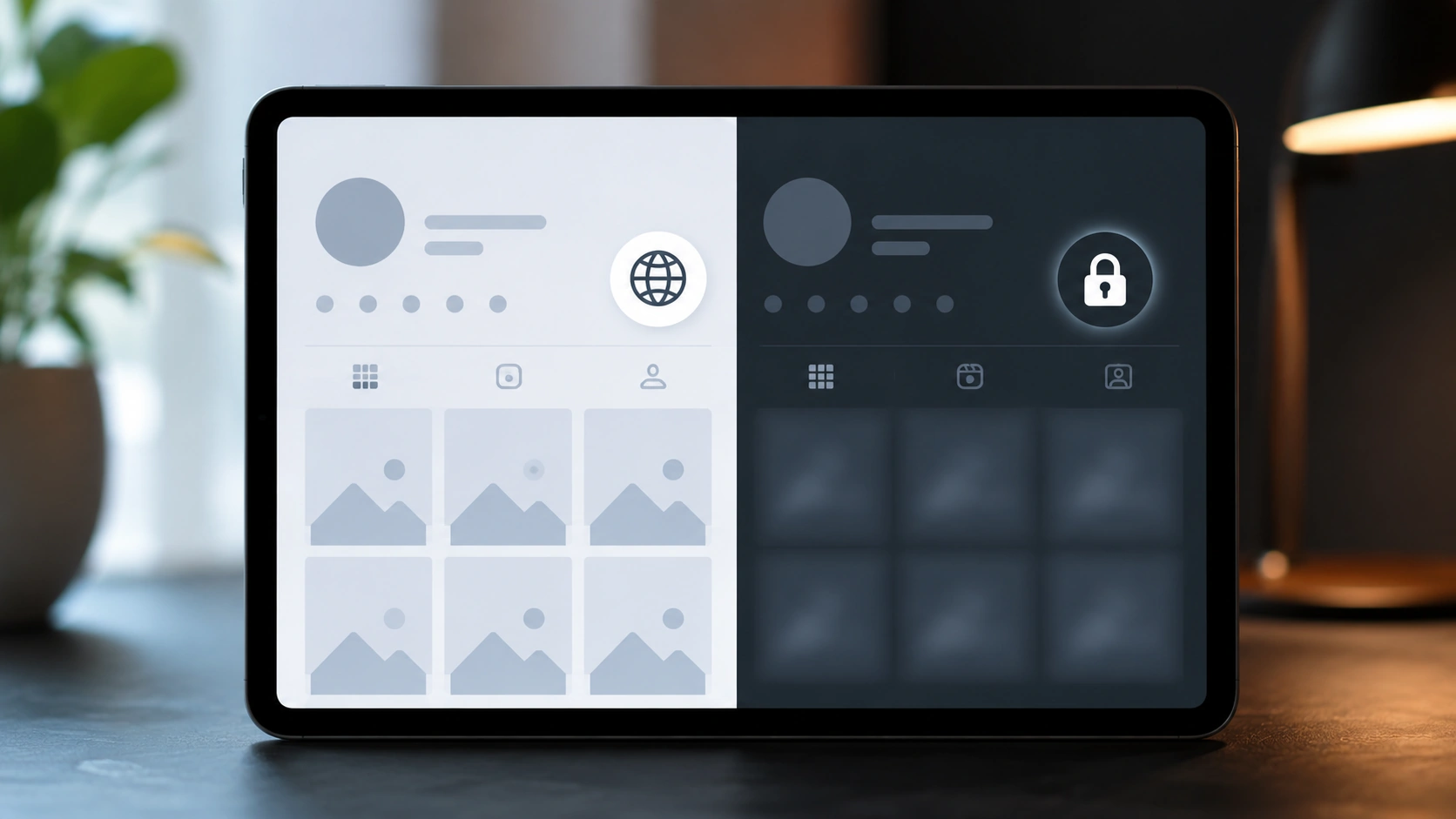
TL;DR: Telling a public Instagram account from a private one takes about five seconds and no follow request at all. Open the profile — through the app, a browser, or an anonymous viewer — and look for one of two signals. A small padlock icon sitting beside the username, paired with the words “This account is private,” means it’s locked. See the actual grid of photos, or a Reels tab you can scroll, or a follower count you can tap into? That’s public, plain and simple. You don’t need an account, you don’t need to follow anyone, and you definitely don’t need any tool asking for your Instagram password to figure this out. What you can’t do, regardless of the method, is view a private account’s actual content without approval — and any site promising otherwise is selling something that doesn’t exist. Here’s exactly what to look for, and what genuinely public content lets you do once you’ve confirmed it.
Quick one, this. You land on a profile, and within a couple of seconds you know whether you’re in or out. Instagram doesn’t hide this distinction — it’s actually one of the more upfront signals the app gives you, once you know precisely where to look.
The lock icon: the whole answer, really
Instagram marks private accounts with a small padlock, usually sitting right beside the username at the top of the profile, sometimes layered onto the profile photo itself depending on the app version. See that lock, and the profile carries the words “This account is private” somewhere on the page — clear as day, no ambiguity.
No lock, no message? Public. You’ll see the grid of posts loading normally, a Reels tab you can actually scroll through, and tappable follower and following counts. That’s it. That’s the entire test.
People overthink this one constantly, honestly. Forums are full of theories about follower ratios, posting frequency, even the tone of a bio — as if privacy were some subtle vibe you had to decode. It isn’t. Instagram made the setting binary and made the signal for it just as binary. Either the lock’s there or it isn’t.
Here’s the split laid out plainly:
|
What you see |
What it means |
|---|
|
Padlock icon beside the username |
Private account |
|
“This account is private” message |
Private account |
|
Posts, grid, and Reels visible without following |
Public account |
|
Follower/following counts you can tap and browse |
Public account |
|
Bio and profile photo load, but the grid is blank with a lock |
Private account |
Nothing fancy about it. Instagram wants this distinction obvious, because a private account’s entire value proposition is that strangers know instantly they’re locked out — no confusion, no accidental oversharing.
Three ways to check, no account required
You don’t need to be logged in to run this check. In fact, checking from outside an account is often the cleanest way, since it removes any chance that your own follow status is muddying the result.
- Open the profile directly in a browser, logged out or in incognito. Type instagram.com/username into the address bar without signing in. If the grid loads, it’s public. If you hit the lock and the “private” message, it’s locked — simple as that, and it works exactly the same whether you have an Instagram account or not.
- Use an anonymous viewer. Paste the username into a legitimate viewer — Dumpor’s profile viewer, for instance — and it’ll show you the public bio, grid, and counts instantly if the account is open. If it’s private, the viewer will tell you plainly rather than pretend, because that’s the honest outcome and there’s nothing to display.
- Check the follower and following counts. On a public profile, tapping those numbers opens a scrollable list. On a private one you don’t follow, the counts might still display, but tapping them either does nothing useful or shows you nothing beyond the number itself.
Any one of those three confirms it on its own. Run two if you want to be extra sure, though honestly the lock icon rarely lies.
A few things that don’t reliably tell you
Worth clearing up some myths people lean on, because they’re shakier than the lock icon and can mislead you.
- Follower count size. Low numbers don’t mean private, and high numbers don’t mean public. Plenty of private accounts have thousands of followers; plenty of public ones have a dozen.
- Whether a bio is filled out. Private accounts can have detailed, chatty bios. Public accounts can have nothing at all. Bio length tells you about the person, not the setting.
- Verification badges. A blue checkmark says nothing about privacy. Public figures and brands are almost always public, sure, but verification itself isn’t a privacy signal.
- How the profile picture looks. No visual styling difference exists between public and private profile photos. This one’s just folklore.
Stick to the lock icon and the message. Everything else is a guess dressed up as a clue.
What “public” actually unlocks for you
Confirming public status isn’t just trivia — it’s the gate that decides what you can do next. Once you know an account is public, the whole toolkit opens up, no account required on your end:
- View the grid, Reels, and Highlights anonymously, without a login.
- Watch Stories through an anonymous Story viewer, never landing in the owner’s viewer list.
- Check the follower and following lists, useful for vetting an influencer or spotting mutual connections.
- Download public media in original quality, whether it’s a Story, a Reel, or a post.
- Browse tagged posts, the candid layer other people tagged the account in.
None of that works on a private account, and it shouldn’t. The lock icon isn’t a suggestion — it’s Instagram telling you plainly where the boundary sits, and any legitimate tool respects it without flinching.
The scam side of this question
Here’s where a lot of guides on this exact topic go sideways, and it’s worth calling out directly. Type “how to tell if an account is private” into a search engine and you’ll bump into a suspicious number of sites that answer the question in one line, then pivot hard into pitching a “private account viewer” that supposedly shows you the content of locked profiles — full posts, Stories, follower lists, the works, no follow request needed.
That’s not a real product. It can’t be, structurally. A private account’s content is visible only to approved followers because Instagram enforces that at the data level — no browser trick, proxy, or “anonymous inspection tool” gets around it. So when a site promises exactly that, one of two things is happening: it’s showing you fabricated or recycled placeholder content dressed up as a real result, or it’s steering you toward a login prompt that harvests your actual Instagram password. Either way, you lose. Best case, wasted time. Worst case, a hijacked account.
The honest tell, same as always: a legitimate tool only ever needs a username, and it only ever works on public content. The instant something asks for your credentials to “unlock” a private profile, close it. If you want a fuller breakdown of why this boundary can’t be crossed and what genuinely is detectable when you view a profile anonymously, our guide on whether Instagram can tell if you view a profile anonymously covers it in depth.
What if you actually need to see a private account?
Fair question, and the answer is unglamorous but correct: send a follow request, and wait. That’s the only legitimate route past a private account, because Instagram built the whole feature around consent. There’s no technical bypass, ethical or otherwise, and services claiming one are lying to you, full stop.
If your goal is research rather than personal curiosity — vetting a business contact, checking a creator before a partnership, that sort of thing — a private account is sometimes just a dead end, and that’s fine. Public accounts, which make up the overwhelming majority of Instagram, already give you plenty to work with anonymously, and for most professional use cases that’s genuinely enough.
Why people flip between public and private in the first place
Worth understanding the motive side of this, since it explains why the same account can test differently on two separate days.
People switch to private for all sorts of reasons that have nothing to do with hiding wrongdoing — a parent tightening things down for a teenager, someone tired of screenshots circulating without context, a small business briefly locking down during a personal crisis, a public figure managing an unwanted pile-on. Equally, plenty of accounts start private and later flip public once the owner decides visibility serves them better — a creator building an audience, a business chasing discovery, someone simply changing their mind about how open they want to be.
The point is that private status is a snapshot, not a permanent trait. An account you checked last month and found locked might be public today, or vice versa. If you’re doing this kind of check regularly — vetting contacts, monitoring competitors, keeping an eye on a public figure’s presence — it’s worth re-verifying rather than assuming yesterday’s result still holds. The five-second check costs nothing, so there’s no real downside to running it fresh each time.
Quick reference: your five-second checklist
- Look for the padlock beside the username. Present, it’s private. Absent, it’s public.
- Read the message. “This account is private” settles it instantly.
- Try loading the grid. Photos visible without following means public.
- Test in a logged-out browser or incognito window for a clean, bias-free check.
- Never trust a tool promising private content. That’s not a feature Instagram allows anyone to build.
The short version, one more time
Telling a public Instagram account from a private one takes seconds and needs no account of your own — look for the padlock icon and the “This account is private” message, or simply see whether the grid, Reels, and follower counts load without a follow request. Follower count, bio length, and verification badges are all red herrings; only the lock icon and the explicit message actually confirm it. Once you’ve confirmed a profile is public, an anonymous viewer opens up the whole toolkit — grid, Stories, Reels, Highlights, tagged posts, follower lists — with no login and no trace. Private accounts stay private, always, and any site claiming to show you their content without a follow request is either faking results or phishing for your password.
If you’re researching public Instagram accounts regularly, or you’d like to ask about business and API access to the Dumpor toolset, reach out and leave us a request. We’ll give you the honest answer, public data only.
FAQ
Frequently asked questions
How can I tell if someone’s Instagram is private without following them?+
Open their profile, either in the Instagram app, a logged-out browser, or an anonymous viewer, and look for a small padlock icon beside the username. If it’s there, along with the message “This account is private,” the account is locked. If instead you can see their posts, Reels tab, and tap into their follower or following counts, the account is public. This check works identically whether or not you have an Instagram account of your own, and it takes only a few seconds.
Does a low follower count mean an account is private?+
No, and this is one of the most common misreadings out there. Follower count has nothing to do with privacy settings — plenty of private accounts have thousands of followers, and plenty of public accounts have barely a handful. The only reliable signals are the padlock icon and the “This account is private” message. Judging privacy by follower numbers, bio length, or profile picture style will lead you astray more often than not.
Can I see anything at all on a private account I don’t follow?+
Very little. You’ll typically still see the profile photo, the username, the bio, and the follower/following counts, since Instagram displays that basic information regardless of privacy status. What stays hidden is the actual content — posts, Stories, Reels, Highlights, and the detailed follower or following lists — none of which loads without an approved follow. That partial visibility is often what confuses people into thinking there might be a workaround; there isn’t.
Are there tools that can show me a private account’s posts without following?+
No legitimate ones. Instagram enforces private-account restrictions at the data level, so no browser extension, proxy, or “anonymous viewer” can retrieve content that Instagram itself won’t serve to non-followers. Sites promising this are either displaying fabricated or recycled content to keep you engaged, or using the promise as bait to get you to log in, at which point they steal your Instagram credentials. Treat any “private account viewer” claim as a red flag rather than a genuine feature.
What’s the only real way to view a private account’s content?+
Send a follow request and wait for the account owner to approve it. That’s the sole legitimate path, because Instagram designed private accounts around explicit consent from the owner — there’s no ethical or technical shortcut around that decision. If the request isn’t approved, the content stays inaccessible, and that’s the system working exactly as intended, not a limitation to be engineered around.
Why does Instagram show the lock icon so prominently?+
Because clarity protects everyone involved. A private account’s entire point is that strangers should know immediately they can’t see the content, without any guesswork or accidental oversharing on the owner’s part. Making the padlock and the “private” message unmistakable prevents confusion, reduces support requests, and reinforces that privacy on Instagram is a deliberate, visible choice rather than something buried in a settings menu nobody checks.
Can I check whether an account is public or private without an Instagram account?+
Yes, easily. Type the profile’s web address directly into a logged-out browser, or in incognito mode, and Instagram will show you either the public grid or the “This account is private” message — no login required either way. An anonymous viewer does the same job with a cleaner interface, confirming public status and letting you browse the content immediately if it turns out to be open. Neither method needs an account, a password, or any interaction with the profile you’re checking.

 Telegram bot
|
TikTok Viewer
Telegram bot
|
TikTok Viewer