Why Instagram Compresses Your Photos and Videos — and How to Minimize It
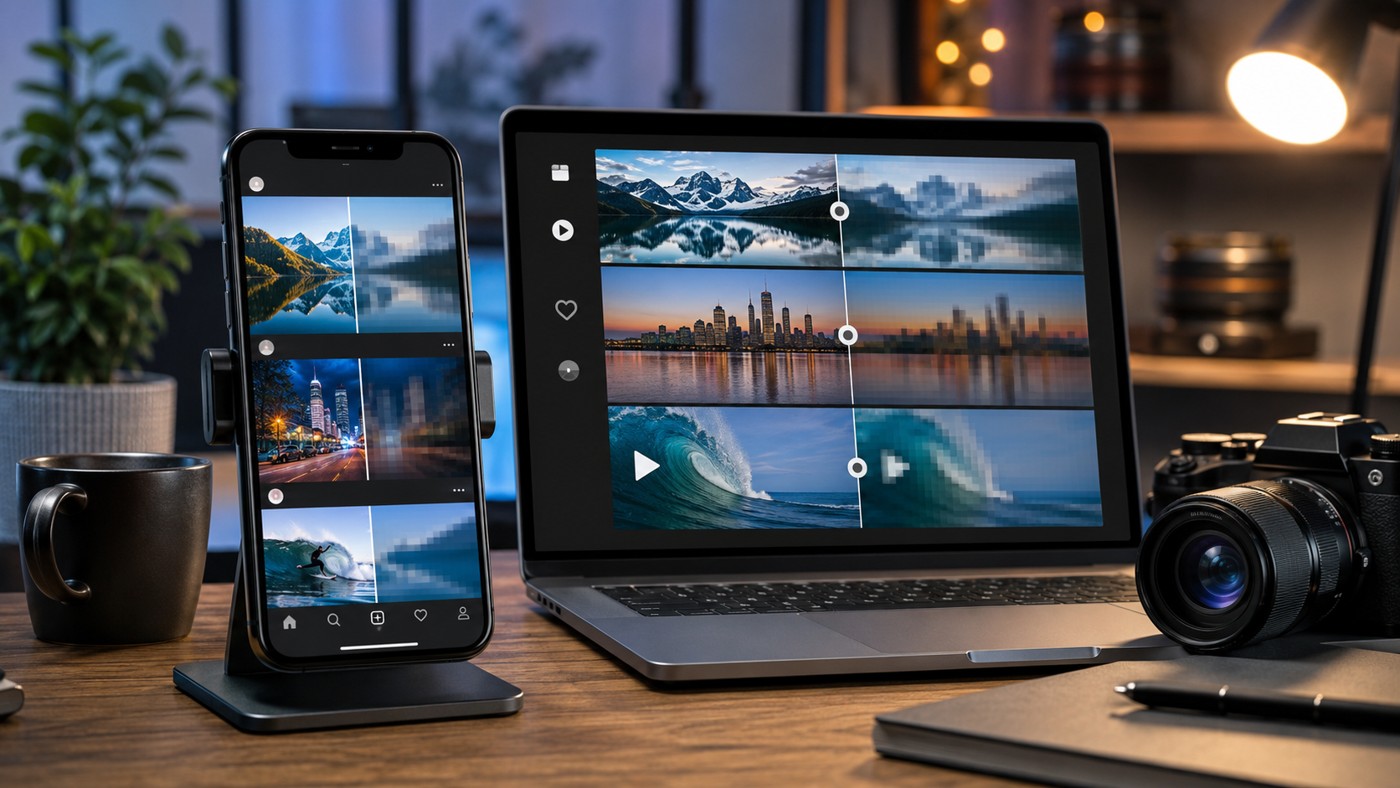
TL;DR: Instagram compresses everything you upload — every photo, every Reel, every Story — to save bandwidth and server costs across its billions of users. You cannot switch this off. What you can do is hand the algorithm a file it barely needs to touch: photos at 1080 px wide (1080×1350 for portrait), sRGB color, under 1.6 MB; video in H.264 at 1080p/30fps with a healthy but not extreme bitrate. Turn on “Upload at highest quality” in your settings, upload over Wi-Fi, and never let Instagram do your resizing for you. Full export cheat sheet below. And if you need to pull the best surviving copy of any public photo or video back out of Instagram, our photo downloader grabs the maximum resolution the platform actually stores.
Photographers have complained about this for a decade, and the complaint never changes: the image looked perfect on the laptop, then Instagram got hold of it. Colors went flat. Fine texture turned to mush. That 4K drone clip you spent an evening color-grading now looks like it was filmed on a phone from 2014.
None of this is an accident, and none of it is a bug. Compression is a deliberate engineering decision, and once you understand what Instagram actually does to your files, working around the worst of it becomes surprisingly manageable.
Why the platform squeezes everything
The math explains it better than any conspiracy theory. Instagram serves media to well over two billion people, many of them on slow connections and cheap phones with limited storage. Every megabyte it shaves off your upload gets multiplied by thousands or millions of views, and that multiplication is the difference between a feed that loads instantly in rural India and one that doesn’t load at all.
So the platform optimizes for the median viewer, not for your calibrated monitor. Three specific goals drive it:
- Speed. Feeds must scroll without stutter, even on 3G. Smaller files load faster. Simple as that.
- Cost. Storing and delivering media at this scale costs Meta a fortune in servers and bandwidth. Compression directly cuts that bill.
- Consistency. A single standardized format plays predictably on tens of thousands of device models. Your exotic 10-bit HDR file does not.
Fair goals, honestly. The frustration comes from how bluntly the compression pipeline applies them — it treats a professional photographer’s portfolio shot exactly the same as a blurry screenshot of a parking ticket.
What actually happens to your file
The moment your upload lands on Instagram’s servers, a processing pipeline takes over. For photos, it works roughly like this:
- Resize. Anything wider than 1080 px gets scaled down to 1080. Your 6000-pixel masterpiece? Now 1080, no questions asked.
- Re-encode. The image is converted to a compressed JPEG (or WebP for delivery), typically at a quality level around 70–80%. This is where fine grain, subtle gradients, and micro-contrast quietly die.
- Color flattening. Wide-gamut color profiles (Adobe RGB, ProPhoto) get squeezed into sRGB. If you exported in anything else, colors shift — usually toward dull.
Video suffers more, because video has more to lose. Instagram transcodes every clip into its own H.264 or HEVC streams at several resolutions, caps the bitrate hard (Reels generally land somewhere in the vicinity of 5–10 Mbps at 1080p, far below what a modern phone records), and generates the low-res versions your viewers on weak connections will actually see. Dark scenes, fast motion, confetti, water, foliage — anything with lots of changing detail — gets hit worst, since low-bitrate encoding hates exactly those things.
One more twist people rarely factor in: the version a viewer receives depends on their connection and device, not just on your upload. You might be looking at a pristine 1080p stream on Wi-Fi while someone else watches the same Reel as a smeary 480p render on subway 4G. Both are “your video.”
The golden rule: do the compression yourself
Here’s the principle behind every tip that follows. Instagram’s encoder is aggressive but reasonably smart — if your file already matches its target specs, the pipeline has little left to do, and quality survives mostly intact. If your file overshoots wildly (8K resolution, 200 Mbps bitrate, exotic color), the encoder does the downscaling its own way, with its own priorities, and the result is the mush you know too well.
Feed the machine what it wants. That’s the entire game.
Export cheat sheet for 2026
|
Parameter |
Feed photos |
Reels |
Stories |
|---|
|
Resolution |
1080×1350 (4:5) or 1080×1080 |
1080×1920 |
1080×1920 |
|
File format |
JPEG, quality 76–85% |
MP4 (H.264) |
MP4 or JPEG |
|
Color profile |
sRGB |
Rec.709 |
sRGB / Rec.709 |
|
Target file size |
Under ~1.6 MB |
Under ~100 MB |
Under ~30 MB |
|
Frame rate |
— |
30 fps (or clean 60) |
30 fps |
|
Video bitrate |
— |
8–12 Mbps |
6–8 Mbps |
|
Audio |
— |
AAC, 128–256 kbps, 48 kHz |
AAC, 128 kbps |
A few notes the table can’t hold:
- The 1.6 MB photo threshold matters. Files under it typically pass through with light re-encoding; heavier files trigger a harsher second pass. Export at JPEG quality ~80% and you’ll land under the line with room to spare.
- Sharpen slightly after resizing to 1080 px. Downscaling softens images, and a gentle sharpening pass (done by you, in your editor, on the final-size file) restores bite that Instagram’s own resize would have destroyed.
- Avoid 4K uploads for Reels. Counterintuitive, but true in practice: giving the encoder a 4K file forces an aggressive downscale-plus-recompress cycle. A clean 1080p export at 10 Mbps routinely comes out looking better than the same clip uploaded in 4K.
- Skip HDR unless you know your audience has HDR screens. Instagram’s tone-mapping of HDR to SDR is erratic, and washed-out highlights are the usual souvenir.
Settings inside Instagram most people miss
The app itself hides two switches that change upload quality:
- Upload at highest quality. Settings → Media quality (the menu name shifts between versions — Meta loves renaming things) → toggle it on. Off by default on many accounts, this setting tells Instagram to wait for a full-quality upload instead of firing off a fast, heavily squeezed version the moment you tap Share.
- Data Saver — off. With Data Saver active, the app may compress outgoing media harder on cellular connections. Upload over Wi-Fi with the saver disabled, and if you’re somewhere with hotel-grade internet, wait. Seriously. An upload that crawls over a weak connection sometimes gets served the low-quality pathway.
Also worth knowing: cross-posting tools and third-party schedulers occasionally add their own compression pass before Instagram ever sees the file. If quality matters, upload natively and compare.
Recovering the best copy Instagram still has
Everything above is about the way in. There’s a way-out problem too, and we get asked about it constantly: how do you retrieve a photo or video from Instagram at the best quality the platform still holds — your own old post whose original file is long gone, a collaborator’s clip you need for a recap, a public post you want to archive properly?
Screenshots are the worst answer. A screenshot captures your screen’s rendering of an already-compressed image, stacking a second quality loss on top of the first, complete with interface clutter if you’re careless.
The better route is pulling the source file Instagram serves. Our Instagram photo downloader fetches public images at the full stored resolution — the genuine 1080 px file, not a screen grab of it. For moving pictures, the video downloader does the same with the highest-bitrate stream available for that post. And when you’re studying how other creators’ content survives compression (a genuinely useful habit — some accounts consistently look sharper than others, and reverse-engineering their settings teaches a lot), browsing their clips through the Reels viewer lets you inspect everything in a desktop browser, frame by frame if you like, without the app’s overlay in the way.
No login, no software to install, public content only. What Instagram has already published is what you get — we can’t resurrect detail the compressor deleted, and neither can anyone else, whatever their landing page promises.
Why does my photo look worse on Instagram than in my gallery, even though both are 1080 px?+
Because your gallery shows your export, while Instagram shows its re-encode of your export. Even a correctly sized file goes through the platform’s JPEG pass, which typically costs a little micro-detail and gradient smoothness. The goal of proper export settings isn’t zero loss — that’s impossible — it’s keeping the loss below what eyes notice at feed size.
Does Instagram compress Stories more than feed posts?+
Generally yes. Stories are treated as ephemeral, high-volume content, and the encoder prioritizes speed over fidelity. Text in Stories survives fine; subtle photographic detail often doesn’t. If a piece of content matters to you visually, the feed (or a Reel with a strong source file) preserves it better than a Story will.
My Reel looked sharp for the first hour, then turned blurry. What happened?+
You caught the processing gap. Instagram sometimes serves your original or a lightly compressed version immediately after upload, then swaps in the fully transcoded streams once processing finishes. The blurry later version is the permanent one, unfortunately. If it’s unacceptably soft, the fix is re-exporting closer to spec and re-uploading, not waiting.
Is quality better if I upload from a computer instead of the phone app?+
The pipeline is the same on the server side, and results are usually comparable when files match the specs. Desktop uploads occasionally handle large files more predictably because there’s no cellular compression risk and no app-side pre-processing. Test both with the same file; some accounts see a difference, many don’t.
Can any downloader give me the original uncompressed file the creator uploaded?+
No, and be suspicious of anyone claiming otherwise. Instagram never exposes the pre-compression original to the public — it exists only in the uploader’s own archive. Every legitimate downloader, ours included, retrieves the highest-quality version Instagram serves, which is the compressed 1080 px asset. That’s still far superior to a screenshot, but it’s the ceiling.
Why do big creators’ Reels look so much better than mine?+
Mostly discipline, not secret access: they export to spec, light their footage well (bright, evenly lit scenes compress dramatically better than dim ones), avoid detail-heavy chaos in motion, and always upload with the highest-quality toggle on over fast Wi-Fi. Some also generate slightly higher-bitrate masters and test several export variants before posting. Boring answers. Effective ones.
Instagram’s compression isn’t going anywhere — if anything, video keeps getting heavier and the incentive to squeeze grows every year. But the difference between a mangled upload and a clean one is almost entirely in your hands before you hit Share: right size, right format, right bitrate, right settings. Do the compressor’s job for it, and it mostly leaves your work alone. And whenever you need the best surviving copy of anything public on the platform, grab it at full stored quality instead of screenshotting — your archive deserves better than a picture of a picture.

 Telegram bot
|
TikTok Viewer
Telegram bot
|
TikTok Viewer