Blurred on Purpose: What It Takes to See a Story Hidden Behind the Reveal Sticker
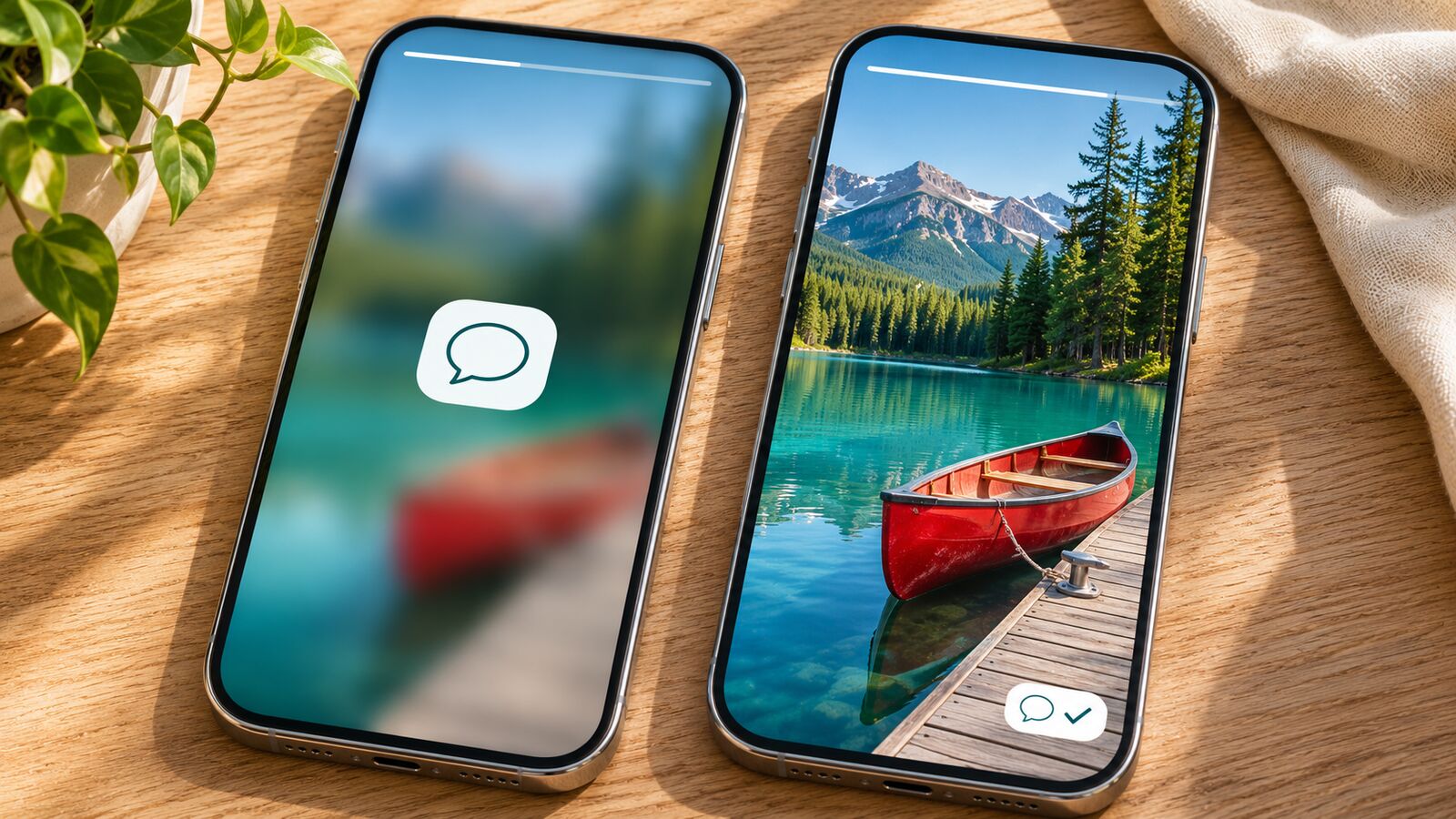
TL;DR: The Reveal sticker blurs an entire Instagram Story and places a short hint on top, written by the creator. The only way to see what’s underneath is to send the creator a direct message through the sticker’s prompt. Any message works: an emoji, a word, a question. Once the message is sent, the Story unblurs automatically for that viewer, and the creator does not need to approve anything. The reveal is individual: each viewer has to send their own message, and everyone else still sees the blur. To create one, start a Story, tap the sticker icon, choose Reveal, type a hint, preview if you like and share. Reveal launched on May 3, 2024, alongside the Frames, Cutouts and Add Yours Music stickers. It’s built to start conversations, so creators should expect, and be ready for, a busier inbox.
“Something big is coming. DM me to see it.”
You’ve probably seen a Story like that by now: a blurred background, a short teaser in the middle and a prompt to send a message. No amount of squinting helps. No tapping on the blur does anything. The content stays locked until you do the one thing the creator is asking for, which is to start a conversation.
That’s the Reveal sticker, and it’s one of the more cunning tools Instagram has added to Stories. Where most stickers ask for a quick tap (a poll vote, a quiz answer), Reveal asks viewers to step into the creator’s inbox. It’s a small ask with a big effect, because direct messages are where a lot of Instagram’s real relationships happen.
At Dumpor, we watch a lot of public Stories, and Reveal has turned into a favourite for teasers, giveaways and playful “guess what” moments. It also raises plenty of questions, mostly from the viewer’s side. Here’s exactly how it works.
What the Reveal Sticker Does
Put simply, the sticker hides a whole Story frame behind a blur until a viewer sends a direct message. The creator writes a hint, which sits on top of the blurred content and gives viewers a reason to care.
A few things set it apart from other interactive stickers:
- It hides the entire Story. Not just one photo or one part of the frame, but everything underneath the sticker.
- The key is a DM. No votes, no taps, no shaking. Only a message unlocks the content.
- Unlocking is automatic. Instagram has made clear that creators don’t need to approve each message for the Story to be revealed.
- The reveal is personal. Each viewer unlocks the Story for themselves only. Sending a message doesn’t reveal it for anyone else.
Instagram introduced Reveal on May 3, 2024, in a batch of four Story stickers. Its siblings were Frames (instant-print photos you shake to develop), Cutouts (custom stickers made from your own photos and videos) and Add Yours Music (song-sharing chains). Of the four, Reveal is the most obviously designed to drive conversations.
What Viewers Must Do to See the Story
This is the part most people search for, so let’s be precise. If you come across a blurred Story with a Reveal sticker, here’s how to see it:
- Open the Story. You’ll see a blurred background and the creator’s hint in the centre.
- Tap the sticker or the message prompt. A message field opens at the bottom of the screen.
- Type anything and send it. A word, an emoji, a “hi,” a guess at what’s hidden. Instagram doesn’t check what you write.
- Watch the blur lift. As soon as the message is sent, the Story becomes clear on your screen.
That’s it. There’s no waiting for the creator to respond, and no approval step. The content unlocks the moment your message goes through.
What actually gets sent
Your message lands in the creator’s inbox as a reply to their Story, just like a regular Story reply. The creator can see who you are, what you wrote and which Story you replied to. If they don’t follow you, your message may land in their message requests folder rather than the main inbox, but that doesn’t stop the Story from unblurring for you.
It’s worth repeating, because people regularly get caught out: this is not anonymous. Revealing a Story means sending a real message from your real account. If you’d rather not start a conversation with that person, simply skip the Story.
What you can’t do
There’s no workaround to see a Reveal Story without messaging. Screenshots capture only the blur. Tapping through the frame skips it. Viewing a public Story through an anonymous viewer won’t unlock it either, because the unlock depends on a DM, and a DM requires a logged-in Instagram account. The feature is designed this way on purpose.
How to Create a Reveal Story
On the creator’s side, the process takes under a minute on both iPhone and Android.
-
Open Instagram and start a new Story with a photo, video or background.
-
Tap the sticker icon at the top of the screen (the square smiley face).
-
Select Reveal, or search for it in the sticker tray.
-
Type a hint about what’s hidden. This is the only thing viewers will see before they message you, so make it intriguing.
-
Tap Done.
-
Optionally, tap the Preview icon in the bottom left corner to see the blurred version exactly as your viewers will.
-
Share to Your story or Close Friends.
The hint is where most creators either win or lose. “DM to see” is functional but flat. “Our new flavour drops Friday. Guess it, then DM to check” gives people a reason to engage beyond simple curiosity.
A few hint formulas that consistently pull in messages:
- The guess: “Guess what’s behind the blur and DM your answer.”
- The exclusive: “First 50 people to message get early access.”
- The tease: “You’ve been asking for this one for months.”
- The personal: “Big news. Only telling the people who ask.”
Keep the hint short enough to read in a second or two, since many viewers tap through Stories quickly.
What the Creator Sees
After you post a Reveal Story, expect a livelier inbox. Every viewer who unlocks the Story sends you a message, and those messages appear as Story replies.
- Messages from people you follow usually land in your main inbox.
- Messages from people you don’t follow typically go to message requests.
- Your Story viewer list works exactly as usual, showing everyone who viewed the Story, whether or not they unlocked it.
You don’t have to reply to every message for viewers to see the content. That said, replying to at least some of them is where the real value lies. A Reveal Story that generates two hundred DMs and zero responses is a missed opportunity, and a slightly awkward one.
Reveal vs Frames: A Quick Comparison
Reveal and Frames arrived on the same day and both involve “hidden” content, so they’re often mixed up. They serve very different purposes.
|
Feature |
Reveal |
Frames |
|---|
|
What’s hidden |
The entire Story frame |
One photo inside an instant-print frame |
|
How viewers unlock it |
Send the creator a DM |
Shake the phone or tap “Shake to reveal” |
|
Creator gets a message? |
Yes, every reveal is a DM |
No |
|
Is the action anonymous? |
No, the creator sees who messaged |
Nobody is notified of a reveal |
|
Text shown before unlocking |
A hint written by the creator |
A prompt to shake the phone |
|
Main goal |
Starting conversations |
Adding playful suspense |
|
Best for |
Teasers, giveaways, exclusive previews |
Throwbacks, aesthetic photo Stories |
Use Reveal when you want conversations. Use Frames when you just want people to pause for a moment on a photo.
Creative Ways to Use the Reveal Sticker
We’ve seen Reveal used in some clever ways across public accounts. These ideas tend to work best:
For brands
- Product teasers. Hide a new product behind the blur with a hint like “Our most requested colour is back.” Every DM is a lead.
- Discount codes. “DM to unlock this week’s code” turns a promotion into a one-to-one conversation.
- Event announcements. Hide the venue or the guest speaker and let followers message to find out.
- Customer research. Ask viewers to DM their guess or opinion to reveal the answer, then use the replies as feedback.
For creators and personal accounts
- Big news. Engagements, new jobs, house moves: Reveal adds a little drama to life updates.
- Guessing games. “Guess where I am, DM to see if you’re right.”
- Behind the scenes. Hide a preview of an upcoming video or collaboration.
- Reconnecting. Reveal is a gentle nudge for friends who rarely message to say hello.
If you’d like to see how established accounts frame their hints, the Dumpor Instagram Story Viewer lets you watch public Stories anonymously and study how brands word their Reveal prompts. Just keep in mind that you’ll see the blur and the hint, not what’s underneath: unlocking still requires a message from an Instagram account.
Privacy and Etiquette
Reveal sits on the boundary between public Stories and private messages, so a few considerations apply.
- Audience rules still apply. A Reveal Story is visible to the same people as any of your Stories: everyone on a public account, approved followers on a private one, or just your Close Friends list.
- Messages are real messages. Viewers should know that revealing a Story starts a conversation linked to their account.
- Your reply settings matter. If you’ve limited who can reply to your Stories or send you messages, some viewers may not be able to unlock the content. Check your message and Story reply controls before posting.
- Be ready for volume. Popular accounts can receive hundreds or thousands of messages. Instagram’s filters for message requests and hidden words help keep that manageable.
- Don’t overuse it. Asking followers to DM you for every Story quickly becomes tiresome. Save Reveal for content that genuinely deserves a reveal.
Saving Reveal Stories for Later
Like other Stories, a Reveal Story disappears after 24 hours unless you add it to a Highlight. Saving it keeps the Story on your profile, which can work well for long-running promotions or a “Secrets” collection that new followers can discover. For ideas on organizing evergreen Highlights, the Dumpor Instagram Highlights Viewer lets you browse how public accounts arrange their saved Stories, anonymously and without logging in.
Troubleshooting
When Reveal doesn’t behave as expected, the cause is usually simple:
- The sticker isn’t in the tray. Update Instagram and restart the app. New stickers can take time to reach some regions and accounts.
- Viewers say the Story won’t unlock. Check that Story replies and messages are allowed for them in your settings. Restricted or blocked accounts can’t message you.
- The message sent, but the Story is still blurred. Ask the viewer to close and reopen the Story or update their app. Occasional glitches do happen.
- Too many messages to handle. Use quick replies for common questions and turn on message request filters.
- You posted it to the wrong audience. Delete the Story and repost it to Close Friends if it was meant for a smaller group.
Why Reveal Works
Instagram has long encouraged more private interaction, and direct messages have become one of the busiest parts of the app. Reveal taps directly into that. Curiosity is a powerful motivator, and a blurred image with a clever hint gives people just enough of a reason to start a conversation they might never have begun otherwise.
For brands, each message is an opening: a chance to answer a question, share a link or simply say thank you. For individuals, it’s a light way to reconnect with friends. Either way, the payoff comes from what happens after the reveal, not from the reveal itself.
Before your next Reveal campaign, it’s worth checking how your profile looks to the people who will click through from their DMs. The Dumpor Instagram Profile Viewer shows any public profile, including your own, exactly as a newcomer would see it. Type a username into the search bar at the top of the page to take a look.
FAQ
Frequently Asked Questions
What is the Reveal sticker on Instagram?+
The Reveal sticker is an Instagram Stories feature that blurs an entire Story and shows only a short hint written by the creator. Viewers can see the content underneath only by sending the creator a direct message. Instagram introduced the sticker on May 3, 2024, as a way to encourage more conversations between creators and their audiences.
How do I see a Story with a Reveal sticker?+
Open the Story, tap the sticker or the message prompt and send the creator any message, such as an emoji or a short word. As soon as your message is sent, the blur lifts and the Story becomes visible on your screen. You don’t need to wait for the creator to reply or approve anything.
Does the creator have to approve my message to reveal the Story?+
No. Instagram has confirmed that creators don’t need to approve each message for the Story to be revealed. The content unlocks automatically for each viewer the moment their message is sent, which means creators with large audiences don’t have to process thousands of requests manually.
Is revealing a Story anonymous?+
No. Revealing a Story sends a real direct message from your account to the creator. They can see your username, your message and which Story you replied to. If you don’t want to start a conversation with the account, the only option is to skip the Story without unlocking it.
Does it matter what I write in the message?+
Not for unlocking the Story. Instagram doesn’t check the content of the message, so a single emoji works just as well as a full sentence. Keep in mind that the creator will read whatever you send, so it’s worth writing something you’re comfortable with them seeing.
Can I see a Reveal Story without sending a message?+
No. The Reveal sticker is designed so that a direct message is the only way to unlock the content. Screenshots show only the blurred version, and anonymous Story viewers can’t unlock it either, because sending a message requires a logged-in Instagram account.
If one person reveals the Story, can everyone see it?+
No. Each reveal is individual. When you send a message, the Story unblurs only on your screen. Every other viewer still sees the blurred version and the hint until they send a message of their own.
Where do Reveal messages go?+
They arrive in the creator’s inbox as replies to the Story. Messages from accounts the creator follows usually go to the main inbox, while messages from accounts they don’t follow typically land in message requests. Either way, the Story unlocks for the sender immediately.
How do I add a Reveal sticker to my Story?+
Create a Story, tap the sticker icon at the top of the screen and choose Reveal. Type a hint about what’s hidden, tap Done and, if you like, tap the Preview icon to see how the blurred Story will look. Then share it to Your story or Close Friends.
What is the difference between the Reveal and Frames stickers?+
Reveal blurs the entire Story and requires viewers to send a direct message to unlock it. Frames hides a single photo inside an instant-print frame, and viewers unlock it by shaking their phone or tapping a button, without contacting the creator. Reveal is built for conversations, while Frames is built for playful suspense.

 Telegram bot
|
TikTok Viewer