Instagram Favorites vs. Following Feed: How to See More Posts From Accounts You Choose
TL;DR
Instagram offers three main ways to browse your feed, and choosing the right one can make a substantial difference to what you see.
Home is Instagram’s default, algorithmically ranked feed. It mixes content from accounts you follow with recommendations and other material the platform believes may interest you.
Following shows recent posts from accounts you follow in reverse chronological order, with newer posts appearing first. It is the straightforward option when you want to catch up without suggested posts taking over your feed.
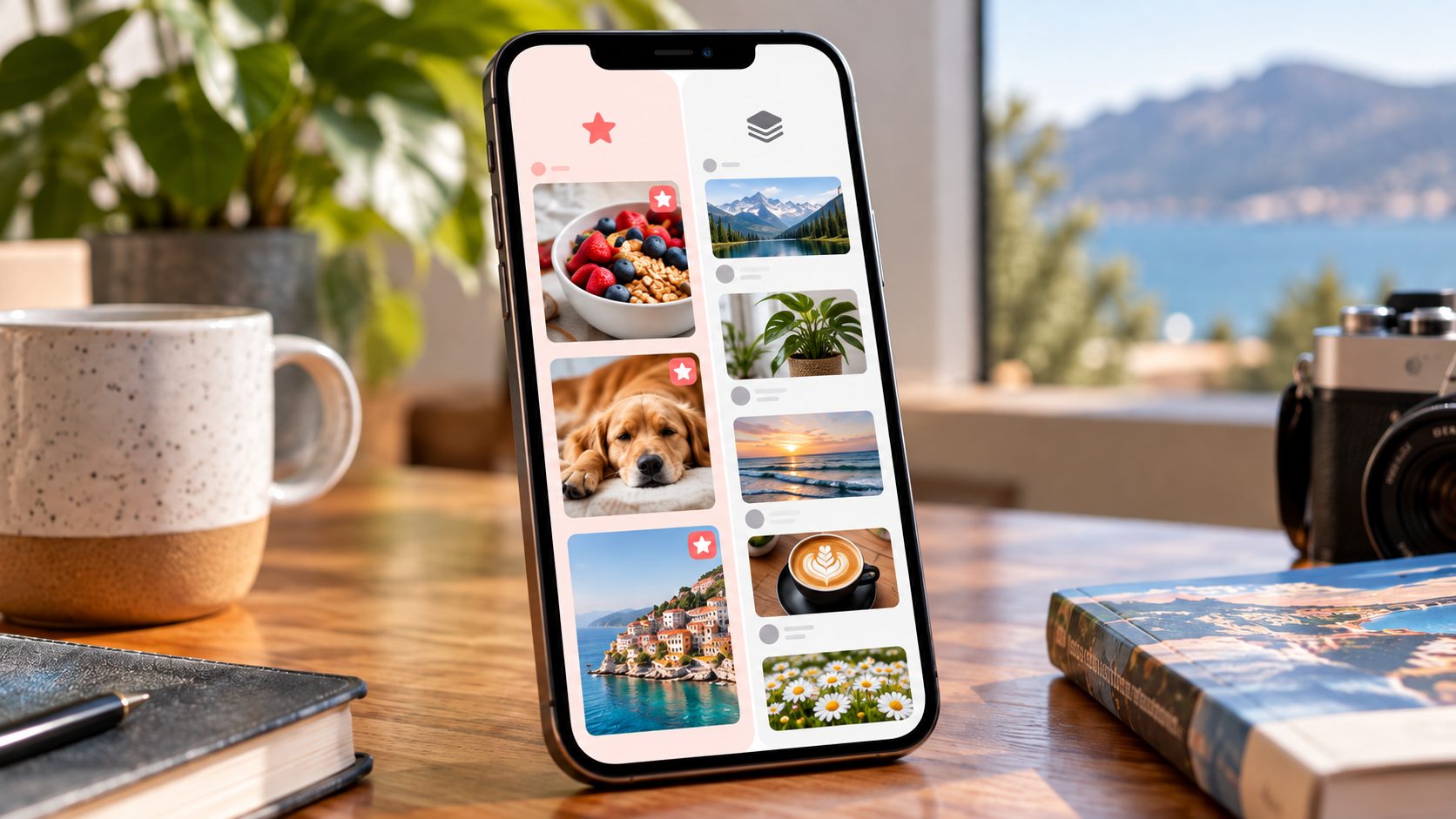
Favorites is a smaller, personalized feed containing posts from accounts you have specifically selected. You can add up to 50 accounts, and their posts appear chronologically in this dedicated view. Adding someone to Favorites also gives their posts greater prominence in your regular Home feed.
To switch feeds on iPhone or Android:
-
Open Instagram.
-
Go to the Home feed.
-
Tap the Instagram wordmark or feed selector near the top.
-
Choose Following or Favorites.
-
If Favorites is empty, add the accounts whose posts you want to prioritize.
Instagram does not currently offer a standard setting that permanently replaces Home with Following or Favorites whenever you open the app. You normally need to select your preferred view again.
One important distinction: Favorites changes what you see. It does not notify the accounts you add, automatically turn on post notifications, or change who can see your own content.
If your goal is to see more posts from people you deliberately chose to follow, start with Following. If you mainly want to keep up with a small group of particularly important accounts, use Favorites.
The difference sounds minor.
After a week of using the right feed, it rarely feels minor.
Why Your Instagram Home Feed Doesn’t Show Everyone You Follow
You follow an account because you want its content.
Reasonable enough.
Yet Instagram’s default Home feed does not operate as a complete chronological record of everything published by everyone on your Following list.
Instead, it ranks content using signals intended to estimate what you may find interesting or valuable. Posts from accounts you follow compete for attention alongside recommended content and other feed elements.
The result can feel peculiar. You might see several recommended Reels from unfamiliar creators before encountering a photograph published that morning by someone you actually know.
This does not necessarily mean that Instagram has stopped following that account on your behalf or that its posts have disappeared.
You may simply be looking at a ranked feed rather than a chronological one.
Instagram introduced Following and Favorites as alternative feed views in March 2022. Meta’s original explanation established the basic distinction: Following displays recent posts from followed accounts, while Favorites displays recent posts from a smaller list selected by the user.
That distinction remains the foundation of these features.
Home vs. Following vs. Favorites: What’s the Difference?
The three feeds serve different purposes.
|
Feature |
Home |
Following |
Favorites |
|---|
|
Main purpose |
Personalized discovery |
Catch up with followed accounts |
Prioritize selected accounts |
|
Which accounts appear? |
Followed and recommended accounts |
Accounts you follow |
Accounts on your Favorites list |
|
Post order |
Algorithmically ranked |
Newest first |
Newest first |
|
Suggested posts |
Yes |
Not part of the normal Following feed |
Not part of the normal Favorites feed |
|
Account selection |
Instagram’s ranking system |
Your Following list |
Your selected Favorites |
|
Maximum selected accounts |
Not applicable |
Your Following list |
Up to 50 |
|
Changes regular Home ranking? |
It is the regular Home feed |
Not directly |
Favorites receive higher priority |
|
Permanent default option |
Yes |
No standard setting |
No standard setting |
The crucial detail is that Following and Favorites both use chronological ordering, but they draw from different groups of accounts.
Following is broad.
Favorites is selective.
Home is ranked.
Three views, three different jobs.
What Is the Instagram Following Feed?
Following is the closest Instagram offers to a traditional chronological feed.
Instead of relying on the usual Home ranking, it displays recent feed posts from accounts you already follow, with the newest posts appearing first.
There is no need to create a separate list.
If you follow an account, it belongs to the potential source group for Following, subject to normal content availability and other account settings.
This makes Following useful when you want to catch up with:
-
friends and family;
-
creators you follow;
-
local businesses;
-
artists and photographers;
-
brands and publications;
-
professional contacts;
-
community organizations.
Following does not require you to decide which accounts matter most before opening the feed.
You have already made that decision, at least broadly, by following them.
How to Switch to the Instagram Following Feed
On iPhone or Android, use the feed selector.
-
Open the Instagram app.
-
Tap Home if you are viewing another section.
-
Find the Instagram wordmark or feed selector near the top of the screen.
-
Tap it.
-
Select Following.
Instagram should now show recent posts from accounts you follow in chronological order.
The exact placement of the selector can vary with app updates and interface experiments. If your screen looks different from an older tutorial, look for the Home feed’s selectable Instagram heading rather than assuming the feature has been removed.
Once you are in Following, browse as usual.
When you return to the regular Home experience, Instagram’s ranking and recommendations resume.
Does Following Show Every Post From Every Account?
Do not confuse chronological ordering with a permanent, exhaustive archive.
Following makes it easier to catch up with recent feed posts, but that does not mean Instagram guarantees that every piece of content an account has ever published will remain accessible in one endlessly scrollable timeline.
Several factors still matter:
-
whether the original post remains available;
-
whether you still follow the account;
-
whether the content is restricted or deleted;
-
whether an account has muted-content settings;
-
how the app loads recent content;
-
whether the content belongs to another Instagram surface.
Stories, for example, have their own viewing experience. Following should not be treated as a complete chronological Story archive.
Similarly, switching to Following is not a guarantee that every Reel from every creator you follow will appear in one complete list.
Think of it as a better way to catch up with recent feed activity.
Not a permanent backup of Instagram.
What Is the Instagram Favorites Feed?
Favorites creates a smaller feed built around accounts you personally select.
Meta introduced the feature with a limit of up to 50 accounts. You can add or remove accounts as your interests change.
When you open the dedicated Favorites feed, Instagram displays recent posts from that selected group in chronological order.
This is especially useful when your Following list contains hundreds or thousands of accounts but only a small number matter to you on a daily basis.
Perhaps you follow:
-
400 photographers;
-
120 brands;
-
several dozen friends;
-
numerous restaurants;
-
local news accounts;
-
hobby creators.
You probably do not need to review every account with equal urgency.
Favorites lets you choose a smaller circle without unfollowing everyone else.
Favorites Also Changes Your Regular Home Feed
This is the feature many people overlook.
Favorites is not merely a separate chronological view.
When an account is on your Favorites list, Instagram can prioritize its posts more highly in your regular Home feed.
Meta explains this in its official guide, Two New Ways to Control Your Instagram Feed.
That gives Favorites two practical functions:
-
A dedicated chronological feed for the accounts you select.
-
A signal that those accounts should receive more prominence in Home.
Following does not serve that second purpose in the same way.
It provides another way to browse accounts you already follow.
Favorites actively identifies a smaller group as particularly important to your feed experience.
How to Add Accounts to Instagram Favorites
There are two common ways to manage the list.
From the Favorites Feed
-
Open Instagram.
-
Tap the feed selector on Home.
-
Choose Favorites.
-
Open the available Favorites-management option.
-
Add the accounts you want to prioritize.
-
Confirm your changes.
If you have never created a Favorites list, Instagram may prompt you to select accounts before the feed becomes useful.
From an Account’s Profile
You may also be able to add an account directly from its profile.
-
Open the profile.
-
Check that you follow the account.
-
Tap Following.
-
Look for Add to Favorites or the corresponding Favorites control.
-
Select it.
Instagram occasionally changes menu wording, so the dedicated Favorites-management screen is a useful fallback if you cannot find the option on a profile.
How Many Instagram Favorites Can You Have?
Instagram’s documented limit is 50 accounts.
That is a ceiling, not a target.
You can use Favorites with five accounts, twelve accounts, or forty.
A shorter list can be more useful than a full one if the purpose is to notice posts from people whose updates genuinely matter to you.
For example:
|
Favorites group |
Suggested working allocation |
|---|
|
Friends and family |
10 |
|
Professional contacts |
5 |
|
Favorite creators |
10 |
|
Local businesses |
5 |
|
News and specialist sources |
5 |
|
Total |
35 |
This is only an example of how to structure your choices, not a recommended Instagram quota.
The point is to leave room for new interests rather than filling all 50 places simply because Instagram permits it.
Do People Know When You Add Them to Favorites?
No.
Instagram does not send someone a notification when you add them to or remove them from your Favorites list.
The list is a personal feed preference.
It is not a public endorsement, a follow request, a message, or an interaction with the person’s content.
You can adjust it whenever your interests change without announcing those changes to the accounts involved.
However, ordinary Instagram interactions remain subject to their usual visibility rules. Liking, commenting, mentioning, following, and viewing Stories are separate actions.
Favorites itself does not make those activities anonymous.
Favorites vs. Following: Which Should You Use?
Choose according to the task you want to complete.
|
Your goal |
Feed to use |
|---|
|
Catch up with everyone you follow |
Following |
|
See recent posts from a small priority list |
Favorites |
|
Discover unfamiliar creators |
Home |
|
Reduce unrelated recommendations while catching up |
Following |
|
Make selected accounts more prominent in Home |
Favorites |
|
Review updates from key professional contacts |
Favorites |
|
Check recent posts from a broad Following list |
Following |
|
Browse Instagram’s personalized recommendations |
Home |
There is no need to choose one forever.
The strongest approach is usually to switch deliberately depending on what you are doing.
Can You Make Following Your Default Instagram Feed?
This is one of the most common frustrations.
Instagram’s ordinary Home view remains the default experience. Following and Favorites are alternative views you select when you want them.
There is no standard Instagram setting that permanently changes your startup feed to Following.
The same limitation applies to Favorites.
Changing which accounts you follow, editing Favorites, clearing recent searches, or reinstalling Instagram does not create a permanent chronological-feed preference.
If you want Following, make opening that view part of your normal Instagram routine.
One extra tap.
Not an ideal solution for everybody, but it is the control Instagram currently provides.
Can You Make Favorites the Default Feed?
No standard permanent-default setting is available for Favorites either.
Adding an account to Favorites helps its posts receive greater prominence in Home, but Home itself remains a ranked feed.
This is an important distinction.
Prioritizing favorite accounts is not the same as replacing Home with Favorites.
If you want only the recent posts from your selected list, open the dedicated Favorites feed.
If you are comfortable with recommendations but want more content from certain people, Favorites can still improve the ordinary Home experience.
Does Following Remove Suggested Posts?
Following is intended to show content from accounts you follow rather than the recommendation-heavy mixture found in Home.
Meta has explicitly described Following as a chronological view without suggested posts.
That does not mean every Instagram surface suddenly becomes recommendation-free.
Explore, the Reels experience, and the regular Home feed remain separate parts of the app.
Nor should Following be described as a guaranteed advertisement-free environment. Suggested content and advertising are different categories, and Instagram can change how commercial elements appear.
The practical benefit is narrower and more reliable: Following gives you a way to browse recent posts from accounts you chose to follow.
What if You Still See Too Many Recommendations in Home?
Favorites can influence Home, but you also have other controls.
Depending on your app version, Instagram may offer options such as:
- Not Interested on individual recommendations;
-
hiding a post;
-
adjusting sensitive-content preferences;
-
temporarily snoozing suggested posts where available;
-
muting accounts;
-
managing who you follow.
Meta has documented the use of Following, Favorites, and feedback controls as ways to influence the Instagram experience in Testing More Ways to Control What You See on Instagram.
Use these controls for different purposes.
Following changes the feed view.
Favorites prioritizes chosen accounts.
Not Interested gives feedback about content you would prefer to encounter less often.
They complement one another, but none is a universal switch that permanently removes every recommendation from the entire app.
Favorites vs. Post Notifications
Adding someone to Favorites does not automatically turn on notifications for every new post, Story, Reel, or Live.
These are separate systems.
|
Feature |
What it does |
|---|
|
Favorites |
Prioritizes selected accounts in your feed |
|
Following |
Shows recent posts from followed accounts |
|
Post notifications |
Can alert you about new content from selected accounts |
|
Mute |
Reduces content from accounts you still follow |
|
Saved posts |
Bookmarks particular posts for later |
If you absolutely need to know when a creator publishes, open their profile and check the notification bell.
Choose the available notification types that match your needs.
For everyone else, Favorites may be enough.
There is little benefit in turning your phone into a bell tower every time one of fifty accounts posts a photograph.
Favorites vs. Close Friends
The names sound related, but the features serve opposite sides of Instagram.
Favorites controls whose content you want to see more often.
Close Friends controls who can see particular content you choose to share with a restricted audience.
|
Feature |
Favorites |
Close Friends |
|---|
|
Main purpose |
Personal feed preference |
Audience selection |
|
Affects whose posts you see |
Yes |
Not its primary function |
|
Controls who sees your Story |
No |
Yes |
|
Sends notification when someone is added |
No |
No standard add notification |
|
Creates a dedicated chronological feed |
Yes |
No |
Putting someone in Favorites does not add them to Close Friends.
Adding someone to Close Friends does not automatically make them a Favorite.
And neither should be confused with Instagram’s Saved Collections, which organize individual posts rather than accounts or Story audiences.
How to Build a Favorites List That Actually Helps
Start with a simple question:
Which accounts would I be disappointed to miss for a week?
That is a better selection rule than “Which accounts do I like?”
You might enjoy hundreds of accounts.
Only a few may consistently publish updates that affect your plans, work, relationships, or interests.
Consider three groups.
People
Friends, family members, and personal contacts whose updates you want to see.
Useful Sources
Creators, experts, local organizations, journalists, or businesses that regularly publish information relevant to you.
Current Priorities
Accounts connected with a time-limited project, event, purchase, course, trip, or professional goal.
The third category should change.
When the project ends, review whether those accounts still deserve a place on your Favorites list.
A good list evolves.
Using Favorites for Professional Research
Suppose you manage a small brand and follow several industry experts, customer communities, partner businesses, and creators.
The main Home feed may surface plenty of useful material, but it also introduces unrelated recommendations.
Favorites offers a cleaner way to catch up with a selected group.
A practical professional list might include:
-
important partner accounts;
-
relevant industry publications;
-
creators you work with;
-
local community organizations;
-
customer-facing experts.
Open Favorites during a short daily review.
Use Following when you need a broader view of recent posts across your network.
For research involving public Instagram accounts outside your own Following list, Dumpor provides a browser-based way to inspect supported public content without requiring an Instagram login. It does not access your private Favorites list or change Instagram’s feed settings.
A Five-Minute Feed Routine
You do not need an elaborate social-media system to make these views useful.
Try this:
-
Open Favorites.
-
Catch up with the priority accounts.
-
Switch to Following.
-
Scan recent posts from the broader group you follow.
-
Open Home only when you want discovery or additional recommendations.
This sequence reverses the usual experience.
Instead of beginning with whatever Instagram ranks most prominently and hoping to encounter your chosen accounts eventually, you begin with the accounts you intended to see.
Discovery comes afterward.
Not a bad arrangement.
Why Favorites Can Be Better Than Following for Busy Accounts
Following works well when the number of followed accounts is manageable.
But suppose you follow 1,500 accounts.
Even a chronological feed can become crowded because posting volume is not distributed evenly. A handful of very active accounts may publish repeatedly while quieter friends contribute only occasionally.
Favorites narrows the group.
It does not depend entirely on the size or activity of your full Following list.
This is especially useful when you follow accounts for different reasons: professional research, occasional entertainment, local information, friends, and long-term interests.
You can keep those relationships without expecting all of them to compete equally for your attention.
When Following Is the Better Choice
Favorites can become too narrow if you use it exclusively.
You may miss useful updates from accounts that matter but did not make your priority list.
Following helps correct that.
It is useful for:
-
broader community updates;
-
discovering what your existing network has published recently;
-
catching posts from less active accounts;
-
reviewing content without relying on Home ranking;
-
periodically reconsidering who belongs in Favorites.
Think of Following as the wider catch-up view.
Favorites is the shortlist.
You need not turn the shortlist into the entire world.
Why Someone in Favorites May Still Seem Missing
Adding an account to Favorites improves its visibility, but it does not force Instagram to produce content that is unavailable.
Check whether:
-
the account has posted recently;
-
you still follow it;
-
the content was deleted or restricted;
-
the account is temporarily unavailable;
-
you muted relevant content;
-
the post belongs to a different Instagram surface.
Also remember that the dedicated Favorites feed displays recent posts chronologically. An old post does not return to the top merely because you added its creator today.
Favorites prioritizes accounts.
It does not rewrite publication dates.
What if the Favorites or Following Option Is Missing?
Start with the straightforward checks.
-
Confirm that you are using the Instagram mobile app.
-
Open the main Home feed.
-
Tap the Instagram heading or feed selector.
-
Update Instagram through the App Store or Google Play.
-
Restart the app if the interface appears stuck.
-
Check whether the option is located differently in your current version.
Do not assume that a desktop browser must show the same navigation as the mobile app.
Following and Favorites have been primarily app-based feed controls; the web interface does not necessarily expose the same selector or management experience.
And do not confuse a missing feed selector with broken Instagram Search. They are different features with different troubleshooting steps.
Can You Use Favorites Without Following Someone?
Favorites is designed as a priority list within your followed accounts.
If you want a public profile’s posts to become part of your personal Favorites feed, the ordinary route is to follow the account and then add it to Favorites.
Favorites should not be treated as an anonymous public-profile subscription feature.
Likewise, it does not provide access to private accounts that have not approved you as a follower.
Privacy settings still apply.
Does Switching Feeds Change What Others See?
No.
Choosing Following or Favorites is a change to your own viewing experience.
It does not:
-
change your account privacy;
-
publish a Story;
-
send somebody a DM;
-
notify all your followers;
-
rearrange your public profile;
-
make your Favorites list public.
People do not receive a notification merely because you switched feed views.
They also are not notified when you add them to or remove them from Favorites.
Your likes, comments, follows, mentions, and other ordinary interactions remain separate.
How to Review Your Favorites List Monthly
A list that never changes can become less useful over time.
Once a month, ask:
-
Who consistently publishes content I want to catch?
-
Which accounts have become less relevant?
-
Have any short-term projects ended?
-
Did I discover a creator worth prioritizing?
-
Am I filling the list with accounts I rarely check?
-
Would Following alone be enough for some of these accounts?
Remove accounts that no longer need priority.
Add those that do.
You do not have to unfollow somebody simply because they are no longer a Favorite.
That is one of the best things about the feature: it separates the decision to maintain a follow from the decision to prioritize daily attention.
A Practical Feed-Control Checklist
|
Problem |
First action |
|---|
|
Too many recommended posts in Home |
Switch to Following |
|
Important accounts are buried |
Add them to Favorites |
|
You follow too many active accounts |
Build a smaller Favorites list |
|
You want chronological posts |
Use Following or Favorites |
|
You need alerts about every new post |
Configure notifications separately |
|
You want to reduce one account’s posts |
Check Mute controls |
|
You want to discover new creators |
Use Home or discovery surfaces |
|
You cannot find the feed selector |
Check Home in the updated mobile app |
The goal is not to defeat every algorithmic feature on Instagram.
It is to choose the viewing mode that matches what you came to do.
FAQ
Frequently Asked Questions
What is the difference between Instagram Favorites and Following?+
Following displays recent feed posts from accounts you follow in chronological order. Favorites displays recent posts from a smaller list of accounts you choose, also chronologically. Adding someone to Favorites can additionally make their posts more prominent in your regular Home feed.
How do I see Instagram posts in chronological order?+
Open the Instagram mobile app, go to Home, tap the Instagram wordmark or feed selector, and choose Following. You can also choose Favorites to see recent posts chronologically from your selected priority accounts.
How do I see only posts from people I follow?+
Use the Following feed. It is designed to display recent posts from accounts you follow rather than the mixture of followed and suggested content found in Home.
How do I make Instagram show more posts from certain accounts?+
Add those accounts to Favorites. Their posts can receive greater prominence in Home, and you can open the dedicated Favorites feed to catch up on recent posts from your selected list.
How many people can I add to Instagram Favorites?+
Instagram’s documented limit is up to 50 accounts. You can edit the list as your priorities change and do not have to fill every available place.
Does Instagram notify someone when I add them to Favorites?+
No. Instagram does not notify accounts when you add them to or remove them from your Favorites list. It is a personal feed preference rather than a public interaction.
Can I make Following my default Instagram feed?+
Instagram does not offer a standard permanent setting that replaces Home with Following on every launch. You normally need to choose Following from the feed selector when you want the chronological view.
Can I make Favorites my default feed?+
No standard permanent-default option is available for Favorites either. However, accounts you add to Favorites receive higher priority in your regular Home feed.
Does Following remove Instagram suggested posts?+
Following is designed to show posts from accounts you follow without Home’s suggested-post mixture. It does not remove recommendations from other Instagram sections, such as Explore or the broader Reels experience.
Are Following and Favorites ad-free?+
Do not assume that either feed is guaranteed to be advertising-free. Suggested posts and advertisements are different categories, and Instagram may change commercial placements. The main purpose of Following and Favorites is control over the organic accounts represented in the feed.
Does adding someone to Favorites turn on notifications?+
No. Feed prioritization and post notifications are separate features. To receive alerts about a particular account’s new content, check the notification settings on that profile.
Are Favorites and Close Friends the same thing?+
No. Favorites determines which accounts receive priority in your viewing experience. Close Friends controls the audience for certain content you share. Adding somebody to one list does not automatically add them to the other.
Can other people see my Favorites list?+
Your Favorites list is a personal feed setting. Instagram does not publish it as a list on your profile or notify people when you change it.
Why don’t I see every Reel from accounts I follow in Following?+
Following is a chronological feed view, not a guaranteed complete archive of every content type. Reels, Stories, and other Instagram experiences have their own presentation and availability rules. For a specific Reel, the creator’s profile and Reels tab may be useful places to check.
Why is someone I follow not showing in Favorites?+
Make sure the account is actually on your Favorites list, that you still follow it, and that it has recent available content. Adding an account does not create new posts or move old publications to the top of a chronological feed.
Can I use Favorites on Instagram without an account?+
No. Favorites and Following are personalized Instagram features connected to your account and Following list. A public browser-based viewer is a different tool and cannot access or manage your private Favorites.
Will switching to Favorites affect who sees my own posts?+
No. Selecting a feed view changes what you see, not the audience for your own content. Your account privacy, follower relationships, and sharing settings remain separate.
What should I use if I want to see friends first and discover new accounts later?+
Begin with Favorites to catch up with your priority people, switch to Following for broader recent updates, and visit Home when you want recommendations. That gives your chosen accounts attention before discovery content competes for it.
Instagram does not require you to accept the Home feed as the only way to browse.
Following gives you a chronological view of recent posts from accounts you chose to follow. Favorites lets you build a smaller priority group and also helps those accounts appear more prominently in Home.
Neither feature changes your privacy settings, turns on notifications automatically, or permanently replaces the default Home feed.
They do something simpler.
They give your own choices more weight in what you see.
Use Favorites for the accounts you genuinely do not want to miss. Use Following when you want the wider picture. Leave Home for the moments when discovery is the point.
The feed should serve the reason you opened Instagram—not decide that reason for you.

 Telegram bot
|
TikTok Viewer
Telegram bot
|
TikTok Viewer