Instagram Last Seen Explained: Who Can See You Online and How to Hide It
TL;DR
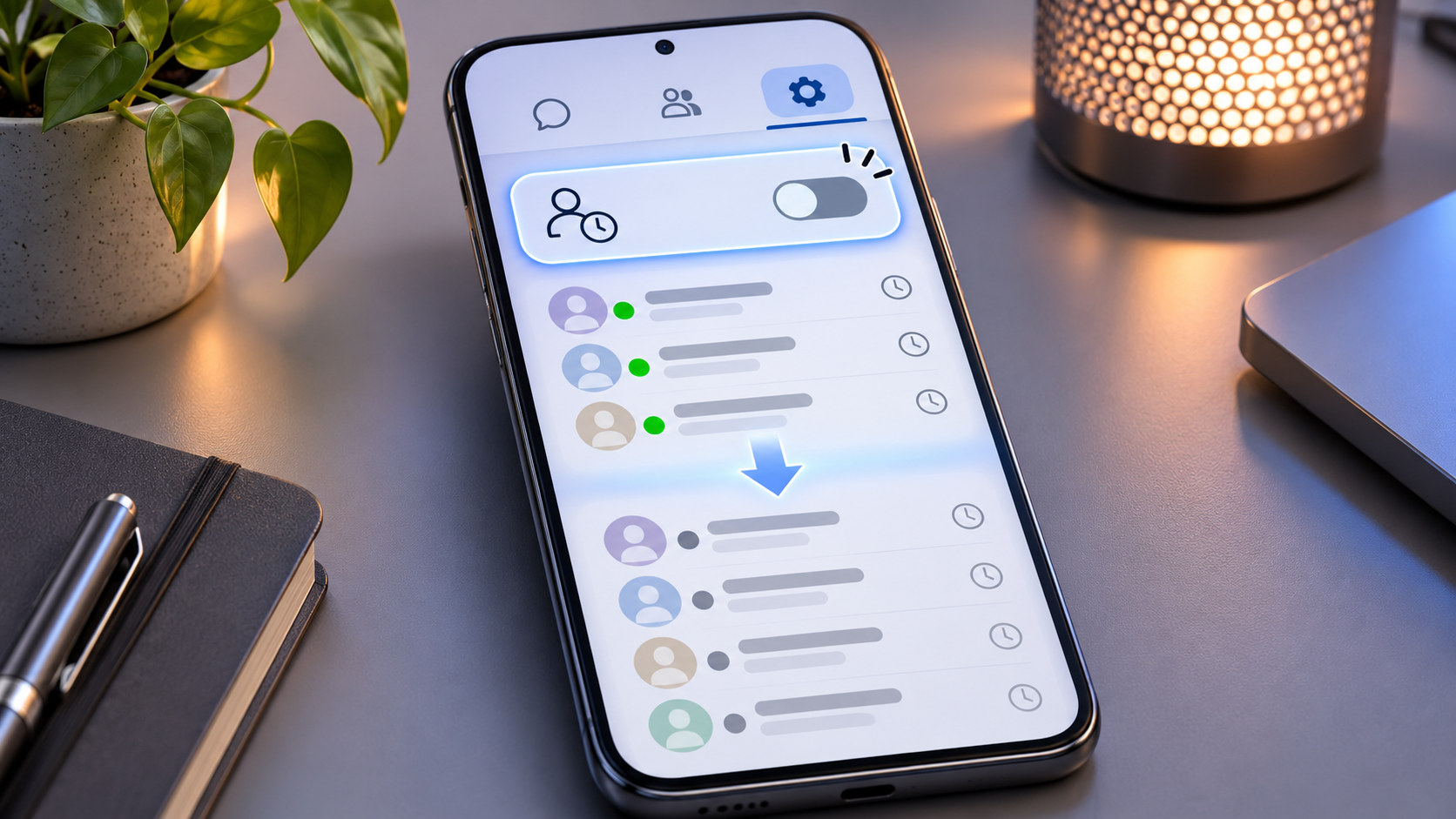
Instagram’s Activity Status is the setting behind the green online dot and labels such as Active now, Active 25m ago, or Active yesterday in Direct messaging.
When Activity Status is on, Instagram can show your current or recent activity to accounts you follow and people you message. It is not a public “last seen” field that every profile visitor can inspect.
To turn it off on iPhone or Android:
-
Open Instagram and go to your profile.
-
Tap the menu in the top-right corner.
-
Open Messages and story replies.
-
Tap Show activity status.
-
Turn off Show Activity Status.
There is a trade-off: once your own Activity Status is hidden, Instagram also stops showing you other people’s Activity Status.
Some accounts additionally show Show when you’re active together. That narrower setting concerns whether people in a conversation can see that you are active in the same chat at the same time.
Turning Activity Status off does not make your account private, hide Story views, stop DMs, remove public likes and comments, or automatically disable message read receipts.
“Active Now” Is a Messaging Signal, Not a Public Profile Label
Instagram’s last-seen system lives mainly around Direct Messages.
That detail gets lost surprisingly often.
A random visitor opening your profile does not receive an attendance report showing when you last used Instagram. Activity Status is intended for people who have the relevant following or messaging relationship with your account.
Depending on the interface, you may see:
-
a green dot beside a profile picture;
- Active now;
- Active 15m ago;
- Active yesterday;
-
other recent-activity wording in messaging.
These signals tell you that Instagram considers an account currently or recently active.
They do not tell you what that person was doing.
“Active now” does not mean they opened your profile, watched your Story, read your particular DM, or are deliberately ignoring you.
It means active on Instagram.
Full stop.
Who Can See Your Instagram Activity Status?
The audience is narrower than “everyone who follows me.”
When the feature is enabled, Instagram says your current or recent activity can be visible to people you follow and anyone you message.
A useful shorthand:
|
Relationship |
Can Activity Status normally be visible? |
|---|
|
Random profile visitor |
No |
|
Someone follows you, but you do not follow them and have not messaged |
Not simply because they follow you |
|
Account you follow |
Yes, when the relevant status settings are enabled |
|
Person you message |
Yes, when the relevant status settings are enabled |
|
Restricted account |
Your online/activity status is hidden from that person |
|
Blocked account |
No normal access through the blocked relationship |
Activity Status is also reciprocal.
If you switch yours off, you lose the ability to see everyone else’s Activity Status.
So there is no ordinary setting that means:
“Hide me, but let me continue watching everyone else’s green dots.”
Fair enough.
What Does the Green Dot Mean?
A green dot generally indicates that an account is active on Instagram now.
You may see it beside a profile picture in messaging-related parts of Instagram.
Do not treat it as forensic evidence.
Instagram does not publish a second-by-second technical specification explaining exactly how every status refreshes across phones, browsers, connections, and app sessions.
If you need to know whether somebody read your message, the relevant feature is the message’s read receipt, not the green dot.
Online is not the same as read.
What Does “Active 25m Ago” Mean?
It is Instagram’s recent-activity indicator.
If a DM shows:
Active 25m ago
Instagram is indicating that the account was last considered active roughly 25 minutes earlier.
Likewise:
Active yesterday
indicates older recent activity without providing a permanent activity history.
Instagram does not give ordinary users a log saying:
Opened Instagram 08:04
Left Instagram 08:11
Returned 08:37
Last seen is a presence indicator.
Not a tracking diary.
Why Can’t I See Someone’s Last Seen?
Several ordinary explanations exist.
They may have switched Activity Status off.
You may have switched yours off.
You may not have the required follow/message relationship.
They may have restricted you.
Instagram may also simply not be displaying a current status at that moment.
Therefore:
No Activity Status does not prove somebody blocked you.
It does not prove they are offline either.
A missing green dot is a clue about visibility settings—not a detective kit.
How to Turn Off Instagram Activity Status on iPhone
The current route is generally:
Profile → Menu → Messages and story replies → Show activity status
Then switch off Show Activity Status.
Instagram periodically reorganizes Settings and activity, so surrounding headings can move, but the control currently belongs to the messaging/interaction area.
Once it is off:
-
eligible contacts stop seeing your normal current-activity indicator;
-
your recent last-active label is hidden;
-
you stop seeing other users’ Activity Status too.
The choice is account-wide.
It is not merely a setting for the chat you happened to open.
How to Turn Off Instagram Activity Status on Android
The route is essentially the same:
-
Open Instagram.
-
Go to your profile.
-
Tap the three-line menu.
-
Open Messages and story replies.
-
Tap Show activity status.
-
Turn off Show Activity Status.
If an old tutorial sends you to Privacy → Activity Status, do not assume the option disappeared.
Instagram has moved settings around over the years.
Use the current messaging section shown in your version of the app.
How to Hide Last Seen on Instagram From a Computer
Instagram also provides Activity Status settings on the web.
The current route is broadly:
More → Settings → Messages and story replies → Show Activity Status
Turn the setting off.
If Instagram is testing a different desktop layout on your account, the mobile app is usually the simpler route.
The preference belongs to the Instagram account, so you do not normally need to repeat the same privacy decision separately on every device.
What Is “Show When You’re Active Together”?
Some Instagram accounts display a second control called Show when you’re active together.
It is more specific than the main Activity Status switch.
When enabled, people in a conversation can see when you are active in that same chat at the same time.
Think of the two settings like this:
|
Setting |
What it controls |
|---|
|
Show Activity Status |
General current/recent Instagram activity visible to eligible contacts |
|
Show when you’re active together |
Whether chat participants can see that you are active together in the conversation |
If you want the simplest privacy choice, switch the main Activity Status off.
If you are comfortable showing general online status but dislike the extra same-chat presence signal, you can disable the narrower option where Instagram provides it.
Activity Status and Read Receipts Are Different
This is the setting people most often confuse with last seen.
Activity Status answers:
“Are they online, or when were they last active?”
A read receipt answers:
“Did they see this message?”
Different question.
Different switch.
You can hide your Activity Status and still have a conversation display Seen if read receipts remain enabled.
Instagram provides separate read-receipt controls for messaging.
So if your goal is:
I want to open a DM without showing that I read it
Activity Status is not enough.
If your goal is:
I do not want contacts seeing when I am generally online
then Activity Status is exactly the feature to change.
Activity Status vs. Restrict
The main Activity Status switch is global.
It is not a custom audience list where you can hide your last seen from one colleague while remaining visible to everyone else.
If you need a stronger boundary with one particular account, Restrict is relevant.
A restricted person cannot see when you are online and also loses normal visibility into whether you have read their messages. Their messages and comments are handled differently too.
Our guide to Instagram Restrict vs. Block vs. Mute vs. Unfollow explains those controls separately.
Do not use Restrict merely as a complicated custom last-seen switch, though.
It changes considerably more than one green dot.
Activity Status Is Not the Same as a Private Account
These settings solve different privacy problems.
A private account controls who can follow you and access content reserved for approved followers.
Activity Status controls your online/recent-activity signal for eligible messaging connections.
You can have:
-
a public account with Activity Status off;
-
a private account with Activity Status on;
-
a public account with it on;
-
a private account with it off.
If your only concern is that people can see you were online at midnight, you do not need to make the entire profile private.
Use the smaller switch.
Does Turning Activity Status Off Hide Story Views?
No.
Watching somebody’s Story and showing an online-status indicator are different Instagram systems.
Turning Activity Status off does not make an ordinary logged-in Story view anonymous.
Nor does it hide your:
-
likes;
-
comments;
-
follows;
-
posts;
-
Reels;
-
messages you actively send.
Activity Status hides presence information.
It does not erase your Instagram footprint.
Does It Stop People From Messaging You?
No.
Existing contacts can still message you according to your DM settings, and other people can still reach Message Requests where your account settings allow it.
If the actual problem is unwanted or overlooked incoming conversations, see our guide to managing Instagram Message Requests.
Online visibility and message delivery are separate controls.
Instagram has quite a few switches that live in neighboring menus while doing completely different jobs. Mildly untidy, but manageable.
Does Instagram Tell People You Turned Activity Status Off?
Instagram does not send a standard alert saying:
Alex turned off Activity Status.
Someone may notice that your green dot or last-active label no longer appears.
That does not tell them exactly why.
Possible explanations include:
-
you disabled Activity Status;
-
they disabled their own;
-
the account relationship changed;
-
they were restricted;
-
Instagram is not currently displaying a status.
They may guess.
Instagram does not issue them a certificate.
Can Business and Creator Accounts Turn Activity Status Off?
Yes.
The setting is useful for professional accounts as well.
In fact, businesses have a good reason to think about it carefully.
Imagine a customer sends:
Can I change tomorrow’s booking?
The Instagram account displays:
Active now
Perhaps the employee using Instagram is merely uploading a Reel while the bookings team is offline.
The customer sees something simpler:
You are online. Why aren’t you answering?
For some businesses, turning Activity Status off creates a clearer distinction between using Instagram and being available for customer service.
Publish realistic response expectations instead.
“Replies within one business day” communicates far more than a green dot ever could.
Can You Hide Active Now From One Person?
Not through the main Activity Status switch.
That setting is account-wide.
For one specific account, Restrict is the quieter per-person option, although it also changes comments, message handling, and read-status visibility.
Block is a much stronger boundary.
Choose the tool based on the actual problem.
If the problem is simply somebody sending:
I can see you're online 👀
every time you open Instagram, switching Activity Status off globally may be considerably less dramatic.
Tiny setting.
Remarkably peaceful result.
Does “Active Now” Mean Someone Is Ignoring Your DM?
No.
They might be:
-
watching Reels;
-
posting something;
-
checking another chat;
-
editing their profile;
-
browsing for thirty seconds;
-
using Instagram for work.
A business profile can also have activity unrelated to the person responsible for customer support.
The safest interpretation of Active now is exactly what it says:
Active now.
Not:
Available to answer me now.
Instagram does not make that promise.
Is Instagram Last Seen Completely Accurate?
Treat it as a useful presence indicator rather than a precision instrument.
Instagram provides current and recent-activity wording, but it does not expose enough technical detail to justify conclusions such as:
They definitely stopped using Instagram exactly 11 minutes ago.
Multiple devices, browsers, network conditions, app state, and ordinary service delays make that level of certainty unwise.
Read the status literally.
Do not build a behavioral timeline around it.
Why Does Someone Appear Active but Not Reply?
Because presence and conversation are different things.
A person can open Instagram briefly without opening your chat.
A creator can be publishing while support messages wait.
A business account can be used by somebody whose job has nothing to do with DMs.
And somebody can simply decide to answer later.
A green dot tells you that Instagram is being used.
It does not create an obligation.
Should You Turn Activity Status Off?
There is no universal answer.
Keep it on when real-time Instagram messaging is useful and online visibility causes no concern.
Turn it off if:
-
you dislike the pressure to reply immediately;
-
clients mistake Instagram use for customer-service availability;
-
you prefer sharing less behavioral information;
-
last-seen information simply adds no value for you.
The price is straightforward: you stop seeing other people’s Activity Status too.
For plenty of people, that is not much of a sacrifice.
A Quick Privacy Check
If the goal is to reduce your visible messaging presence:
-
Turn off Show Activity Status.
-
Review Show when you’re active together if it appears.
-
Check read-receipt settings separately.
-
Decide whether any particular account needs Restrict or Block.
-
Review Message Requests if unwanted people continue contacting you.
-
Test the setting from an existing conversation rather than assuming it changed.
Then stop.
You do not need an “Instagram last seen tracker,” another login-sharing app, or a miniature intelligence operation built around a green dot.
Can Dumpor Show Someone’s Hidden Last Seen?
No.
Instagram Activity Status belongs to its private messaging environment rather than publicly available profile content.
Dumpor can work with supported public Instagram material, but it cannot reveal somebody’s hidden Active now state or recover private last-seen information after that visibility has been disabled.
A website claiming that it can reveal a person’s secret Instagram last seen from nothing more than a username deserves considerable skepticism.
Public content is public content.
Private presence information is something else.
What Changes When Activity Status Is Off?
|
Signal or feature |
Hidden or disabled? |
|---|
|
Green online dot |
Yes |
|
Active now |
Yes |
|
Recent last-active status |
Yes |
|
Your ability to see others’ Activity Status |
Yes |
|
Read receipt / Seen |
No — separate setting |
|
Story viewer entry |
No |
|
Public likes and comments |
No |
|
Ability to receive DMs |
No |
|
Message Requests |
No |
|
Account privacy |
No |
|
Posts and Reels visibility |
No |
That is the feature in miniature.
Activity Status does one job.
It does not quietly become every other Instagram privacy setting because you switched it off.
FAQ
Frequently Asked Questions
What is Instagram Activity Status?+
Activity Status is Instagram’s messaging presence feature. When enabled, eligible contacts can see whether you are currently active or when you were recently active, commonly through a green dot or wording such as Active now or Active 25m ago.
Who can see my last seen on Instagram?+
When Activity Status is enabled, Instagram allows people you follow and people you message to see your current or recent activity, subject to the relevant account relationship and status settings.
Can all my Instagram followers see when I am active?+
No. Someone does not automatically receive your Activity Status merely because they follow you. Instagram describes the relevant audience as accounts you follow and people you message.
How do I turn off Active Now on Instagram?+
Open your profile, tap the menu, go to Messages and story replies, open Show activity status, and switch off Show Activity Status.
What happens after I turn Activity Status off?+
Eligible contacts stop seeing your normal online and recent-activity indicators. Instagram also stops showing you other accounts’ Activity Status.
Can I still use Instagram normally with Activity Status off?+
Yes. You can browse, publish, watch Reels, comment, and send messages normally. The principal change is the loss of visible online/recent-activity information.
Can I hide Instagram last seen from only one person?+
Not with the main Activity Status control. It is an account-wide setting. Restrict can hide online and read information from one particular account, but it also affects that account’s messages and comments.
What does “Show when you’re active together” mean?+
It controls the narrower presence indicator that can show when people are active in the same Instagram conversation simultaneously.
Does turning Activity Status off disable read receipts?+
No. Read receipts are a separate messaging setting. A message may still show as Seen unless read receipts are separately disabled.
Does turning Activity Status off hide my Story views?+
No. The setting does not make Story viewing anonymous or remove your account from normal Story viewer information.
Does Active Now mean someone read my DM?+
No. Active Now indicates Instagram activity. A read receipt is the relevant signal for whether a particular message was seen.
Why can’t I see someone’s Activity Status?+
They may have switched it off, you may have switched yours off, your relationship may not qualify for the status, they may have restricted you, or Instagram may simply not be displaying a current indicator.
Can somebody tell that I turned Activity Status off?+
Instagram does not send a dedicated notification. Someone may notice that your green dot or last-active label disappeared, but that does not tell them why.
Does a private account still have Activity Status?+
Yes. Account privacy and Activity Status are separate controls. A private Instagram account can leave Activity Status enabled or disable it.
Can Instagram Business accounts turn off Active Now?+
Yes. Professional accounts can disable Activity Status. This can be useful when a business does not want ordinary Instagram activity to imply that customer support is immediately available.
Is Instagram last seen an exact activity log?+
No. Treat it as a current or recent presence indicator rather than a forensic history of when somebody opened and closed Instagram.
Can an app reveal hidden Instagram last seen?+
A public third-party viewer should not be able to override Instagram’s private Activity Status choice. Be particularly cautious of services claiming secret tracking or asking for Instagram credentials.
Can Dumpor show Instagram Activity Status?+
No. Activity Status belongs to Instagram’s private messaging environment. Dumpor does not expose hidden last-seen or Active Now information.
Instagram’s Activity Status becomes quite simple once you stop asking it to explain more than it knows.
The green dot means active.
A recent timestamp means recently active.
Neither tells you what somebody viewed, why they opened Instagram, or whether they owe you an immediate reply.
If you would rather not broadcast that small piece of your routine, turn Show Activity Status off under Messages and story replies.
You will lose the ability to see everyone else’s status too.
A fair exchange.
Sometimes the nicest online-status indicator is no indicator at all.

 Telegram bot
|
TikTok Viewer