How to Save Instagram Story Videos Directly to Files on iPhone
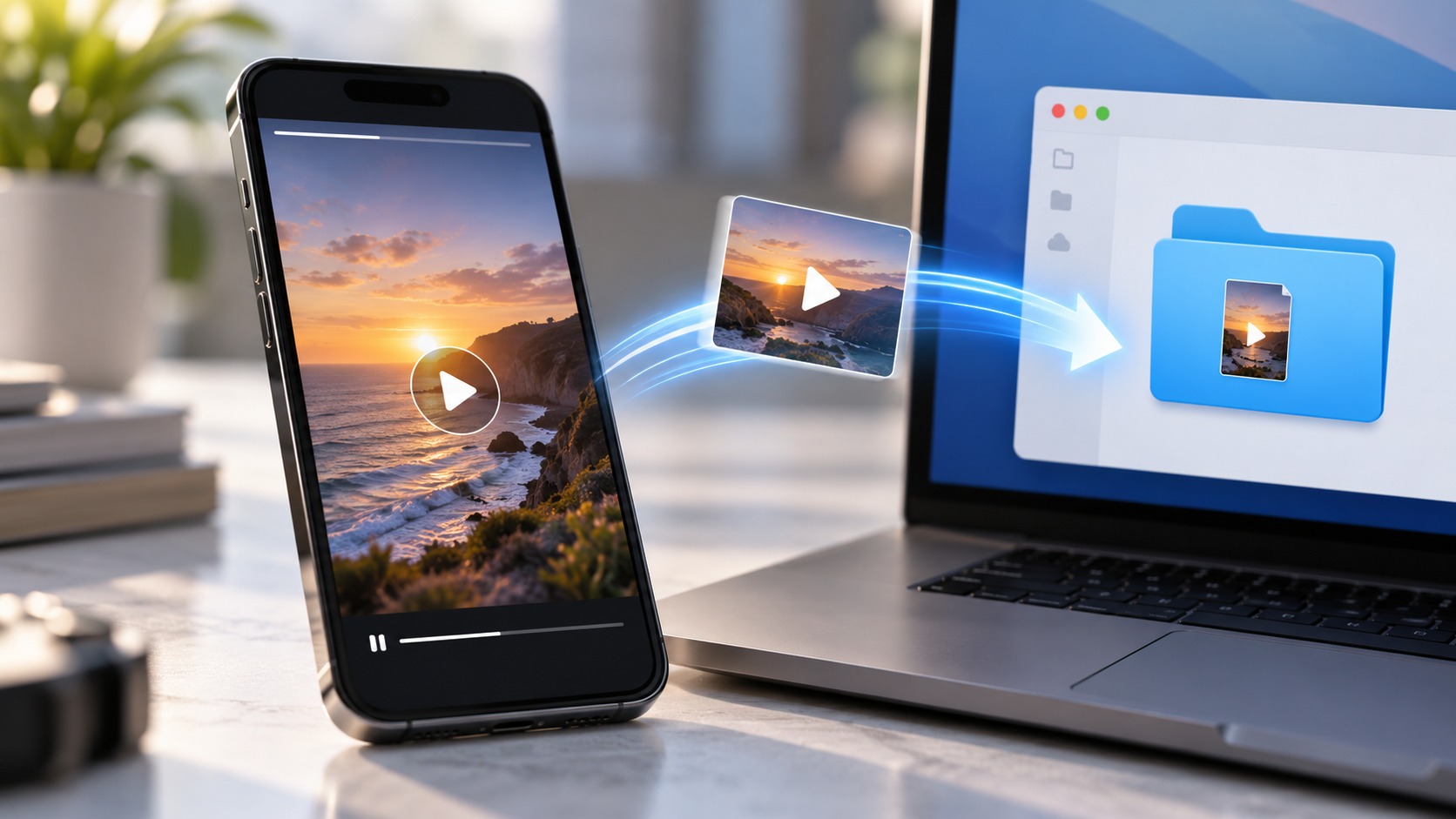
TL;DR
If you want an Instagram Story video as a real file on your iPhone, use Files, not a screen recording.
For your own Story, save the video through Instagram, open it on your iPhone, then use Share → Save to Files. If the Story has expired, retrieve it from your private Story Archive first.
For an active Story from a public account, a browser-based public Story viewer such as Dumpor can provide an available video download without requiring your Instagram login. Safari normally stores internet downloads in a Downloads folder inside Files.
You can choose Safari’s download location at:
Settings → Apps → Safari → Downloads
Select iCloud Drive for access across your Apple devices, On My iPhone for local storage, or Other for a folder you choose.
One limit is non-negotiable: public tools can work only with media that is publicly available. They cannot legitimately unlock private Stories or reconstruct another user’s expired Story unless a public copy survives in a Highlight or elsewhere.
The slightly confusing part is that a successful Safari download may not appear in Photos at all.
You asked iPhone for a file. It put the file in Files.
Why Save a Story Video to Files Instead of Photos?
Photos is a media library. Files behaves more like a conventional file system.
That matters when you want to rename clips, organize campaign references, store an MP4 in iCloud Drive, attach the original file to an email, transfer it to a Mac, or keep work material away from your personal camera roll.
Files is particularly useful when you want to:
-
keep or change the filename;
-
organize videos into folders;
-
use iCloud Drive;
-
keep a clean downloaded MP4;
-
upload the file into editing or work apps;
-
avoid screen-recording Instagram’s interface.
A Story in Photos is convenient to watch. A Story in Files is easier to manage.
Where Do Instagram Story Downloads Go on iPhone?
Safari downloads are accessible through the Files app. The exact folder depends on your Safari setting.
The common routes are:
Files → Browse → iCloud Drive → Downloads
or:
Files → Browse → On My iPhone → Downloads
After a download, Safari can also show a Downloads button near the address/search field. Tap it to view recent downloads and open the file.
|
Safari setting |
File location |
Best use |
|---|
|
iCloud Drive |
iCloud Drive → Downloads |
Access on iPhone, iPad, and Mac |
|
On My iPhone |
On My iPhone → Downloads |
Local-only storage |
|
Other |
Folder you select |
Organized project files |
This is ordinary iPhone download behavior. An Instagram Story MP4 is simply another internet file as far as Safari is concerned.
Choose Where Safari Saves Story Videos
If you plan to save more than one Story, set the destination before you begin.
-
Open Settings.
-
Tap Apps.
-
Open Safari.
-
Tap Downloads.
-
Choose iCloud Drive, On My iPhone, or Other.
For occasional use, Downloads is fine. For work, a dedicated folder such as:
iCloud Drive → Social Research → Instagram Stories
is much easier to revisit later.
Method 1: Save Your Own Instagram Story Video to Files
Your own Story is the simplest case.
While it is active:
-
Open Instagram and view your Story.
-
Tap the More or three-dot menu.
-
Use the available Save Video or save option.
-
Open the saved video on your iPhone.
-
Tap Share.
-
Choose Save to Files.
-
Pick a folder and tap Save.
Now the Story exists as a normal file you can rename, move, share, or upload elsewhere.
If Instagram first saves it into Photos, that is not a problem. The iOS share sheet is the bridge from Photos to Files.
Save Your Own Expired Story From Archive
If your Story has already disappeared from public view, check your private Story Archive.
Open your Instagram profile, go to Archive, switch to Stories if necessary, locate the clip, and use the available save control. After it is saved on the iPhone, use Share → Save to Files.
Archive belongs to the account owner. It is not a public library of old Stories.
That difference matters. Your own expired Story may still be recoverable from Archive; another person’s expired Story usually is not publicly available unless they preserved it in a Highlight or reposted it.
For the full distinction, see our guide to old Instagram Stories, Archives, and Highlights.
Method 2: Save a Public Instagram Story Video to Files
Instagram does not provide a universal native Download button for somebody else’s Story.
For a currently available Story from a public profile, a browser-based public Story viewer can provide an MP4 download where supported.
On iPhone:
-
Open Safari.
-
Go to Dumpor.
-
Enter the public Instagram username.
-
Open the available Stories.
-
Select the video Story.
-
Tap the download control.
-
Confirm the Safari download if prompted.
-
Open Safari’s Downloads list or the Files app.
-
Find the MP4 in Downloads.
No screen recording. No need to crop away Instagram controls afterward.
The result is a file you can keep in Downloads or move into a better folder.
How to Move the Video From Files to Photos
Sometimes you want both versions: an organized MP4 in Files and an easy-to-play copy in Photos.
-
Open Files.
-
Find the Story video.
-
Open it or press and hold it.
-
Tap Share.
-
Choose Save Video if iOS offers that action.
The video should then appear in Photos.
Keep the Files copy if it is your reference master. Messaging and social apps can create additional compressed copies later.
What If Safari Opens the Video Instead of Downloading It?
That does not necessarily mean the downloader failed.
If the MP4 opens and plays inside Safari, tap Share and look for Save to Files. Choose the folder you want.
Depending on the page, pressing and holding a download link may also reveal Download Linked File.
Different sites deliver video differently. The objective is the same: save the media file, not a screen recording of the player.
iCloud Drive or On My iPhone?
Use iCloud Drive when you want the Story video available across your Apple devices. Use On My iPhone when you want local storage only. If an iCloud file shows a cloud icon, iOS may simply need to download the local copy again before playback.
What Format Will the Story Video Be?
Story video downloads are commonly delivered as MP4 files.
That format is convenient on iPhone and widely supported elsewhere. Still, .mp4 tells you the container, not the quality.
Two MP4 files can have different:
-
resolutions;
-
bitrates;
-
frame rates;
-
codecs;
-
audio tracks;
-
compression levels.
A downloader can preserve only the media version Instagram makes available. It cannot turn a compressed public rendition back into the creator’s untouched camera master.
So be skeptical of absolute promises such as “original 4K Story download” for every clip.
Will the Downloaded Story Keep Its Sound?
Sometimes yes; sometimes the audio situation is less tidy.
Original recorded audio may remain in the MP4. Stories that use Instagram’s licensed music features can behave differently because video delivery and music rights are not necessarily bundled in the same way.
If sound matters, check immediately:
-
open the MP4 in Files;
-
play it;
-
confirm the audio is present.
Do this before deleting other copies.
For more detail, read our guide to downloading Instagram Stories with sound.
Files vs. Screen Recording
Screen recording is quick, but it records your display rather than saving the available source media file.
It may capture:
-
Story progress bars;
-
Instagram controls;
-
notifications;
-
black edges;
-
playback stutters;
-
scaling and accidental taps.
A direct MP4 download is cleaner when it is legitimately available.
There is one exception: if you need evidence of how the Story appeared inside the Instagram interface, a screen recording can be the correct choice because the UI is part of what you are documenting.
For the video itself, Files wins.
Why the Download Is Not Showing in Photos
Because Safari downloads and the Photos library are separate.
After tapping Download, check:
-
Safari’s Downloads list;
- Files → iCloud Drive → Downloads;
- Files → On My iPhone → Downloads;
-
any custom Safari download folder you selected.
If the MP4 is there, the download worked.
Move it to Photos only when you actually want a second copy in the media library.
Common iPhone Story Download Problems
|
Problem |
Likely cause |
What to do |
|---|
|
Nothing appears in Photos |
Safari saved to Files |
Check Files → Downloads |
|
Story is missing |
It may have expired |
Look for a public Highlight |
|
Downloader finds no profile |
Account may be private or username is wrong |
Verify the public profile |
|
MP4 will not play |
Incomplete or damaged download |
Delete and download again |
|
Video is silent |
Available media may not include the audio |
Check the original Story |
|
File shows a cloud icon |
Local iCloud copy is not downloaded |
Tap it while online |
|
Download fails |
Storage or browser issue |
Check free space and retry |
Do the boring checks first.
They solve most of these problems.
Can You Save a Private Instagram Story to Files?
Not through a legitimate public Story downloader.
Private Story access is controlled by the account owner’s Instagram privacy settings. A service built for public content should not turn that material into a public download.
Avoid tools asking for:
-
Instagram passwords;
-
session cookies;
-
2FA codes;
-
unknown configuration profiles;
-
suspicious browser extensions.
Safari and Files are enough for ordinary public downloads. Your Instagram credentials should not be part of that transaction.
If you legitimately need a private Story file from someone you know, ask them to send it.
Can You Save Someone Else’s Expired Story?
Only when a public copy still exists.
Possible cases include:
-
the creator added it to a Highlight;
-
the video was reposted;
-
it also appears as a Reel or feed post;
-
the creator published the same clip elsewhere.
Another user’s private Archive is not publicly accessible.
A tool claiming to “recover any expired Instagram Story” should therefore be treated carefully. If the Story no longer exists in a public location, there may simply be nothing legitimate to download.
Does a Public Story Download Notify the Creator?
A no-login public Story viewer does not use your personal Instagram account to open the Story. That differs from watching while signed in through Instagram, where your account can be associated with Story viewing.
The boundary is still public content only. Anonymous public viewing is not a route around private-account controls.
Is It Safe to Download Story Videos on iPhone?
For public media, prefer a browser workflow that does not ask for your Instagram password, two-factor code, session cookies, or an iOS configuration profile. A Story download should arrive as ordinary media, commonly an MP4—not an unrelated installer or configuration file.
Public Does Not Mean Free to Repost
Downloading a public Story does not transfer ownership or copyright. Personal reference is different from reposting, advertising with, or commercially redistributing someone else’s video. Keep the source, preserve appropriate attribution, and obtain permission when your intended reuse requires it.
A Better Workflow for Your Own Stories
If you publish Stories professionally, keep the master before Instagram ever sees it.
A simple system works:
-
keep the original recording;
-
save the final edited export;
-
store it in a dated project folder;
-
upload a copy to Instagram;
-
keep campaign notes or source links with the project.
Then you will not need to rescue your own content from Instagram months later.
The Two-Minute iPhone Workflow
For an active public Story video:
-
Confirm the profile is public.
-
Open Safari.
-
Open Dumpor.
-
Search the username.
-
Select the active video Story.
-
Download the available MP4.
-
Tap Safari’s Downloads button if needed.
-
Open Files → Downloads.
-
Rename the file.
-
Move it to iCloud Drive or another folder if required.
For your own Story, use Instagram’s save control first, then Share → Save to Files.
And if the video does not appear in Photos?
Good.
You wanted a file.
FAQ
Frequently Asked Questions
How do I save an Instagram Story video to Files on iPhone?+
For your own Story, save the video through Instagram, open it on your iPhone, tap Share, and choose Save to Files. For an available video Story from a public account, use a reputable browser-based public Story viewer in Safari. Safari normally places the downloaded MP4 in a Downloads folder accessible through Files.
Where do Instagram Story downloads go on iPhone?+
Safari downloads are normally found in Files under Downloads. Depending on your settings, that can be iCloud Drive → Downloads, On My iPhone → Downloads, or another folder you selected.
How do I change Safari’s download folder on iPhone?+
Open Settings → Apps → Safari → Downloads. Choose iCloud Drive, On My iPhone, or Other to select a different location.
Why did the Story video not appear in Photos?+
A Safari download does not automatically become part of the Photos library. Check Files → Downloads. If you want a copy in Photos later, share the MP4 from Files and choose Save Video when available.
Can I save Instagram Stories on iPhone without installing an app?+
Yes. Safari can download web files directly to Files. For available content from public Instagram profiles, a browser-based public Story viewer can provide a download without requiring a separate iPhone application.
Can I save the MP4 directly to iCloud Drive?+
Yes. Set Safari’s Downloads location to iCloud Drive or use Share → Save to Files and select an iCloud Drive folder manually.
Why does Safari open the Story video instead of downloading it?+
Some websites serve the MP4 as playable media. If Safari opens it, use the Share sheet and choose Save to Files when available. A download link may also offer Download Linked File when pressed and held.
Can I save an old Instagram Story video?+
For your own account, check Story Archive. For another person, an old Story needs to remain publicly available, for example in a Highlight or another public post. A public downloader cannot access another user’s private Archive.
Can I download a private Story to Files?+
Not through a legitimate public downloader. Private Stories remain subject to the account owner’s access controls. Do not provide passwords, session cookies, or 2FA codes to tools claiming they can unlock them.
Why is my saved Instagram Story video silent?+
The public media file may not contain the same audio heard inside Instagram, particularly when licensed music is involved. Play the MP4 in Files immediately and verify its audio.
Is saving to Files better than screen recording?+
Usually, if you want the actual video. A direct file avoids recording Instagram UI, notification banners, display scaling, and playback glitches. Screen recording is better when the interface itself is part of what you need to capture.
Does saving a public Story give me permission to repost it?+
No. Downloading does not transfer copyright or other usage rights. Obtain permission where required before republishing or commercially using somebody else’s video.
Saving an Instagram Story video to Files is mostly an iPhone file-management problem, not an Instagram mystery.
For your own Stories, use Instagram’s save controls and move the video into Files. For currently available Stories from public profiles, use a responsible browser workflow and let Safari handle the MP4 as a normal download.
Then rename it, file it, and keep the source when context matters.
Simple, once you know where iPhone put the thing.

 Telegram bot
|
TikTok Viewer
Telegram bot
|
TikTok Viewer