How to Save an Instagram Reel Thumbnail in Full Resolution
TL;DR
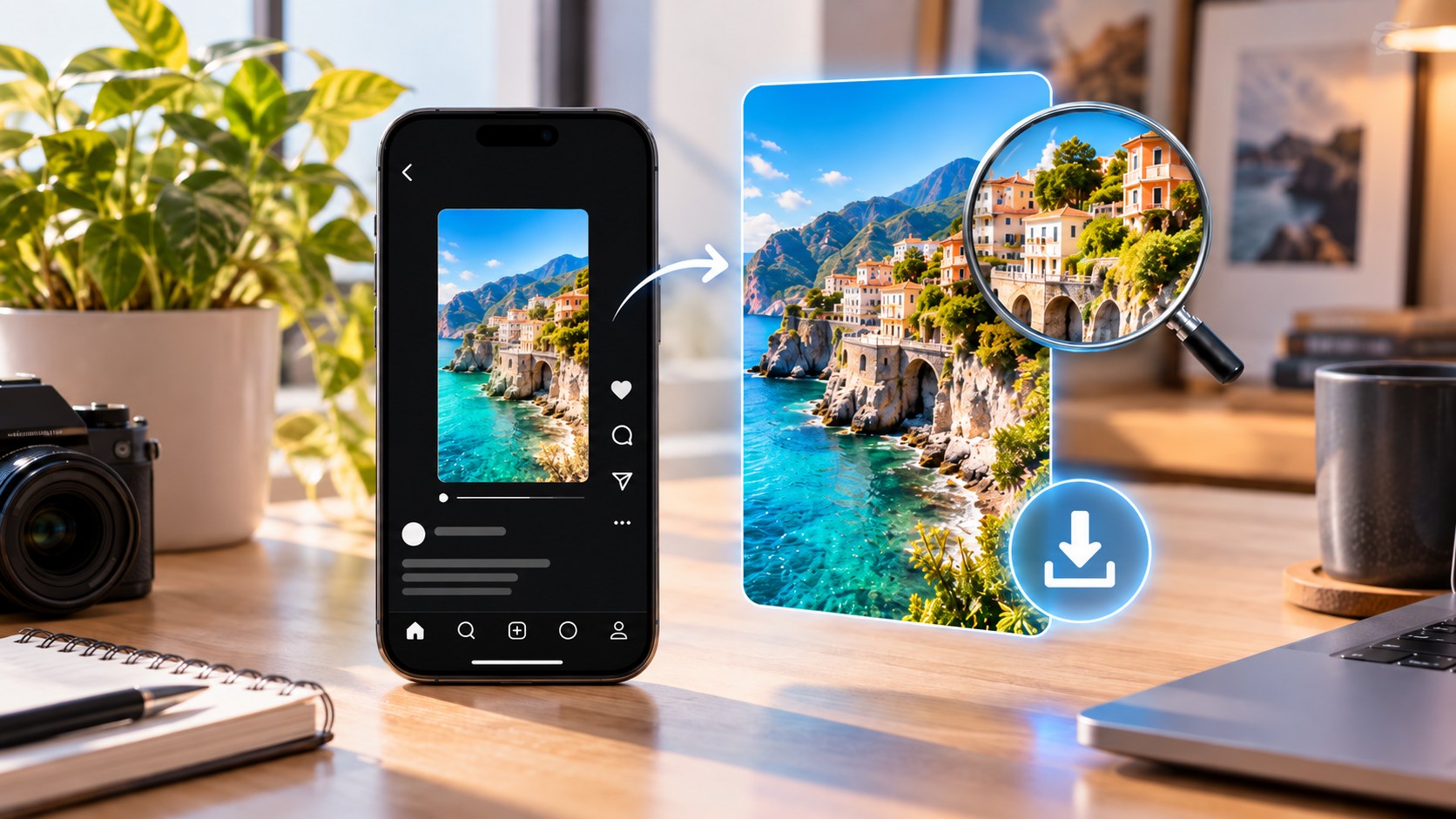
To save an Instagram Reel thumbnail in the best available quality, do not screenshot the profile grid. Instagram displays Reel covers in several crops and sizes, so the little tile on a profile is usually only a preview.
For a public Reel, copy the Reel link and use a reputable browser-based thumbnail extractor that retrieves the cover image exposed with the public post. On desktop, technically confident users can also look for the page’s public og:image metadata when Instagram exposes it.
One caveat matters: “full resolution” means the largest public cover asset Instagram currently serves, not necessarily the creator’s untouched original file. Instagram can resize and compress uploaded media.
If the Reel is yours, the best source is simpler: use the original cover image from your camera roll, design app, cloud storage, or project folder.
That distinction saves a surprising amount of frustration.
A thumbnail can look razor-sharp on a phone and turn to mush the moment you open it on a laptop. Usually the Reel is not the problem. The saved image is.
Reel Thumbnail, Cover, and Video Frame Are Not Always the Same Thing
Instagram users often use “thumbnail” and “cover” as synonyms. That is fine until you need the actual image.
A Reel cover can be:
-
a frame selected from the video;
-
a separate image uploaded by the creator;
-
a cropped version shown in the profile grid;
-
a smaller preview served elsewhere in Instagram.
A custom cover may contain text, graphics, or a photograph that never appears in the video itself. Downloading the MP4 and extracting the first frame will not recover that cover.
|
Image |
What it really is |
Good source for maximum quality? |
|---|
|
Profile-grid tile |
Cropped display preview |
No |
|
Reels-tab cover |
Display version of the cover |
Sometimes |
|
First video frame |
A video frame, not necessarily the cover |
Only if chosen as cover |
|
Original custom cover |
Creator’s source image |
Best, if it is yours |
|
Public cover/CDN asset |
Instagram-served cover |
Usually the best public option |
|
Screenshot |
What your screen displayed |
No |
Identify the image first. Then save it.
Why a Screenshot Is Usually the Wrong Method
Instagram’s profile grid uses a vertical preview rather than the old square layout, while Reels themselves are designed around a 9:16 vertical canvas. The grid therefore shows a crop, not necessarily the whole cover.
A screenshot can also inherit:
-
a smaller preview resolution;
-
Instagram’s crop;
-
device scaling;
-
UI elements;
-
extra compression after cropping or sharing.
Digital zoom does not fix this. Making a 400-pixel preview look bigger on screen does not create missing detail.
Screenshots are useful for documenting how a profile looked. They are poor substitutes for downloading the cover asset.
Method 1: Use a Public Reel Thumbnail Extractor
For another user’s public Reel, this is normally the easiest workflow.
-
Open the Reel.
-
Tap or click Share.
-
Choose Copy link.
-
Open a reputable Instagram Reel thumbnail or cover extractor.
-
Paste the Reel URL.
-
Choose the largest image offered.
-
Open the image itself if possible.
-
Save the JPG or WebP file.
A public thumbnail tool should not need your Instagram password, session cookie, or two-factor authentication code.
Some services retrieve a public Open Graph image. Others resolve an image that Instagram serves from its CDN. Either approach can produce a larger and cleaner cover than a grid screenshot.
Be cautious with claims such as “original 4K cover” for every Reel. A service cannot retrieve detail Instagram never exposed.
What Does “Full Resolution” Actually Mean?
There are two different ideas hidden in that phrase.
Original resolution means the file the creator had before Instagram processed it.
Highest publicly available resolution means the largest cover asset Instagram currently exposes for the public Reel.
For somebody else’s account, you usually have access only to the second one.
That image may still be excellent. What you should not assume is that it is byte-for-byte identical to the creator’s original Photoshop export, Canva design, or camera image.
At Dumpor, the more useful wording is best available public quality.
Less dramatic. More accurate.
How to Save a Reel Thumbnail on iPhone
Instagram does not provide a universal “Download cover” button for somebody else’s Reel, so Safari is usually easier.
-
Open the public Reel.
-
Tap Share → Copy link.
-
Open Safari.
-
Paste the URL into a trusted thumbnail extractor.
-
Open the largest cover it finds.
-
Long-press and choose Save to Photos, or use the site’s Download button.
If Safari puts the file in Files → Downloads, open it there, tap Share, and choose Save Image.
Avoid taking a screenshot simply because it is quicker. It is quicker. It is also usually smaller.
How to Save a Reel Thumbnail on Android
The process is nearly identical:
-
Copy the public Reel URL.
-
Open Chrome, Firefox, Samsung Internet, or another browser.
-
Use a public thumbnail extractor.
-
Select the largest available cover.
-
Download it.
-
Check Downloads, Gallery, or Google Photos.
If the browser offers Open image in new tab, use that before saving. It can help you avoid downloading a small preview from the extractor’s result page.
A separate APK is rarely necessary for this job.
How to Save a Reel Cover on Windows or Mac
Desktop is the easiest place to inspect dimensions.
-
Copy the Reel link.
-
Paste it into a Reel-cover extractor.
-
Open the largest returned image.
-
Right-click it.
-
Choose Save Image As.
-
Store it with a useful filename.
If you are researching a public account, Dumpor can help you locate and preview available public Reels without requiring an Instagram login. Once you find the exact Reel, keep its direct URL and use that link as the source for the cover lookup.
Advanced Option: Check the Public og:image
For technically comfortable desktop users, there is another route.
Public webpages often include an Open Graph image in an og:image metadata field. Messaging apps and social networks use this asset when creating link previews. On some public Instagram Reel pages, it corresponds to the cover image.
You can try:
-
Open the Reel page.
-
View the page source or developer tools.
-
Search for
og:image. -
Copy the image URL if one is exposed.
-
Open it in a new tab.
-
Save the file.
This is a fallback, not a guarantee. Instagram changes how public pages are delivered and can restrict or alter metadata depending on context.
In plain English, many thumbnail tools are doing a friendlier version of this job for you.
Can You Extract the Thumbnail From the Reel Video?
Sometimes.
If the creator selected a frame from the Reel as the cover, you can download the video and export that frame at the video’s available resolution.
If the creator uploaded a custom cover image, the method fails because that design may not exist anywhere in the video.
This is why people occasionally download a Reel, scrub through every opening frame, and never find the cover with the big headline they saw on the profile.
It was a separate image.
If you also need the video file, see our guide to downloading Instagram Reels in HD on iPhone, Android, and PC.
If It Is Your Own Reel, Use the Original
For your own content, downloading the public thumbnail should be a fallback.
If you uploaded a custom cover, look for it in:
-
Photos or Gallery;
-
Canva or Adobe Express;
-
Photoshop;
-
iCloud Drive or Google Drive;
-
Dropbox;
-
your video-editor exports;
-
the original project folder.
If you chose a video frame as the cover, export the same frame from your original master video.
Both options are preferable to downloading a processed Instagram copy.
If the originals are gone, then retrieve the largest public cover Instagram still exposes. It may look perfectly good; just do not call it the untouched master unless you can verify that.
Why the Saved Cover Can Look Different From the Grid
This is often normal.
The Reel cover can appear through several crops across Instagram. The profile grid is now a taller 3:4-style preview, while the Reel itself uses the full vertical 9:16 presentation.
The downloaded cover may therefore reveal:
-
more space above or below the subject;
-
text that was clipped in the grid;
-
extra background at the sides;
-
a different framing from the profile preview.
That does not automatically mean you downloaded the wrong image. You may simply be seeing more of the cover.
Instagram’s thumbnail-editing controls have also evolved, and current app versions may allow creators to adjust the cover or its presentation after posting. Availability and wording can differ, so the public grid view should never be treated as proof of the source image’s exact crop.
How to Tell Whether a Download Is Really High Resolution
Do not trust the word HD on a button.
Check the file.
|
Device |
Where to check |
|---|
|
Windows |
Right-click → Properties → Details |
|
Mac |
Preview → Tools → Show Inspector |
|
iPhone |
Photos → Info |
|
Android |
Gallery/Google Photos → Details or Info |
Compare the pixel dimensions from different methods.
If one result is 320 pixels wide and another is 1080 pixels wide, the second is generally the more useful source—assuming it is not merely an upscale.
That last part matters.
A website can enlarge a 320-pixel image to 2160 pixels. The file becomes bigger. The real detail does not.
Common Problems and What They Mean
|
Problem |
Likely cause |
Better approach |
|---|
|
Thumbnail looks blurry |
Saved a grid preview |
Use the direct Reel URL |
|
Image is cropped |
Saved the profile display crop |
Retrieve the full cover asset |
|
Cover is not found in the video |
Creator uploaded a custom cover |
Extract the cover, not a video frame |
|
“4K” image still looks soft |
Small image was upscaled |
Check actual source dimensions |
|
Tool asks for Instagram login |
Unnecessary credential request |
Use a public no-login service |
|
Cover cannot be retrieved |
Reel is private, deleted, restricted, or metadata changed |
Verify the Reel is still public |
|
Saved image differs from grid |
Instagram uses different crops |
Compare against the Reels view |
Can You Save a Reel Thumbnail Without Logging In?
For a public Reel, often yes.
Browser tools can resolve information that Instagram exposes publicly without needing access to your personal account. That is the appropriate boundary for a public thumbnail downloader.
Private content is different.
A service should not promise:
-
private Reel covers;
-
deleted thumbnails;
-
hidden creator files;
-
“secret CDN access”;
-
access obtained through your Instagram session cookie.
Public means public. Private stays private.
Do Not Confuse Resolution With Usage Rights
A public thumbnail can be technically downloadable and still be copyrighted.
Saving an image for personal reference, research, or an internal mood board is not the same as placing another creator’s cover in an advertisement or publishing it as your own work.
For material you do not own:
-
keep the creator name;
-
keep the original Reel URL;
-
obtain permission when republication requires it;
-
do not assume removing Instagram UI removes copyright.
If you are archiving covers for research, storing the direct source URL beside the image is particularly useful.
Our guide to copying and sharing Instagram Story, Highlight, and Reel links explains the link workflow.
A folder full of screenshots loses context quickly. A clean image plus its source link is much more useful.
The Two-Minute Full-Resolution Workflow
Use this order:
-
Confirm that the Reel is public.
-
Copy the direct Reel URL.
-
Skip the profile-grid screenshot.
-
Use a reputable browser-based cover extractor.
-
Choose the largest genuine source offered.
-
Open the image directly before saving when possible.
-
Check its pixel dimensions.
-
If it is your Reel, search for the original cover or master video first.
-
Save the source link with the image.
-
Treat “full resolution” as the best public asset available—not a guaranteed copy of the creator’s original file.
That distinction is the whole game.
FAQ
Frequently Asked Questions
How do I download an Instagram Reel thumbnail in full resolution?+
Copy the URL of the public Reel and paste it into a reputable Reel-thumbnail or cover extractor. Save the largest image the tool retrieves rather than taking a screenshot of the profile grid. The result should be treated as the highest publicly available cover, not necessarily the creator’s untouched original file.
Can I save an Instagram Reel thumbnail directly from Instagram?+
Instagram does not offer a universal Download Cover button for another user’s Reel. For public content, copy the Reel URL and use a browser-based cover extractor. If the Reel is yours, use the original cover file from your device or design project whenever possible.
Is a Reel thumbnail the same as the first video frame?+
No. The creator may choose a frame from the video or upload a separate custom cover. A custom cover can contain graphics and text that never appear in the Reel itself.
Why is my saved Instagram Reel thumbnail blurry?+
You probably saved a small display preview or screenshot. Instagram serves different image sizes for different placements. Start from the direct Reel URL and retrieve the largest public cover asset available.
What size is an Instagram Reel thumbnail?+
There is no single download size that applies to every public cover. Reels use a 9:16 vertical presentation, while profile-grid previews use a different crop. Instagram can serve multiple image derivatives at different dimensions.
Can I download a Reel cover at 1080 × 1920?+
Sometimes a large vertical cover may be exposed, but not every Reel provides that exact size publicly. Do not upscale a smaller image and mistake the larger pixel count for additional source detail.
How do I save a Reel cover on iPhone or Android?+
Copy the public Reel URL, open a trusted browser-based thumbnail extractor, retrieve the largest available cover, and download it. On iPhone, check Files → Downloads if it does not appear in Photos. On Android, check Downloads, Gallery, or Google Photos.
How do I download a Reel thumbnail on a PC or Mac?+
Paste the Reel URL into a cover extractor, open the largest returned image, and use Save Image As. Advanced users can also check whether the public page exposes an og:image value, although Instagram’s page delivery can change.
Can I get the creator’s original Reel cover file?+
Not reliably for somebody else’s account. Instagram may resize or compress uploaded images. A public downloader can retrieve the best asset Instagram exposes, but only the creator can confidently provide the untouched original.
Can I download the thumbnail of a private Reel?+
Not through a legitimate public-content tool. Private Reels remain subject to Instagram’s access controls. Avoid services that promise private or deleted cover images through hidden databases or account-session tricks.
Can I reuse a Reel thumbnail after downloading it?+
Downloading an image does not grant ownership or republication rights. If you want to reuse another creator’s cover publicly or commercially, make sure you have the necessary permission and preserve appropriate attribution.
Saving an Instagram Reel thumbnail is easy once you stop treating every preview as the same image.
The profile tile is a crop. A frame from the video may not be the cover. A “4K” button may simply upscale a smaller file. And the best image Instagram exposes publicly is not automatically the creator’s original design file.
Start with the direct Reel URL. Retrieve the largest genuine public cover you can. Check its dimensions. Keep the source link.
And if the Reel is yours, skip the treasure hunt.
Save the master.

 Telegram bot
|
TikTok Viewer
Telegram bot
|
TikTok Viewer