How to Save Instagram Story Photos Without Taking a Screenshot
TL;DR
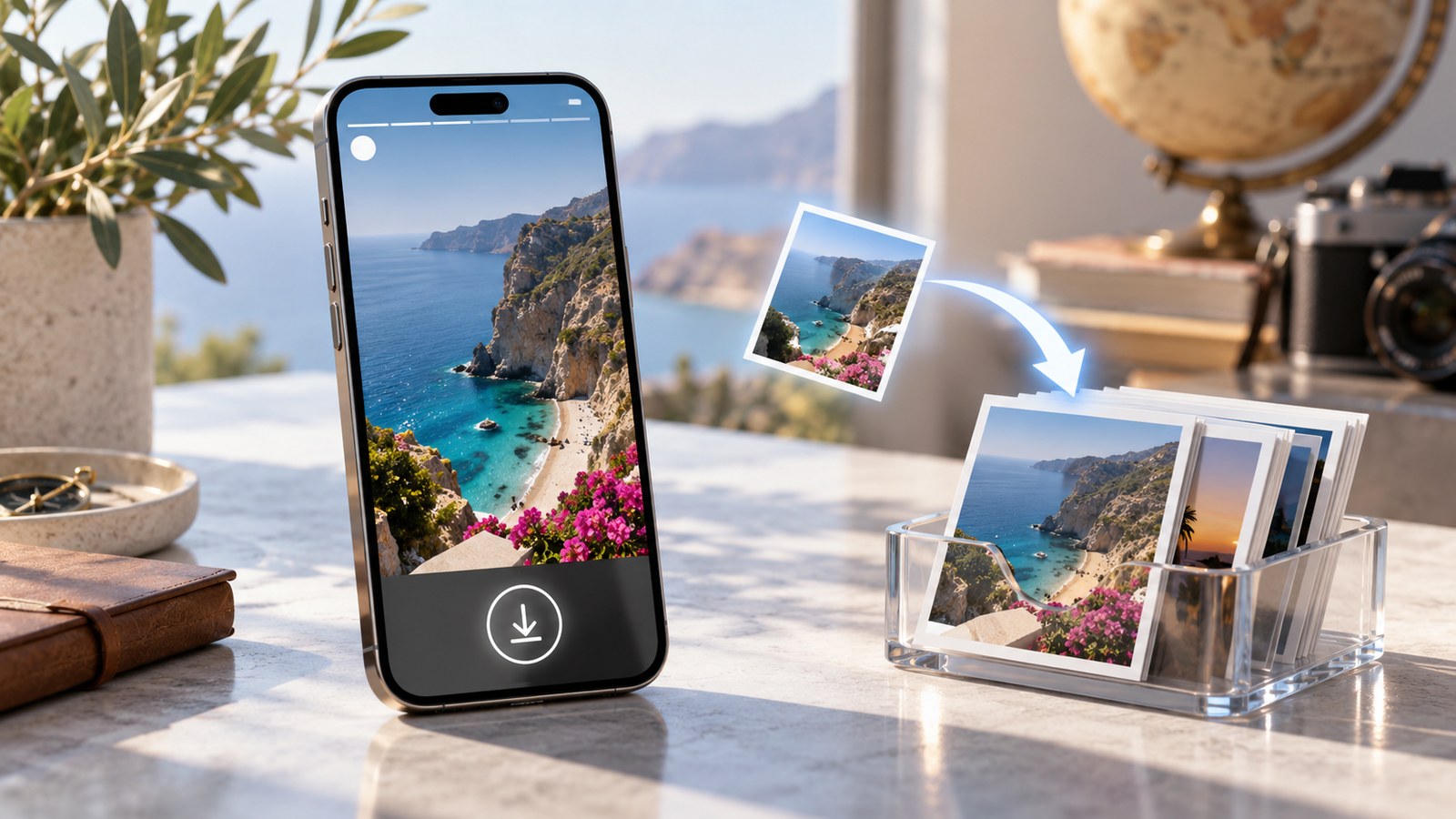
If you want to save an Instagram Story photo without taking a screenshot, the right method depends on whose Story it is.
For your own Story, use Instagram’s built-in save controls or retrieve the Story from your Archive. This is preferable to a screenshot because you are saving the media rather than photographing your phone screen.
For an active Story from a public account, a browser-based public Story viewer such as Dumpor can let you open the available Story and download the image file without logging into Instagram. On iPhone, the file may first appear in Files or Downloads; on Android and desktop, it will normally go to the browser’s download location.
For an expired Story belonging to somebody else, there is no legitimate universal recovery trick. After the normal 24-hour Story window ends, you need the Story to have been preserved somewhere public, most commonly in a Highlight.
And one detail is worth getting straight from the start: a downloaded Story image can preserve the best version Instagram currently makes publicly available, but that is not necessarily the untouched original photograph the creator uploaded.
A screenshot captures your display.
A download saves a file.
Small distinction. Rather large difference once you zoom in.
Why Download a Story Photo Instead of Taking a Screenshot?
Screenshots are convenient because every modern phone knows how to make one. Two buttons, a flash, done.
The problem appears later.
Open that screenshot on a larger display and you may discover that you also saved:
-
the Story progress bar;
-
the creator’s username and profile picture;
-
reply controls;
-
device UI;
-
black margins;
-
an accidental crop;
-
whatever scaling Instagram used on your screen.
Even after trimming the interface away, you still have an image generated from what your display showed at that moment. You did not necessarily save the Story’s available image asset.
For quick reference, a screenshot may be perfectly adequate.
For design research, archiving your own content, preserving a public announcement, collecting visual references, or simply keeping a cleaner copy, downloading the actual available image makes much more sense.
Screenshot vs. Direct Story Download
Here is the practical difference:
|
Method |
What you save |
UI included? |
Typical quality |
|---|
|
Screenshot |
Your device screen |
Often |
Limited by display/rendering |
|
Cropped screenshot |
Part of your screen |
No, after editing |
Still based on screenshot |
|
Direct image download |
Available Story image file |
Usually no |
Better public source |
|
Original creator file |
Pre-Instagram source |
No |
Potentially best |
|
Photo recovered from your own Archive |
Instagram-stored Story media |
No |
Usually preferable to screenshot |
This is why zooming into a Story and then screenshotting it is not a secret “HD method.”
Zoom enlarges the display.
It does not summon extra pixels.
Method 1: Save a Photo From Your Own Instagram Story
If you posted the Story yourself, start inside Instagram.
While your Story is active, open it and look for the More or three-dot menu. Depending on the current version of the app, Instagram may provide an option such as Save Photo, Save, or a similar media-saving control.
Use it.
There is no reason to screenshot your own Story unless you specifically need a record of how the Instagram interface looked around it.
If Your Story Has Already Expired
Your own expired Stories may still be available through Stories Archive, assuming Story archiving was enabled.
From your profile, open the menu and locate Archive, then switch to the Story archive if necessary. Find the Story you need and use the available save/download controls.
This is an important exception to the “Stories disappear after 24 hours” rule.
They disappear from ordinary public viewing after roughly 24 hours. Your own archived copy can remain available privately to you.
Someone else’s expired Story is another matter entirely.
Method 2: Download a Photo From an Active Public Story
Instagram does not provide a universal button that says “Download this other person’s Story photo.”
For public accounts, a browser-based Story viewer can provide a cleaner route.
A typical Dumpor workflow is:
-
Open your browser.
-
Go to Dumpor.
-
Enter the public Instagram username.
-
Open the profile’s currently available Stories.
-
Select the photo Story.
-
Use the available download control.
-
Save the image to your device.
No screenshot.
No need to crop away Instagram’s reply field afterward.
And no need to install a dedicated Instagram-saving application merely to keep one public image.
How to Download an Instagram Story Photo on iPhone
Safari can save files perfectly well, although iOS occasionally hides the result somewhere less obvious than users expect.
For a public Story:
-
Open Safari.
-
Visit Dumpor.
-
Search for the public username.
-
Open the active Story.
-
Choose the available download option.
-
Check the Safari download indicator.
If the photo does not immediately appear in Photos, look in:
Files → Downloads
Once you find it:
-
open the image;
-
tap Share;
-
select Save Image.
The image should then appear in Photos.
This extra Files step is mundane, but it explains a surprising number of “the download didn’t work” complaints.
It worked.
The file just went somewhere else.
How to Download an Instagram Story Photo on Android
Android usually makes downloaded files easier to locate.
Use this sequence:
-
Open Chrome, Firefox, Samsung Internet, or your preferred browser.
-
Open a public Story viewer.
-
Search the username.
-
Select the Story photo.
-
Tap the download button.
-
Open Downloads, Gallery, Google Photos, or your file manager.
The exact folder varies between phone manufacturers and browser settings.
If the image opens in a new browser tab instead of downloading immediately, press and hold it and choose the appropriate image-saving option.
There is generally no need for an APK.
If a random “Instagram Story Saver Pro Ultra” file wants permission to your contacts, messages, microphone, and location just to save a public JPEG, the arrangement has become unnecessarily strange.
A browser is enough.
How to Save Instagram Story Photos on Windows or Mac
Desktop is arguably the most comfortable option when you need several reference images.
On Windows or macOS:
-
Open Chrome, Safari, Edge, Firefox, or another modern browser.
-
Open Dumpor.
-
Search the public Instagram username.
-
Choose the Story you want.
-
Download the available image.
-
Save it in the folder of your choice.
For research, rename the file immediately.
Instead of:
image_827461993.jpg
try:
brand-product-launch-story-2026-09-07.jpg
If the Story matters enough to save, its context will probably matter later too.
Can You Download an Instagram Story in Original Quality?
Be careful with the word original.
There are at least three versions of “the same” photograph:
-
the image on the creator’s phone before upload;
-
the version Instagram processed;
-
the version Instagram currently serves to viewers.
A public Story downloader normally works with number three.
That can still be a high-quality image, and it is generally a much better source than a screenshot. What it cannot guarantee is that Instagram’s publicly served file is identical to the creator’s untouched camera original.
Instagram processes media.
So when we describe Story downloads at Dumpor, best available public quality is the sensible standard.
Not fictional extra resolution.
Does a Direct Download Preserve Stickers and Text?
Often the Story people want to save is not merely a photograph.
It may contain:
-
captions;
-
GIFs;
-
location labels;
-
hashtags;
-
mentions;
-
drawings;
-
polls;
-
music stickers;
-
links.
What survives depends on how the Story is rendered and what file the platform exposes.
A static visual element that is incorporated into the served Story image may remain visible in the downloaded image. Interactive behavior, naturally, does not.
A downloaded poll is no longer a functioning poll.
A link sticker does not become a magical clickable region inside a JPEG.
Music is another layer again. A still Story photo can use a music sticker while the audio is delivered separately from the image itself, so downloading the photograph does not necessarily give you its soundtrack.
For that scenario, see our guide to downloading Instagram Stories with sound.
What About Story Screenshot Notifications?
For ordinary Instagram Stories, taking a screenshot does not currently generate a Story screenshot notification to the creator.
That is useful to know, but it is not a reason to prefer screenshots.
A direct download is mainly about file quality and cleanliness, not avoiding a screenshot alert.
Instagram’s screenshot rules are different for certain disappearing media inside Direct Messages, so do not apply ordinary Story behavior to every disappearing-media feature in the app.
Stories and disappearing DMs are not interchangeable.
Does Downloading a Public Story Put You in the Viewer List?
When you open a Story through your own Instagram account, Instagram can record that account as a viewer.
A third-party public viewer works differently because your Instagram account is not being used to request and display the public Story.
Dumpor does not require you to sign into Instagram to view available public Stories. That makes it useful when you want to inspect or save public content without tying the viewing session to your Instagram profile.
The important boundary is straightforward:
public accounts only.
A no-login viewer should not be a mechanism for bypassing private-account access controls.
Can You Download a Story Photo From a Private Account?
Not through a legitimate public Story downloader.
Private Stories are available according to the account owner’s Instagram privacy settings and approved audience.
A public downloader should not ask you for:
-
an Instagram password;
-
login cookies;
-
two-factor authentication codes;
-
somebody else’s account credentials;
-
a browser extension that hijacks an Instagram session.
If a website says “private Story unlocked” and then asks for your session cookie, that is not an upgraded download method.
That is a reason to close the tab.
What Happens After the Story Expires?
A normal Instagram Story is temporary.
After its public window ends, it may disappear from the profile’s active Stories.
For your own account, check your Story Archive.
For somebody else’s account, ask whether the Story was saved to a public Highlight.
Highlights can keep selected Story content visible long after its original Story window ends. If the profile is public and the Highlight remains available, the media may still be viewable and downloadable through a compatible public workflow.
If it was not saved anywhere publicly, do not expect an ordinary Story downloader to recover it.
Our detailed guide to downloading old Instagram Stories and understanding Archives and Highlights explains that boundary in more depth.
Can Story Downloaders Recover Deleted Photos?
Generally, no.
Deleted is different from expired.
An expired Story may still exist in the creator’s private Archive or a public Highlight.
A deleted Story that is no longer publicly available does not become recoverable merely because a website has a large Download button.
Be skeptical of services advertising:
-
“recover every deleted Story”;
-
“view hidden Story history”;
-
“download expired Stories from any user”;
-
“private Story archive access.”
Sometimes a copy exists elsewhere because somebody reposted it or a website indexed it earlier. That is not the same as a downloader possessing a secret permanent Instagram archive.
Why Does My Downloaded Story Look Blurry?
Several things can be responsible.
You Saved the Preview
Some sites display a small preview first and link to a larger file separately.
Open the full image before saving.
Instagram Already Compressed It
A downloader cannot reverse compression already applied upstream.
The Creator Uploaded a Small Image
No tool can reconstruct genuine detail that was not there.
The Website Re-Encoded the Image
A poor downloader may resize or recompress files before delivering them.
Your Messaging App Compressed the Download Later
The image looked good when saved, then became soft after you sent it through another app.
Keep the first downloaded file as your reference copy.
How to Check the Resolution of a Story Photo
If quality matters, inspect the file instead of trusting “FULL HD” typography on a website.
|
Device |
Quick check |
|---|
|
iPhone |
Photos → open image → Info |
|
Android |
Gallery/Google Photos → Info or Details |
|
Windows |
Right-click → Properties → Details |
|
Mac |
Preview → Tools → Show Inspector |
Look at the pixel dimensions.
Instagram Stories are designed for vertical presentation, commonly associated with a 9:16 canvas such as 1080 × 1920 pixels, but not every file you encounter will necessarily be served at those exact dimensions.
A 640-pixel-wide image that has been artificially enlarged to 1080 pixels has not gained real detail.
Upscaling changes dimensions.
It does not change history.
Direct Download vs. Screen Capture: Which Is Better?
If both are available, direct download is generally the cleaner choice.
|
Criterion |
Direct download |
Screenshot |
|---|
|
Removes Instagram UI |
Yes |
Requires cropping |
|
Preserves available file |
Yes |
No |
|
Device-resolution dependent |
Less |
Yes |
|
Quick for one-off notes |
Yes |
Yes |
|
Good for high-quality archive |
Better |
Weaker |
|
Captures exact on-screen appearance |
No |
Yes |
There is one scenario where the screenshot has an advantage: when you need evidence of how the Story appeared in the Instagram interface at that specific moment.
For example, perhaps you need the username, timestamp position, interaction controls, or other surrounding context.
Then a screenshot is exactly the right tool.
For the photograph itself, download the photograph.
Should You Download Every Story You Find Useful?
Probably not.
Stories are deliberately lightweight and temporary. Saving every vaguely interesting frame soon produces a Downloads folder with the archaeological structure of a landfill.
Save selectively.
Good reasons might include:
-
your own creative archive;
-
a public event announcement;
-
permitted visual research;
-
a reference supplied by a client;
-
a recipe or instruction you want offline;
-
evidence you are authorized to preserve.
When the content belongs to somebody else, keep its source information as well.
A JPEG without context becomes anonymous surprisingly fast.
Public Does Not Mean Copyright-Free
This is the part downloader pages often reduce to one tiny footer sentence.
A public Story is publicly viewable.
It does not automatically belong to the person who downloaded it.
Saving an image for personal reference is different from:
-
reposting it as your own;
-
using it in advertising;
-
selling it;
-
removing creator attribution;
-
placing it on a commercial website;
-
building a competing content archive.
Copyright, privacy, trademark, and publicity-right questions can depend on the particular material and jurisdiction.
For practical purposes, use a simple rule:
If the Story is not yours and your intended use goes beyond private reference, obtain permission where needed.
A Better Workflow for Your Own Story Photos
If you publish Stories professionally, do not rely on Instagram as the only copy of your work.
Keep:
-
the original photograph;
-
the edited image;
-
reusable design assets;
-
the final export;
-
campaign details or publication date.
Then publish the Story.
This means you never need to screenshot your own work later, and you are not dependent on Instagram’s current compression, Archive behavior, or app interface.
Especially for brands. Campaign assets have a habit of becoming urgently important about six months after everyone thought they were finished.
The 60-Second No-Screenshot Checklist
Need the Story photo quickly?
-
Identify whether the Story is yours or someone else’s.
-
For your own Story, use Instagram’s save option or Archive.
-
For somebody else’s Story, confirm the account is public.
-
Use a reputable browser-based public Story viewer.
-
Download the actual image rather than capturing the screen.
-
Check Files/Downloads if your phone seems to have “lost” it.
-
Inspect the pixel dimensions if image quality matters.
-
Remember that “highest available” does not guarantee the untouched creator original.
-
For an expired Story, check whether it survives in a Highlight.
-
Keep copyright and creator permission in mind before republishing.
The central idea is remarkably uncomplicated.
If you need the image, save the image.
Not a photograph of the image displayed inside an app.
FAQ
Frequently Asked Questions
How can I save an Instagram Story photo without taking a screenshot?+
If the Story is yours, use Instagram’s built-in save controls or retrieve it from your Story Archive. For an active Story from a public account, a browser-based public Story downloader can save the available image file directly. This avoids capturing Instagram’s UI and usually provides a cleaner result than a screenshot.
How do I download an Instagram Story photo on iPhone?+
Open a public Story through a browser-based downloader such as Dumpor, locate the photo, and use the available download option. Safari may save the image to Files → Downloads rather than Photos. If so, open the downloaded file, tap Share, and choose Save Image.
How do I save an Instagram Story image on Android?+
Open the public Story with a browser-based Story viewer and download the photo. Android commonly stores browser downloads in the Downloads folder; the image may also appear in Gallery or Google Photos. You normally do not need a separate Story saver application.
Can I download Instagram Story photos on a PC or Mac?+
Yes, for available public Stories. Open a public Story viewer in a desktop browser, search the username, select the Story photo, and download the image. Desktop also makes it easier to check image dimensions and organize files.
Is downloading a Story better quality than taking a screenshot?+
Usually, yes. A screenshot captures what your device rendered on screen, potentially including scaling, interface elements, and cropping. A direct download saves the available Story image asset rather than a screen capture, although Instagram may already have processed or compressed that asset.
Does Instagram notify someone if I screenshot their Story?+
As of 2026, Instagram does not normally notify creators when a regular Story is screenshotted. Certain disappearing photos and videos sent through Direct Messages are a separate case and can trigger screenshot indicators. The advantage of downloading a Story image is therefore mainly quality and cleanliness, not avoiding a regular Story screenshot notification.
Can I download an Instagram Story anonymously?+
For an available Story from a public profile, a public no-login viewer can retrieve the content without using your Instagram account. Because you are not opening the Story through your logged-in profile, your account is not being used as the viewer. Private Stories are not part of this workflow.
Can I download Story photos from private Instagram accounts?+
Not through a legitimate public downloader. Private Story content is protected by the account owner’s access settings. Avoid any tool asking for passwords, session cookies, 2FA codes, or other credentials in exchange for supposedly unlocking private Stories.
Can I download an Instagram Story after 24 hours?+
For your own Stories, check your Story Archive. For somebody else’s profile, an expired Story may still be publicly available if the creator saved it to a Highlight. If it has disappeared and was not preserved publicly elsewhere, an ordinary public downloader cannot reliably recover it.
Can I download a deleted Instagram Story?+
Not simply through a public Story downloader once the media is no longer publicly available. Claims that a tool can recover every deleted Story or reveal a permanent hidden Story history should be treated skeptically.
Will a downloaded Story photo include stickers and text?+
It depends on how Instagram serves that Story and how the visual elements were rendered. Static elements may be part of the available Story image, while interactive functionality cannot survive inside a JPEG. Music is also separate from a still image and may require a different download workflow.
What resolution will an Instagram Story photo download have?+
The result depends on the media Instagram makes available. Stories commonly use a vertical 9:16 presentation and are often designed around 1080 × 1920 pixels, but a public downloader cannot guarantee that every Story will be supplied at that exact size. Check the actual file dimensions rather than relying on an “HD” label.
Does Dumpor download the creator’s untouched original photo?+
Do not assume that. Dumpor works with publicly available Instagram media. Instagram may already have resized, compressed, or otherwise processed the creator’s upload. The practical goal is to preserve the best public Story asset available rather than promise access to a private original file.
Can I repost a Story photo after downloading it?+
Downloading does not transfer copyright or other usage rights. If the Story belongs to another person or business and you plan to publish, modify, advertise with, or commercially reuse it, obtain the appropriate permission where necessary and preserve attribution.
Screenshots have their place.
They are excellent for capturing a moment on a screen—the interface, the timestamp, the context, everything around the picture.
But when the picture itself is what you want, there is usually a cleaner route.
Save your own Story directly. Use a responsible browser workflow for currently available public Story photos. Look to Highlights when an older public Story has been preserved there. Ignore services promising miraculous access to deleted or private archives.
And check the actual file before declaring it “original HD.”
The best Story download is not the one with the loudest button.
It is the cleanest legitimate copy Instagram actually makes available.

 Telegram bot
|
TikTok Viewer
Telegram bot
|
TikTok Viewer