Instagram Product Tags: How to Add Them to Photos, Carousels, and Reels
TL;DR
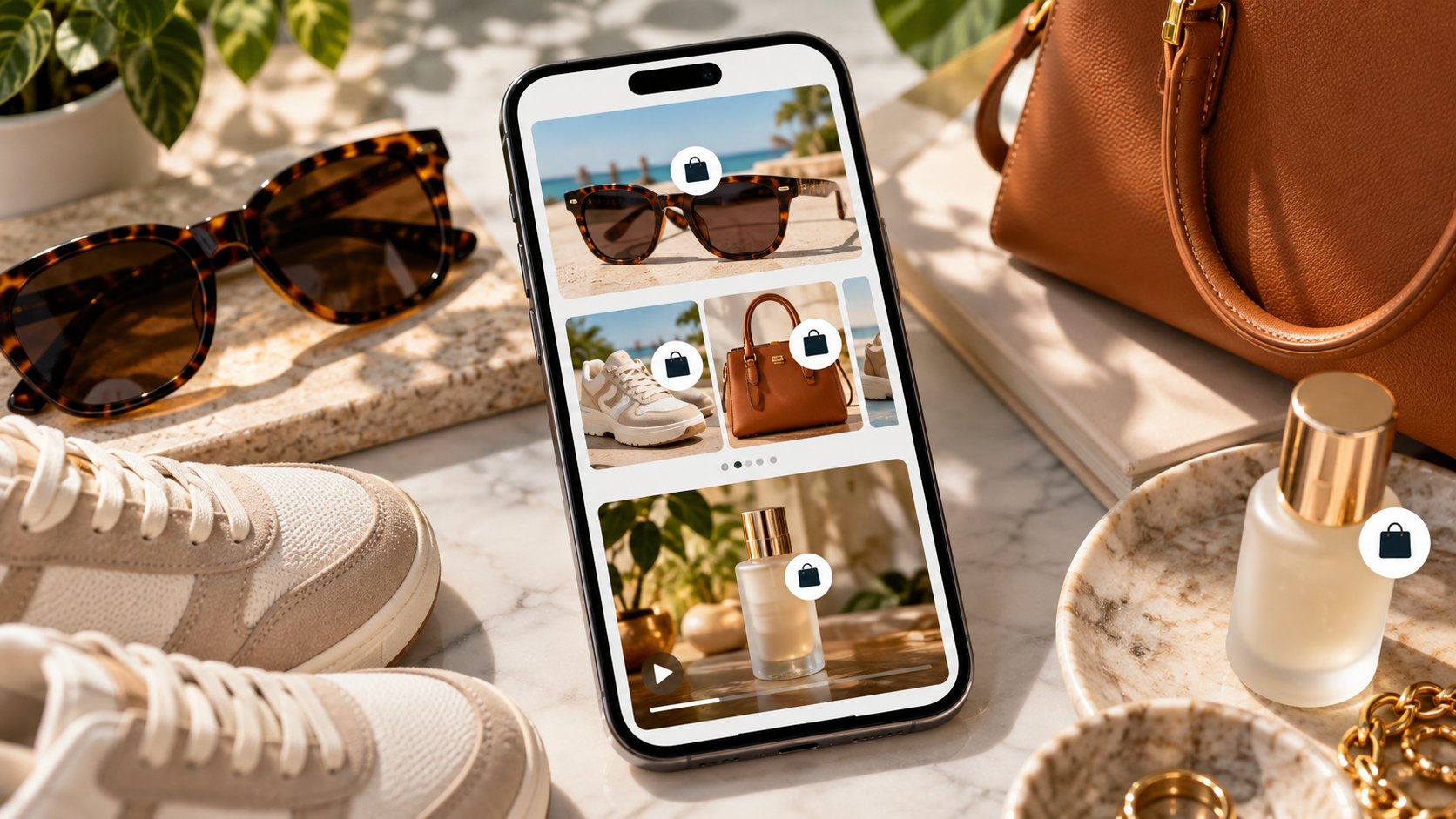
Instagram product tags connect content to actual products in an eligible Meta commerce catalog. They are different from tagging a person, mentioning an account in a caption, or writing a product name as plain text.
For a business selling its own products, the usual setup requires an eligible professional Instagram account, the appropriate Meta business assets, a connected catalog or shop, approved products, and access to commerce features in a supported market.
Once that setup is working, the publishing flow is broadly:
-
Create a photo post, carousel, or Reel.
-
Prepare the media and caption.
-
Choose Tag products on the publishing screen.
-
Search your available catalog.
-
Select the correct product.
-
For photos or carousel slides, place the tag where appropriate.
-
For a carousel, repeat the process on the relevant slides.
-
For a Reel, select the products available for the Reel rather than treating the tag as a fixed point inside one video frame.
-
Review every tagged item.
-
Publish the content.
If Tag products is missing, the problem is usually not the photo. Check commerce eligibility, account setup, catalog connection, product approval, permissions, and regional availability first.
Product tagging is commerce infrastructure wearing a very small label.
The catalog underneath is what makes it work.
Product Tags Are Not Ordinary Instagram Tags
This sounds elementary, but it prevents half the confusion around Instagram Shopping.
A people-tag links media to an Instagram profile.
A product tag links media to a commerce product.
An @mention is simply a reference to an account in text.
They may all contain tappable labels, but they lead somewhere different.
|
Instagram feature |
Points to |
Main purpose |
|---|
|
Product tag |
Catalog product |
Product discovery and shopping |
|
People tag |
Instagram account |
Identify a person, brand, or creator |
|
@mention |
Instagram profile |
Reference an account in text |
|
Location tag |
Place |
Geographic context |
|
Product name in caption |
Plain text unless separately linked |
Description or copy |
So if you write “Linen Overshirt” in a caption, you have not automatically created a product tag.
Instagram needs to know which catalog item that phrase represents.
What You Need Before “Tag Products” Appears
The publishing steps are easy.
The setup is where most problems live.
For a business tagging merchandise from its own catalog, expect to need an Instagram commerce setup that Meta considers eligible. That generally involves a professional account and the relevant business, Page, shop, catalog, and website assets being connected correctly.
Meta’s commerce eligibility rules also matter.
Your business needs to comply with applicable policies, represent the business and selling domain accurately, operate where the relevant commerce features are supported, maintain an authentic and trustworthy presence, and provide accurate product and customer information.
Availability is not identical everywhere.
Meta changes commerce products by market, so a tutorial written for a U.S. shop should not be treated as proof that an account in another country receives precisely the same shopping interface.
You Need a Catalog, Not Just a Website
Having products on your website does not automatically place them inside Instagram’s tagging interface.
Instagram needs product data it can associate with those products.
That information lives in a Meta catalog and can include details such as:
-
product name;
-
image;
-
price;
-
availability;
-
description;
-
website destination;
-
variants;
-
retailer identifiers.
The catalog can be managed through Meta commerce tools or synchronized from compatible ecommerce platforms.
Once products are submitted, Meta can review them against its commerce policies.
A product that exists in your store but is rejected or unavailable in the connected catalog may not appear when you search under Tag products.
That distinction matters enormously.
Website product: exists.
Catalog product: exists inside Meta’s commerce system.
Approved catalog product: potentially taggable.
Three different states.
How to Add a Product Tag to an Instagram Photo
For a standard single-photo feed post, start normally.
Open Instagram, create a new Post, choose the image, make the necessary edits, and move to the final publishing screen.
Then:
-
Tap Tag products.
-
Tap the relevant area of the photograph if Instagram asks for placement.
-
Search for the product.
-
Select the correct catalog item.
-
Add additional relevant products where the interface permits.
-
Tap Done.
-
Review the post.
-
Publish it.
The tag should correspond to what the photograph actually shows.
If the image contains the black version of a jacket and your catalog has black, navy, and brown variants, link the most accurate item available rather than whichever search result appears first.
A working link to the wrong product is still a bad tag.
Where Should You Put a Product Tag on a Photo?
Place it near the relevant item without turning the image into a map of tiny labels.
If one photograph contains a jacket, trousers, shoes, and bag, tagging all four may be useful.
If the photograph contains one hero product and several incidental props, tagging the hero item may create a cleaner experience.
Ask what the shopper needs.
The goal is not to demonstrate that every visible object has a SKU.
The goal is to reduce the distance between:
“What is that?”
and:
“Here is the correct product.”
How to Add Product Tags to an Instagram Carousel
Carousels are particularly useful for commerce because each slide can perform a different job.
A skincare carousel might contain:
-
packaging;
-
texture;
-
application;
-
ingredient detail;
-
finished result.
A fashion carousel might move from full outfit to individual pieces.
Create the carousel normally and arrange the slides in their final sequence.
When you reach the publishing screen, choose Tag products and work through the relevant media.
Instagram can let you associate products with the slides where they appear. Search the catalog, choose the correct product, and place the tag on the corresponding image where the interface requests placement.
Repeat for the other slides.
Then review the carousel from beginning to end.
This review matters more than it sounds. When several similar products exist in the same catalog, it is easy to put the large candle tag on the medium candle image or attach last season’s color to the current one.
Nobody enjoys discovering that mistake after the first customer message.
Do You Need to Tag the Same Product on Every Carousel Slide?
Usually, no.
Tag based on what each slide communicates.
Suppose a five-slide carousel shows the same handbag from five angles. Repeating the same relevant product association may make sense where Instagram’s interface supports it.
Now consider a carousel containing an entire outfit:
-
slide 1: full look;
-
slide 2: jacket;
-
slide 3: trousers;
-
slide 4: shoes;
-
slide 5: bag.
Slide-specific tagging is cleaner.
It tells the shopper what is actually in front of them instead of attaching the entire catalog to every picture.
More tags are not automatically more useful tags.
How to Tag Products in an Instagram Reel
Create the Reel first.
Record or upload the video, edit it, choose the audio and cover, and proceed to the final sharing screen.
Where commerce tagging is available:
-
Tap Tag products.
-
Search the connected catalog.
-
Select the product or products featured in the Reel.
-
Choose a collection as well if your particular commerce setup offers that option.
-
Confirm the selection.
-
Review the Reel’s caption and other publishing settings.
-
Share the Reel.
The important difference from a photograph is placement.
A Reel moves.
The product tag therefore works as a commerce layer for the Reel rather than as one permanently useful label pinned over a particular video frame.
Viewers can use the product-shopping control to inspect the tagged merchandise.
Which Products Should You Tag in a Reel?
Tag products that genuinely matter to the Reel.
If you demonstrate one coffee machine for thirty seconds, tag that coffee machine.
If a makeup tutorial clearly uses four products, the four relevant items may make sense.
If a Reel contains twenty objects in the background, attaching twenty loosely related products usually creates more friction than value.
A good product tag answers an obvious viewer question.
It should not resemble a stockroom inventory count.
What Does a Shopper See After Tapping a Product Tag?
The exact destination depends on Meta’s current commerce configuration and the merchant’s market.
Typically, the shopper can move from the content into product information and then toward the seller’s available purchase destination.
That may include information such as:
-
product imagery;
-
title;
-
current price;
-
available variants;
-
merchant information;
-
a route to the seller’s website or another supported commerce destination.
This is why catalog hygiene is part of content quality.
A magnificent Reel does not compensate for a product card showing an old price, a dead image, or an out-of-stock variant presented as available.
Your social team and ecommerce feed are, whether they like it or not, roommates.
They need to talk.
How Creators Can Tag Products From Brands
Creator-side product tagging is not limited to merchants promoting only their own inventory.
Meta also supports creator commerce and has continued expanding product-tag and affiliate experiences. Depending on the country, account, brand relationship, and current program availability, an eligible creator may be able to tag products associated with participating brands.
Do not interpret this as permission to tag any product from any company.
Access can depend on the brand’s settings, product-tagging permissions, partnership status, affiliate availability, and Meta’s eligibility rules.
For a creator working with a brand, confirm three things before production day:
-
Is the product available in the relevant Meta catalog?
-
Is the creator permitted to tag it?
-
Does the creator actually see it when searching from the intended Instagram account?
Do this before filming the campaign.
A contract saying “include product tag” is not terribly useful when the button is missing at 5:58 p.m. on launch day.
Product Tags vs. Branded Content Labels
A product tag and a paid-partnership disclosure are different layers.
The product tag answers:
Which product is this?
A branded-content or paid-partnership disclosure answers:
What commercial relationship exists around this content?
One does not automatically replace the other.
If disclosure is required by Instagram’s tools, advertising rules, contract terms, or applicable law, adding a product tag does not make that obligation vanish.
Commerce convenience and advertising transparency are separate matters.
Why “Tag Products” Is Missing
If the option is absent, work through the setup instead of repeatedly recreating the post.
Check the Account
Confirm that the Instagram account has the correct professional and commerce setup for the products you are trying to tag.
Check the Catalog
Make sure the expected catalog is attached to the correct business assets and Instagram account.
Check the Product
Open the commerce tools and confirm the item is present and approved.
A single rejected product can be missing even while the rest of the catalog works normally.
Check Permissions
If you are a creator tagging another company’s merchandise, make sure the brand or program actually allows your account to use the product.
Check the Market
Instagram commerce features are not uniform worldwide.
The feature can be unavailable even when an American tutorial insists the button “should always be there.”
Check Account or Commerce Restrictions
Policy issues and restricted commerce assets can remove or limit shopping functionality.
Update Instagram
Finally, make sure the app itself is current.
An app update cannot fix an ineligible shop, but it can fix the rather dull problem of using an old interface.
Why a Product Is Missing From Search
The Tag products button may work while one particular product refuses to appear.
That narrows the problem.
Check whether:
-
the product has finished review;
-
the item was rejected;
-
the product is archived;
-
the catalog feed contains an error;
-
the product belongs to a different catalog;
-
the correct variant is available;
-
inventory information is current;
-
the product complies with commerce rules;
-
your creator account has permission to tag that brand’s item.
Search using the catalog’s actual product title rather than the nickname your social team uses internally.
“Blue weekend thingy” may be perfectly clear in Slack.
Commerce Manager is less sentimental.
Can You Add Product Tags After Publishing?
On eligible accounts and supported post types, Instagram can provide editing controls that let you add, remove, or correct product tags after publication.
Open your own post, tap its menu, choose Edit, and look for the available product-tagging controls.
Availability can vary by format, account, commerce configuration, and current Instagram version.
Editing the product association is useful when the media itself is correct but the wrong catalog item was selected.
It cannot fix an incorrect photograph.
If your carousel shows Product A while the real campaign should feature Product B, changing only the tag would create a misleading post. Correct the underlying content instead.
Can You Replace a Product Photo After Posting?
Product metadata is more flexible than published media.
Instagram may let you edit the product tag, caption, location, or other metadata, but that does not mean you can freely swap the actual photo or video file in a live post.
Plan the visuals first.
Product tagging is not an escape hatch for a wrong campaign asset.
Product Tags and Instagram Scheduling
Check the publishing flow before building an entire scheduled campaign around product tags.
Some Instagram scheduling combinations, account types, and publishing surfaces restrict commerce features or require the tag to be added natively. Third-party publishing APIs can also expose different capabilities from Instagram’s own app.
If adding a product tag changes or removes your normal scheduling option, believe the interface.
Do not publish a tag-free campaign by accident because an old tutorial promised that every combination was supported.
For content that can use Instagram’s standard native scheduler, our broader publishing guidance is useful—but commerce posts deserve a final manual check before they go live.
Product Tagging Does Not Improve a Weak Product Page
A tag makes the route shorter.
It does not make the destination better.
Before using shopping tags heavily, inspect the catalog information from a customer’s perspective.
Check:
|
Catalog detail |
Question |
|---|
|
Product title |
Is it understandable outside your internal SKU system? |
|
Image |
Does it match what the post shows? |
|
Price |
Is it current? |
|
Availability |
Can the shopper actually buy it? |
|
Variant |
Is the correct size/color version represented? |
|
Destination |
Does the product page load correctly? |
|
Description |
Is the essential information clear? |
A product tag is a tiny door.
Make sure the room behind it is ready.
Use Carousels Differently From Reels
Product tagging works best when the content format and shopping intent agree.
A carousel is excellent for structured comparison:
-
front/back views;
-
color options;
-
feature breakdowns;
-
a collection;
-
before-and-after context.
A Reel is better when movement matters:
-
clothing fit;
-
product demonstration;
-
application;
-
assembly;
-
scale;
-
transformation.
Do not choose Reels merely because Reels exist.
If the buyer needs to compare four fabric colors at leisure, a carousel may do the job with much less theatrical machinery.
Research Before You Tag
Product content becomes stronger when the commerce layer follows genuine audience interest.
Study how public Instagram accounts present comparable products, what visual questions they answer, which angles recur, and how captions describe the item.
Dumpor can help with supported public Instagram research without requiring access to your private shop, catalog, or commerce account.
For text-led research, our guide to searching Instagram captions and keywords explains how to look for recurring language and topics.
Research the market.
Do not copy somebody else’s creative execution.
Share the Post, Not the Product-Tag Setup
Once a shoppable post or Reel is live, collaborators, customers, or team members may want the direct content URL.
Copy the post or Reel link rather than sending screenshots and asking people to locate it manually.
Our guide to sharing Instagram Story, Highlight, and Reel links explains the practical difference between sharing Instagram destinations.
The link shares the published content.
It does not give the recipient access to your catalog administration or product-tag controls.
A Pre-Publish Product-Tag Checklist
Before tapping Share:
-
Confirm the media shows the correct product.
-
Verify the correct catalog is connected.
-
Make sure every selected product is approved and current.
-
Match tags to the right carousel slides.
-
Check Reel product selections carefully.
-
Confirm prices and availability.
-
Review any required branded-content disclosure.
-
Proofread the caption.
-
Check that the shopping destination works.
-
Preview the final post from a shopper’s perspective.
The tag itself may take ten seconds.
The accuracy behind it deserves longer.
FAQ
Frequently Asked Questions
What is an Instagram product tag?+
An Instagram product tag connects a photo, carousel, Reel, or other supported commerce surface to an eligible product in a Meta catalog. A viewer can tap the shopping element to learn more about the item and continue toward the merchant’s available purchase destination.
Is a product tag the same as tagging a person on Instagram?+
No. A people-tag points to another Instagram profile. A product tag points to merchandise in a commerce catalog. An @mention in the caption is different again.
What do I need before I can tag products on Instagram?+
For a merchant tagging its own products, you generally need an eligible professional Instagram commerce setup, the appropriate Meta business assets, a connected catalog or shop, approved products, policy compliance, and access to commerce features in a supported market.
How do I add a product tag to an Instagram photo?+
Create the post normally, proceed to the final publishing screen, tap Tag products, search your available catalog, select the correct item, place the tag where Instagram requests it, review the post, and publish.
How do I tag products in an Instagram carousel?+
Create the carousel, open Tag products, move through the relevant slides, search for the catalog items shown, and attach the correct products to the appropriate media. Review every slide before publishing.
Can different carousel slides have different product tags?+
Yes, where the current Instagram interface supports your commerce setup. This is useful when a carousel shows several products or individual components of a collection.
How do I add product tags to an Instagram Reel?+
Create and edit the Reel, proceed to the sharing screen, choose Tag products, select the eligible products or other shopping options offered to your account, confirm them, and publish the Reel.
Does a Reel product tag stay on one part of the video?+
Reel product tagging should not be thought of like a fixed people-tag placed on one still frame. The selected products are associated with the Reel’s shopping experience so viewers can open the relevant commerce information.
Why can’t I see the Tag Products button?+
Check your account’s commerce eligibility, professional setup, connected catalog or shop, country availability, product approvals, business permissions, account restrictions, and Instagram app version.
Why can I tag some products but not another one?+
The missing product may still be under review, rejected, archived, assigned to another catalog, affected by feed errors, unavailable as the expected variant, or outside your account’s tagging permissions.
Can a creator tag products from another brand?+
Eligible creators can have access to product tagging for participating brands, partnerships, or affiliate commerce experiences. Availability depends on the brand, permissions, market, account, and Meta’s current programs. A creator cannot assume every product on Instagram is freely taggable.
Is a product tag the same as a paid partnership label?+
No. A product tag identifies merchandise. A paid-partnership or branded-content disclosure identifies a commercial relationship. One should not be treated as a replacement for the other.
Can I add Instagram product tags after posting?+
Eligible accounts can have post-editing controls for adding or changing product tags on supported content. Open the post’s Edit menu and check the available commerce controls. Availability can vary by account and format.
Can I change a wrong product tag without deleting the post?+
When Instagram provides product-tag editing for that post, yes. Correct the product association through Edit. If the actual photograph or video shows the wrong merchandise, changing only the tag may be misleading and the media itself should be corrected.
Do I need an Instagram Shop to use product tags?+
Product tagging requires access to Meta’s commerce infrastructure and an eligible catalog/product setup. The exact shop and checkout configuration available to you depends on your account, market, and Meta’s current commerce products.
Why does country matter for Instagram product tagging?+
Meta does not offer identical commerce capabilities in every market. A business can satisfy other setup requirements and still lack a particular shopping feature because its country or commerce configuration is not currently supported.
Does adding a product to my website automatically make it taggable?+
No. The product also needs to exist in the appropriate Meta catalog and meet the relevant approval and commerce requirements. Website inventory and Instagram’s taggable catalog are connected systems, not the same database.
Should I tag every product visible in a photo?+
Not necessarily. Tag products that are genuinely relevant to the post and useful to the shopper. Excessive or loosely related tags can make the shopping experience harder rather than easier.
Can Dumpor add product tags to my Instagram posts?+
No. Product tags are creator-side commerce controls that require access to your own eligible Instagram and Meta commerce setup. Dumpor is intended for supported public-content viewing and research, not editing a user’s Instagram shop or publications.
Instagram product tagging is straightforward once the infrastructure underneath it is healthy.
The photo is not the complicated bit.
You need the right account, the right catalog, an eligible and approved product, the right permissions, and a market where the required commerce feature is available. After that, tagging a photo, carousel, or Reel is mostly a matter of selecting the correct item and checking your work.
Keep the distinction clear:
People-tags identify accounts. Product tags identify merchandise.
Then make every product tag earn its place. Link what the viewer can actually see, keep catalog details accurate, and make sure the destination is worth the tap.
A tiny shopping label can shorten the route to a sale.
Only if it points to the right thing.

 Telegram bot
|
TikTok Viewer
Telegram bot
|
TikTok Viewer