What Happens When You View Someone's Instagram Story: The Full Technical Breakdown
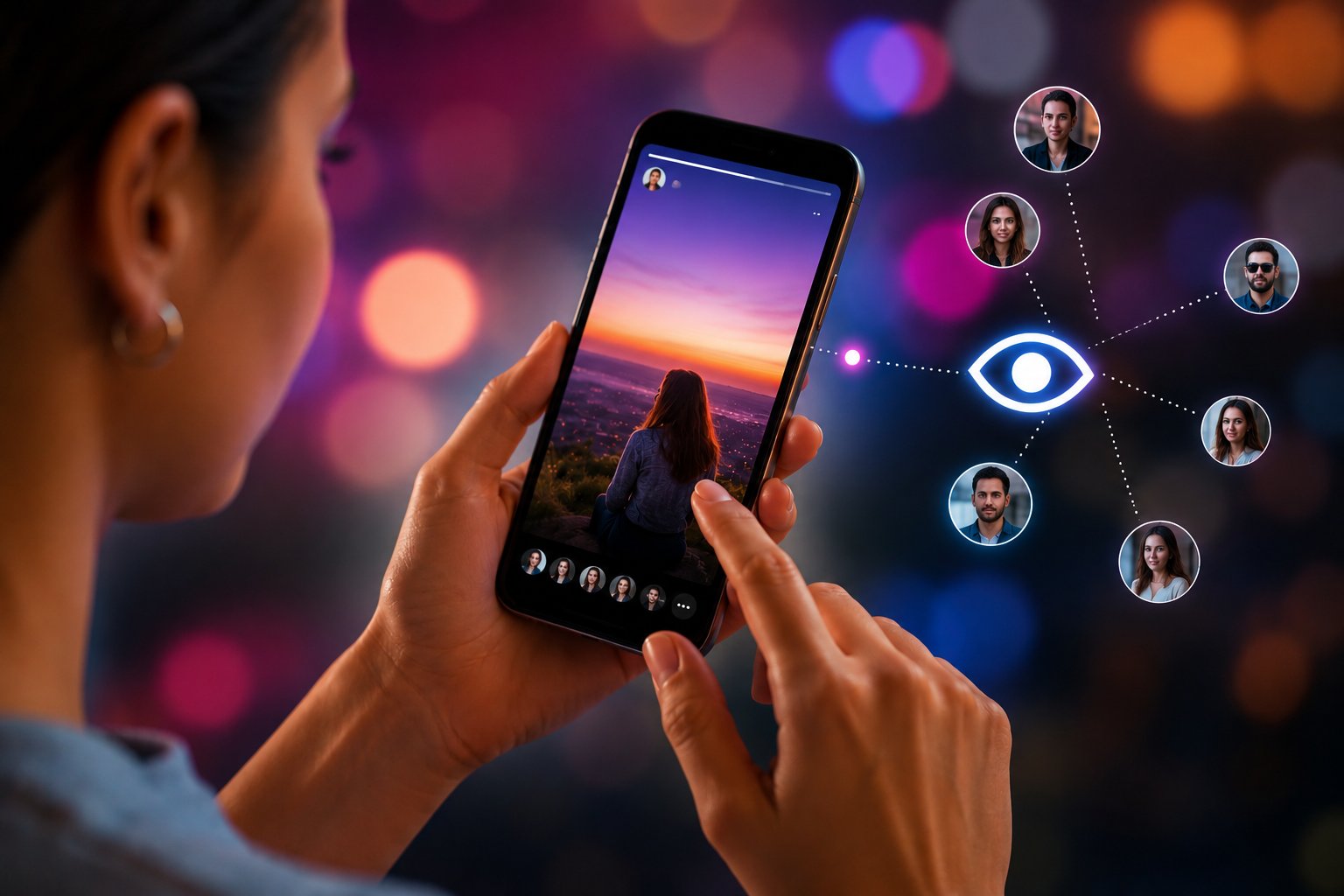
TL;DR: When you view an Instagram Story through the official app while logged in, the account owner can see your username in their viewer list — for as long as the Story remains active (up to 24 hours). Once the Story expires, that viewer data disappears too. Viewing through a third-party proxy tool like Dumpor bypasses this entirely — your identity never registers. Full technical explanation below.
Most people who use Instagram Stories daily have a vague mental model of how the visibility system works. You watched it, they might know you watched it, the thing disappears eventually. That’s accurate as far as it goes — but it skips a lot of detail that actually matters, especially if you’re thinking carefully about privacy, or trying to understand why the viewer list behaves differently in different situations.
So let’s actually walk through it.
The Moment You Tap a Story: What Triggers
When you tap a Story ring in the Instagram app, several things happen simultaneously.
Your device sends a request to Instagram’s CDN (content delivery network) to retrieve the media file — the JPEG or MP4 associated with that Story segment. This is the part that displays the content on your screen. Separately, and in parallel, your client sends a view registration event to Instagram’s backend — a small data packet that includes your user ID, the Story ID, a timestamp, and session metadata.
This view event is what creates the entry in the poster’s viewer list.
It’s worth being specific: the registration happens at the request level, not the playback level. Instagram doesn’t wait for you to watch 50% of a video Story before counting you as a viewer. The moment the media begins loading, the view is logged. There’s no “dwell time” threshold — no grace period where you can tap away before it registers.
This design is deliberate. Instagram’s engagement metrics work better when views are recorded immediately. If you had to watch a certain percentage of a Story before counting, the numbers would be messier and harder to act on for advertising purposes.
The Viewer List: What the Poster Actually Sees
The account owner can access their viewer list by tapping the eye icon at the bottom-left of their own Story while it’s still active. What they see:
-
A list of Instagram usernames and display names
-
The count of total viewers
-
On some account types: engagement actions (reactions, replies)
What they cannot see:
-
How many times you watched a Story (replays aren’t tracked individually for the viewer list — rewatching doesn’t add a second entry)
-
Whether you paused or muted
-
Your location or device type
-
Whether you screenshotted a photo Story (Instagram removed screenshot notifications for Stories in 2018 and hasn’t restored them)
For video Stories, replays are also invisible in the list — watching a 15-second Story clip four times shows you once in the viewer data. The aggregate replay count may factor into Instagram’s own analytics for the poster, but individual viewer replay behavior isn’t exposed.
The 24-Hour Disappearing Act: What It Means for Viewer Data
Here’s a detail a lot of people don’t realize: the viewer list and the Story itself are linked on the same deletion schedule. When the Story expires — at the 24-hour mark from its posting time — both the content and all associated viewer data are removed from the poster’s view.
This has practical implications:
|
Timing |
Story visible to viewers |
Poster can see viewer list |
|---|
|
0–24 hours after posting |
Yes |
Yes |
|
After 24 hours |
No |
No |
|
After moving to Highlights |
No (original Story) |
No (original viewer data) |
Moving a Story to Highlights preserves the content but does not preserve the original viewer list. Highlight views are tracked separately and don’t retroactively add back the original Story’s viewer data.
So: if you viewed a Story six hours before it expired, your name was in the poster’s viewer list for those remaining six hours. Once the Story deleted itself, that record went with it. The poster cannot go back and check who watched later.
Close Friends Stories: Does Anything Change?
Instagram’s Close Friends feature lets users post Stories visible only to a selected list. From a technical standpoint, the view registration mechanism is identical — if you’re on the Close Friends list and you watch the Story, your view is logged exactly the same way.
The difference is audience scope, not tracking behavior. A Close Friends Story has a smaller denominator of potential viewers, which means if you watch it, the poster is more likely to notice your name specifically — the list is short. But the mechanics of how your view is recorded haven’t changed.
One thing that does differ: Close Friends Stories show a green star indicator in the viewer list, so the poster knows which views came from Close Friends vs. regular public Stories. This is relevant if the same account sometimes posts both types.
What “Views” Instagram Reports — and What It Doesn’t
For public accounts with professional dashboards enabled, Story analytics include:
- Reach: unique accounts that saw the Story
- Impressions: total views including repeat views
- Navigation data: forward taps, back taps, exits, next Story skips
- Interactions: replies, sticker interactions, link clicks
For regular personal accounts, the view list shows usernames without the breakdown metrics.
Neither type of account gets data about:
-
Whether you muted the audio while watching
-
Whether you watched on WiFi or cellular
-
Whether your screen was at full brightness or not (some third-party “analytics” tools have claimed to expose this — they can’t, this data isn’t provided by Instagram’s API)
The phantom analytics space is full of services making implausible claims about what they can reveal to Story posters. Screenshot detection, detailed engagement scoring, device fingerprinting — the actual Instagram API doesn’t surface most of this. When you see a tool claiming to show “who visited your profile but didn’t follow” or “who watched your Story multiple times,” treat those claims with substantial skepticism.
Third-Party Tools and Anonymous Viewing: The Actual Mechanism
This is where the technical picture gets genuinely interesting.
When you view a Story through a proxy-based tool like Dumpor’s Story Viewer, the mechanics differ fundamentally from the official app:
Official app flow:
The proxy tool fetches the content using its own server’s requests — not authenticated as you. Instagram’s backend receives a request associated with the tool’s infrastructure, not your Instagram account. No user ID to log = no entry in the viewer list.
Your name doesn’t appear. The poster sees no evidence of your visit. The view count doesn’t increment (or increments for the tool’s generic session, which isn’t traced back to you).
This is why the distinction between “viewing through the app” and “viewing through a third-party proxy” is binary, not a matter of degree. It’s not that your view is hidden or delayed — it simply doesn’t exist in the system from the poster’s perspective.
The Logged-Out Scenario
There’s a common misconception that simply logging out of Instagram before viewing a Story makes you invisible. Let’s address this directly.
If you visit Instagram’s website while logged out, you can see some public content — including some Stories on public accounts. Whether your IP address is logged in some form by Instagram’s infrastructure: probably yes, as a server-side request log. But does it register as a view in the poster’s viewer list? No — because the viewer list is keyed to authenticated user IDs, and without a logged-in account, there’s no ID to attribute.
The complication is that Instagram’s site has progressively gated Story viewing for logged-out users, and as of 2026, consistent Story access without an account requires a tool rather than just opening a private browser window and navigating to a profile.
What Happens With Expired Stories and Highlights
Once a Story expires:
-
The media URL becomes inaccessible (time-limited CDN tokens expire)
-
The viewer list is purged from the poster’s accessible data
-
The Story doesn’t appear in the poster’s Archive (unless they had Archive enabled when posting — in that case, a private copy was saved to their Archive, but viewer data isn’t preserved there either)
Highlights are a different category. When a poster saves a Story to a Highlight:
-
A new copy of the media is created under a different URL structure that doesn’t expire
-
A new, separate view counter begins for the Highlight
-
Original Story viewer data is not carried over
-
People who viewed the original Story before it expired are not listed as Highlight viewers
So from a privacy standpoint: if you viewed a Story while it was active and then it got added to Highlights, your original view record is gone. Viewing the Highlight later is a fresh event — it goes into the Highlight’s own view tracking.
Dumpor’s Highlights Viewer works the same way as for Stories — proxy-based, anonymous, no view registration on the poster’s end.
Practical Implications: A Summary Table
|
Viewing Scenario |
Appears in Poster’s Viewer List |
View Count Increments |
|---|
|
Instagram app, logged in |
Yes |
Yes |
|
Instagram web, logged in |
Yes |
Yes |
|
Instagram web, logged out |
No |
No (no user ID) |
|
Private browser window (logged out) |
No |
No |
|
Third-party proxy tool (e.g., Dumpor) |
No |
No |
|
Screenshot of Story |
No notification sent |
N/A |
|
Screen recording of Story |
No notification sent |
N/A |
|
Viewing via Telegram bot (Dumpor) |
No |
No |
Why This Matters: Real Use Cases
Understanding Story view mechanics isn’t purely academic. It has practical applications:
For individuals: knowing whether your view registers before tapping is relevant if you’re watching an ex’s Stories, monitoring a competitor’s account, or doing any kind of research where anonymity matters.
For researchers and journalists: verifying that proxy-based access genuinely doesn’t register views is important when documenting public content — you shouldn’t be inadvertently signaling interest to the subject of your research.
For social media professionals: understanding that replay doesn’t add a second viewer entry clarifies why impression and reach numbers differ in a poster’s analytics — impressions count replays, reach counts unique accounts.
For creators: knowing that viewer data disappears with the Story itself affects how you think about the timing of checking your insights. If you want to know who’s watching, you need to check while the Story is still active.
The Close Friends Viewer List Behavior — One More Detail
One situation that confuses people: posting a Story to Close Friends, then expanding it to All later (or vice versa). Instagram doesn’t currently support changing a Story’s audience after it’s been posted. Each Story has a fixed audience setting from the moment it goes live. There’s no retroactive audience expansion.
This matters for view tracking because the viewer list for a Close Friends Story will only ever contain people from that list — it can’t accumulate views from a broader audience after the fact.
FAQ
Frequently Asked Questions
Q: If I view someone’s Story and then they restrict or block me, does my view stay in their list?+
Yes — the view was logged at the time it happened. Restricting or blocking someone after the fact doesn’t retroactively remove their earlier view from the list.
Q: Can someone see that I replayed their Story multiple times?+
No. The viewer list shows your username once regardless of how many times you watched. Aggregate replay counts may factor into Instagram’s internal analytics, but individual replay tracking per viewer is not exposed to the poster.
Q: Does using Instagram’s Close Friends mutual — where both people have each other on their lists — change anything?+
No. The viewer tracking mechanism is identical regardless of the relationship structure.
Q: Do Stories viewed through Instagram’s “Stories from people you follow” aggregated view (the ring on the home screen) register differently from stories opened directly from a profile?+
No — both entry points use the same view registration event. How you navigated to the Story doesn’t affect whether or how your view is logged.
Q: Can the poster tell I’m using a third-party tool?+
No. When you access a Story through a proxy tool like Dumpor, the request comes from the tool’s servers, not your device. From the poster’s perspective, there’s simply no view to observe.
Q: If I’m on someone’s Close Friends list, can I view their Close Friends Story anonymously using a proxy tool?+
Yes and no. If you use a proxy tool, the tool can’t authenticate as a Close Friends list member — it accesses public content only. Close Friends Stories are, by definition, not public. So the proxy tool would be unable to retrieve the Close Friends Story at all. The view would simply not happen, rather than happening anonymously.
Q: What about Instagram Stories ads — are those tracked the same way?+
Sponsored Stories (ads) have more detailed view analytics on the advertiser side, including estimated demographics and engagement rates. But they don’t show individual viewer identities the same way organic Stories do. You’re tracked as part of aggregate campaign metrics, not as a named entry in a viewer list the advertiser can browse.
Q: Does muting someone’s Story still count as a view?+
Muting a person’s account means their Stories don’t appear in your feed ring by default. But if you navigate directly to their profile and open their Story, the view registers normally. Muting suppresses the feed prompt; it doesn’t prevent viewing or tracking if you seek the content out directly.
The Practical Bottom Line
Instagram’s Story view system is more precisely engineered than most users appreciate — and its tracking is more limited in some ways (no replay counts per viewer, no screenshot notifications) and more immediate in others (views register at load, not after playback) than the common mental model suggests.
The most consequential practical point: the official app logs your view the moment media loads. There is no anonymous path through Instagram’s own interface. The only way to access Stories without appearing in the viewer list is through a proxy-based tool that makes requests without carrying your user identity.
Dumpor is built around exactly this principle — the Story Viewer lets you browse and watch public Stories without any view registration on the poster’s end. If that kind of access is something you need — for research, for professional monitoring, for personal privacy — the tool exists and works as described.

 Telegram bot
|
TikTok Viewer
Telegram bot
|
TikTok Viewer