How to Download Instagram Reels Without Watermark in 2026 (Free Methods)
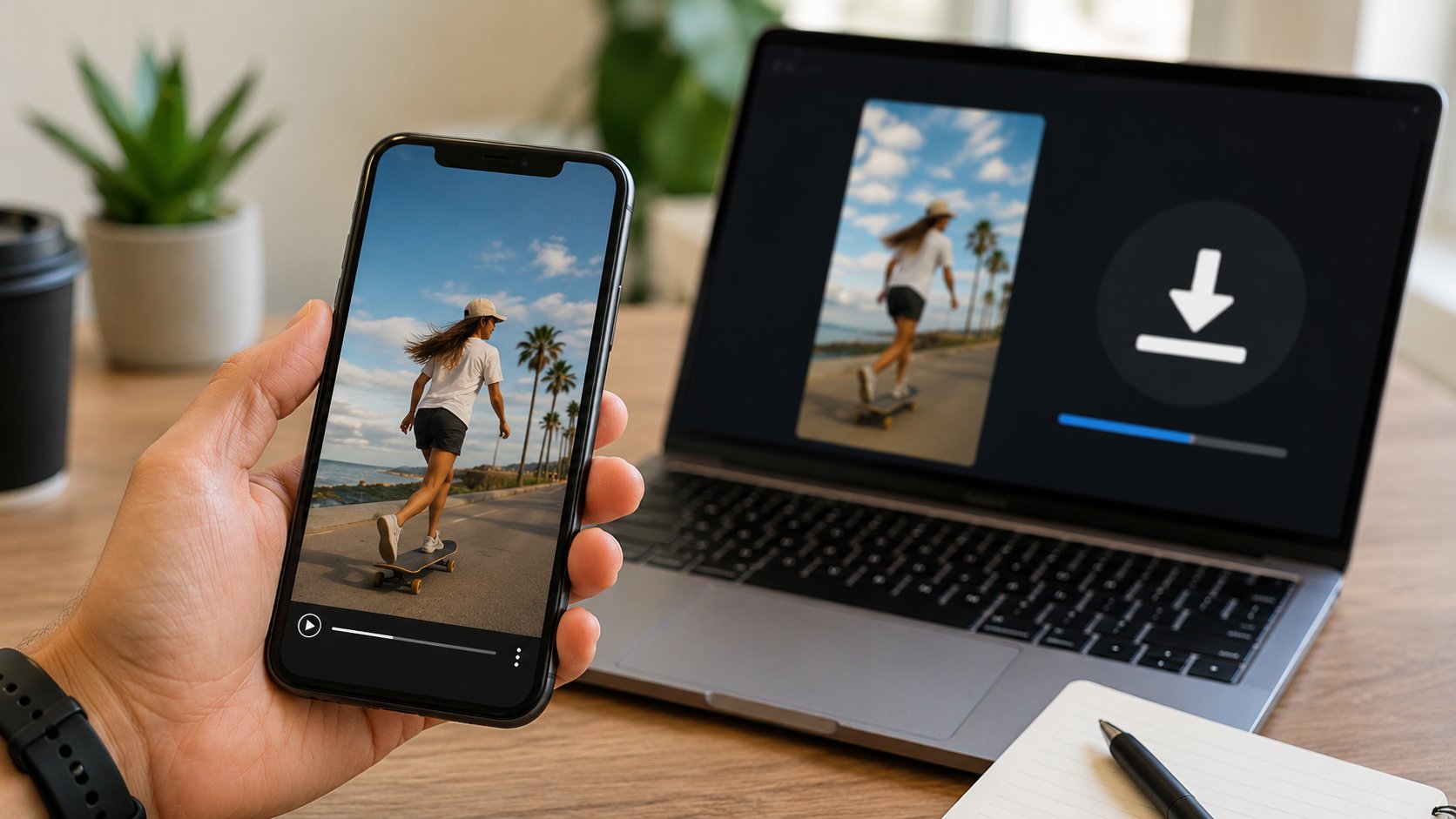
TL;DR: In 2026, the fastest and cleanest way to download Instagram Reels without a watermark is through a browser-based tool like Dumpor. No installation, no Instagram login, no logo stamped on your video. Works on public profiles from any country, any device. Everything below explains the how, the why, and the what-to-avoid.
Here’s the thing about Reels that most people don’t fully register until they need it: Instagram gives you absolutely no native way to save them. You can share a Reel to your Stories. You can send it to a friend via DM. You can add it to a Collection that lives inside the app. But pull the actual MP4 file off the platform and store it somewhere you control? Instagram’s UI has no button for that.
Which is — let’s be honest — a deliberate design choice. The platform wants engagement to happen inside Instagram. Content that migrates elsewhere is content that doesn’t drive the feed algorithm. This makes total sense from a business perspective and is deeply inconvenient for everyone who actually wants to keep something.
So. Work around it.
Why “No Watermark” Matters More Than People Realize
It’s worth addressing this directly before getting into methods, because the framing matters.
A few years back, every free Reel downloader came with a catch — the downloaded file had a logo watermarked across it, usually in a corner, sometimes large enough to be genuinely intrusive. The implicit business model was: use the free version, get degraded output, feel frustrated enough to pay for clean downloads.
That model has largely collapsed. Not out of generosity, but because competition made it untenable. If your tool adds a watermark and the tool two clicks away doesn’t, users migrate. Simple.
By 2026, watermark-free output is basically the floor. Any tool worth using produces a clean file — byte-for-byte identical to what Instagram serves, which is to say: the same MP4 that lives on Instagram’s CDN, in whatever resolution and bitrate the uploader’s video was compressed to when they posted it.
The distinction that actually matters now isn’t watermark vs. no watermark. It’s which tools are reliable, which respect your privacy, and which cover the full range of content types you might need.
The Methods That Work in 2026
Let’s go through them in order of practical usefulness.
Method 1: Browser-Based Proxy Tools (Best Overall)
This is the approach that has aged best as Instagram’s defenses have evolved. A proxy tool — Dumpor being the most comprehensive example — routes your content request through its own servers. You enter a username, the tool fetches the profile data from Instagram’s end, and serves you a browsable interface with download buttons.
Why this approach holds up:
-
Doesn’t require your Instagram credentials
-
Works without any app installation
-
Functions on desktop, mobile, and tablet identically
-
Anonymous by design — your IP and identity don’t touch Instagram’s servers directly
The practical flow:
-
Open the tool in any browser
-
Enter the username of the public account whose Reel you want
-
Navigate to their Reels tab
-
Click the download button on the specific Reel
-
File downloads to your device
That’s it. No account creation, no email verification, no “confirm you’re not a robot” loop that takes six attempts.
Method 2: Direct URL Methods (Increasingly Unreliable)
Some tools let you paste a direct Instagram Reel URL — the link you’d copy from the share menu — into a download field. These worked well for a long time. In 2026, they’re patchier. Instagram has rotated its URL signing logic several times, and tools using this method often lag behind updates by days or weeks, during which they simply don’t work.
If you have a specific Reel URL and want to try this approach: several tools accept it. Results vary by tool and by day. Don’t rely on it as your primary method.
Method 3: Browser Extensions (Use With Caution)
Browser extensions that add a download button directly to Instagram’s interface do exist. Some are functional. Several are not, in ways that range from merely annoying (they stopped working when Instagram updated its frontend) to actively concerning (extensions have broad permission to read page content, and poorly audited ones have been caught exfiltrating data).
The risk-to-reward ratio for browser extensions in this space is unfavorable in 2026. Unless you’ve verified the extension’s source code or it comes from a developer with a long, clean public track record, the browser-based proxy approach is safer and just as fast.
Method 4: Screen Recording (Nuclear Option)
Yes, you can record your screen while a Reel plays. This works. It also produces a file with lower visual quality than the source, captures whatever UI elements are on screen unless you’re careful, and can’t capture at the original frame rate if your device display refreshes differently from the video.
It’s the method of last resort. Use it when nothing else works. Don’t use it when other methods are available.
Tool Comparison: Reel Downloaders in 2026
|
Tool |
Reels |
Stories |
Photos |
Highlights |
Login Required |
Watermark |
Mobile-Friendly |
Uptime (est.) |
|---|
| Dumpor |
✓ |
✓ |
✓ |
✓ |
No |
None |
Yes |
96–98% |
|
Snapinsta |
✓ |
✗ |
✓ |
✗ |
No |
None |
Yes |
~89% |
|
StoriesIG |
Partial |
✓ |
✓ |
✗ |
No |
None |
Yes |
~95% |
|
IgAnony |
✗ |
✓ |
✓ |
✓ |
No |
Sometimes |
Yes |
~93% |
|
Inflact |
✓ |
✓ |
✓ |
✓ |
Partial |
None |
Yes |
~92% |
|
SaveIG |
Partial |
✗ |
✓ |
✗ |
No |
None |
Partial |
~87% |
A note on “Partial” Reels support: this typically means the tool handles Reels up to a certain duration, or fails on videos with certain audio configurations (particularly licensed music). It doesn’t mean the tool is useless — just that you may hit edge cases.
Inflact has strong coverage but increasingly gates features behind a subscription. If you need free access to the full set of content types without creating an account, Dumpor is the most complete option.
What You Actually Get: File Quality Explained
This section matters because expectations and reality sometimes diverge, and understanding why prevents frustration.
Instagram’s compression pipeline
When someone uploads a Reel, Instagram re-encodes it. You don’t control this. The platform applies its own bitrate limits, resolution caps, and audio normalization regardless of what the original file looked like. So the “quality” of a downloaded Reel is not the quality of the creator’s original recording — it’s the quality of Instagram’s compressed version.
Reel download specifications
|
Specification |
Value |
|---|
|
Container format |
MP4 |
|
Video codec |
H.264 |
|
Maximum resolution |
Up to 1080p (1080 × 1920) |
|
Frame rate |
Up to 30fps |
|
Audio codec |
AAC |
|
Typical bitrate |
3.5–5 Mbps (video), 128 kbps (audio) |
|
Typical file size |
5–40 MB depending on duration |
|
Watermark (via Dumpor) |
None |
The audio muting issue
If a Reel uses licensed music that Instagram restricts in your region, the downloaded file may have no audio — or different audio than what you heard while watching. Instagram applies regional audio restrictions at the CDN level. Dumpor downloads whatever Instagram serves; if Instagram served a muted version to your region, the downloaded file reflects that. This is not a tool limitation — it’s a platform behavior that no downloader can work around.
4K and beyond
Instagram does not store Reels in 4K. The platform’s maximum is 1080p for Reels specifically (some profile videos can go higher in limited contexts, but Reels cap at 1080p). No downloader can produce a 4K file from a source that was stored at 1080p. Any tool claiming to “enhance” or “upscale” your download is either misleading you or running client-side AI upscaling that produces a different-looking file, not a higher-quality original.
Step-by-Step: Downloading a Reel with Dumpor
Desktop
-
Open dumpor.io in any browser — Chrome, Firefox, Safari, Edge, all work.
-
In the search field, type the username of the account whose Reel you want. No @ sign; just the handle. No URL needed.
-
From the search results, select the correct profile. Double-check it’s the right account — close username variants exist for popular creators.
-
Navigate to the Reels section of their profile within Dumpor’s interface.
-
Find the specific Reel you want. You can browse the grid or scroll through the list.
-
Click the Download button that appears on hover or beneath each Reel.
-
The MP4 file downloads to your browser’s default Downloads folder.
iPhone / iPad
The process is identical to desktop through step 6. Where it diverges:
-
After tapping Download, the file may open in the browser’s media player rather than saving directly.
- In Safari: tap the share icon → “Save to Files” → choose a folder.
- In Chrome for iOS: the file goes to Chrome’s internal downloads. To move it to Photos, open the Files app → navigate to “On My iPhone” → “Chrome” folder → long-press the file → “Share” → “Save Video.”
-
There is no shortcut that deposits the file directly into Photos. The Files app step is unavoidable on iOS.
Android
Post-download behavior varies by browser:
- Chrome: File goes to the Downloads folder. Opens in Gallery/Photos automatically on most Android devices.
- Samsung Internet: Same behavior, sometimes prompts you to choose a save location.
- Firefox: Downloads to its own internal folder; accessible via the browser’s Downloads tab, from which you can move it to Gallery.
Chrome on Android is the smoothest experience for this use case.
The Accounts You Can (and Can’t) Download From
One limitation that doesn’t get enough clear explanation: Dumpor only works with public accounts.
If an account is set to private, no content from it is accessible — not Reels, not posts, not Stories. This isn’t a gap in Dumpor’s capabilities. It’s how Instagram’s architecture works: private content isn’t served to unauthenticated requests. Any tool claiming to download from private accounts is either lying, requiring you to log in (which exposes your credentials), or operating through unauthorized access methods that put both you and the account owner at risk.
Public accounts: everything works. The account’s Reels, posts, Stories (within their 24-hour window), Highlights, and profile photo are all accessible.
For Reels specifically — there’s no expiration issue, unlike Stories. A Reel posted two years ago by a public account is just as downloadable today as it was the day it was posted, assuming the account hasn’t been deleted or switched to private in the interim.
Using the Dumpor Reels Viewer
It’s worth mentioning that Dumpor functions as a full Instagram Reels viewer — meaning you can watch Reels through the interface without downloading them, and without your viewing activity registering with the account owner.
This has uses beyond just downloading. Monitoring competitor content anonymously. Reviewing Reels before deciding whether you want to save them. Browsing an account’s Reel history without the creator seeing you in their analytics. The viewer and the downloader are the same interface — download is optional.
Similarly, if you’re interested in a creator’s Stories (which, unlike Reels, expire after 24 hours), the Instagram Story Viewer handles that. And for archived Story collections that don’t expire, the Highlights viewer covers that use case.
The Legal Picture: What You Should Know
Most guides in this space either skip this section or offer boilerplate disclaimers that serve no one. Here’s a more specific breakdown.
Generally fine
-
Downloading Reels from public accounts for personal, non-commercial use
-
Saving your own Reels from your own public profile as a backup
-
Archiving public content for journalism, research, or academic documentation
-
Storing reference material for private creative work
Where it gets complicated
- Reposting downloaded Reels on your own channels without the creator’s permission — this is a copyright issue even when the original content is publicly accessible. Public ≠ free to redistribute.
- Commercial use of downloaded content without a license. If you’re using someone’s Reel in an advertisement, a paid product, or any commercial context, you need the creator’s permission regardless of how you obtained the file.
- Systematic, high-volume downloading of content, which may violate Instagram’s Terms of Service independent of copyright considerations.
The ToS question
Instagram’s Terms of Service prohibit downloading content without their authorization. Technically, this means using any third-party downloader is a ToS violation. In practice, Instagram’s enforcement attention is focused on commercial scrapers, automated bots, and tools used to harvest data at scale — not individual users saving the occasional Reel. But it’s worth knowing where you stand.
Five Things People Get Wrong About Reel Downloaders
1. Expecting the downloaded file to match what they saw on screen.
Instagram’s player applies software sharpening and display optimizations. The raw MP4 sometimes looks slightly different from the in-app experience. This is normal.
2. Searching by display name instead of username.
The search field in Dumpor (and most similar tools) works on Instagram usernames — the @handle, not the name shown on the profile. “Kylie Jenner” won’t work. “kyliejenner” will.
3. Trying to download from accounts that switched to private.
A creator’s account might have been public when you last checked and private now. If a search returns no content, this is the first thing to verify.
4. Assuming failure means the tool is broken.
Instagram periodically makes changes that temporarily break certain aspects of third-party tools. If something isn’t working on a specific day, trying again in 24–48 hours often resolves it. The tools that have survived in this space have track records of patching quickly.
5. Using tools that ask for an Instagram login.
Repeat this until it’s instinct: no legitimate Instagram downloader needs your password. Ever. A tool that asks for your credentials is not doing you a favor — it’s collecting them.
FAQ
Frequently Asked Questions
Q: Can I download Reels from accounts that have blocked me on Instagram?+
If the account is public, yes. Dumpor doesn’t interact with your personal Instagram profile at all — it’s not connected to your account. Whether or not an account has blocked your @handle is irrelevant to what Dumpor can access from that account’s public content.
Q: Do downloaded Reels include the original audio?+
Yes, in most cases. The audio is embedded in the MP4 file as an AAC stream. The exception is licensed music that Instagram restricts in your region — in those cases, the audio may be absent or replaced. This is Instagram’s restriction, not a tool limitation.
Q: Can I download a Reel using its URL instead of searching by username?+
Dumpor’s primary interface uses username-based search. For URL-based downloading, several other tools exist, though their reliability in 2026 is more variable. The username search method is generally faster and more consistent.
Q: How long are Reels available for download?+
Indefinitely, as long as the account remains public and the creator hasn’t deleted the Reel. Unlike Stories, Reels have no built-in expiration. A Reel from three years ago on a currently-public account is just as accessible as one posted this morning.
Q: Is there a file size or duration limit?+
Dumpor doesn’t impose its own limits. Instagram’s Reels can run up to 90 seconds, and file sizes at 1080p typically land between 10 and 40 MB. Very long Reels may take slightly longer to prepare for download, but there’s no cap.
Q: Can I download multiple Reels at once?+
Currently, downloads are per-Reel rather than batch. You download one at a time. For anyone needing systematic bulk archiving, this is a limitation worth knowing upfront.
Q: Does Dumpor keep a copy of what I download?+
No. The service routes the file from Instagram’s CDN to your browser. It doesn’t maintain a permanent archive of downloaded content on its own servers.
Q: What’s the Telegram bot option?+
@dumpor_viewer_bot is an alternative access method that lets you download Instagram content — including Reels — directly within Telegram. You send the bot a username, it returns profile data and download links, and you save the file without opening a browser. Useful on mobile when switching between apps is inconvenient.
Q: Does using a downloader affect the Reel’s view count?+
Viewing a Reel through Dumpor’s interface does not register as a view in Instagram’s analytics for that account. The creator won’t see you in their audience data. However, whether browsing through the tool technically triggers an impression on Instagram’s backend is harder to say definitively — the count behavior depends on Instagram’s own metrics logic, which isn’t publicly documented.
Q: What if the Reel I’m looking for isn’t showing up?+
Three most likely causes: the account is private, the Reel was deleted by the creator, or there’s a temporary issue with the tool. Check the account directly on Instagram first to confirm the Reel is still publicly visible. If it is, try again shortly.
The Bottom Line
Downloading Instagram Reels without watermarks in 2026 is — practically speaking — straightforward, provided you use the right approach. Browser-based proxy tools sidestep the credential and privacy issues that plague alternatives. Among those tools, coverage, reliability, and genuine free access matter more than any single feature.
Dumpor is where we’d start: open it, type a username, navigate to Reels, download. The whole process takes under a minute for a first-time user.

 Telegram bot
|
TikTok Viewer
Telegram bot
|
TikTok Viewer