What Are Instagram Highlights — and How to View Them Without an Account
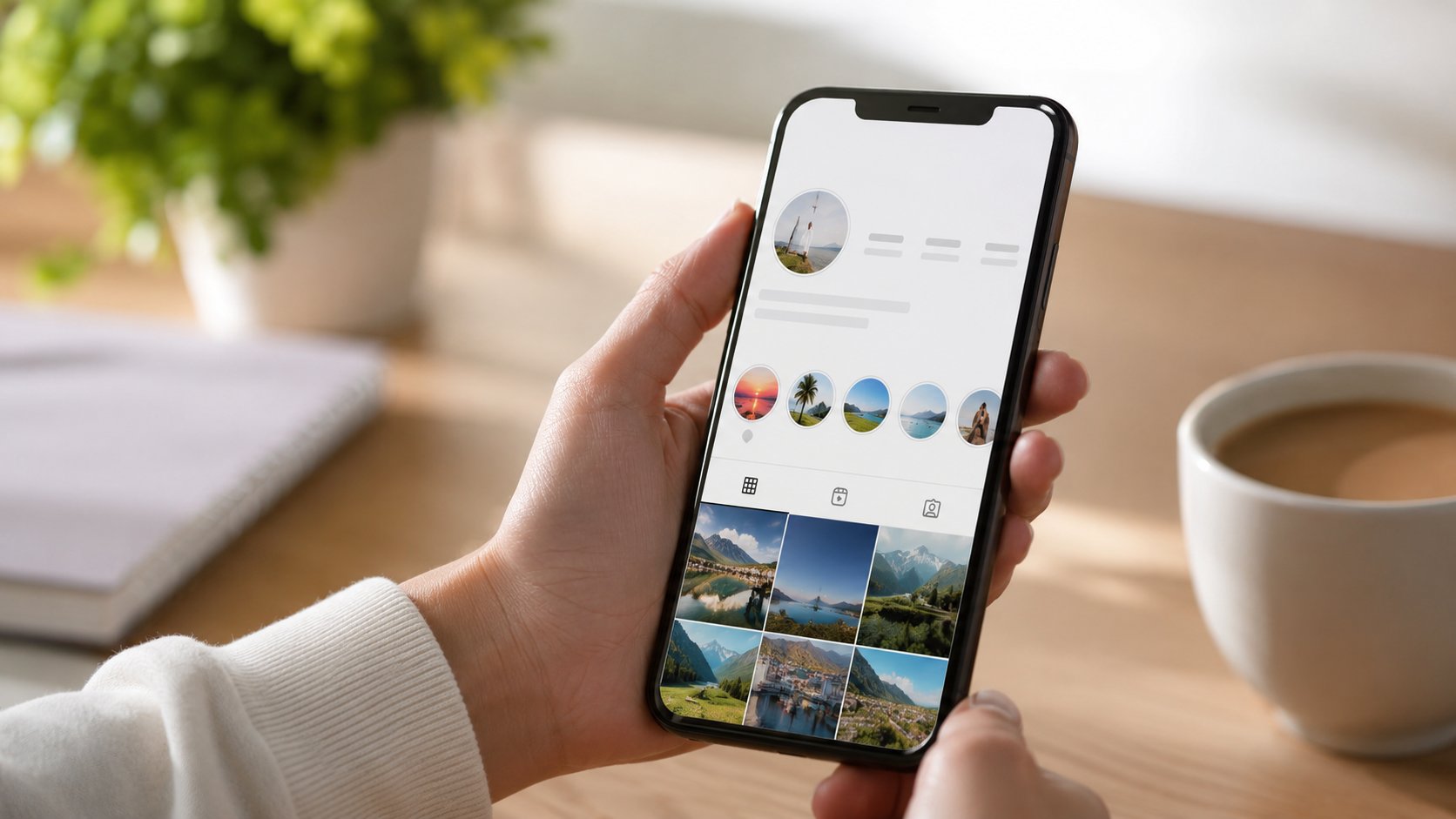
You land on someone’s profile. Below the bio, before the photo grid, sits a neat little row of circles with tidy labels — “Travel,” “Menu,” “FAQ,” “2024.” Tap one and a slideshow plays, sometimes weeks or months old. Those circles are Highlights, and they’re easily the most underrated corner of any Instagram profile.
At Dumpor, we field the same two questions about them constantly. First: what are Highlights, really? Second — the one that actually brings most people here — how do you watch them without logging in, signing up, or leaving a footprint? This guide answers both, then shows you the practical part step by step.
TL;DR
- Highlights are curated collections of past Instagram Stories that an account owner pins to their profile. Unlike regular Stories, they don’t vanish after 24 hours — they stay put until the owner removes them.
-
They live just under the bio, above the post grid, shown as labelled circular covers.
-
Each Highlight folder holds up to 100 Stories. Most people keep a handful of folders for a clean look.
-
Since 2022, Instagram throws a login wall at logged-out visitors — so you can’t simply browse public Highlights in a browser anymore.
-
The fix: an anonymous viewer like Dumpor’s Instagram Highlights Viewer. Type a public username, open the folder, watch. No account, no app, no trace.
-
One hard rule everywhere: public profiles only. Private accounts stay private.
The short version, for the skim-readers
Instagram Highlights are saved Story collections that stay permanently on a public profile. To view them without an account, paste the username into a privacy-first viewer that pulls the same public data Instagram already shows logged-in users — and watch anonymously, with your name never landing in any viewer list. Dumpor does exactly that, free, for public profiles only.
So what is a Highlight, exactly?
Think of a Story as a sticky note. It’s up for 24 hours, then it’s gone. A Highlight is the scrapbook where the best of those sticky notes get glued down for good.
When someone posts a Story, Instagram quietly tucks a copy into their archive once the day is up. From that archive — or straight from a live Story — they can pin clips into a named, cover-imaged folder. That folder appears under the bio for everyone who visits. It doesn’t expire. It can be edited, reordered, renamed, or deleted at the owner’s whim, but left alone, it simply sits there indefinitely.
A few specifics worth knowing:
- They’re built from Stories only. You can’t pin a regular feed post directly. (Reshare the post to a Story first, and then it can go into a Highlight.)
- Each folder caps at 100 clips. Hit the ceiling and you’ll need to swap something out or start a fresh folder.
- Only the first few show without scrolling. Roughly four to eight covers are visible before a visitor has to swipe sideways, depending on screen size — which is why thoughtful people order their best ones first.
- Privacy follows the account. Public account? Anyone can see the Highlights. Private account? Only approved followers — full stop.
Stories vs Highlights — the difference in one glance
People mix these two up all the time. They shouldn’t. Here’s the clean comparison.
|
Feature |
Stories |
Highlights |
|---|
|
Lifespan |
Disappear after 24 hours |
Stay until manually deleted |
|
Where they sit |
Top of the app / profile ring |
Under the bio, above the grid |
|
Purpose |
In-the-moment updates |
Curated, evergreen showcase |
|
Built from |
Posted directly |
Saved Stories (live or archived) |
|
Capacity |
One running reel per day |
Up to 100 clips per folder |
|
Viewer list |
Visible to owner (limited window) |
Tied to the original Story’s window |
The takeaway is simple. Stories are weather. Highlights are climate. If a brand wants you to see something three months from now — a product line, a testimonial reel, opening hours — it goes in a Highlight.
Why anyone bothers with Highlights
For businesses and creators, that row of circles is prime real estate. It’s the first thing a new visitor’s eye drifts toward, and it does a lot of quiet work:
- A visual menu. Restaurants pin dishes, salons pin price lists, shops pin “New In.”
- Social proof. Reviews, customer photos, press mentions, before-and-afters.
- FAQs that never sleep. Shipping, returns, booking links — answered once, parked forever.
- Brand personality. Behind-the-scenes, team intros, the founder’s story.
For the rest of us, Highlights are memory shelves — the trip, the wedding, the dog. Either way, they reward a closer look. Which leads to the thing you actually came for.
The catch: Instagram’s login wall
Here’s the snag. Back in 2022, Meta started redirecting logged-out visitors to a sign-in screen the moment they try to view profiles, Stories, or follower lists in a browser. The data is still public — every logged-in user can see it — but Instagram puts an artificial gate in front of it for everyone else.
So if you don’t have an account, or you simply don’t want to use yours, the front door is bolted. That’s the whole reason anonymous viewers exist.
How to view Instagram Highlights without an account
A handful of routes get you there. Some are clunky, one is genuinely painless. We’ll cover all of them honestly — including where the others fall short.
Option 1 — Use an anonymous Highlights viewer (the easy way)
This is the method most people land on, and for good reason. A tool like Dumpor sits between you and Instagram. It requests the public data through its own anonymous proxy, then hands you the result in your browser. Instagram sees the proxy’s IP, not yours — and since no account of yours is connected, no view event is ever logged under your name.
Here’s the full flow with Dumpor:
-
Open the Instagram Highlights Viewer. Nothing to install, nothing to sign up for.
-
Type the public username into the search box. Skip the
@ symbol — just the handle itself. -
Pick the right profile from the results. Lookalike usernames happen, so glance at the avatar and display name to be sure.
-
Open the Highlights section and tap any folder.
-
Watch the clips, and download the public ones in HD if you’d like to keep them.
That’s it. Less than a minute, start to finish. While you’re there, the same search also surfaces public Stories through the Instagram Story Viewer and the avatar in full size via the Instagram Profile Viewer — handy when one folder isn’t the whole picture.
Option 2 — A logged-out browser attempt
You can try pasting instagram.com/username into a fresh browser tab. In practice, the login wall usually swallows you before any Highlight opens. Occasionally a profile preview loads; the Highlights themselves rarely play. Worth a shot, often a dead end.
Option 3 — A secondary “burner” account
Some folks spin up a throwaway account purely for viewing. It works, technically. But it isn’t anonymous — every Highlight you open while its original Story is still inside the viewer window can put that burner in the owner’s list, and you’ve handed Meta a phone number or email to set it up. Effort up, privacy down.
Quick comparison
|
Method |
Account needed |
Truly anonymous |
Effort |
|---|
|
Anonymous viewer (Dumpor) |
No |
Yes |
Very low |
|
Logged-out browser |
No |
Yes, but rarely works |
Low |
|
Burner account |
Yes |
No |
Medium |
For most people, the choice makes itself.
“Will they know I looked?”
The honest answer: with the right method, no.
Instagram only builds a viewer list from logged-in accounts, and even then only inside a short window tied to the original Story. View through Dumpor and there’s no account of yours in the loop, so there’s nothing for that list to record. Profile visits and Highlight views outside the window carry no notification at all — Instagram simply doesn’t have a mechanism for it. Your curiosity stays your business.
A fair caveat, because we’d rather be straight with you: this only covers public content. Dumpor doesn’t crack open private accounts, and any tool that claims it can is either lying or breaking Instagram’s rules. Public means public — nothing more, nothing less.
A note for marketers and researchers
If you’re sizing up a creator before a partnership, their Highlights are a goldmine you can read without tipping your hand. Posting cadence, how they handle sponsored content, whether their “Reviews” folder is real or thin — all of it’s visible, all of it anonymous. No accidental follow from your company account, no awkward appearance in their viewer list mid-research. That single use case is why a lot of social teams keep Dumpor open in a tab.
Are Instagram Highlights the same as Stories?+
No, though they’re cousins. Stories last 24 hours and then expire. Highlights are Stories that the owner has rescued and pinned to their profile permanently. Same raw material, very different shelf life.
How many Highlights can someone have?+
Each individual folder holds up to 100 clips. There’s no practical cap on folders that ordinary users ever bump into — but only the first handful show before a visitor has to scroll, so most people keep things tidy with five to ten well-named folders.
Can I view Highlights from a private account without following?+
No. Private accounts lock their Highlights to approved followers, and no legitimate tool gets around that — including Dumpor. If the account is private, the only honest path is to request to follow.
Do I need to download an app to watch Highlights anonymously?+
Not with Dumpor. The viewer runs in any browser — phone, tablet, laptop, doesn’t matter. No app store, no extension, no install.
Will the account owner see my name in their viewers?+
When you use an anonymous viewer with no account attached, there’s no logged-in identity to record, so your name doesn’t appear. Instagram populates viewer lists from logged-in accounts only, and that list is tied to the original Story’s window anyway.
Can I save a Highlight to watch later?+
Yes, for public content. Dumpor lets you download public Highlight clips in HD — useful for keeping a reference, building a moodboard, or archiving something before it’s edited away. Private content is off the table.
Is it legal to view public Highlights this way?+
Viewing public content that an account owner has chosen to make public is generally fine for personal use. You’re seeing exactly what any logged-in user already sees — just without the login. Harassment, stalking, or bulk scraping are a different story and are off-limits under Dumpor’s terms.
Why can’t I just open Highlights in a logged-out browser?+
Because of the login wall Instagram rolled out in 2022. Logged-out visitors get redirected to a sign-in screen before most public content loads. An anonymous viewer routes around that gate by fetching the same public data through its own proxy.
Ready to take a look?
Highlights are the part of a profile people put the most thought into — and the part you can learn the most from. You don’t need an account to read them, and you certainly don’t need to announce yourself.
Open the Instagram Highlights Viewer, drop in a public username, and watch. It’s free, it stays free, and your visit stays yours.
Dumpor is not affiliated with Instagram or Meta Platforms. We access public content only and fully respect private accounts.

 Telegram bot
|
TikTok Viewer
Telegram bot
|
TikTok Viewer