Instagram Vanish Mode vs. Disappearing Photos: What Actually Goes Away?
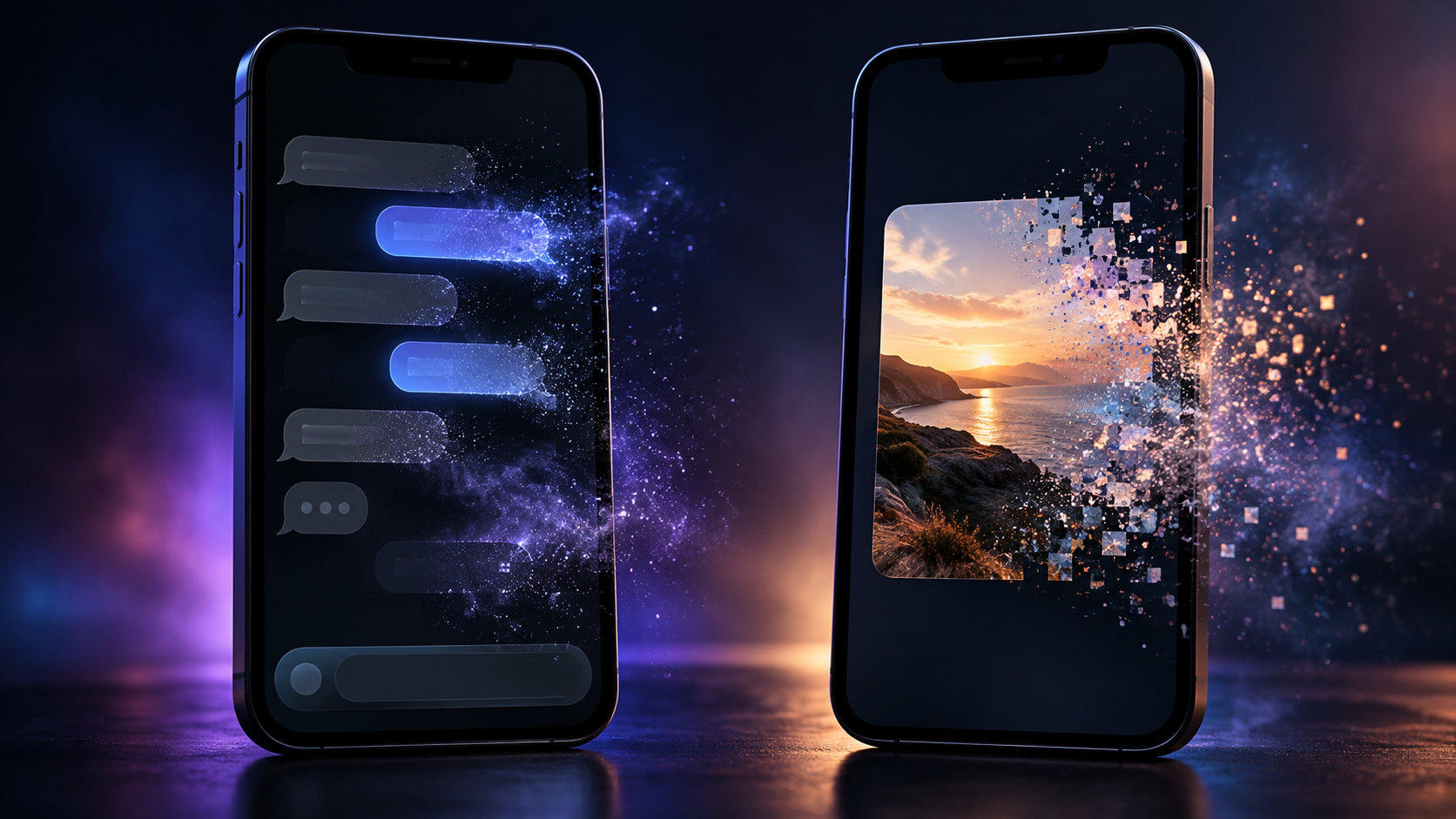
TL;DR
Instagram has several temporary-message features, and they do not erase the same things.
Vanish Mode—or Disappearing Messages on some current accounts—changes the behavior of new messages in a particular conversation. Classic Vanish Mode removes seen temporary messages after the relevant viewing/leave condition. Newer interfaces can offer timers such as Once they’re seen, 24 hours, or 7 days, depending on rollout.
A disappearing photo or video is different. You choose a rule for that single item before sending it: View Once, Allow Replay, or Keep in Chat.
|
Feature |
What becomes temporary? |
What stays? |
|---|
|
Vanish Mode / Disappearing Messages |
New messages sent under that chat setting |
Older normal history |
|
View Once |
One photo or video |
The surrounding chat |
|
Allow Replay |
One photo or video, with limited replay |
The surrounding chat |
|
Keep in Chat |
Nothing intentionally disappears |
The media remains |
|
Unsend |
One message manually removed |
The rest of the conversation |
The simplest rule is: Vanish Mode is a conversation rule; View Once is a media rule.
Neither makes information impossible to retain outside Instagram.
Why People Mix Them Up
They all live in Direct Messages. They all involve content that may not remain visible.
Someone can say, “That photo vanished,” without knowing whether it was sent as View Once, posted inside Vanish Mode, manually unsent, or merely removed from their own inbox.
Ask one question first:
Was the whole chat using disappearing messages, or was only one photo/video temporary?
That identifies most cases quickly.
What Is Instagram Vanish Mode?
Vanish Mode is an optional temporary state for an Instagram conversation. Messages sent while it is active are designed not to remain in the ordinary chat history after the relevant disappearance condition is met.
The original workflow was simple: enter Vanish Mode, exchange temporary messages, then leave the conversation after the messages have been seen.
In 2026, the interface is not identical for everyone. Some users still see Vanish Mode and the familiar swipe gesture. Others may see a Disappearing Messages menu with timer choices.
The important part is unchanged: this setting governs new messages sent while the temporary rule is active.
It does not retroactively turn years of old DMs into disappearing content.
What Vanish Mode Does Not Erase
Suppose a chat contains:
-
a normal text from Monday;
-
a permanent photo from Tuesday;
-
an address from Wednesday;
-
Vanish Mode enabled Thursday;
-
three temporary messages sent Thursday night.
The Thursday messages can disappear according to the temporary-message rule.
Monday through Wednesday remain ordinary chat history.
So Vanish Mode is not a “clean this conversation” button. It is a forward-looking way to make new communication temporary.
What Can Vanish Inside the Temporary Chat?
Vanish Mode can apply to more than photographs. Depending on the current Instagram feature set, temporary conversation content can include text, media, reactions, GIFs, stickers, and other supported message types.
That is the core difference from disappearing media.
With Vanish Mode, temporariness belongs to the conversation state.
With View Once, it belongs to one selected photo or video.
What Is a Disappearing Photo or Video?
You can send temporary media inside an otherwise normal Instagram chat.
In the supported in-chat camera/media flow, Instagram can give you choices such as:
- View Once
- Allow Replay
- Keep in Chat
These choices affect that specific item.
The text before and after it can remain normal.
That is useful when you want one visual message to be temporary without making the rest of the conversation disappear.
View Once vs. Allow Replay vs. Keep in Chat
View Once allows one normal opening. After the recipient uses that viewing, the media cannot ordinarily be reopened.
Allow Replay remains temporary but permits an additional replay. It does not mean unlimited future access.
Keep in Chat is the non-ephemeral choice: the media remains available in the thread rather than being restricted to temporary viewing.
|
Delivery choice |
Normal recipient access |
|---|
|
View Once |
One opening |
|
Allow Replay |
Opening plus limited replay |
|
Keep in Chat |
Remains in conversation |
Choose carefully before sending. Instagram does not offer a dependable after-the-fact switch that converts a normal persistent photo into View Once.
What Remains After a View Once Photo Disappears?
The rest of the conversation.
Imagine this exchange:
This is the jacket I meant.
Then a View Once photo.
After the photo has been opened, the text can remain even though the image itself is no longer available for another normal viewing. Instagram can also retain a message-status indication showing that temporary media existed or was opened.
A disappearing photo therefore does not turn the surrounding DM into a disappearing conversation.
Small distinction. Very important one.
Screenshot Protection Changed
Older Instagram guides are often outdated here.
Meta tightened the system in 2024.
For View Once and Allow Replay photos and videos, current Instagram protections block direct in-app screenshots and screen recordings on supported versions. Meta also prevents this type of temporary media from opening through Instagram Web, specifically to reduce attempts to bypass the capture restriction.
Vanish Mode has separate screenshot-detection behavior. Meta’s published guidance has historically warned participants when a screenshot is detected in the disappearing conversation.
The safe assumption is therefore:
A capture attempt involving temporary DM content is not something you should expect to happen silently. It may be blocked or surfaced in the chat.
Screenshot Blocking Is Not Perfect Confidentiality
A second phone can photograph a first phone.
A person can remember what they saw.
Someone may copy text elsewhere before it disappears.
Temporary media reduces persistence inside Instagram. It does not prevent retention elsewhere.
Do not send passwords, recovery codes, authentication QR codes, financial credentials, or highly sensitive documents simply because the interface says View Once.
For wider account-safety practices, see our Instagram privacy best-practices guide.
Temporary is a feature.
Trust is still a decision.
Does Turning Off Vanish Mode Restore Messages?
No.
Turning the temporary setting off changes the conversation going forward. It does not restore content that has already disappeared under the mode’s rules.
Likewise, turning the mode back on later does not resurrect a previous temporary session.
Once the content has vanished from the normal user-facing chat history, Instagram does not provide an ordinary archive button that puts it back into the thread.
How to Turn Vanish Mode On or Off
Where the classic interface is available:
-
Open Instagram Messages.
-
Open the relevant conversation.
-
Swipe upward from the bottom of the chat.
-
Release when Instagram indicates Vanish Mode will turn on.
-
Swipe up again to return to normal messaging.
Some current versions place the equivalent feature in the conversation’s privacy settings under Disappearing Messages.
If you see a timer instead of a simple on/off state, choose the period that matches what you actually want.
Instagram changes interfaces. The underlying question is more stable: are new messages in this chat set to disappear?
How to Send a View Once Photo or Video
The controls can move slightly between versions, but the normal mobile flow is:
-
Open the DM.
-
Use the camera/media control inside the chat.
-
Capture or select the photo/video through the supported temporary-media flow.
-
Choose View Once.
-
Send.
Choose Allow Replay if you want to permit limited second viewing.
If you use an ordinary attachment method, check what Instagram actually says before sending. Do not assume every photo in a DM is automatically temporary.
Why It May Not Open on Instagram Web
View Once and Allow Replay media are intentionally restricted on the web.
Meta prevents people from opening this temporary content through Instagram Web as part of its screenshot-prevention approach.
That means:
-
ordinary persistent DM media may be available on desktop;
-
View Once/Allow Replay media may require the mobile app.
If one temporary image appears unavailable on desktop, that is not necessarily a syncing bug.
It may be the feature working as designed.
Vanish Mode vs. Unsend
These solve different problems.
Vanish Mode creates an automatic rule for temporary communication.
Unsend is a manual action applied to a specific message you already sent.
If you send Meet at 6 as a normal DM and immediately realize you meant 7, you can unsend it. The conversation was never in Vanish Mode.
And if the recipient already read the message, unsending does not delete their memory of it.
Planned disappearance and later removal are not the same thing.
Vanish Mode vs. Deleting a Chat
Deleting a conversation from your own inbox is different again.
That action concerns your conversation view. It should not be treated as a mechanism that makes the other participant’s copy behave like temporary messaging.
If content needs to disappear according to a shared Instagram rule, choose the relevant ephemeral feature before sending it.
Do not rely on inbox housekeeping afterward.
What if the Recipient Has Not Opened It Yet?
“Disappearing” does not always mean “vanishes ten minutes after sending.”
The trigger depends on the feature.
Classic Vanish Mode relies heavily on viewing and leaving the temporary chat. Newer Disappearing Messages controls can use a selected timer. View Once media needs to be opened before its one-view allowance is consumed.
Always look at the setting you actually chose.
The word temporary is too broad to tell you when something disappears.
Can the Sender See That Temporary Media Was Opened?
Instagram provides status information around disappearing media, including opening status and, where relevant, replay status.
So temporary does not mean invisible activity.
The recipient should assume the sender can tell that the item was opened, and users in a temporary chat can see that disappearing behavior is active.
Vanish Mode Is a Poor Customer-Service Tool
Businesses generally need records: order numbers, booking details, approvals, and prior explanations.
Keep customer-service DMs persistent unless there is a clear reason not to. Temporary chat is usually a poor substitute for support history.
Can Dumpor Recover Vanished Instagram DMs?
No.
Private Direct Messages are private account data.
Dumpor works with supported publicly available Instagram material. It cannot open somebody’s private inbox, restore a consumed View Once photo, reconstruct a Vanish Mode session, or reveal disappeared DM history.
A public Instagram viewer should not claim access to private ephemeral conversations.
This Is Not the 24-Hour Story Rule
A Story and a disappearing DM have completely different lifecycles.
A Story is published to an audience and ordinarily remains available for about 24 hours unless removed sooner or preserved through other Story features.
A temporary DM follows viewing or chat-timer rules inside a private conversation.
If what disappeared was a published Story, Archive, or Highlight, see our guide to old Instagram Stories, Archives, and Highlights.
Different surface.
Different recovery logic.
Quick Diagnostic: What Actually Disappeared?
Ask:
-
Was it inside a private DM?
-
Was the whole conversation marked as Vanish/Disappearing Messages?
-
Was only one photo/video sent as View Once or Allow Replay?
-
Was it sent as Keep in Chat?
-
Did the sender manually unsend it?
-
Did you only delete the conversation from your own inbox?
Once you know which action happened, the disappearing behavior is much easier to explain.
FAQ
Frequently Asked Questions
What is the difference between Vanish Mode and a disappearing photo on Instagram?+
Vanish Mode or Disappearing Messages changes the rules for new messages in a chat. A disappearing photo/video applies a temporary-viewing rule to one media item inside an otherwise normal conversation.
Does Vanish Mode delete old Instagram messages?+
No. Existing normal chat history does not ordinarily become temporary just because Vanish Mode is enabled. The temporary rule applies to new messages sent while that setting is active.
What does View Once mean?+
The recipient can open the photo or video one time. Once that viewing is consumed, the media cannot normally be reopened in the conversation.
What does Allow Replay mean?+
The recipient receives a limited replay opportunity after the first viewing. The media is still temporary; it does not remain permanently available.
What does Keep in Chat mean?+
Keep in Chat makes the media remain available in the conversation rather than limiting it to View Once or Allow Replay behavior.
Can someone screenshot a View Once Instagram photo?+
Current Instagram protections block direct in-app screenshots and screen recordings of View Once and Allow Replay photos/videos on supported versions.
Does Instagram notify screenshots in Vanish Mode?+
Instagram’s Vanish Mode has screenshot-detection behavior intended to surface capture activity to chat participants. Do not assume a screenshot inside a disappearing conversation is private.
Can someone still copy a disappearing photo?+
Possibly. Instagram can restrict capture inside its own app, but it cannot prevent another device from photographing the screen or stop a person from retaining information by other means.
Does turning Vanish Mode off restore vanished messages?+
No. Turning it off changes future messaging behavior. Messages that already disappeared do not return as permanent conversation history.
Is Vanish Mode the same as unsending?+
No. Vanish Mode establishes an automatic temporary-message rule. Unsend manually removes a specific message after it has been sent.
Can I open View Once photos on Instagram Web?+
Meta prevents View Once and Allow Replay media from opening on Instagram Web as part of its protection against screenshot workarounds.
Can I recover a View Once photo after opening it?+
Not through a normal recipient recovery folder. If its allowed viewing has been consumed, ask the sender to send the media again when appropriate.
Is Vanish Mode the same as a disappearing Story?+
No. Stories are audience-based posts with an approximately 24-hour public lifecycle. Vanish Mode and disappearing photos are private DM features governed by viewing or chat-timer rules.
Can Dumpor recover Vanish Mode messages?+
No. Dumpor does not have access to private Instagram Direct Messages or disappeared temporary media.
Instagram’s temporary-message features become much simpler once “disappearing” stops being treated as one universal setting.
Vanish Mode—or the newer Disappearing Messages control on some accounts—changes the behavior of new messages in a conversation.
View Once and Allow Replay change one photo or video.
Keep in Chat remains. Unsend is manual. Deleting a conversation is something else.
Similar labels.
Different lifecycles.
And if information would cause serious harm in somebody else’s hands, a disappearing button is not a reason to send it.
Temporary is a viewing rule.
Not proof that the moment never happened.

 Telegram bot
|
TikTok Viewer
Telegram bot
|
TikTok Viewer