Tap, Type or Guess: Choosing the Right Interactive Sticker for Your Stories
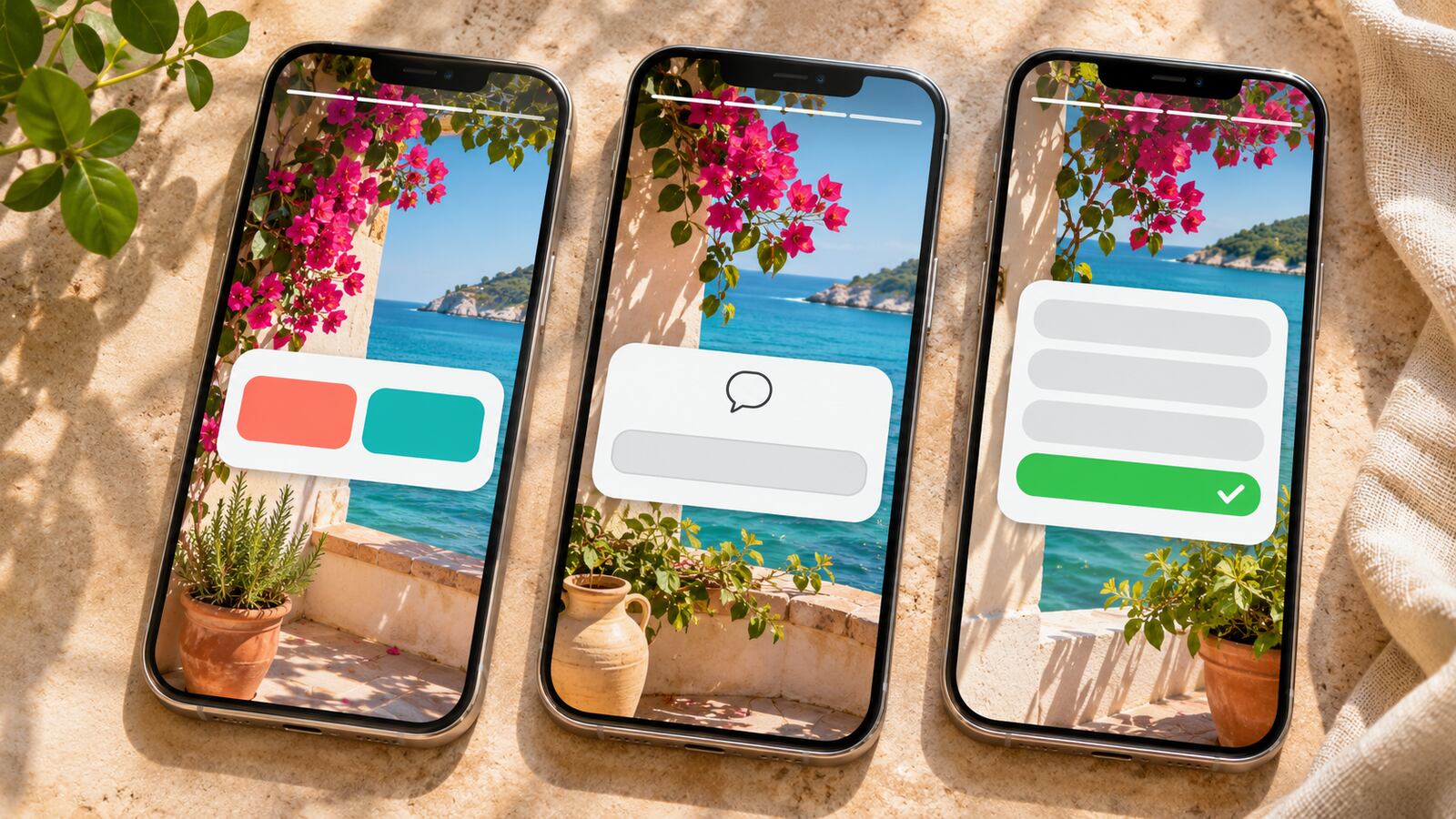
TL;DR: All three stickers turn a passive Story into a two-way conversation, but they ask viewers for different things. The Poll sticker asks people to pick one of two to four options and shows live percentages; it’s the fastest, lowest-effort interaction and ideal for quick opinions or product decisions. The Questions sticker lets viewers type a free-text reply; it takes more effort but produces the richest feedback and fuels Q&A content. The Quiz sticker is a multiple-choice question with one correct answer marked by you, revealed instantly after each tap; it’s built for education, trivia and playful brand storytelling. None of them is anonymous to the account owner: you can always see who voted, answered or replied. When you share a Questions response publicly, however, the sender’s username is hidden.
Here’s a small experiment we once watched unfold on a coffee shop’s Stories. Monday: a Questions sticker asking “What should our winter special be?” Eleven replies. Tuesday: a Poll sticker asking “Gingerbread latte or maple cortado?” Four hundred and thirty votes.
Same audience. Same topic. A forty-fold difference in response.
The Questions sticker wasn’t a failure, mind you — those eleven replies included two genuinely brilliant ideas the owners would never have thought of. It was simply the wrong tool for gathering numbers. That’s the whole point of this guide: each interactive sticker has a job, and using the wrong one is a bit like asking for directions with a multiple-choice form.
At Dumpor, we watch a lot of public Stories, and interactive stickers are everywhere. Some brands use them brilliantly; others drop a poll on every frame out of habit and wonder why engagement keeps sliding. So let’s break down what each sticker actually does.
The Three Stickers at a Glance
Before getting into the details, here’s the side-by-side view most people are looking for.
|
Feature |
Poll |
Questions |
Quiz |
|---|
|
What viewers do |
Tap one option |
Type a free-text reply |
Tap the answer they think is right |
|
Answer options |
2 to 4, written by you |
Open-ended |
2 to 4, one marked correct |
|
Effort for viewers |
Very low |
Medium to high |
Low |
|
What viewers see after answering |
Live percentages |
Nothing until you share a reply |
Whether they were right, plus the correct answer |
|
Can you see who answered? |
Yes, and how they voted |
Yes, with each reply |
Yes, and which option they chose |
|
Anonymous to the public? |
Voter names aren’t shown to other viewers |
Usernames hidden when you share a reply |
Answerer names aren’t shown to other viewers |
|
Shareable results |
Yes, share results to a new Story |
Yes, share individual replies |
Yes, share the result breakdown |
|
Best for |
Quick opinions, decisions, A/B tests |
Feedback, Q&A, ideas, testimonials |
Education, trivia, product knowledge |
A quick note on privacy, because it’s the most common source of confusion: none of these stickers is anonymous to the person who posted the Story. More on that below.
The Poll Sticker: One Tap, Instant Opinions
Instagram introduced polls in October 2017, initially with just two options. Today you can add two to four answers, which makes the sticker far more flexible than its early “yes or no” days.
What it does
You write a question and the answer options. Viewers tap one choice and immediately see the live percentage split. You, as the creator, see the totals and the list of who voted for what.
How to add a poll
-
Create a Story and tap the sticker icon (the square smiley face).
-
Choose Poll.
-
Type your question, then fill in two to four answer options. Tap Add option if you need more than two.
-
Tap Done, place and resize the sticker, then share.
To check results, open your live Story and swipe up. You’ll see the vote count for each option and the names of the people who chose them. From there, you can share the results as a new Story.
When to use it
- Product decisions. “Which colour should we restock first?” lets followers feel invested in the outcome.
- A/B testing creative. Show two packaging designs and let people pick.
- Warming up an audience. A light, fun poll early in a Story sequence primes viewers to interact again later, such as tapping a link.
- Taking the temperature. “Did you catch our live event yesterday?” tells you quickly whether a format is landing.
A word of caution
Polls are addictive. Because they’re so easy to answer, they inflate engagement numbers without always teaching you much. A poll asking “Do you like coffee?” on a coffee brand’s account is noise. Ask questions whose answers you’ll actually act on.
The Questions Sticker: Open Conversations
Launched in July 2018, the Questions sticker works differently from the other two. Instead of choosing from options you’ve written, viewers type whatever they want.
What it does
You set a prompt, such as “Ask me anything about skincare” or “What should we bake next?” Viewers tap the sticker and type a reply. Responses arrive in your Story’s viewer list, each with the sender’s username and profile picture. You can then tap any reply and share it to a new Story, usually with your answer on top.
How to add a Questions sticker
-
Create a Story and open the sticker tray.
-
Select Questions.
-
Replace the default prompt with your own, and adjust the colour if you like.
-
Place the sticker and share.
-
To view replies, open the Story and swipe up. Tap a reply to share it, reply privately or delete it.
Is it anonymous?
This is where many people have been caught out over the years. Replies are not anonymous to the account owner: you can always see who sent each one. However, when you share a reply publicly in your Stories, Instagram hides the sender’s name and photo from your other viewers. So the public sees an anonymous question, while the creator knows exactly who asked.
It’s worth reminding your audience of this if you run sensitive Q&A sessions. Nobody enjoys discovering after the fact that a cheeky question had their name on it.
When to use it
- AMA sessions. “Ask our head chef anything” builds personality and trust.
- Gathering ideas. Open-ended prompts surface suggestions you’d never have put in a poll.
- Collecting testimonials. “What’s your favourite thing about our app?” generates replies you can share (with permission).
- Pre-launch research. “What’s stopping you from trying X?” reveals objections in your customers’ own words.
The payoff is depth; the cost is volume. Expect far fewer responses than a poll, and plan for the time it takes to reply. A Questions sticker left unanswered does more harm than one never posted.
Turning answers into lasting content
Brands that run regular Q&As often save the best answers to a Highlight titled “FAQ” or “Ask us,” turning a fleeting Story into an evergreen help desk on their profile. If you want to see how others structure these, the Dumpor Instagram Highlights Viewer lets you browse any public account’s saved Highlights anonymously, so you can study well-organized Q&A collections without logging in.
The Quiz Sticker: A Question With a Right Answer
The Quiz sticker arrived later than the other two and is easy to confuse with a poll. The key difference: a quiz has a correct answer.
What it does
You write a question and two to four options, then mark one as correct. When a viewer taps an answer, the sticker instantly reveals whether they got it right, with a little celebration for correct guesses and the right answer highlighted for wrong ones. You see the total responses per option and who picked what.
How to add a quiz
-
Create a Story and open the sticker tray.
-
Choose Quiz.
-
Type your question. Keep it short; the field has a tight character limit.
-
Fill in two to four answers, then tap the one that’s correct so it’s marked.
-
Tap the colour wheel at the top to change the sticker’s colour, place it and share.
When to use it
- Educational content. Fitness tips, language lessons, financial literacy, cooking techniques.
- Product knowledge. “Which of our serums contains niacinamide?” teaches while entertaining.
- Brand trivia. “What year did we open our first store?” is a nice touch for anniversaries.
- Myth-busting. Present a common misconception as one of the options and correct it in the next frame.
Quizzes work best when the answer isn’t obvious but is still guessable. Too easy and nobody cares; too hard and people feel stupid. The ideal reaction is “Oh, I didn’t know that.”
How to Choose: A Quick Decision Guide
Still unsure? Ask yourself what you want from the viewer.
- Do you want a number you can act on? Use a Poll.
- Do you want ideas, feedback or questions in people’s own words? Use Questions.
- Do you want to teach something or test knowledge playfully? Use a Quiz.
- Do you want to gauge intensity rather than a choice? Consider the Emoji slider, a fourth option where viewers drag an emoji along a scale to show how much they agree or love something.
Combining stickers across a sequence works brilliantly too. A typical three-frame flow might open with a quiz to grab attention, follow with a poll to gather opinions, and close with a Questions sticker inviting anything people still want to know.
Studying What Works in Your Niche
Every audience behaves differently. A fashion audience might love polls about outfits, while a finance audience responds better to quizzes that make them feel smarter. The fastest way to find out what works is to watch how successful accounts in your space use stickers: which ones they choose, how often, and how they phrase their prompts.
Looking at competitors from your own account, however, puts your name straight into their viewer list. With the Dumpor Instagram Story Viewer, you can watch any public account’s Stories anonymously and note how they use polls, quizzes and questions, all without an Instagram login. Just keep in mind that anonymous viewing is for observation only: to vote or reply, you need to be logged into Instagram.
Common Mistakes With Interactive Stickers
Even experienced creators slip into these habits:
- Sticker overload. One interactive sticker per Story frame is plenty. A poll, a quiz and a question on the same screen just confuses people.
- Ignoring results. If you ask for an opinion and never mention the outcome, your audience will stop answering.
- Leaving questions unanswered. A Questions sticker creates an implied promise. Keep it.
- Vague prompts. “Thoughts?” invites nothing. “What’s the one feature you wish our app had?” invites everything.
- Hiding the sticker. Interactive stickers placed at the very bottom of the screen compete with the reply bar and get fewer taps. Keep them in the middle of the frame.
- Forgetting it’s not anonymous. Sharing a Questions reply that contains personal details can embarrass the sender, even with their name hidden. Read before you share.
Turning Engagement Into Insight
Stickers aren’t just for engagement metrics. Treated properly, they’re a free, always-on research tool. A month of well-designed polls can tell you which products to stock, which topics to cover and which times your audience is most active. Questions replies reveal the exact language customers use, which is gold for writing captions and ads.
Once you’ve gathered insights from your own audience, it’s worth cross-checking them against the wider market. The Dumpor Instagram Profile Viewer lets you look at any public profile’s posts and bio anonymously, so you can compare what your audience asks for with what competitors are already offering.
Enter a username into the search bar at the top of the page and start your research. No account and no notifications.
FAQ
Frequently Asked Questions
What is the difference between a poll and a quiz on Instagram?+
Both let viewers choose from two to four options, but a poll has no correct answer: it simply collects opinions and shows live percentages. A quiz has one answer that you mark as correct, and viewers find out immediately whether they guessed right. Use polls for preferences and decisions, and quizzes for trivia, education or testing what your audience knows.
Are Instagram poll votes anonymous?+
Not to the account owner. The creator can swipe up on their Story and see exactly who voted and which option each person chose. Other viewers, however, only see the overall percentages, not the names of individual voters. The same applies to the Quiz sticker.
Are Instagram Questions sticker replies anonymous?+
No. The account owner sees the username and profile picture attached to every reply. If the owner shares a reply publicly in their Stories, Instagram hides the sender’s name and photo from other viewers. So a shared question looks anonymous to the public, but the creator always knows who sent it.
How many options can I add to an Instagram poll?+
You can add two to four answer options to a Poll sticker. Instagram originally allowed only two, but expanded it to up to four. The Quiz sticker also supports two to four options, with one marked as the correct answer. If you need more choices, split the question across two Story frames.
How do I see the results of my Instagram poll or quiz?+
Open your live Story and swipe up to open the viewer list. You’ll see the total votes for each option and the names of people who chose them. For older Stories, open them from your archive. From the results screen, you can also share the outcome to a new Story so your audience can see how everyone voted.
Can I share someone’s answer to my Questions sticker?+
Yes. Open the Story, swipe up, tap the reply you want and choose to share it. Instagram creates a new Story draft containing the question, to which you can add your answer as text, video or a photo. The sender’s username and profile picture are not shown in the shared Story, but it’s still courteous to avoid sharing anything personal.
Which sticker gets the most engagement?+
Polls usually get the highest response numbers because they need just one tap and show instant results. Quizzes come close, since guessing feels like a game. Questions stickers get fewer responses but far richer ones. The “best” sticker depends on whether you want volume, depth or education.
Can I use polls and quizzes outside Stories?+
The Poll sticker is also available in Reels on many app versions, and Instagram has tested polls in post and Reel captions. Quiz and Questions stickers are mainly Story features. Availability varies by region and app version, so check the sticker tray when creating a Reel to see what’s offered on your account.
Can I add more than one interactive sticker to the same Story?+
Technically, you can place more than one sticker on a frame, but it rarely helps. Multiple interactive elements compete for attention and confuse viewers about what to do. It’s usually better to give each sticker its own frame within a sequence, so each question gets proper focus.
How long do sticker responses stay available?+
Responses are visible in your Story viewer list for as long as the Story is live, which is 24 hours for a regular Story. After that, you can still check results by opening the Story from your archive, as long as archiving is turned on. Saving the Story to a Highlight keeps the sticker visible on your profile, too.

 Telegram bot
|
TikTok Viewer