How to Share Your Live Location on Instagram for Up to One Hour
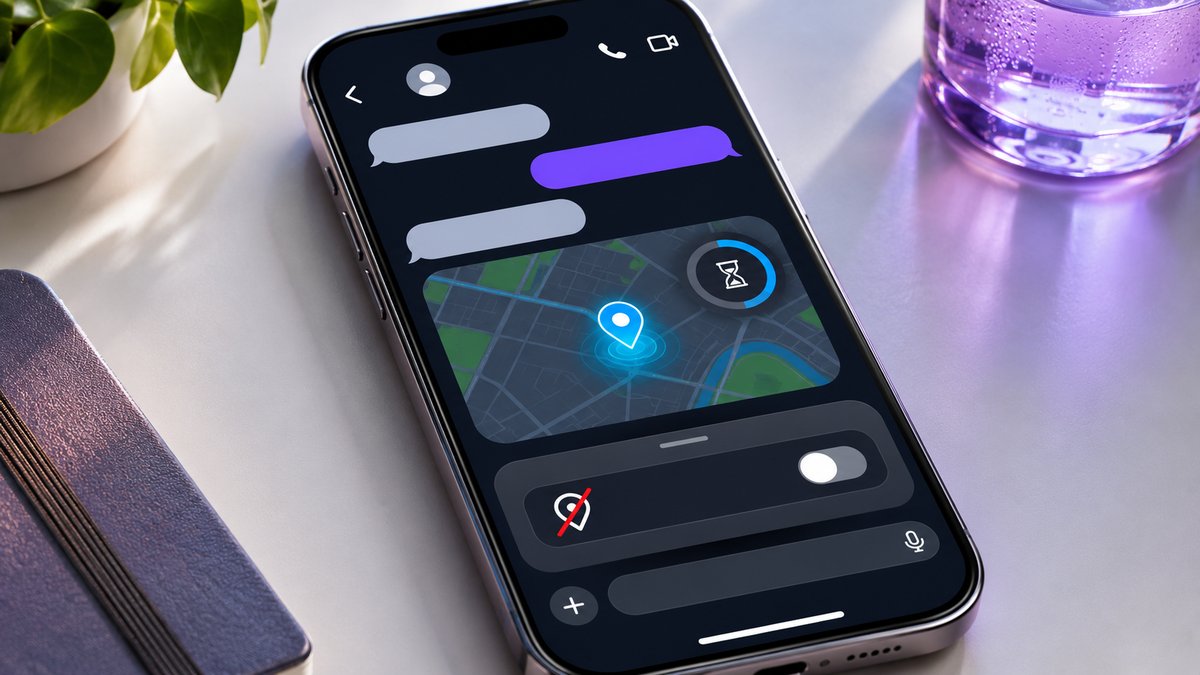
TL;DR: In an Instagram direct message, tap +, choose Location, then tap Share your location. The people in that chat can see your position update for up to one hour from the moment you send it. To end it sooner, open your location message, tap View location, then Stop sharing location. Live sharing is off by default. If all someone needs is an address, send a fixed pin.
“I’m by the clock” works beautifully until your friend points out that the station has three of them. A live location can show which entrance you’re approaching. A pin can mark the clock where your friend should wait while you buy tickets. Walk away and the pin stays by the clock. The live marker can follow you to the platform.
How to stop sharing your live location on Instagram
If a share is running now, go back to the conversation where you shared it. Instagram puts a reminder near the top of that chat while your location is live. You can end the share the moment you meet, even if you started it only a minute ago.
-
Open the individual DM or group chat that received your location.
-
Find your own location message. Tap View location or View to open its map. The map shows how much time you have left.
-
Tap Stop sharing location. Confirm if your version of Instagram asks.
-
Return to the thread and check that it no longer identifies you as actively sharing. If you sent a live location to a second conversation, check that thread separately.
If you both shared your whereabouts, there will be two location messages. Open the one you sent. The sender’s name is a better clue than the map itself when the two dots are practically on top of each other.
You might put your phone away as soon as you spot your friend. A live session can continue while you’re outside the app, so locking the screen or swiping out of the conversation is an unreliable way to end it. Use the stop button while you still have a connection. If the map stops loading before you can confirm, check the same conversation again when you’re back online.
How to send a live location in an Instagram DM
Start in the Instagram mobile app on your iPhone or Android phone. Choose the conversation before you open the map. The name at the top matters here more than the picture, especially if your friend’s face is also the icon for a group you both belong to.
-
In Messages, open the chat with the person or group you want to meet.
-
Tap the + beside the message field and choose Location.
-
If prompted, allow Instagram to use your device’s location. Read the permission options on your phone. This prompt controls how accurately the map can place you and when the app can get a reading.
-
Choose Share your location. If a screen explains the one-hour limit and shows a Share button, tap it to begin. Choosing a place from the search results or dropping a pin sends a fixed point.
-
Look for the map message in the conversation and the active-sharing indicator above it. Open View location if you want to check the remaining time.
Your friend receives a location message and can tap View to open a larger map. Instagram can also notify chat participants when you send the share. Whether a particular phone makes a sound depends on its notification settings. Once the map is open, your friend can follow your progress as your device reports new positions.
Whatever address you’re standing at when you tap Share may be the first thing the other person sees. If you’d like a friend to see only the last stretch of your walk, send the destination ahead as a pin. Start the live session when you turn onto the final street.
When the one-hour timer starts and what happens at expiry
The clock starts when you send your live location. Suppose you share it at 6:40 p.m. and your friend first opens the message at 7:25 p.m. They have about 15 minutes left to see updates. The original session ends at about 7:40 p.m., including for anyone in the group who hasn’t looked yet.
Say you find each other at 6:52 and stop sharing. That ends the session after 12 minutes. The other 48 minutes don’t carry over, and opening the old message later won’t restart the clock. For another hour of updates, you would have to choose the conversation and share again.
The countdown is useful when a chat contains old and new meeting plans. At 7:30 a friend might scroll back to a map from lunch, then mistake a familiar street on it for your current position. Look for the active-sharing reminder, then open the message to check the remaining time. A familiar street or a plausible address tells you very little about when somebody was there.
After expiry, people in the chat stop receiving new positions through that session. The hour can easily outlast the errand. If you shared at a café and would prefer to keep your route home private, end the session at the café door.
Who can see the map, and what can they pass on?
In a one-to-one DM, you and your friend can open the live map. In a group, the people in that conversation when you share can see it. A follower outside the chat has no access to the message, even if you have a public profile. Close Friends is a separate list. Adding a person to it doesn’t invite them into this exchange.
Instagram prevents recipients from forwarding the live location to another conversation. Someone outside the group therefore can’t open the original live feed through a forwarded DM. A participant can still take a screenshot, write down the nearest street or tell someone which entrance you used. Ending the session won’t take those details back.
For a pickup, decide who actually needs to see the journey. A dozen dinner guests might need the restaurant address, while only the friend collecting you needs to know that you’ve reached the corner. Send the address to the group and share your position in the driver’s individual DM. Your friends get directions, and the driver knows when to pull up.
It’s worth a second look at the guest list, too. A chat called “Dinner on Friday” may still include someone who came once last summer. Tap the header to review the participants if you’re unsure who’s there. To change which accounts can add you to future groups, see our guide to Instagram group chat invitation controls.
Live location, a dropped pin or Instagram Map?
Before sending anything, consider the question your friend asked. “Where shall I wait?” calls for a destination. “Which direction are you coming from?” may call for a moving position. Instagram Map, the map you can open from the inbox on supported accounts, has its own sharing settings and audience.
|
Instagram feature |
What the other person can see |
How long it applies or how to change it |
|---|
|
Live location in a DM |
Your updating position in the conversation you chose |
Expires after one hour. You can stop it earlier from your live message. |
|
Dropped pin or place found by search |
One selected point, such as a café entrance, in the chat |
Stays fixed as you move. You can unsend a pin you posted. |
|
Location sharing on Instagram Map |
Your last active location for the friends you selected in Map settings |
Manage the audience or turn off sharing on the Map. The DM timer belongs to the message you sent. |
|
Location tag on a post, Reel or Story |
A place associated with that content, subject to its audience |
Managed with the content. A tag can identify a place you visited days ago. |
To send a fixed meeting point, open +, tap Location and search under Find a place, or use the map’s drop-pin control. Check the marker, then send the place or tap Send pinned location. Your friend can open the pin and use Get directions if offered. A café with two branches is a good reason to read the address before you send. Add “side door on Pine Street” if the marker lands in the middle of the building.
On Instagram Map, personal location sharing is a separate opt-in choice. Meta says your last active location there updates when you open Instagram or return to it from the background. Ending a DM share doesn’t switch off that Map preference. If you enabled both and want to stop both, end the live message, then open Map settings and set the location-sharing audience to No one.
A tagged photo can also show up on the Map even when personal Map sharing is off. Seeing somebody’s bakery photo attached to a neighborhood tells you where they tagged the picture. They could have taken it on Saturday and posted it from the office on Monday. At Dumpor, our public profile tools can’t open private location messages. If you’re looking for images tagged at a venue, see how to find public Instagram posts by location.
How to check Instagram’s location permission on your phone
Your phone controls whether Instagram can read your location. You choose the audience inside the app. If you gave Instagram location access to tag a café last weekend, that permission alone doesn’t give anyone in your inbox a live view today.
- On iPhone, open Settings, then Privacy & Security, then Location Services. Tap Instagram to review its access. Never denies the app access to Location Services. If you allow access, Precise Location controls whether Instagram receives a more exact or approximate position.
- On Android, touch and hold the Instagram app icon, open App info, then choose Permissions and Location. Review the access options your phone offers, such as Allow only while using the app or Don’t allow. On supported versions you can also change Use precise location.
With approximate access, a marker may put you in the right neighborhood while leaving several possible streets. If the distinction matters, send the name of the entrance and a landmark. Even if you’ve denied permission and the map picker won’t open, you can type “sculpture garden entrance on Pine Street” in the message field.
For a single meetup, the stop button in the chat ends that share and leaves the feature ready for another day. If you also want to deny Instagram access to the phone’s location, change the device permission. The next time you want to use the live map, you may need to allow access again.
When Location is missing or the dot seems stuck
There’s no Location option under the plus sign. Check the attachment menu in an existing DM in the current mobile app. Meta makes DM location sharing available in select countries, so the option can differ between accounts. If you have an app update available, install it and check the same conversation again. If you need to meet someone now, a street address in an ordinary message will do.
It’s your first exchange with this person. An unaccepted message request can be limited to text. If Instagram asks you to send an invitation to chat, send a short introduction first. Check for the location option after the recipient accepts.
The map opens, but it can’t locate the phone. Check that the device’s location services are on and that Instagram has location access. Also try opening the conversation on a working data connection. A phone can know roughly where it is and still have trouble delivering a fresh position to someone else.
The marker appears to be on the wrong street. Dense buildings, an underground concourse or a parking garage can affect the accuracy of a phone’s position. Even an accurate point on a flat map may be shared by an upstairs ticket hall and a taxi rank directly below. A floor number and a landmark often settle the matter faster than another round of zooming in.
You see a map but no countdown. Check who sent the message and whether it names a fixed place. A pin marking a restaurant will sit there while its sender walks home. If the card belonged to a live session, check the start time and whether it has already ended before treating the marker as current.
If the stop button looks different on your phone, our editors would like to hear about it. Include your device, app version and the wording you see. Those details are enough to review the instructions, so you can leave your address out of the request. Send a question or correction to Dumpor.
FAQ
Can someone see my live location just by sending me theirs?
Can I share my Instagram location for 15 minutes or overnight?+
Instagram gives a live DM session a one-hour maximum. For a short pickup, you can end it yourself after 15 minutes or whenever you meet. For an overnight journey, send the expected arrival time before you board. You can start a fresh share near the destination, when the person meeting your train can actually use a moving map.
Will my friend know I stopped sharing before the hour was up?+
They can see that the live session has ended. If they opened the map five minutes earlier and saw 40 minutes on the clock, they may also realize you stopped it yourself. An expired or stopped share tells the viewer nothing about where you went afterward. A short “I’m inside” confirms that you arrived. The end of a session by itself can’t tell them that.
Who can teens share their live location with in Instagram DMs?+
Instagram limits teens to sharing with other teens or with adults they follow. The live share still has to be started in the intended conversation and still expires after an hour. For a school pickup, check which conversation is open before sending. A parent meeting you at the east gate may need those updates. The group organizing tomorrow’s game probably just needs the gate number.
Can I turn off sharing for one group member and leave it on for everyone else?+
Everyone in the group can see a live location shared there. To narrow it, stop the active share in that thread, then open a DM with the person who still needs it. For a smaller set of people, use a conversation containing just those recipients and check the members before sending. Changing the audience on Instagram Map is a separate setting and won’t edit the recipient list of a DM.
Why can friends still see a location after I stopped my live DM?+
Ask where they see it. A map in an old chat message may be a fixed pin. Your profile picture on Instagram Map may relate to last active location sharing, and a Story can carry its own place tag. Open the screen they describe and check the setting for that particular feature. The one-hour limit applies to the live DM session.
Does locking my phone or turning off mobile data stop the timer?+
The hour counts from when you shared. It doesn’t pause while the screen is locked, and a data interruption may simply leave the other person looking at an older reading. If you want to end access at a particular moment, use Stop sharing location in the original chat when you have a connection. A marker that hasn’t moved is an unreliable sign that the session has ended.
How do I remove a fixed pin I sent by mistake?+
Find the message containing the pin, press and hold it, then choose Unsend if offered. If the pin pointed to the wrong branch of a store, follow up with the correct address. Someone may already have opened directions to the first place. Correcting the destination in words helps even if they’ve already left Instagram to start walking.

 Telegram bot
|
TikTok Viewer