Instagram Edits App vs. the Built-In Reel Editor: Which Should You Use?
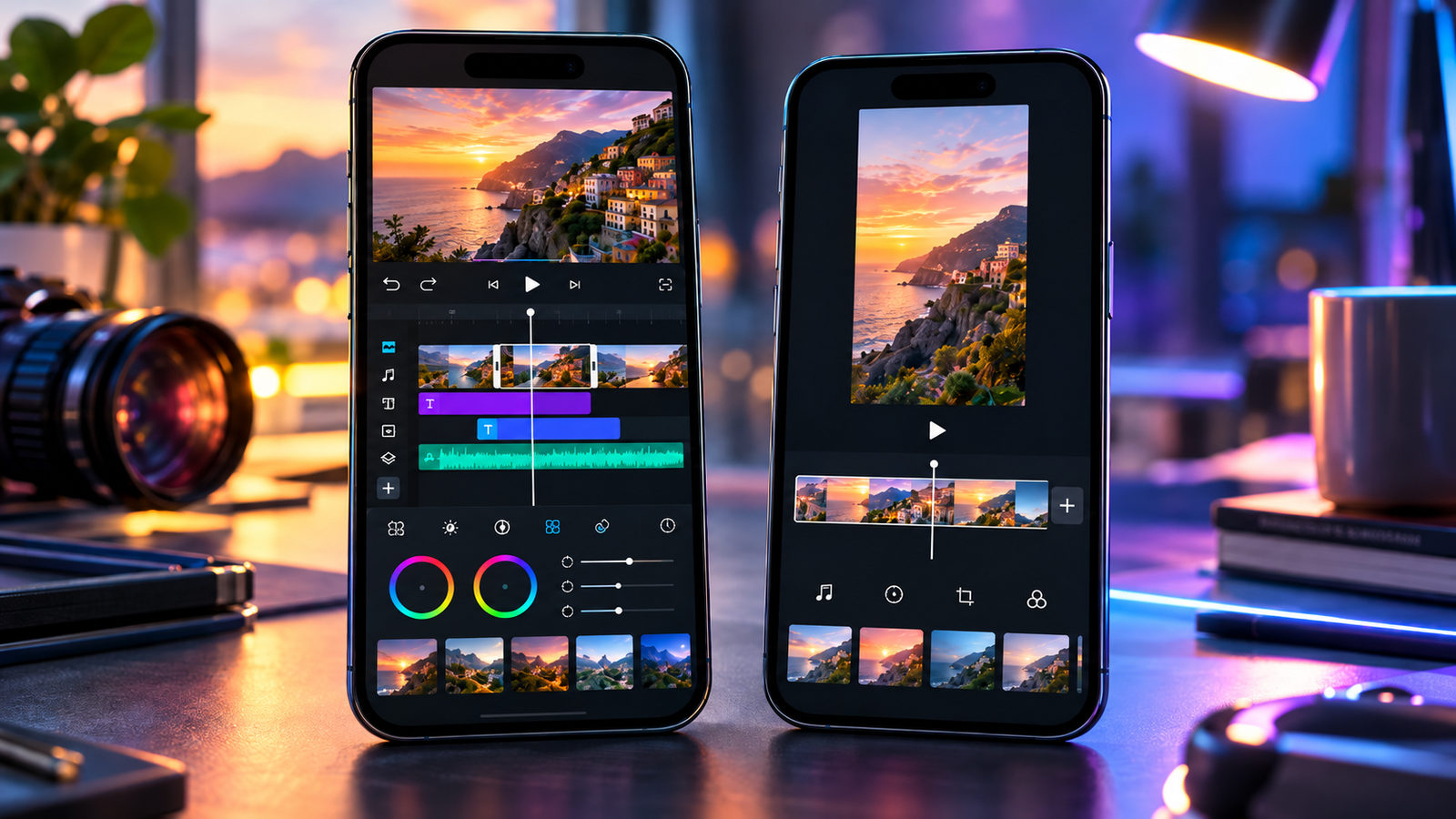
TL;DR
Instagram’s built-in Reel editor and Meta’s standalone Edits app overlap, but they are designed around different working habits.
Use the built-in Instagram Reel editor when the job is straightforward: open Instagram, record or import a few clips, add native audio, text, stickers, effects, a caption, and publish. It keeps creation and posting in one familiar place and is usually the faster option for spontaneous or relatively simple Reels.
Use Edits when the Reel is a project rather than a quick post. Edits gives creators a dedicated workspace with project management, an Ideas area, storyboards, an adjustable teleprompter, longer camera capture, a frame-accurate timeline, clip-level editing, transitions, green screen, overlays and effects, richer caption workflows, templates, and performance feedback such as skip-rate signals.
A practical rule:
|
Workflow |
Better starting point |
|---|
|
Quick trend or reaction |
Instagram Reel editor |
|
One or two simple clips |
Instagram Reel editor |
|
Reel built around Instagram-native effects |
Instagram Reel editor |
|
Scripted talking-head video |
Edits |
|
Many precisely timed clips |
Edits |
|
Repeatable weekly production |
Edits |
|
Storyboard before filming |
Edits |
|
Detailed timeline work |
Edits |
|
Idea → edit → publish → learn loop |
Edits |
|
Final Instagram publishing choices |
Instagram remains important |
For many serious creators, the answer is not Edits or Instagram.
It is Edits first, Instagram last.
The Difference Is Bigger Than the Toolbars
At first glance, this looks like an odd comparison.
Both products come from Meta. Both can create Reels. Both can trim clips, work with audio, add text, and send a finished video toward Instagram.
So why have two editors?
Because they start from different assumptions.
Instagram’s Reel editor assumes that you are already inside Instagram and want to make a Reel.
Edits assumes that you are making a piece of video content, possibly through several stages, and Instagram is one destination for it.
Small wording change. Large workflow difference.
The built-in editor lives inside a social app. Edits is a production workspace connected to a social app.
That distinction becomes obvious somewhere around clip seven.
Instagram’s Built-In Reel Editor: The Shortest Route to Publish
The native Reel workflow begins where most creators already are.
Open Instagram. Tap Create. Choose Reel.
From there you can record with the Instagram camera or import footage, arrange and trim clips, work with audio, add text, captions, stickers, filters, effects, voiceover, and other available creative tools, then move directly into the publishing screen.
The workflow is compact:
idea → footage → Instagram edit → publishing settings → Share
For a Reel that does not need elaborate construction, that is hard to beat.
There is no separate project environment to enter. No mental gear change. No need to finish an edit and then remember what the post was supposed to say.
You are already standing at the publishing door.
Edits Starts One Step Earlier
Edits was launched in 2025 as a standalone creation app, but it has grown considerably since its first release.
By 2026, Meta is describing it less like an auxiliary Reel editor and more like a place for the broader creation cycle: inspiration, planning, filming, editing, publishing, and learning from the result.
That matters.
The workflow can look more like:
idea → saved reference → storyboard → script → capture → detailed edit → captions/effects → Instagram → performance feedback → next idea
Edits even has an Ideas area where saved Instagram Reels and audio can sit alongside creator notes.
That sounds like a modest feature until you regularly make content.
A saved Reel in Instagram says, “I liked this.”
A note beside it can say, “Use this pacing for Thursday’s coffee demo; replace reveal at 0:07 with customer reaction.”
Now the reference has become production material.
Head-to-Head Workflow Comparison
|
Stage |
Instagram Reel editor |
Edits |
|---|
|
Capture an idea |
Limited creation-first workflow |
Dedicated Ideas workflow |
|
Save inspiration |
Instagram Saved/audio |
Can bring saved Reels/audio into creation planning |
|
Plan shots |
Usually outside editor |
Storyboard tools |
|
Read a script while recording |
More manual |
Built-in teleprompter |
|
Record video |
Yes |
Yes, including longer capture |
|
Quick trim |
Very convenient |
Yes |
|
Precise timeline work |
Good for ordinary Reels |
Stronger frame-accurate timeline |
|
Manage many clips |
Possible |
More production-oriented |
|
Transitions |
Available creative tools |
Dedicated editing workflow |
|
Green screen/effects |
Yes |
Yes, with expanded editing effects |
|
Overlays |
More situational |
More editor-like workflow |
|
Captions/text |
Native Reel tools |
Expanded caption/text editing |
|
Templates |
Instagram templates |
Edits templates with project visibility |
|
Publish immediately |
Excellent |
Direct sharing, with Instagram still central |
|
Review performance |
Instagram Insights |
Creation-oriented feedback inside Edits |
|
Start next idea from results |
Manual |
More integrated feedback loop |
Neither column wins every row.
That is the point.
Which Is Faster for a Simple Reel?
Instagram.
Suppose a bakery has a twelve-second clip of today’s croissants coming out of the oven.
The creator wants to:
-
trim the beginning;
-
add a song;
-
place “Fresh at 8 AM” on screen;
-
write a caption;
-
publish.
Opening a dedicated production app could add ceremony without adding value.
The native editor keeps the entire job in one flow.
For spontaneous publishing—events, quick reactions, behind-the-scenes footage, simple announcements—the built-in editor is wonderfully difficult to improve upon.
Open. Trim. Add. Post.
Done.
Which Is Better for Multi-Clip Editing?
Edits becomes more attractive as the number of editorial decisions grows.
Meta built Edits around a frame-accurate timeline with clip-level controls. That gives the creator a more traditional editing relationship with the video: individual clips are objects that can be adjusted deliberately rather than merely ingredients dropped into a social composer.
Imagine a 35-second product Reel containing:
-
hook;
-
wide product shot;
-
close-up;
-
hand demonstration;
-
customer reaction;
-
detail shot;
-
second demonstration;
-
CTA.
Every transition is only a fraction of a second, but those fractions shape the rhythm.
That is where a dedicated timeline earns its screen space.
Instagram can absolutely handle multi-clip Reels. Edits simply gives the process more room to breathe.
Talking-Head Creators Get a Particularly Clear Advantage
A teleprompter changes the workflow more than another filter ever could.
Edits includes an in-app teleprompter with adjustable text size and speed. It can be used when filming yourself and when working with voiceover.
For educational creators, consultants, founders, presenters, and brands producing scripted explainers, this removes an old piece of friction:
Phone with camera here.
Script on another device there.
Eyes wandering sideways.
Retake.
Again.
With the teleprompter inside the production environment, the script becomes part of the shoot rather than something taped awkwardly beside it.
Not glamorous. Very useful.
Storyboards Change What Happens Before Recording
Many creators think editing begins when footage reaches the timeline.
Often, the expensive mistakes happened ten minutes earlier.
Edits’ storyboard workflow lets creators map scripts, clips, teleprompter cues, and notes before the final assembly.
That is useful for a Reel structured around:
-
a hook;
-
problem;
-
demonstration;
-
proof;
-
CTA.
You can decide that shot four is missing before discovering it while editing at midnight.
For casual content, storyboarding would be overkill.
For branded production, it can save more time than any automated transition.
The Built-In Editor Is Closer to Instagram Culture
Edits may be the stronger production workspace, but Instagram itself is still the natural habitat of Reels.
If your creative process begins with:
-
a trending Reel;
-
a native effect;
-
an Instagram audio page;
-
a remix;
-
an immediate reaction;
-
a format you want to reproduce quickly,
staying inside Instagram can feel more direct.
There is less distance between seeing something and responding to it.
For trend-led creators, that immediacy matters. A workflow can be technically sophisticated and still be too slow for the idea.
If you are researching how particular public Reels use hooks, formats, and repeated creative patterns before producing your own, our guide to researching competitor Reels covers that research stage separately.
Research first.
Then choose how much editor you actually need.
Edits Has Become an Inspiration Workspace Too
The original Edits proposition focused heavily on editing.
By 2026, Meta has pushed further into pre-production.
The Ideas tab can combine saved Instagram Reels and audio with notes, while personalized inspiration features and weekly ideas are designed to reduce the familiar blank-screen problem.
That does not mean an algorithm should plan your content strategy.
Please don’t outsource the whole personality of the account to a suggestion feed.
It does mean Edits can keep the raw materials of an idea nearer the project that eventually comes from it.
For creators with dozens of saved Reels and absolutely no recollection of why they saved number 37, that is progress.
Templates Work Differently When You Can See the Project Logic
Instagram Reel templates are excellent for speed.
Choose the format, add your own media, and let the existing structure guide timing.
Edits takes the concept further in a creator-production direction. Meta has built templates that can expose how the project was assembled, including the relationship with trending audio, so a creator can learn from the construction rather than seeing only the finished shell.
That makes templates useful for two different purposes:
Instagram: “Help me make this Reel quickly.”
Edits: “Help me make this—and show me something about how it was built.”
A subtle distinction. A useful one.
Captions and Text: Which Workflow Is Better?
For quick text overlays inside a Reel, Instagram is convenient because you are already creating the post.
Edits makes more sense when captions are part of the editing job itself.
Meta has continued expanding Edits’ text and caption tools, including additional styles, fonts, animations, bulk caption editing, and support for more scripts and languages.
If your Reel has one sentence at the beginning and “Link in bio” at the end, use whichever editor you are already in.
If it contains frequent dialogue, multiple caption corrections, carefully timed text, or recurring brand styling, a dedicated editing workflow becomes easier to justify.
One typo is trivial.
Correcting the same typo across fifteen caption segments is where “trivial” starts charging rent.
Effects: Do Not Choose Based on the Longest Feature List
Both environments contain creative effects.
Instagram has the benefit of being the native social environment where effects, remix behavior, audio, stickers, and publishing culture meet.
Edits has increasingly sophisticated production tools, including green screen, transitions, overlays, object-level and AI-assisted effects, sound effects, and broader visual editing controls.
The mistake is choosing an editor because one has 73 things and the other has 58.
Ask what the Reel needs.
A restaurant montage may need cuts, music, and two text cards.
A fashion creator might need cutouts, overlays, object effects, detailed timing, and repeated caption treatment.
Tool count is trivia.
Workflow friction is the actual cost.
Audio Is Where Instagram Often Remains the Final Checkpoint
Instagram-native audio is deeply connected to the platform itself: licensing, account type, region, format, and the exact publishing context can all affect availability.
For that reason, creators who build heavily around music should check the intended sound from the actual Instagram account early in production.
Do not finish a meticulously beat-synced commercial video and only then discover that the Business Account cannot use the track.
Edits is closely tied to the Instagram ecosystem, including saved audio and music-oriented templates, but publishing rights and availability still depend on the relevant Meta music rules.
Choose the sound before the edit becomes married to it.
Divorce is expensive, even at 23 seconds.
Edits Is Better for Repeatable Production
Imagine producing one Reel every two weeks.
The built-in editor may be all you need.
Now imagine producing five every week.
Suddenly you care about things that seemed unnecessarily organized before:
-
project names;
-
ideas;
-
script notes;
-
reusable styles;
-
storyboards;
-
consistent captions;
-
repeated filming setups;
-
reviewing performance.
Edits is designed more naturally for that second world.
It lets creation exist as an ongoing practice instead of a series of isolated “Create Reel” sessions.
That is perhaps its biggest workflow advantage.
Not a flashy effect.
Continuity.
Built-In Reels Is Better for Low-Friction Publishing
Instagram still wins whenever moving into another production environment would take longer than making the Reel.
A quick rule:
If you can describe the complete edit in one sentence, try Instagram first.
“Trim these two clips, add this audio, put one title over them.”
Native editor.
If the description sounds like production notes—
“Open with the second take, cut at every beat, insert B-roll over the middle line, remove the pause, retime the final close-up, fix captions, add three overlays, then compare the hook with last week’s version”—
Edits starts earning its place.
Analytics Changes the End of the Workflow
The built-in Instagram experience naturally gives creators post-performance metrics through Instagram Insights where eligible.
Edits approaches those signals from a production perspective.
Meta built feedback around factors such as skip rate, then expanded the experience with personalized insights and comment summaries. The idea is not simply to report what happened. It is to return performance information to the next creative decision.
That creates a loop:
make → publish → observe → adjust → make again
Suppose viewers repeatedly leave in the opening seconds.
That does not mean you need a more complicated transition.
Maybe the introduction is simply taking too long.
Production analytics is useful when it leads back to an editable decision.
Otherwise it is just a collection of percentages wearing a serious face.
Do Edits-Made Reels Automatically Get More Reach?
Do not choose Edits because somebody claims Meta secretly rewards the app.
Meta has reported substantial adoption of Edits-made content, but that is not the same as a rule saying a Reel receives additional reach merely because it was edited there.
A better reason to use Edits is that a stronger production workflow may improve the actual video:
-
cleaner opening;
-
tighter cuts;
-
clearer captions;
-
better pacing;
-
more deliberate structure.
Those changes can affect viewer behavior.
The editor icon itself is not the strategy.
Drafts and Projects: Think Differently
Inside Instagram, a Reel draft is primarily an unfinished Instagram publication.
Inside Edits, the mental model is closer to an unfinished editing project.
That difference encourages better workflow discipline.
Name the idea mentally—or in your production system—before it becomes “Draft 14.”
Keep original footage outside the app when it matters.
Keep long scripts and approved copy in a separate content document.
Neither Instagram drafts nor an editing app should become the sole archive for a campaign.
Production tools are workbenches.
Backups live somewhere else.
Where Scheduling Fits
Neither careful editing nor a finished Reel means you have to publish at that moment.
Once a Reel is finished and ready for Instagram, move into the publishing workflow and schedule it where the account and format support native scheduling.
Our guide to scheduling Instagram posts and Reels natively covers that stage separately.
This creates a useful division:
Edits: production.
Instagram: final publishing configuration and distribution.
Scheduled content: release timing.
Separating those stages is particularly helpful when you batch-create several Reels at once.
A Practical Edits Workflow
For a planned educational Reel:
1. Capture the Idea
Save the reference Reel or audio and add a note describing what you actually want to borrow from the format: pacing, structure, hook style—not the creator’s words.
2. Build the Storyboard
Write:
-
hook;
-
main point;
-
B-roll;
-
proof/example;
-
CTA.
3. Prepare the Script
Put spoken lines into the teleprompter.
4. Record
Capture the talking-head material and necessary supporting shots.
5. Make the Structural Edit
Cut pauses. Remove weak takes. Put clips in narrative order.
Do this before decorating anything.
6. Refine Timing
Tighten clip boundaries and transitions using the timeline.
7. Add Captions, Text, and Effects
Now style what survived the structural edit.
8. Review Without Editing
Watch once from beginning to end without touching the timeline.
If you cannot resist fixing something every second, you have not actually reviewed it.
9. Share Toward Instagram
Finish the Instagram-specific publishing details.
10. Review Performance Later
Use the response to inform the next Reel rather than endlessly reopening the old one.
That is a production cycle.
A Practical Built-In Reel Workflow
For a timely, uncomplicated Reel:
-
Open Instagram.
-
Start a Reel.
-
Record or import footage.
-
Trim and arrange clips.
-
Add the intended native audio.
-
Add text, captions, stickers, or effects.
-
Preview once.
-
Choose the cover.
-
Add caption, tags, audience, and other publishing settings.
-
Publish or schedule.
Fewer stages.
That is the benefit.
Do not turn a twelve-second café clip into a film-school exercise because a second editor exists.
Which Tool Should a Business Use?
Businesses should think in terms of production volume and review requirements.
Use Instagram’s editor if:
-
one person creates content;
-
Reels are simple;
-
turnaround matters more than fine control;
-
most content is reactive;
-
the account relies heavily on native Instagram creative features.
Use Edits if:
-
several Reels are produced each week;
-
videos follow scripts;
-
there is significant B-roll;
-
creators need a teleprompter;
-
clips need more precise timing;
-
repeatable visual treatment matters;
-
performance feedback informs future production.
A business may still need a broader approval system outside both apps when several employees or clients must sign off.
Edits is an editor.
It is not your entire marketing department in a trench coat.
Which Tool Should a Solo Creator Use?
Probably both.
Use Instagram when immediacy is the creative advantage.
Use Edits when craft is the creative advantage.
A creator can make a reaction Reel inside Instagram at lunch and build Friday’s carefully scripted tutorial in Edits that evening without needing to declare allegiance to either interface.
Tools do not need fandoms.
They need jobs.
Should You Re-Edit an Existing Public Reel?
If you are studying public work for inspiration, identify the production decisions rather than trying to copy the finished piece exactly.
Look at:
-
first-frame clarity;
-
clip duration;
-
number of cuts;
-
text density;
-
audio role;
-
reveal timing;
-
CTA position.
For audio-led research, our guide to finding public Reels that use the same Instagram audio helps separate the sound trend from one creator’s execution.
Then rebuild the idea around your own footage, message, and audience.
A workflow comparison should lead to better original production—not faster imitation.
The Best Hybrid Workflow
For many creators in 2026, this is the sweet spot:
-
Discover trends and references on Instagram.
-
Save useful Reels or audio.
-
Move the real production into Edits when the concept needs structure.
-
Storyboard and script.
-
Record with the teleprompter where useful.
-
Edit precisely on the timeline.
-
Add captions and production effects.
-
Move toward Instagram.
-
Confirm native audio and publishing settings.
-
Publish or schedule.
-
Review performance.
-
Feed the lesson into the next idea.
Instagram remains the social environment.
Edits becomes the workshop beside it.
That relationship makes more sense than asking which app should eliminate the other.
Edits vs. Instagram Reel Editor: Final Decision Table
|
If your priority is… |
Choose |
|---|
|
Fastest possible Reel |
Instagram |
|
Spontaneous recording |
Instagram |
|
Native publishing flow |
Instagram |
|
Simple audio + text edit |
Instagram |
|
Detailed clip timing |
Edits |
|
Scripted delivery |
Edits |
|
Teleprompter |
Edits |
|
Storyboarding |
Edits |
|
Managing several video projects |
Edits |
|
Production-focused insights |
Edits |
|
Quick trend participation |
Instagram |
|
Repeatable creator workflow |
Edits |
|
A mixture of speed and control |
Use both |
The threshold is not professional versus amateur.
It is simple task versus production process.
FAQ
Frequently Asked Questions
What is the difference between Instagram Edits and the Reel editor?+
Instagram’s Reel editor is built directly into Instagram and moves quickly from recording or imported footage to creative editing and publishing. Edits is a separate Meta app designed around a broader creation workflow, including ideas, storyboards, teleprompter recording, projects, detailed timeline editing, templates, and performance feedback.
Is Edits replacing Instagram’s built-in Reel editor?+
No. They serve overlapping but different workflows. Instagram still provides native Reel creation, while Edits gives creators a more dedicated production environment.
Is Edits better for multi-clip Reels?+
Usually, yes when the project requires detailed timing. Its frame-accurate timeline and clip-level editing are better suited to projects with many cuts and deliberate sequencing.
Is Instagram’s built-in editor easier?+
For straightforward Reels, yes. Because creation and publishing happen in the same app, there are fewer workflow steps.
Does Edits have a teleprompter?+
Yes. Meta added an adjustable in-app teleprompter that can help creators read scripts while recording video or working with voiceover.
Can I plan a Reel before filming in Edits?+
Yes. Edits includes storyboard functionality for organizing scripts, video clips, teleprompter cues, and notes before the project is finished.
Can Edits use Instagram inspiration and audio?+
Edits is tightly connected to the Instagram ecosystem. Its Ideas workflow can bring together saved Reels and audio from Instagram alongside notes for future projects.
Does Edits have templates?+
Yes. Meta has expanded Edits templates, including formats built around music, typography, and timed clips. Templates can also help creators understand how a project was constructed.
Which editor is better for captions?+
Instagram is convenient for ordinary Reel captions and text. Edits becomes more useful for caption-heavy projects because Meta has expanded its caption and text styling and editing workflow, including bulk caption editing.
Should I make every Reel in Edits?+
No. If a Reel requires only a couple of clips, music, and simple text, the extra production environment may save nothing. Use Edits when its workflow solves an actual editing or planning problem.
Can I publish from Edits to Instagram?+
Yes. Edits supports direct sharing to Instagram. Depending on the particular post and features you need, Instagram can still be the place where you confirm final publishing choices.
Can I schedule an Edits Reel?+
Treat editing and scheduling as separate stages. Finish the creative work, move into Instagram’s supported publishing workflow, and use native scheduling where your account and Reel are eligible.
Does using Edits increase Instagram reach?+
Do not assume an automatic ranking bonus. Edits can help you make a tighter, more deliberate Reel, and those creative improvements may influence viewer behavior. That is different from receiving reach merely because a particular editor created the video.
Is Edits useful for businesses?+
Yes, particularly for businesses producing frequent scripted or multi-shot Reels. Storyboards, teleprompter recording, projects, detailed editing, and repeatable styling can make regular production easier.
Is the Instagram Reel editor better for trending content?+
It can be. When a creator discovers a trend inside Instagram and wants to respond immediately with native audio or effects, remaining in Instagram removes extra steps.
Should creators use both Edits and Instagram?+
Often, yes. Instagram is excellent for discovery, quick creation, native social features, and publishing. Edits is stronger when an idea needs a more deliberate production process.
The question is not really whether Edits has more editing tools than Instagram.
The useful question is where your Reel starts becoming work.
If it is one spontaneous clip with a trending sound and a line of text, the built-in editor keeps the distance between idea and publication wonderfully short.
If the Reel begins with notes, needs a script, contains eight cuts, requires careful caption timing, and belongs to a production calendar with four other videos, Edits gives that work somewhere sensible to live.
Use Instagram when speed is the advantage.
Use Edits when structure is the advantage.
And when you need both—which is fairly often—there is no reason to choose sides.

 Telegram bot
|
TikTok Viewer
Telegram bot
|
TikTok Viewer