How to See the Public Posts an Instagram Account Is Tagged In
TL;DR
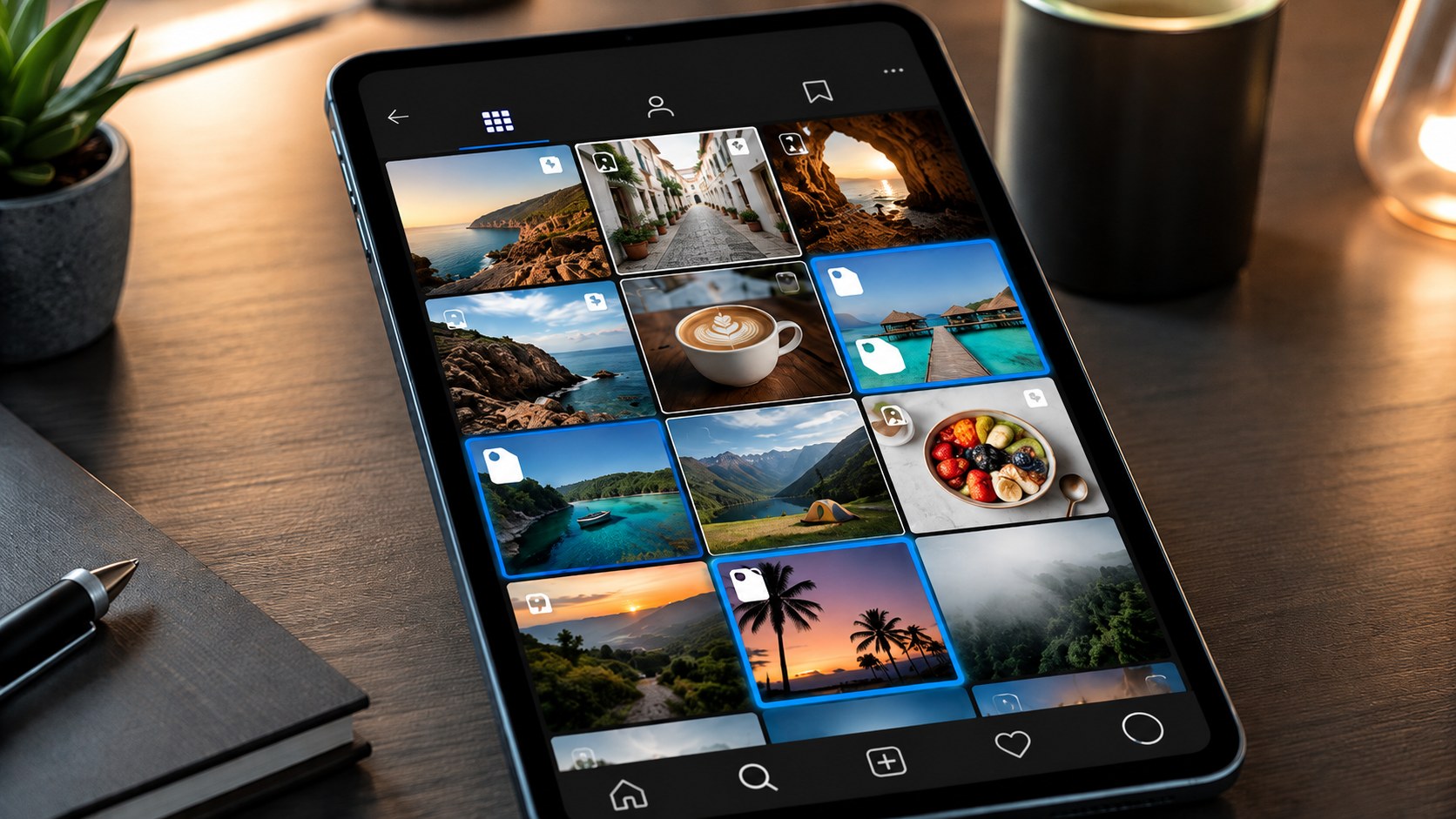
To find public posts an Instagram account is tagged in, open the profile and tap the Tagged tab beneath the bio. On a public account, it can show photos, carousels, and Reels created by other accounts that tagged that profile and are currently allowed to appear there.
But “Tagged” does not mean “complete historical record.” Users can manually approve tags, hide tagged posts from their profiles, remove themselves from a tag, or limit who can tag them. Posts from private accounts may also be unavailable. And an @username written in a caption or comment is a mention, not necessarily a media tag.
For the broadest public search:
-
Check the account’s Tagged tab.
-
Note recurring creators, brands, venues, and events.
-
Search the username and public mentions separately.
-
Check accepted Collab posts in the main grid.
-
Use Google or Bing for older indexed references.
-
Treat an empty Tagged tab as “nothing publicly displayed here,” not proof that the account has never been tagged.
Once you identify the correct public account, Dumpor can help you browse available public Instagram content without signing in.
A profile’s own grid is the polished version.
The Tagged tab is different. It can contain customer photographs, event shots, creator collaborations, press appearances, group pictures, and product sightings—material published by somebody else. For brands and public-facing creators, that outside view can be more informative than another immaculate profile grid.
Still, there is a catch.
Instagram gives account owners control over which tags appear publicly. So no honest public method can promise every post an account has ever been tagged in. What you can find is the widest set of currently discoverable public tags.
That is the useful distinction.
What Counts as a Tagged Post on Instagram?
A tagged post is a photo, carousel, or Reel where the publisher attaches another Instagram account to the media through Instagram’s tagging feature.
Depending on the tagged account’s settings, that post can appear in its dedicated Tagged section.
This is different from simply writing:
Great afternoon with @examplebrand
in a caption.
That is an @mention. It links to the account, but it does not automatically become part of the account’s Tagged grid.
|
Instagram connection |
Where it normally appears |
Same as a tag? |
|---|
|
Media tag |
Tagged section, if visible/approved |
Yes |
|
@mention in caption |
Caption text |
No |
|
@mention in comment |
Comment thread |
No |
|
Story mention |
Story/DM context |
No |
|
Accepted Collab post |
Main grids of co-authors |
No |
|
Paid partnership label |
Partnership disclosure |
No |
Method 1: Open the Account’s Tagged Tab
This is the first place to look because it is Instagram’s native collection of posts associated with media tags.
-
Search for the Instagram account.
-
Open the correct profile.
-
Look at the content tabs beneath the bio.
-
Tap the Tagged icon.
-
Browse the visible tagged photos, carousels, and Reels.
For a public brand, venue, creator, publication, or organization, results may stretch back years.
Or there may be three posts.
Or none.
An empty page is not necessarily an error.
Why the Tagged Tab May Be Incomplete
Instagram lets users manage how tags appear on their profiles. An account can require manual approval, hide a tagged post from the profile, or remove its tag.
A post can therefore be absent because:
-
the account has not approved it;
-
the account hid it from the profile;
-
the tag was removed;
-
the original post was deleted;
-
the original publisher is private;
-
the publishing account was disabled;
-
you do not have permission to see the post.
So phrase the result carefully.
“Here are the tagged posts currently visible on this public profile” is accurate.
“This is every single post this person has ever been tagged in” is not.
Manual Approval Changes What Visitors See
For the account owner, Instagram’s controls live around:
Settings and activity → Tags and mentions
The interface can include controls for who may tag the account, manual approval, and reviewing existing or pending tags.
This explains a common puzzle: someone tags a public brand correctly, yet the post never appears in the brand’s Tagged section. The brand may simply review tags manually.
Businesses often do this to keep spam, impersonation attempts, irrelevant promotions, and off-brand material away from the visible profile.
Method 2: Search Public Mentions Separately
A lot of users say they “tagged” a brand when they actually typed @brandname in a caption or comment.
From a research perspective, check both.
Search the username, then combine it with useful public clues:
-
event name;
-
product;
-
campaign;
-
venue;
-
city;
-
collaborator;
-
year.
Instagram does not provide a guaranteed global archive of every caption containing a username, so expect ranked results rather than exhaustive retrieval.
Still, this layer can uncover public references that the Tagged grid misses entirely.
Method 3: Search Google or Bing
Search engines can sometimes find Instagram pages, snippets, embeds, or outside webpages mentioning a public handle.
Try:
site:instagram.com "@username"
site:instagram.com "username" "event name"
"@username" Instagram
For a company:
"@username" "brand name"
This is not a complete backup index of Instagram. Its value is sideways discovery: an old event page, influencer campaign, article, contest, or embedded post may reveal the publisher you need.
Then inspect that public account directly.
Method 4: Follow Recurring Taggers
A Tagged grid often develops patterns.
A hotel may repeatedly be tagged by wedding photographers. A fashion label by stylists. A music venue by promoters, photographers, and bands.
Open several visible tags and note who keeps appearing. Then visit those public accounts and check older posts, event albums, Reels, campaign carousels, and related collaborations.
One useful tag leads to another. Not glamorous detective work; surprisingly effective.
Method 5: Check Collab Posts Separately
Collab posts are easy to confuse with tags.
When a Collab invitation is accepted, the post is co-authored and can appear on the main profile grids of participating accounts with shared attribution and engagement.
A standard media tag works differently: the original publisher owns the post, while the tagged account may display it in the separate Tagged section.
If you are researching everything publicly associated with a creator or brand, check:
-
the main grid;
-
Reels;
-
the Tagged tab.
Skipping Collabs can leave a noticeable hole in campaign research.
Method 6: Use Events, Places, and Hashtags as Cross-Checks
Sometimes the event is a stronger clue than the account.
For a restaurant opening, conference, festival, product launch, or sporting event, search the event name, official hashtag, venue, city, and participating accounts alongside the target username.
Useful combinations include:
-
brand + event;
-
creator + venue;
-
company + conference year;
-
product + launch hashtag;
-
athlete + tournament.
These searches find associated public content beyond the Tagged section. Open each useful result and check whether the account was formally tagged, merely mentioned, or included as a collaborator.
Tagged vs. Mentioned vs. Collab: Why It Matters
For casual browsing, the labels hardly matter. For research, they do.
Imagine a campaign where some creators media-tag the brand, others only mention @brand in captions, and several publish accepted Collabs. Looking only at the Tagged tab misses part of the campaign. Calling every textual mention a “tagged post” creates the opposite error.
Be precise about what you are measuring.
How to Find Your Own Tagged Posts
If the account is yours, you can review tag-management controls that visitors cannot see.
Open Tags and mentions in Instagram settings. If manual approval is enabled, pending tags may be waiting there instead of appearing publicly.
For brands, this is worth checking regularly. Good user-generated content can sit unnoticed in an approval queue.
While reviewing tags, distinguish between:
- approve/show on profile when you want it visible;
- hide from profile when you do not want it displayed there;
- remove tag when you do not want the account attached to the post.
The exact wording can shift slightly between app versions.
Why a Public Post Can Be Missing From the Tagged Tab
Two different controls are involved.
The publisher controls whether the post is public.
The tagged account controls whether the association is displayed on its profile.
So a public photograph can contain a valid tag yet remain absent from the tagged account’s visible Tagged section.
Public post. Hidden profile association.
That is why no public viewer can honestly promise to expose every hidden or unapproved tag.
Can You See Tagged Posts From a Private Account?
Not as unrestricted public content.
Private accounts and private posts remain subject to Instagram’s normal access controls. A third-party public viewer should not be able to turn them into public material.
Be cautious if a service promises:
-
private tagged photos;
-
pending or rejected tags;
-
deleted tagged posts from any account;
-
complete removed-tag history;
-
“secret” tag databases.
Those claims go well beyond normal public-profile viewing.
Where Dumpor Fits
Dumpor is built around publicly available Instagram content.
Once you know the public username you want to research, Dumpor can help you browse available public profile material without requiring an Instagram login.
It is not a back door to private tags, removed associations, or pending tag-review queues.
If privacy is part of your workflow, our guide to anonymous Instagram viewer privacy and responsible browsing explains the public-content boundary in more detail.
When you find a useful public Reel or other shareable item, keep the direct URL rather than rebuilding the search later. See how to share an Instagram Story, Highlight, or Reel link for the basic link workflow.
Using Tagged Posts for Brand Research
For businesses, the Tagged tab can act as a compact user-generated-content library.
It may reveal:
-
how customers photograph a product;
-
which creators already use the brand;
-
common venues or contexts;
-
event participation;
-
organic recommendations;
-
potential partnership candidates.
But visible material is not necessarily a neutral sample. Manual approval can skew a Tagged grid toward attractive or on-brand posts. Another company may barely review tags at all.
The Tagged tab tells you what is publicly associated and displayed.
Useful, yes. Complete, no.
How to Verify a Tagged Post
Before recording a post as relevant, open it and check:
|
Question |
Why it matters |
|---|
|
Is the target account actually media-tagged? |
Separates tags from mentions |
|
Is the publisher public? |
Confirms public accessibility |
|
Is it a Collab instead? |
Changes classification |
|
What is the publication date? |
Separates old and current campaigns |
|
Is the content original or a repost? |
Helps with attribution |
|
Is the tag still active? |
Removed tags may no longer count |
This matters for campaign reporting, UGC research, journalism, and competitor analysis.
A thumbnail is a clue. The opened post is evidence.
A Practical “Find as Much as Possible” Workflow
If completeness matters:
-
Confirm the current username.
-
Open the public profile’s Tagged section.
-
Browse the visible results.
-
Record recurring publishers and collaborators.
-
Search the username separately as a mention.
-
Check the main grid for Collabs.
-
Search relevant hashtags, events, and locations.
-
Run a web search for older references.
-
Verify important results on the original public post.
-
Label the result accurately: publicly discoverable tagged posts, not “every tag that has ever existed.”
That last wording matters.
It is the difference between a defensible result and a promise Instagram’s privacy controls make impossible to keep.
FAQ
Frequently Asked Questions
How do I see the posts someone is tagged in on Instagram?+
Open the person’s or brand’s Instagram profile and tap the Tagged tab beneath the bio. For a public account, it can display public photos, carousels, and Reels from other publishers that tag the account and are currently allowed to appear on its profile.
Does the Tagged tab show every post an account has ever been tagged in?+
No. Users can manually approve tags, hide tagged posts from their profile, remove tags, and limit who can tag them. Private or deleted posts may also be unavailable. Treat the Tagged tab as the account’s currently visible tagged collection, not a permanent complete archive.
What is the difference between tagging and mentioning someone on Instagram?+
A media tag attaches an account directly to a photo, carousel, or Reel and may make that content appear in the account’s Tagged section. A mention is an @username written in a caption, comment, Story, or another text surface. Mentions link to the profile but do not automatically become Tagged-tab posts.
Why is a public post missing from someone’s Tagged tab?+
The tagged account may require manual approval, may have hidden the post from its profile, or may have removed the tag. A public post and a publicly displayed profile tag are separate things.
Can I see pending or hidden tags on someone else’s Instagram account?+
No, not through normal public-profile access. Pending tag approvals and hidden associations are controlled by the account owner. A trustworthy public viewer should not claim to expose private review queues or secret tag history.
Are Instagram Collab posts the same as tagged posts?+
No. An accepted Collab is co-authored and can appear in the main grids of participating accounts with shared attribution and engagement. A regular tagged post belongs to its original publisher and may appear in the tagged account’s separate Tagged section.
Can I find posts that mention an account but do not tag it?+
Sometimes. Search the username, brand name, event, campaign hashtag, location, and other public clues on Instagram and search engines. Instagram does not offer a guaranteed exhaustive index of every caption or comment mentioning a username, so treat this as supplemental discovery.
Can I view tagged photos of a private Instagram account?+
Not as unrestricted public content. Private accounts and private posts remain protected by Instagram’s access controls. Be cautious with services promising arbitrary access to private tagged photos.
Why does a popular brand have very few tagged posts?+
It may use manual approval and display only selected user-generated content. It may also remove spam tags, while many customers mention the brand in captions without using a formal media tag.
Can Dumpor show hidden Instagram tags?+
No. Dumpor works with publicly available Instagram content. It cannot expose hidden, removed, pending, private, or otherwise non-public tag associations.
The Tagged tab shows Instagram from the other direction: not what an account chose to publish, but what other people publicly connected to it.
Just do not call it an infallible archive.
Start with Tagged. Add mentions. Check Collabs. Follow recurring publishers and events. Verify important results on the original posts.
That gives you the broadest responsible public picture—and a result you can actually trust.

 Telegram bot
|
TikTok Viewer
Telegram bot
|
TikTok Viewer