Does Instagram Tell Someone When You Share Their Post or Reel?
TL;DR
Sometimes—but not for every kind of share.
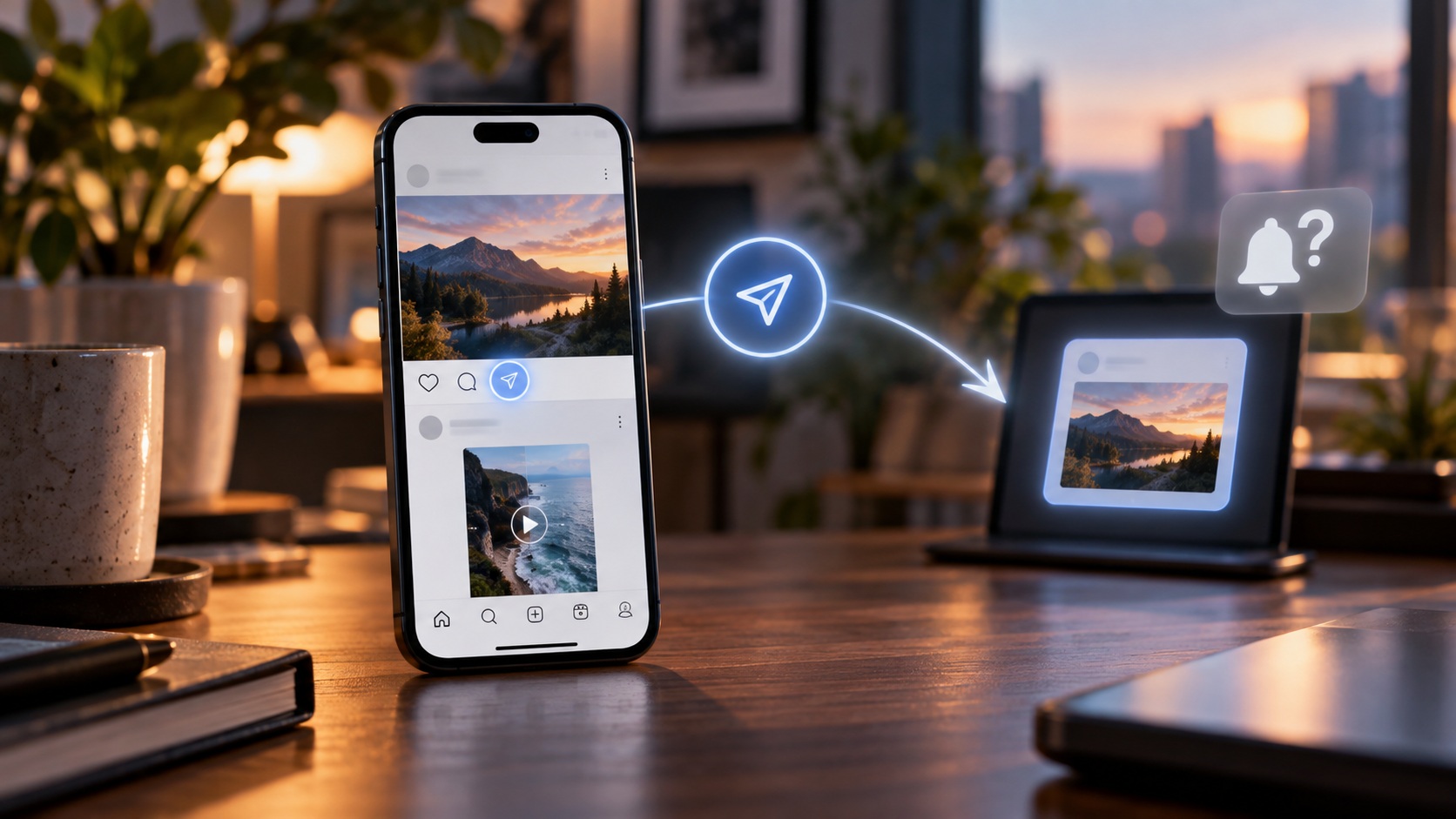
If you send someone’s Instagram post or Reel privately to another person through Instagram Direct, the original creator does not receive a standard notification telling them that you sent it. The person receiving your DM can obviously see who sent the message.
If you copy the link and paste it into WhatsApp, iMessage, Telegram, email, or another app, the original Instagram creator is not given your username as the person who shared it.
If you share content publicly—particularly through an Instagram Story, @mention, Remix, or Instagram’s native Repost feature—the situation changes. Your activity can become visible, credited, or potentially generate an Instagram notification depending on the feature and the creator’s notification settings.
Professional accounts may also see aggregate share metrics in Instagram Insights. Those numbers do not provide a complete list of the people who privately sent a post or Reel through DMs.
The practical answer:
|
How you share |
Does the original creator know it was you? |
|---|
|
Send post/Reel privately in DM |
Usually no |
|
Copy link |
No |
|
Paste link into WhatsApp/iMessage |
No |
|
Share link by email |
No |
|
Share to Story without a visible mention |
May be discoverable/visible depending on the reshare |
|
@Mention creator in your Story |
Yes, the mention can notify them |
|
Native Instagram Repost |
Treat as public/visible |
|
Remix a Reel |
Creator attribution and related activity can be visible |
|
Like/comment after sharing |
Yes, those separate actions identify you |
In other words, “Share” is not one Instagram action.
It is half a dozen actions wearing the same coat.
Why This Question Is More Complicated in 2026
A few years ago, Instagram sharing mostly meant tapping the paper-airplane icon and sending a post to a friend.
That is no longer the whole picture.
Today, a Reel or feed post can move through:
-
Instagram Direct Messages;
-
group chats;
-
Stories;
-
the native Repost feature;
-
copied links;
-
external apps;
-
browser links;
-
Remixes;
-
cross-platform sharing.
Instagram also introduced native Reposts for public posts and Reels in 2025. Reposted content is credited to the original poster, can appear in a dedicated Reposts tab, and may be recommended to the reposter’s followers.
That is quite different from quietly forwarding a Reel to your sibling in a private DM.
So the correct question is not merely:
Does Instagram notify them when I share?
It is:
How did I share it?
That decides almost everything.
Does Instagram Notify Someone When You Send Their Post in a DM?
Normally, the original creator does not receive a notification identifying you as the person who privately sent their post to somebody else.
Suppose Emma publishes a photo.
You tap the share icon and send that post to Daniel through Instagram Direct.
Daniel sees that the message came from you.
Emma does not receive a standard notification saying:
You shared Emma's post with Daniel.
Private messaging is private communication between the participants in that conversation.
The same basic principle applies when you send a Reel to:
-
one friend;
-
several friends;
-
a group chat.
The original creator may see aggregate sharing performance if they have access to professional Insights, but that is a different thing entirely.
A number is not a guest list.
Does Instagram Notify Someone When You Share Their Reel?
If by “share” you mean send the Reel through a private Instagram DM, generally no named notification goes to the Reel creator.
If by “share” you mean Repost it publicly, add it to a Story, mention the creator, or Remix it, your activity can become much more visible.
That distinction matters especially for Reels because Instagram has built several social-discovery features around people interacting with and redistributing Reels.
Meta has said that messaging is now one of the most important ways people share photos and videos on Instagram, with Reels being reshared billions of times across Meta platforms.
Creators are not receiving billions of “Sarah sent your Reel to Mike” notifications.
Thankfully.
What Does the Person Receiving the DM See?
The recipient sees the share inside your Instagram conversation.
They can see:
-
that you sent it;
-
the post or Reel preview;
-
any accompanying message you wrote;
-
the time it was sent.
This is sometimes where the privacy question gets tangled.
The recipient knows that you shared the Reel.
The original creator generally does not know your identity from that private DM share.
Those are two separate relationships.
Can a Creator See How Many Times Their Post Was Shared?
Professional accounts can access Instagram Insights for eligible content.
Depending on the account type, content format, app version, and current Insights layout, creators may see performance signals such as:
-
likes;
-
comments;
-
saves;
-
shares;
-
views;
-
reach;
-
other interactions.
The share figure is generally an aggregate metric.
It does not provide a neat directory reading:
-
Anna → sent to Mark;
-
Peter → shared in family group;
-
Lucy → copied link;
-
Sam → sent through WhatsApp.
Instagram can measure a sharing action without exposing the private conversation behind it to the creator.
Can Creators See Who Shared Their Reel Through Insights?
Not as a complete user-by-user list of private sharers.
A Creator or Business account may be able to see that a Reel accumulated sharing activity, but Instagram does not turn private DM forwarding into an open identity log for the original publisher.
That distinction is important enough to put plainly:
Instagram Insights can answer “how much sharing?” better than it answers “who privately shared it?”
Third-party “share tracker” apps occasionally promise more.
Treat those promises cautiously, especially when the app asks for your Instagram password, session cookie, or authentication code.
What Happens When You Share a Post to Your Instagram Story?
Now we are leaving the quiet part of Instagram.
A Story reshare is public or semi-public content, depending on your audience settings. It can contain a clickable representation of the original post and attribution to the original account.
The creator may be able to become aware of that reshare, and if you explicitly @mention them, Instagram can notify them about the mention.
So if your goal is to share something without the original poster knowing your identity, adding it to your Story is fundamentally different from sending it privately to one friend.
Stories are publication.
DMs are conversation.
Does Instagram Notify the Creator When You Share Their Post to Your Story?
The safest way to think about this in 2026 is:
Do not treat a native Story reshare as anonymous activity.
Instagram’s exact notification presentation can vary with app versions, account settings, feature rollouts, and whether you mention the creator. Public reshares can also be visible while the Story remains active.
If you add an @mention, the situation is much clearer: the creator can receive a mention notification.
If you need discretion, sending the post privately or copying its URL is a different category of action.
What If You Share It to Close Friends?
A Close Friends Story limits the audience of your Story.
It does not transform Instagram’s sharing system into a guaranteed anonymous channel.
If the original creator is among your Close Friends, they may simply see the Story. If you mention them, that mention can identify the action. Other feature behavior can also change over time.
The reliable privacy assumption is:
Anything you publish to your Story should be treated as potentially visible.
Close Friends means restricted audience.
Not invisible activity.
What Is Instagram’s Native Repost Feature?
Instagram launched native Reposts for public feed posts and Reels in August 2025.
When you use Repost:
-
the content remains credited to the original creator;
-
it can be recommended to your friends and followers;
-
it can appear in a Reposts section on your profile;
-
you can add a note to your repost in supported versions of the app.
This is not the same as sending content privately in Direct.
A repost is designed to be social and discoverable.
Does the Original Creator Know If You Repost Their Content?
Treat a native Repost as publicly attributable activity rather than a private share.
Reposts are credited, can appear on profiles, and are part of Instagram’s social-discovery system. Notification behavior can depend on Instagram’s current settings and rollout, but you should not use the Repost button expecting the same privacy as a DM share or copied URL.
That difference is crucial.
Private send: your identity is not normally revealed to the original creator.
Native Repost: your account can be associated with the repost.
If privacy is the goal, those are not interchangeable buttons.
Copy Link Is Different Again
Tap Copy link, and Instagram places the content URL on your clipboard.
Copying that URL does not send a named notification to the creator.
You can then paste it into:
-
WhatsApp;
-
Messages;
-
Telegram;
-
Signal;
-
email;
-
Notes;
-
a browser;
-
a work chat.
The destination service may identify you to the person receiving your message. Instagram does not therefore tell the original publisher who copied and pasted the URL.
For a more detailed breakdown, see our guide to sharing Instagram Story, Highlight, and Reel links.
Does Instagram Notify Someone When You Share Their Post to WhatsApp?
No standard Instagram notification tells the creator that you personally sent their post URL through WhatsApp.
The WhatsApp recipient can see who sent them the message.
That is WhatsApp activity.
The Instagram creator does not receive a corresponding message identifying you as the external sharer.
The same principle generally applies to iMessage, Telegram, email, and other external sharing destinations.
What About the Share Sheet on iPhone or Android?
When you tap Instagram’s Share option and choose another application through the iPhone or Android share sheet, your phone passes the URL or media reference to that application.
The original poster does not receive a personal notification simply because you selected an external app.
Instagram may still collect aggregate product-performance information about share actions, but that is different from revealing your identity to the creator.
Platform analytics and creator notifications are not synonyms.
Does Instagram Notify If You Share a Private Post?
The notification question is only half the issue.
A private account’s post remains subject to its privacy settings.
Suppose you follow a private account and send one of its posts to a friend who does not follow that account.
Your friend may receive the message, but they usually cannot simply use your access to view the private content.
The share does not inherit your permission.
A private-post URL is still a private-post URL.
What If You Share a Reel From a Private Account?
The same principle applies.
Private-account restrictions continue to matter after sharing.
Sending the Reel does not convert it into public content and does not give the recipient permanent access outside the creator’s audience rules.
This is one reason legitimate browser-based services such as Dumpor work only with publicly available Instagram content rather than claiming to unlock private posts or Reels.
Privacy controls travel farther than the share button.
Does Instagram Notify Someone When You Remix Their Reel?
A Remix is not merely forwarding a Reel.
You are creating new Instagram content based on or alongside another Reel. The original source is connected to your creation, and creator-facing activity around Remixing can therefore be more visible than an ordinary private share.
If your question is:
Can I quietly send this Reel to my friend?
Use private sharing.
If your question is:
Can I make my own Reel using this Reel as source material?
That is a different feature with different attribution and notification implications.
What If You Download the Reel and Repost It Manually?
Then Instagram no longer sees the action as the same native share operation.
You have created a separate upload.
That does not mean the reuse is invisible, permitted, or free of consequences.
The creator may discover it. Followers may tag them. Content-identification systems may detect matching material. Copyright and attribution rules still apply.
Technically bypassing the Share button does not transfer ownership.
For public-content privacy and responsible viewing practices, see our anonymous Instagram viewer privacy guide.
Sharing Is Not the Same as Tagging or Mentioning
Suppose you share a Reel to your Story and type:
@originalcreator
That @mention is its own Instagram interaction.
Even if a particular sharing mechanism would otherwise remain quiet, the mention can produce a notification or message for that account.
Likewise:
-
tagging the creator;
-
commenting on their post;
-
replying to their Story;
-
following them;
-
liking their content;
can reveal your account independently of whatever you did with Share.
Privacy questions become much easier once each action is separated.
Can Someone Tell You Shared Their Post Because the Share Count Increased?
They might see an aggregate number change.
They cannot therefore conclude that you caused it.
Imagine a creator checks Insights at noon and sees:
Shares: 47
An hour later:
Shares: 50
They know that Instagram recorded additional sharing activity.
They do not automatically know which three users caused it, who received the content, or where those shares went.
Guessing is possible.
Identification is another thing.
Does Sharing a Reel Make You Appear in the Friends Tab?
Instagram has expanded friend-based discovery around Reels, including surfaces that can show content friends have liked, created, commented on, or reposted.
This is another reason public Reposts and ordinary private sends should not be lumped together.
Your friends may encounter signals associated with certain public interactions.
A private DM send is still a private conversation.
Feature names and availability can vary by market and account, so do not use discovery surfaces as proof that every private share is public.
It is not.
Can Third-Party Apps Reveal Who Shared a Post?
They should not be trusted simply because they claim they can.
Instagram does not give ordinary users a complete list of everyone who privately forwarded their post or Reel. A third-party app cannot responsibly promise a secret creator dashboard containing private DM participants if Instagram does not expose that information to it.
Red flags include requests for:
-
your Instagram password;
-
a two-factor authentication code;
-
browser session cookies;
-
suspicious extensions;
-
payment before showing a supposedly hidden list.
The usual result is less Sherlock Holmes, more credential harvesting.
Share, Repost, Mention, and Send: The Difference
|
Action |
Where content appears |
Is your identity visible to original creator? |
|---|
|
Send in Instagram DM |
Private conversation |
Usually no |
|
Copy link |
Clipboard |
No named creator notification |
|
Send link externally |
WhatsApp, iMessage, etc. |
Not through Instagram |
|
Share to Story |
Your Story |
Can be visible; mention definitely identifies you |
|
Native Repost |
Reposts/feed discovery |
Treat as publicly attributable |
|
Remix Reel |
New Reel/remix |
Source relationship is visible |
|
Comment |
Original post |
Yes |
|
Like |
Original content |
Yes |
|
@Mention creator |
Story/post/comment |
Yes |
That table is the useful version of the answer.
“Instagram notifies” or “Instagram doesn’t notify” is too blunt.
If You Want to Share a Reel Privately
Use a private channel.
A straightforward workflow:
-
Open the Reel.
-
Tap Share.
-
Select the intended person or group in Instagram Direct.
-
Add a message if needed.
-
Send it.
The recipient will know you sent it.
The original creator does not normally get your identity from that private forwarding action.
If you prefer an external messenger, copy the link and send it there.
If You Want the Creator to Know You Shared It
Make the action visible deliberately.
You can:
-
mention them in your Story;
-
tag them where appropriate;
-
use the native Repost feature;
-
send them a message;
-
tell them you shared their work.
For creators and brands, visible credit is often the courteous choice when redistribution moves beyond a private conversation.
Publicly viewable does not mean authorless.
The 30-Second Privacy Check
Before tapping Share, ask where the content is going.
- Private Instagram DM? The recipient sees you; the creator normally does not.
- Group DM? Group members see you; the creator does not receive a named share report.
- Copy Link? No creator notification merely for copying.
- WhatsApp or iMessage? The recipient sees you; Instagram does not tell the creator who sent it externally.
- Your Story? Treat it as visible activity.
- Story with an @mention? The creator can be notified.
- Native Repost? Treat your account as associated with the repost.
- Remix? This is public content creation, not quiet forwarding.
- Private account? Recipient access remains restricted.
Once you know the destination, the answer becomes fairly ordinary.
FAQ
Frequently Asked Questions
Does Instagram notify someone when you share their post?+
It depends on how you share it. Sending a post privately through Instagram Direct does not normally give the original creator a notification identifying you as the sender. Public sharing methods, mentions, native Reposts, and other visible interactions can expose your account.
Does Instagram notify someone when you send their Reel to a friend?+
Normally, no. If you send a Reel privately through Instagram Direct, the friend receiving it can see that you sent it, but the Reel creator is not given a standard notification naming you as the person who forwarded it.
Can someone see who shared their Instagram post through DM?+
Instagram does not provide creators with a complete list of users who privately sent their post or Reel through Direct Messages. Professional Insights may show aggregate sharing activity without identifying the participants in those private conversations.
Does Instagram notify the creator when you share their post to your Story?+
A Story reshare should not be treated as anonymous. The original account can be credited by the embedded post, the reshare may be visible, and an explicit @mention can generate a notification. Exact notification behavior may vary with Instagram settings and feature versions.
Does Instagram notify someone when you share their Reel to your Story?+
The same principle applies. A public or audience-visible Story reshare is fundamentally different from a private DM. If you @mention the Reel creator, they can receive a mention notification.
Does Instagram notify someone when you copy their post or Reel link?+
No named notification is sent merely because you tap Copy link. The creator does not receive a list showing which accounts copied their URLs.
Does someone know if I share their Instagram post on WhatsApp?+
The WhatsApp recipient knows who sent the message. The original Instagram creator does not receive a normal Instagram notification identifying you as the person who sent their URL through WhatsApp.
Can Instagram creators see the number of times a Reel was shared?+
Professional accounts can access Insights for eligible content, which may include aggregate sharing metrics. Instagram does not turn that aggregate number into a complete list of private sharers.
Can someone see exactly who shared their Reel?+
Not for ordinary private DM forwarding. Public interactions such as native Reposts, Story mentions, or other attributable features are different and can connect an account to the redistributed content.
Does Instagram notify someone when you Repost their Reel?+
Instagram’s native Repost feature is designed as a publicly attributable sharing mechanism. Reposts are credited to the original creator and can appear in the reposter’s Reposts tab or followers’ feeds. Notification presentation can vary, so do not treat Repost as a private or anonymous action.
Does sharing a private Instagram post let the recipient view it?+
Not automatically. The recipient still needs permission to view content from the private account. Sharing a private post does not transfer your follower access to somebody else.
Does Instagram notify someone when you share their post in a group chat?+
The group members can see who sent the post into the conversation. The original post creator does not normally receive a notification identifying you because of that private group-chat share.
Can third-party apps tell creators who shared their posts?+
Be skeptical. Instagram does not expose a complete identity list for ordinary private shares. Apps promising to reveal every DM sharer or link copier may be inaccurate, unsafe, or designed to collect credentials.
Is sharing the same as reposting on Instagram?+
No. Sharing can mean sending a post privately, copying its link, adding it to a Story, or using another app. Instagram’s native Repost feature is a specific public-facing mechanism introduced for public feed posts and Reels and can associate the repost with your profile.
Instagram’s Share button looks wonderfully simple.
The privacy rules behind it are not.
Send a Reel to a friend in a private DM and the creator does not normally receive your name as the sender. Copy the URL into WhatsApp and, again, Instagram does not hand the creator a report about you.
Publish the content to your Story, mention the account, Remix it, or hit the native Repost button?
Now you have crossed into visible social activity.
That is the distinction worth remembering:
private forwarding is generally private from the original creator; public redistribution can be attributable.
Know which button you are pressing.
The icons are close together. Their consequences are not.

 Telegram bot
|
TikTok Viewer
Telegram bot
|
TikTok Viewer