How to Put Music on One Instagram Photo or a Whole Carousel
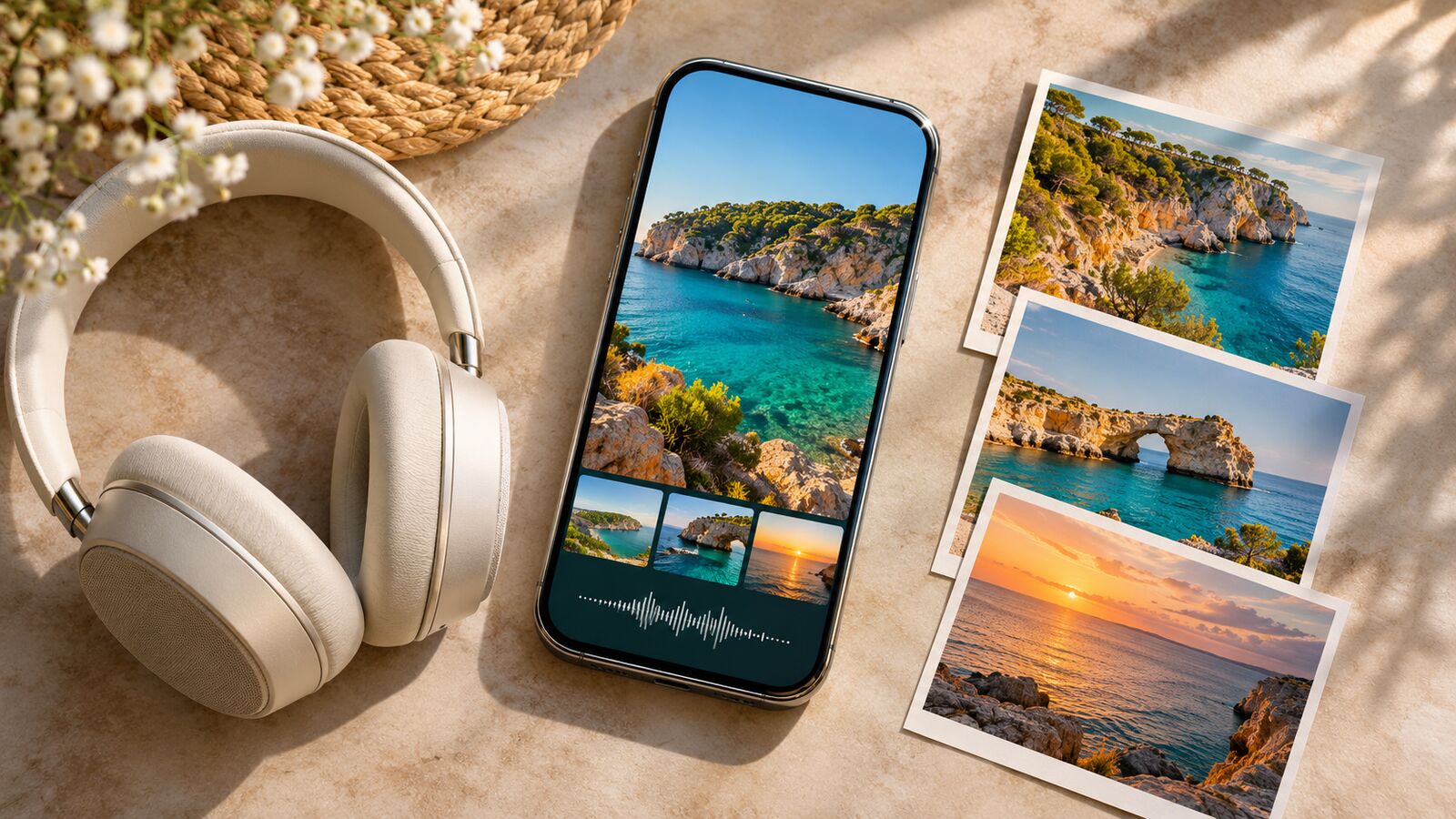
TL;DR — In the Instagram mobile app, tap +, choose Post, and pick a photo. For a carousel, tap Select multiple and choose your images in order. Tap Next through the photo editor, then Add audio or Add music. Choose a song, drag the slider to the section you want, tap Done, and Share. One track plays across a photo carousel. If adding a video makes the music button disappear, try the draft with photos only. To swap an existing song after publication, open the post’s Edit menu and look for Replace audio.
The studio recording opens with the guitar riff you had in mind. The live version starts with eight seconds of cheering before the band plays a note. Both come up under the same song title. Give the preview a few seconds before you choose. For a portrait of the guitarist, you might want the riff. For a shot of the front row, the applause might be exactly right.
How to add music to a single Instagram photo
Use the Instagram app on an iPhone or Android phone. Start from Create and choose Post so the picture will appear as a regular feed post on your profile. If you see the Story sticker tray or a timeline for cutting video clips, go back to the format selector.
-
Choose a photo from your phone or take one in the app. Tap Next.
-
Finish the crop and any visual edits. Some versions show a music note at the top of this screen. You can use it now, or tap Next and look for Add audio or Add music on the screen with the caption.
-
Open the music picker. Search by title or artist, or try For you and Browse for suggestions. If your picker has a Saved section, check it for songs you bookmarked. Where several recordings have the same title, play a preview before choosing.
-
Move the strip at the bottom to choose where the excerpt begins. If a duration button is available, tap the number of seconds to set the clip length. Listen again from the beginning of your selection.
-
Tap Done. On the sharing screen, look for the song title you chose. If the row still says Add audio and shows no track, reopen it before publishing. Finish your caption, then tap Share.
After sharing, open the picture from your profile. Tap the speaker control if it’s muted, then listen for the passage you selected.
How to add a song to an Instagram carousel
A photo carousel gives people time to linger. Someone can spend half a minute reading the handwriting on slide two while somebody else is already at the last picture. Pick a passage that makes sense at either pace.
-
Tap +, select Post, then tap Select multiple, often shown as two overlapping squares.
-
Tap the photos in the order you want them to appear. Check the numbered selections. The first photo is the opening slide when someone opens the carousel from your profile.
-
Tap Next, make any edits to the images, and continue to the sharing screen. Choose Add music. If the editor already shows a music note, that can take you to the picker too.
-
Choose a recording and a passage. Look at both the opening image and the last one as you listen. A line that suits a brightly lit stage can feel quite different over a quiet shot of the empty hall.
-
Tap Done, check the track and photo order, and tap Share. Open the published post and swipe past the first picture with the sound on to hear how the music carries across the set.
Instagram can give you a separate caption field for every slide. The music you chose applies to the whole post. If you want a new track to start precisely as the third photo appears, a Reel made from still images gives you control over that cut.
|
What you want to publish |
Format to choose |
How the audio works |
|---|
|
One portrait with a short musical introduction |
Single-photo feed post |
Pick one excerpt. The picture stays still while the audio plays. |
|
A swipeable album with a common soundtrack |
Photo-only carousel |
One selection continues as the viewer moves between images. |
|
Backstage photos and a clip of someone speaking |
Mixed carousel |
Check whether the music option is offered. Adding a song can mute the video’s recorded sound. |
|
A sequence that changes pictures on a particular beat |
Reel made from photos |
Set the image durations on the timeline and preview the transitions. |
Choose the right part of the song and set its length
The clip length and the start point do different jobs. The number of seconds determines how much of a recording Instagram will use. Moving the slider changes which seconds it uses. Suppose the record has a 12-second piano introduction. Extending your clip gives you more of the verse, but a listener still has to wait 12 seconds to hear a word. Move the start point to the vocal if that’s the part you want.
The single-photo picker commonly offers clips from 5 to 90 seconds. Use the choices shown for your track and post. On layouts with a numbered duration button, you can shorten the excerpt there and go back to the waveform to fine-tune its position. A 20-second selection on a carousel is one excerpt for the post. It doesn’t give each picture 20 seconds on screen.
A useful listening test takes less time than a search for another song. Play your selection once without looking at the waveform. Does it open halfway through a word? Does it cut a final note so short that it sounds like the phone lost its connection? Shift the selection a little and play it once more. For the photograph of a violinist taking a bow, the last few bars of a performance might say more than the chorus everyone knows.
Leave essential information in the pictures or caption. If a café is announcing Friday’s jazz night, a reader with the sound off should still be able to find the date, address, and set time. The recording can give that reader a taste of the music when they turn the volume up.
What happens if your carousel includes a video?
Photos alone give you the most reliable route to Add music. Instagram’s help instructions describe that route for photo carousels and list video as a limitation. Instagram has also shown a version of the editor that accepts music on carousels containing video.
You can check which behavior your account has while the post is still a draft. Start with two still images and see whether Add music appears. Go back, include the video, and return to the same screen. If the control disappears, you’ve found the difference. Turning down the clip’s volume won’t turn it into a still image. Use a photo from that moment in the album and share the video separately if you want people to hear it.
When the control remains available, play the video slide after adding the song. In the mixed-carousel version Instagram has shown, adding music mutes the sound recorded with the video. Losing background traffic might be welcome. Losing the only recording of your grandfather saying who’s in an old family photograph is another matter. In that case, keep the clip’s original sound, or make a video edit that lets you set the music under his voice.
Why Add Music is missing or the song you want won’t appear
- There’s no music button anywhere. Open the current mobile app and start a fresh Post with one ordinary photo. Check both the visual editor for a note icon and the final sharing screen for Add audio. The desktop uploader and third-party publishing tools may offer different controls. A successful one-photo test gives you somewhere to start when a larger draft fails.
- The picker opens, but one song is missing. Search by artist and a distinctive word from the title. Check the recording credits if the results contain covers, remixes, or live performances. A version you saved from a Reel may still be unavailable for this particular feed post. Another song playing normally tells you the picker itself is working.
- The catalog looks unusually small. Confirm which Instagram profile you’re posting from. A shop and its owner can run the same app on the same phone and see different music libraries. Availability depends in part on the account, the type of use, and the country or region. Updating the app can restore missing interface controls, but it won’t expand a music license.
- The title appears on the post, but you hear nothing. Open the original in Instagram, tap its speaker icon if it is muted, and turn up the phone’s media volume while the post is open. Check whether audio is going to headphones or a Bluetooth speaker in another room. Then play a different post that has a song attached. If both are silent, check the playback settings first. If the second one plays, return to the first and look for an audio notice.
“It plays for me” settles very little if one of you found a cover. Compare the artist and recording title. If a friend still can’t hear that exact recording in another country, regional availability may explain the difference.
What business and creator accounts should know about music
Instagram’s licensed music library is intended for personal, noncommercial use. Some business accounts and post types have a smaller selection. A travel photographer may find a popular track while assembling a personal vacation album. If a hotel later commissions those pictures for a sponsored post, the photographer needs to check whether the permission covers that job.
For a shop announcement or paid partnership, choose music whose terms cover the work you’re publishing. Meta Sound Collection offers royalty-free tracks for supported commercial uses on Meta platforms, including ads. The collection is available through certain creation and advertising tools. You may not see the same catalog inside the photo-post picker. Music you own and control, or a track licensed for the relevant placement, gives you another option where the format supports it.
Consider who will use the finished piece. A florist posts photographs of a Sunday wedding. A week later the venue wants the same images for a paid campaign. Permission to show the pictures and permission to run that recording in an ad are separate matters. Check the music terms for the campaign before approving the version with sound. Switching the account from Business to Creator can change the visible library without changing the rights attached to a track.
If a particular artist appears on a personal profile but disappears when you switch to the shop profile, our guide explains why songs go missing on Instagram business accounts.
Can you add or change music after the post is published?
You can replace a song on an eligible feed post or carousel that already uses Instagram library audio. Instagram introduced this editing option in July 2026. Open your own published post, tap the three-dot menu (…), choose Edit, then open Audio or Replace audio. Select a new recording, choose the passage, and save with Done. When you reopen the post, you should see the new track on the same publication, with the existing likes and conversation still there.
If the original photo went out without a song, look in Edit for an Add audio option. Instagram documents choosing the first song before you share. The replacement tool works on an attached track, so a silent post may have nothing you can select there. If the option is absent, you can leave the original up and publish a separate version with music. For an album that already has family memories in the comments, that can be a better outcome than starting over.
Audio unavailable is a different case. Instagram can mute a recording that played when you posted if its agreements with the rights holders change. The photos can remain visible. Open the affected post, tap Audio unavailable, then Replace audio if Instagram offers it. Pick an available track, set the excerpt, and confirm. Instagram describes the replacement through this muted-audio notice as a one-time choice, so listen through the passage before saving.
Preparing a photo post with music ahead of time
For a post somebody else will publish, hand over the song title, the artist, the recording version, and a cue for where to begin. “Use the studio recording, start on the first drum hit, and take the next 15 seconds” is enough for a colleague to find the passage on their own phone. A streaming link on its own leaves the choice of excerpt open.
Scheduling also affects where you finish the job. Some third-party schedulers can queue the images and caption, then send a phone reminder so you can add the song inside Instagram at publishing time. If the publishing screen never asks you to select audio, the scheduled carousel can go out silent. If Instagram offers native scheduling for your professional account and that particular post, check the attached song on the final screen before setting the time. If the option disappears when you add the track, finish the post manually at the planned time. Our guide to scheduling Instagram posts and Reels covers the native controls.
If a public carousel plays correctly in Instagram but sounds different on Dumpor, send our team the post URL and the name of the browser you used. Include the song title if you can see it on the original. Those details help us check the same recording on the same post. Send a playback question to Dumpor.
FAQ
Can I put a different song on each picture in an Instagram carousel?
How long should the music be for a carousel with 20 photos?+
There’s no formula based on the number of pictures. Instagram supports carousels of up to 20 items, and the selected excerpt belongs to the set. Ten seconds can work for a series of quick snapshots. A longer passage may suit an illustrated recipe that readers stop to study. If a viewer scrolls on to the next post, they can miss the end of even a short recording. Put the phrase you care about near the beginning.
Can I add a song from Spotify to an Instagram photo?+
Use Spotify to identify the track, then search for it by title and artist in Instagram’s post editor. Pasting a Spotify link into the caption won’t make the picture play that recording. Spotify’s Instagram sharing feature can create a Story with a song preview. For audio under a regular feed photo, the recording needs to be available to you in the Instagram picker.
Can I use my own recording or upload an MP3?+
The standard photo-post picker lets you select from the audio available to your account. It has no general-purpose MP3 attachment field. If you released a track and it has been delivered to Instagram’s music library, search for your artist name and the exact release. For a recording that exists only on your phone, such as your own piano performance, you can combine it with the picture in a video editor and share the finished piece as a Reel.
Does adding music turn my photo carousel into a Reel?+
It remains a carousel, and viewers can still swipe through the pictures. Instagram has said that eligible carousels with music may also appear in the Reels tab. It doesn’t guarantee more views, and it doesn’t give the pictures a video timeline. Choose a Reel from the start if the audience needs to see a particular frame at a particular moment.
Can I remove a song and leave the published photos silent?+
Open the post’s audio controls under Edit and see which actions are offered. Replace audio lets you exchange recordings. If there’s no removal option, that control won’t turn the post into a silent one. Tapping the speaker icon mutes your own playback. For a silent version, publish the original pictures in a new post with the music field empty. If you also want the earlier musical version off your profile, archive it. Its comments stay with that version.
Can I boost a carousel that already has music?+
A song available for an ordinary post may be ineligible for paid promotion. Check the boost setup before building your campaign around that version. If Instagram offers an ad-eligible replacement, preview the promoted version with that track. Otherwise, prepare the ad with cleared music or without a soundtrack. A song being available on the business owner’s personal profile doesn’t establish permission to use it in the shop’s ad.
Why is there no music in the photo I saved or sent?+
A JPEG, PNG, or screenshot contains the picture. Instagram plays the associated audio when someone opens the post in a supported setting. To send a friend the experience you created, share the original post with them. They’ll need access to the post and to the track in their region. To deliver pictures and sound together as a file you control, create a video using audio you have permission to include.

 Telegram bot
|
TikTok Viewer